PicPeak
WordPress plugin: import PicPeak gallery images into the media library
Install
No release zip yet. The repository archive installs, but the folder name will carry the branch suffix and updates will not flow:
wp plugin install https://github.com/picpeak/plugin-wordpress/archive/refs/heads/main.zipPicPeak for WordPress
Import gallery images from a PicPeak instance into the WordPress media library.
Connect the plugin once with an API token, browse your galleries from inside wp-admin, and import a whole gallery or a hand-picked selection — with the proofing metadata PicPeak already holds carried across.
Status: early but working. Connection, gallery browser and import all work, and the import path has been run end to end against a live PicPeak instance. The folder adapters have not. See Roadmap.
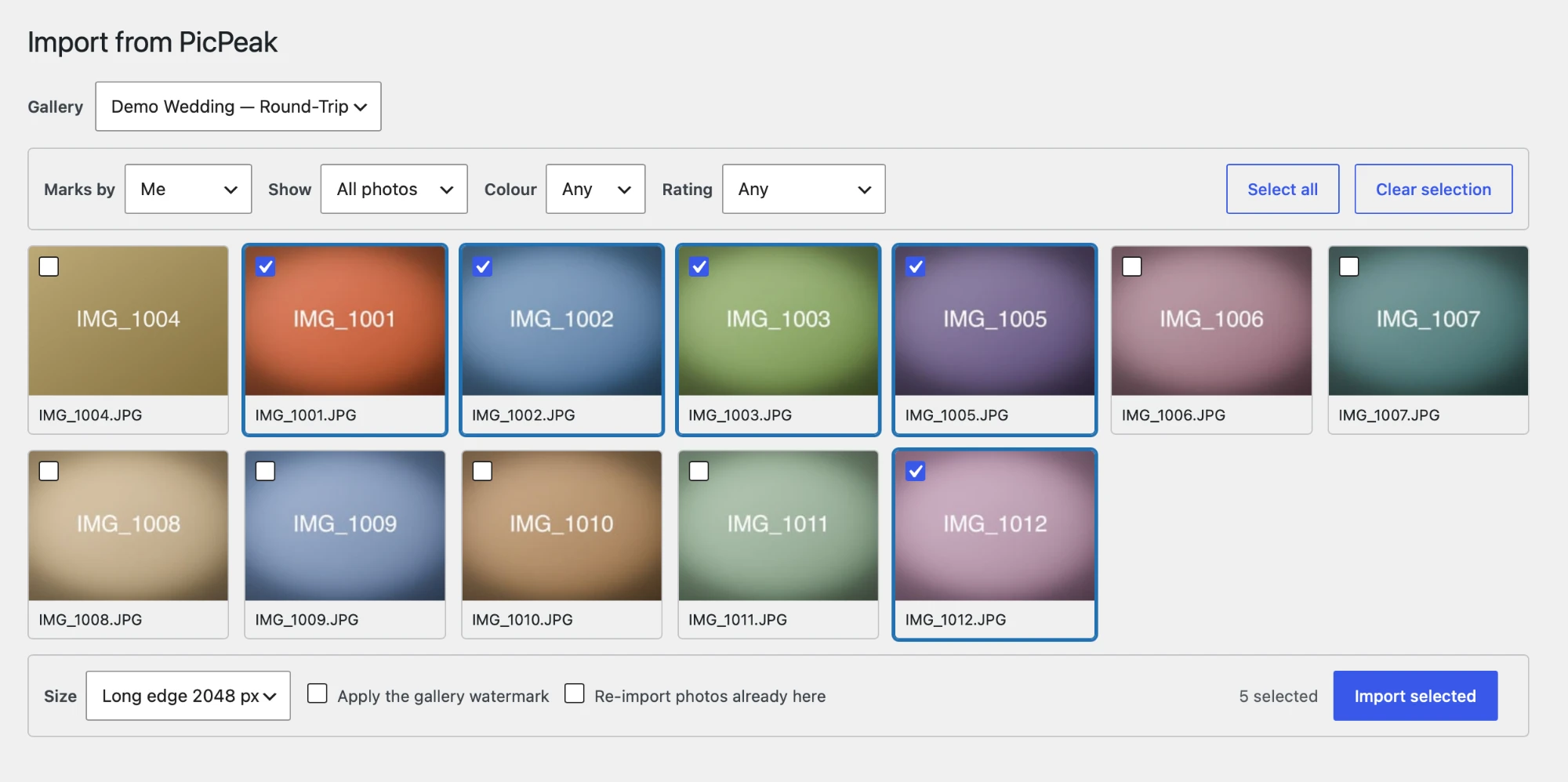
Why import rather than embed
PicPeak galleries expire by design. Hotlinking them into posts ties your site's lifetime to the gallery's, and eventually serves 404s where your portfolio used to be. Imported images live in your media library, with WordPress thumbnail sizes, alt text and media search, and outlive the gallery they came from.
Requirements
- WordPress 6.0+, PHP 7.4+
- A PicPeak instance you administer
- An API token from Settings → Integrations in PicPeak, with the
readscope; its owning account needs the photo view and download permissions
PicPeak version
The connection and gallery listing work against any PicPeak with the v1 API.
The picker and importer additionally need the preview and rendition endpoints from PicPeak/picpeak#1628, which is not merged yet:
| Needs | Endpoint |
|---|---|
| Thumbnails in the picker | GET /api/v1/events/:id/photos/:photoId/preview |
| Web-sized imports | ?resolution=WxH on the download routes |
| Deciding how to fetch a row | size_bytes / media_type / mime_type on the photo list |
Importing originals one at a time, and the bulk ZIP, work on current PicPeak without that PR.
Where it appears
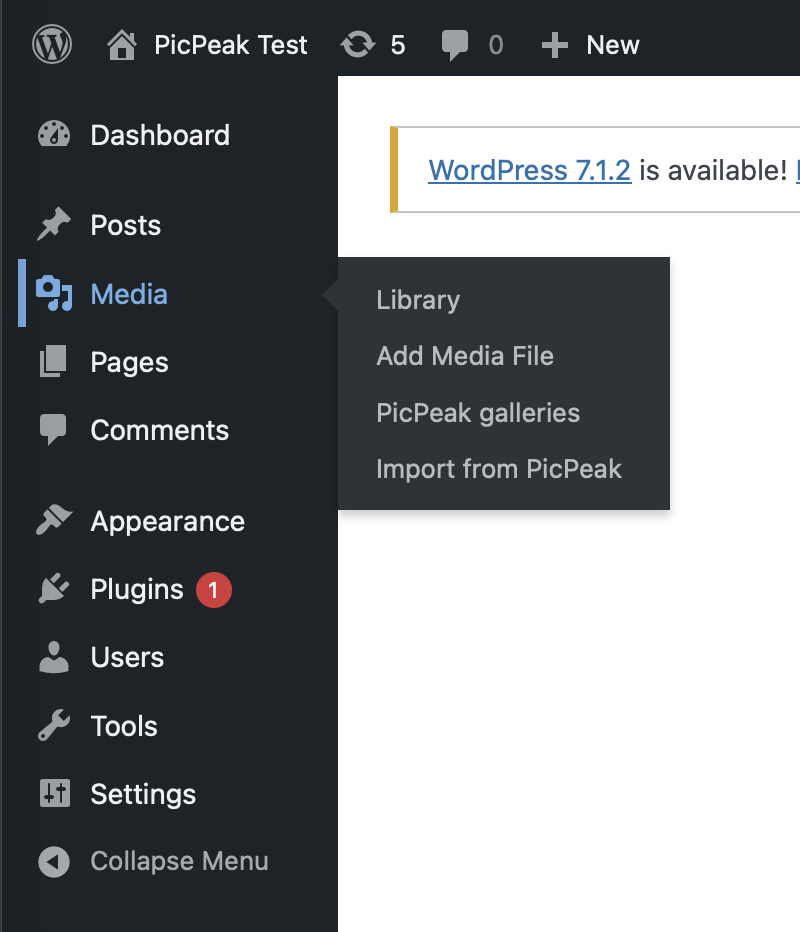
The plugin adds no top-level menu. After activating, it is in the two places WordPress puts things of each kind:
- Settings → PicPeak — the instance URL and API token. Start here.
- Media → Import from PicPeak — the gallery browser and importer.
Both are also linked from the plugin's own row on the Plugins screen.
Connect it once under Settings → PicPeak. Test connection reports how many galleries the token can actually see, so an empty result is an answer rather than an ambiguous silence:
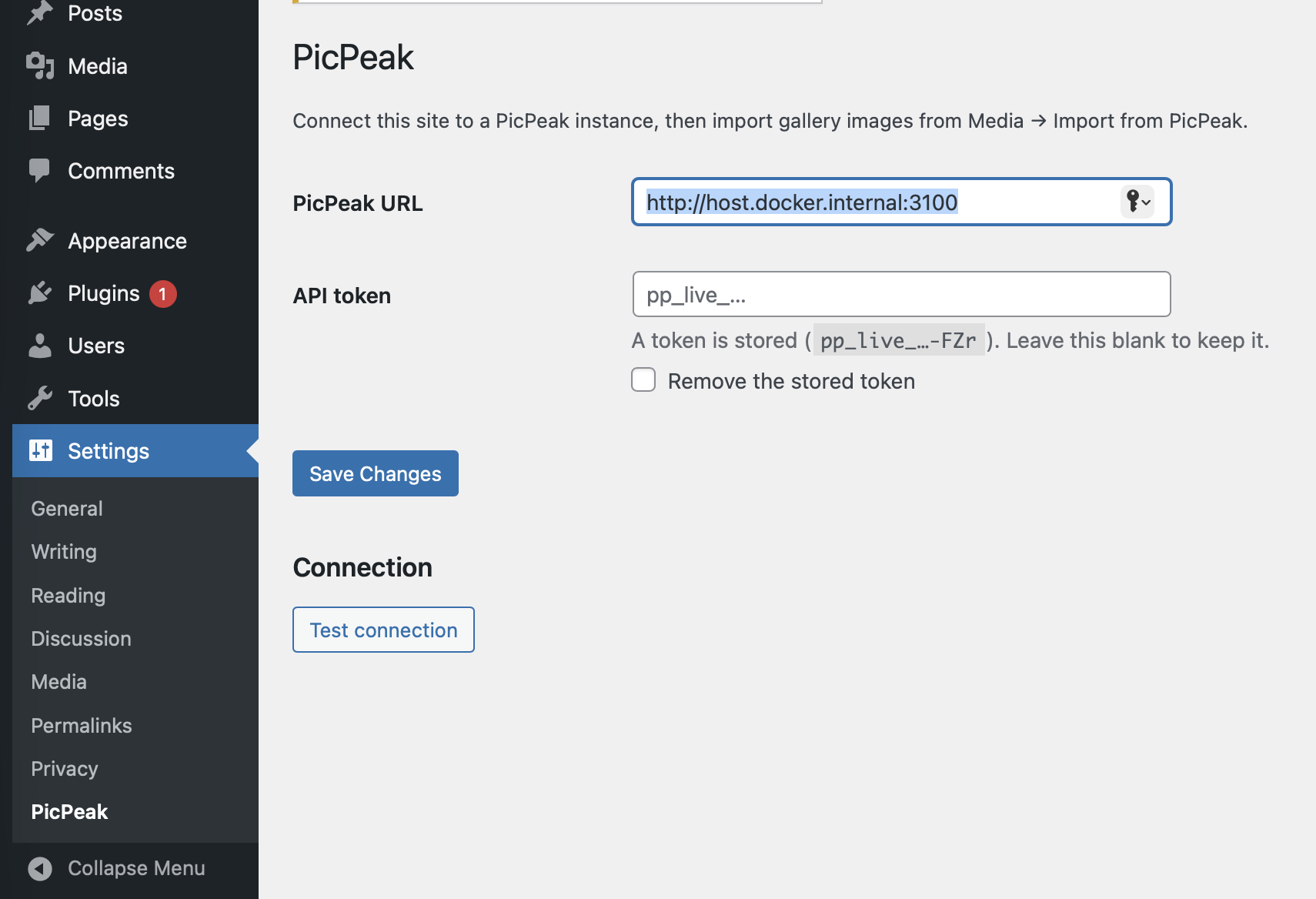
Installation
Download picpeak.zip from Releases, then Plugins → Add New →
Upload Plugin. The zip contains a single top-level folder named picpeak,
which is what WordPress expects and what the text domain loads from.
On hosts that set DISALLOW_FILE_MODS the upload form is hidden; unpack into
wp-content/plugins/picpeak/ over SFTP, or use wp plugin install ./picpeak.zip --activate.
The token never reaches the browser
The API token is admin-scoped on the PicPeak side. Anything that could read it from a page — another plugin, a browser extension, an XSS — would inherit that access, so it is never printed back into the settings form and never handed to JavaScript.
The picker calls a picpeak/v1 namespace on this site; WordPress attaches
the token server-side. Those routes require the upload_files capability and a
REST nonce, and forward only the query parameters PicPeak documents.
Who can import
The routes are gated on manage_options — administrators only — and not on
upload_files, which Authors hold. This is deliberate. WordPress cannot narrow
the PicPeak token: it carries the permissions of the admin who created it, so
anyone who can call these routes can list every gallery that account can see and
pull down originals. On a site with contributors, upload_files would hand one
photographer's private client galleries to anyone who can write a post — and
imported files land in wp-content/uploads, which is served without
authentication.
Widen it only if you mean to:
add_filter( 'picpeak_required_capability', fn() => 'upload_files' );Self-hosting PicPeak on a local network
Because every request carries the token, the instance URL is refused if it resolves to a private or loopback address. If your PicPeak genuinely is on a LAN, allow it explicitly:
add_filter( 'picpeak_reject_unsafe_urls', '__return_false' );To keep the token out of the database entirely, define it in wp-config.php:
define( 'PICPEAK_BASE_URL', 'https://gallery.example.com' );
define( 'PICPEAK_API_TOKEN', 'pp_live_…' );
The settings fields then render as locked rather than silently ignoring input.
Resizing
Resizing happens on the PicPeak server, before anything is transferred, so only the resized bytes cross the wire. Importing a 400-photo gallery at 2048 px moves a fraction of what the originals would.
Sizes are given as the longest edge, the way an export dialog puts it. The
photo is fitted inside that box with its aspect ratio kept and is never
enlarged, so a 3000×2000 landscape at 2048 comes back 2048×1365. Presets cover
2048, 1600 and 1200 px; Custom… takes any value up to 99999.
Two things are served at original size whatever you pick, because re-encoding them would produce bytes that disagree with their own filename and content type:
- videos (excluded from the picker by default anyway)
- RAW and HEIC/HEIF
A photo already smaller than the box is sent as stored rather than re-encoded.
Folders
WordPress core has no media folders, so every import is tagged with a
picpeak_gallery term — that is what the filter dropdown in the media library
uses, and it needs no other plugin.
If FileBird or Real Media Library is active, imports are additionally placed in a folder named after the gallery. This is detected at runtime; with neither installed nothing is attempted and nothing is missing.
Not yet verified against a live install. Both adapters are written against those plugins' documented APIs but have not been run with either plugin present. If an API has moved, the import still succeeds and the image is still tagged — and the screen now says how many could not be placed, rather than leaving you to notice an empty folder tree. Treat this as the least-proven part of the plugin.
Rename the folder with a filter:
add_filter( 'picpeak_folder_name', fn( $name, $event ) => 'Shoots/' . $name, 10, 2 );Roadmap
- [x] Connection settings, credential handling, REST proxy
- [x] Gallery browser: thumbnail grid with PicPeak's own proofing filters
(
marked_only,color_labels,min_rating) — so "import what the client starred" is one control - [x] Import: batched sideload, deduplicated on the PicPeak photo id, with a resolution choice and an optional watermark
- [x] A
picpeak_gallerytaxonomy on attachments, giving a filter dropdown in the media grid with no folder plugin involved - [x] Optional folder-plugin adapters (FileBird, Real Media Library) — written, not yet run against either plugin
- [x] Release zip built by CI, named
picpeak/as WordPress requires - [ ] Updates through GitHub Releases (Plugin Update Checker)
- [ ] German translation
- [x] Import path tested end to end against a live instance
- [ ] Browser UI exercised in a real admin session
Import only. Nothing is written back to PicPeak.
Tracked upstream in PicPeak/picpeak#1620.
License
MIT. See LICENSE.