Notiblock WP Registry grade A. No security issues foundWP RegistryNo security issues foundOpen the reportA
Conditional notification blocks for WordPress with dashboard widget configuration.
Install
Upload it under Plugins → Add New Plugin → Upload Plugin, then activate.
Install straight from GitHub with WP-CLI:
wp plugin install https://github.com/philhoyt/notiblock/releases/download/v1.1.0/notiblock.zipConditional notification blocks for WordPress with dashboard widget configuration.
Requires at least: 6.7 · Tested up to: 7.0 · Requires PHP: 7.4
Description
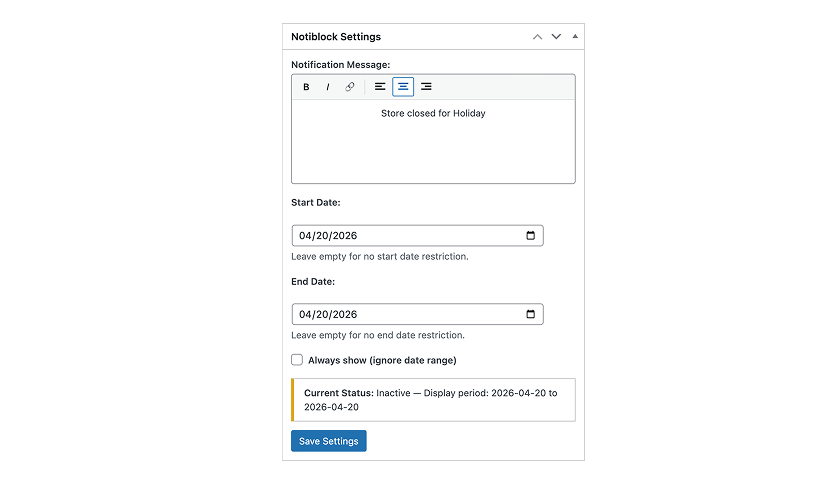
Notiblock adds two blocks to the editor: a conditional wrapper that shows or hides its contents based on a date range, and a message block that displays a globally configured notification. Set the message and date range once in the dashboard widget or settings page, then place the blocks wherever the notification should appear.
Installation
- Download the latest
notiblock.zipfrom the releases page. - Go to Plugins → Add New → Upload Plugin and upload the zip file.
- Activate through the Plugins screen.
- Go to Dashboard → Notiblock Settings or Settings → Notiblock to configure your message and date range.
Blocks
Notiblock Conditional — The wrapper block. Handles the date logic and conditionally renders its contents.
Notiblock Message — Displays the globally configured notification message. Only available inside a Conditional block.
Development
npm installnpm start # Development build with watch
npm run build # Production build
npm run plugin-zip # Create plugin zipLicense
GPL-2.0-or-later
Releases
3 releases. Each count is every asset in that release; expand a row for the breakdown.