Install
Upload it under Plugins → Add New Plugin → Upload Plugin, then activate.
Install straight from GitHub with WP-CLI:
wp plugin install https://github.com/peiche/progress-block/releases/download/v1.0.0/progress-block.zipNo built-in updater. New versions won't appear under Dashboard → Updates. Install new releases yourself, or let Git Updater track the repository.
With this Progress Block, you can easily show your audience your progress! Use this plugin directly in the WordPress block editor and showcase your important statistics, data, achievements, and more.
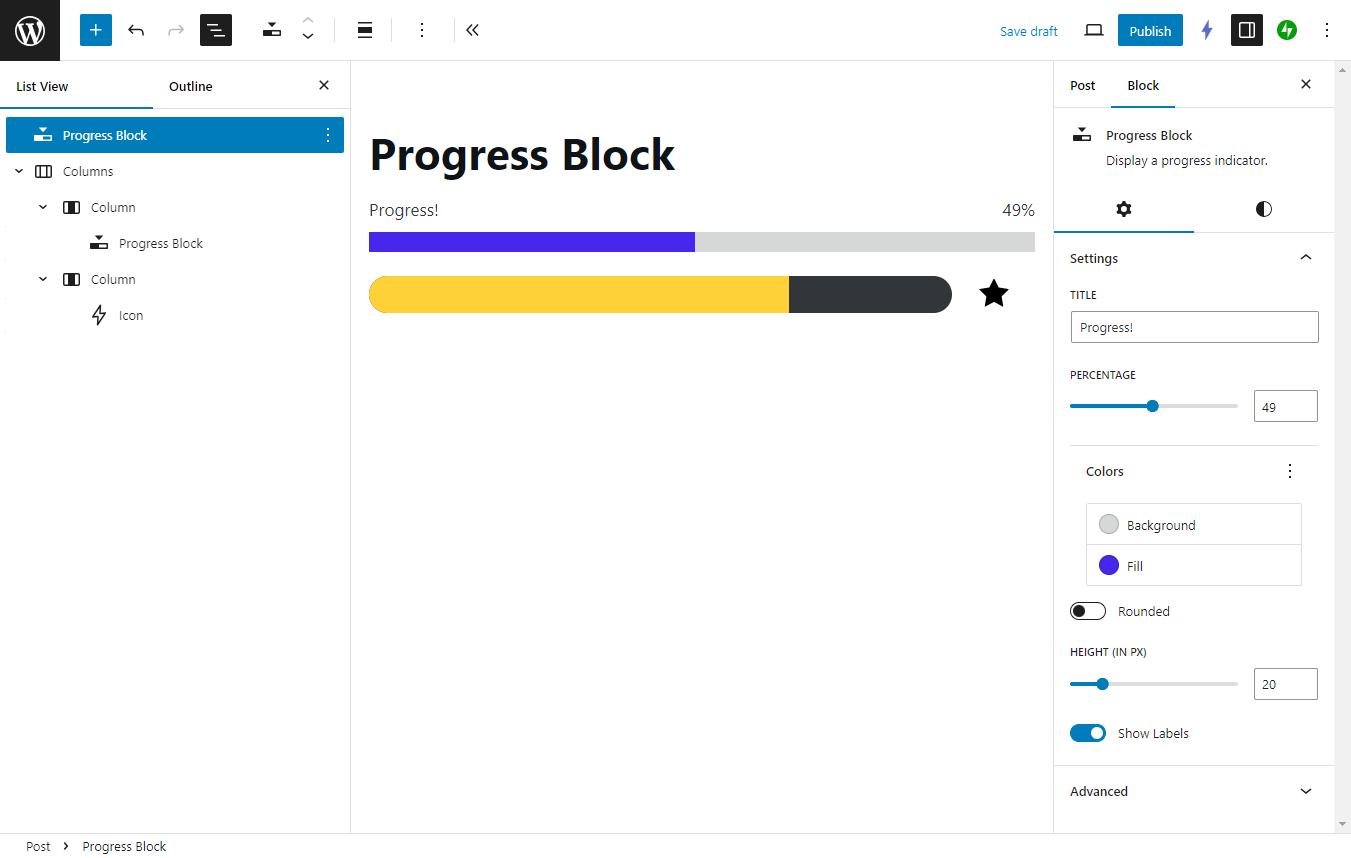
Settings
- Title: Set a custom heading for your progress bar.
- Percentage: Set the progress with a slider, or set the number directly.
- Colors: Set the colors for the background and fill. Supports your theme's colors!
- Rounded: Turn on to give your progress bar rounded corners. Turn off to be square.
- Height: Set the height of your progress bar, in pixels.
- Show Labels: Turn on to display the title and percentage number. Turn off to hide them.
- Progress Block also supports additional style settings:
- Text and background color (not to be confused with the progress bar's background color)
- Font size
- Padding and margin
Installation
- Download the latest version from
https://github.com/peiche/progress-block/releases. - In your WordPress Dashboard, navigate to Plugins > Add New Plugin.
- Click Upload Plugin. Choose the
progress-block.zipfile. Click Install Now. - Activate the plugin.
- The Progress Block plugin is now ready to use!
Running locally
- Download the code or clone the repository into a local instance of WordPress. (I use Local.)
- In the root level of the plugin, run
npm install. - Run
npm run startornpm run build. - Activate the plugin.
Change log
See the change log.
Releases
1 release. Each count is every asset in that release; expand a row for the breakdown.
Tag
Published
Assets
Downloads