Install
This is the repository archive. It installs, but the folder name will carry the branch suffix and updates will not flow.
Install straight from GitHub with WP-CLI:
wp plugin install https://github.com/pckladivo/wp-photo-booking/archive/refs/heads/main.zipConfigurable booking and contact forms for WordPress, built for photographers: a form builder, a booking calendar, a message inbox and per-form email notifications.
Requires WordPress 5.8+ and PHP 7.4+. Tested on WordPress 7.1 with PHP 8.3; older versions are expected to work but are not tested. Author: Ulla Wolk. Licence: GPL-2.0 or later.
Its companion plugin is WP Photo Proofing (password-protected galleries in which clients pick their photos). The two are independent — each can be installed on its own.
Screenshots
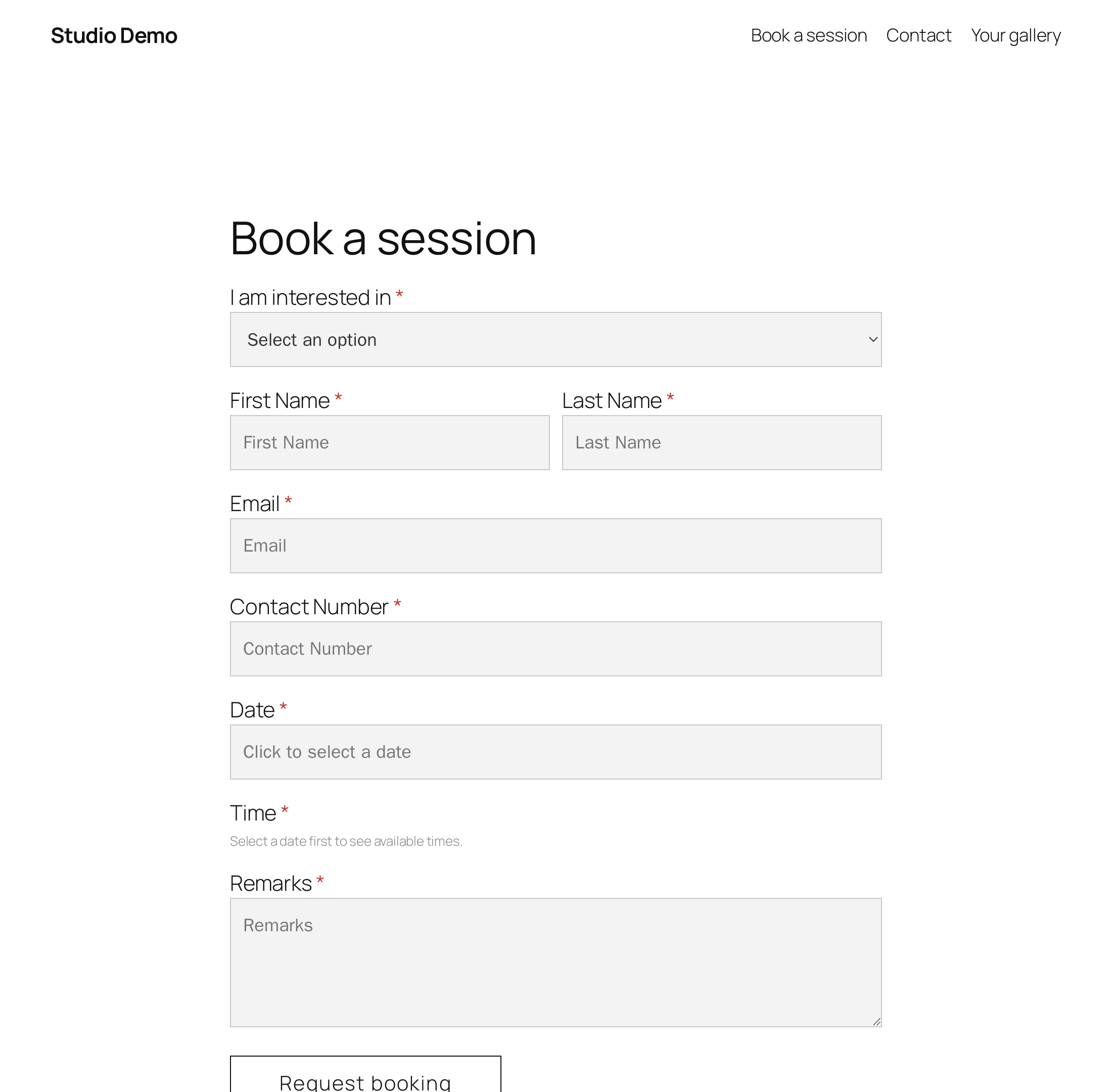
The form as visitors see it. Fonts and field styling come from the active theme (here: Twenty Twenty-Five).
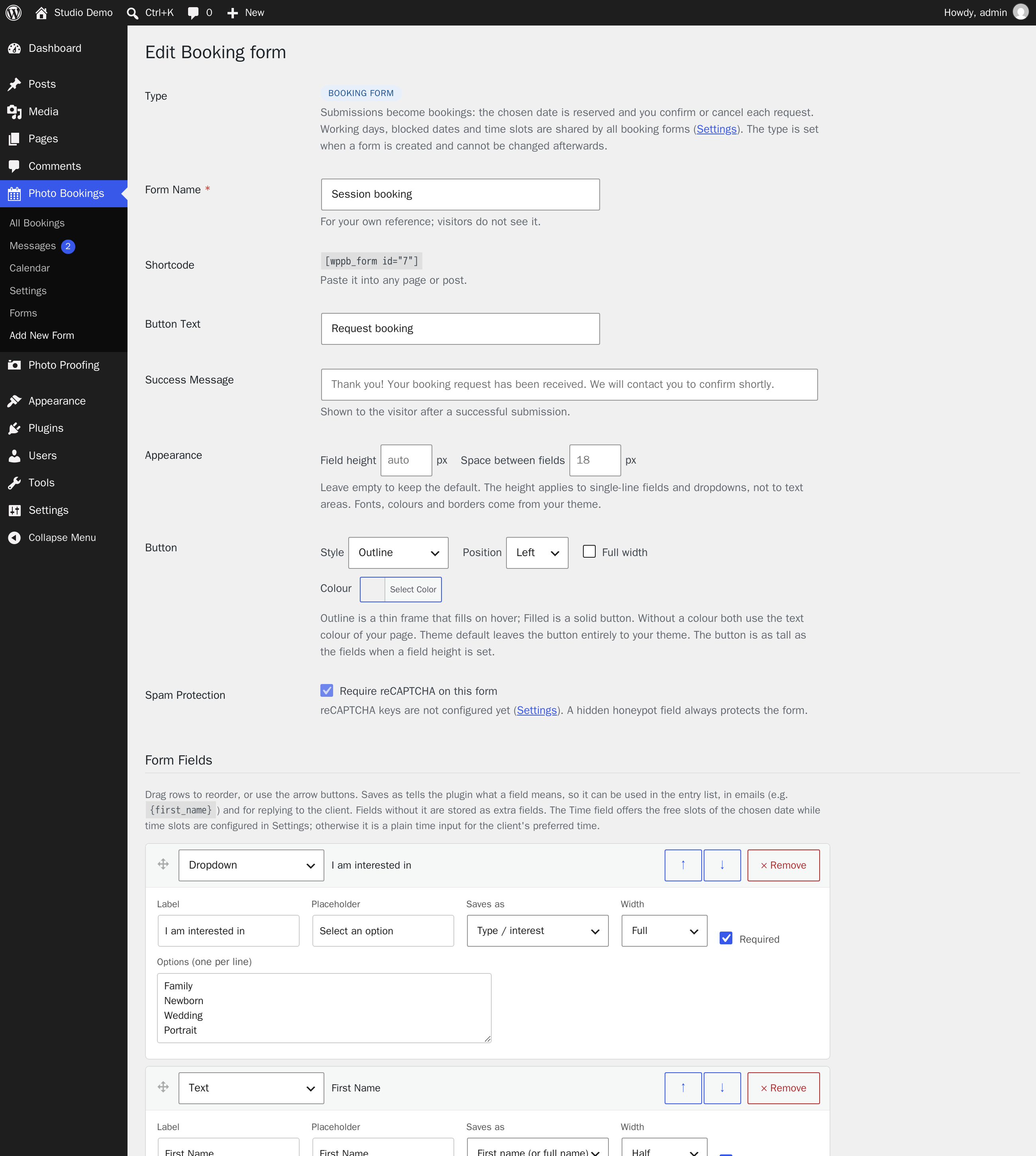
The form builder: every field, its label, meaning, width and whether it is required.
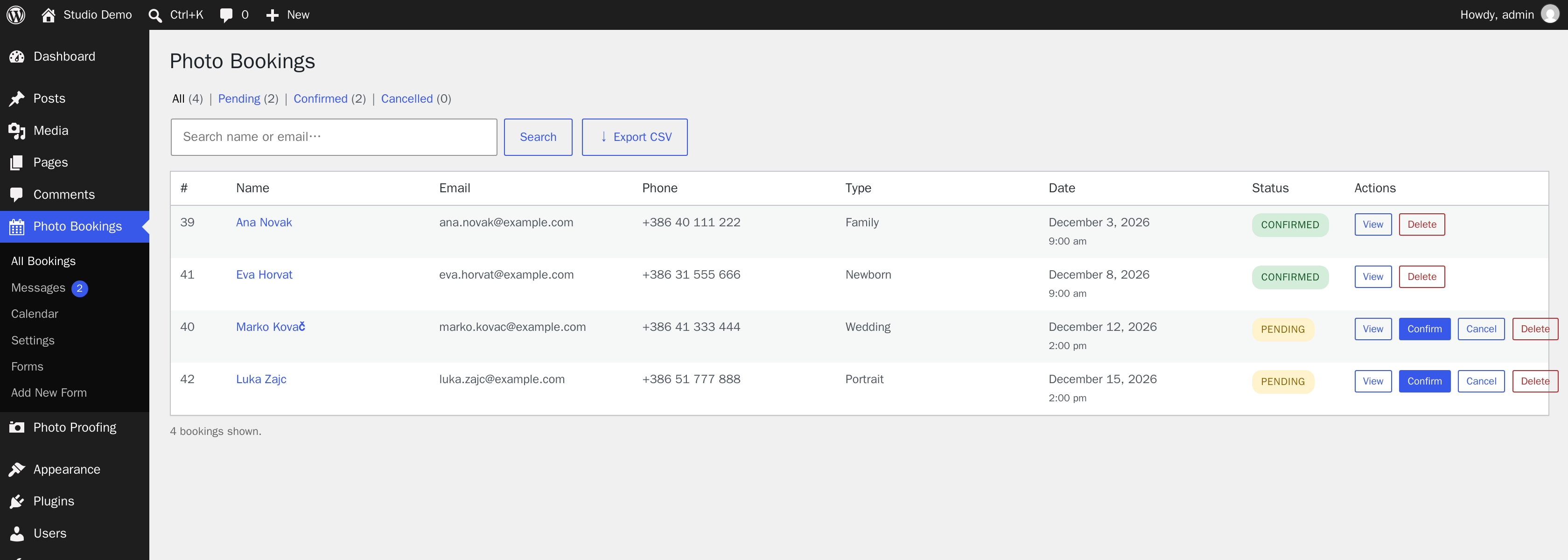
Bookings wait as pending until you confirm or cancel them.
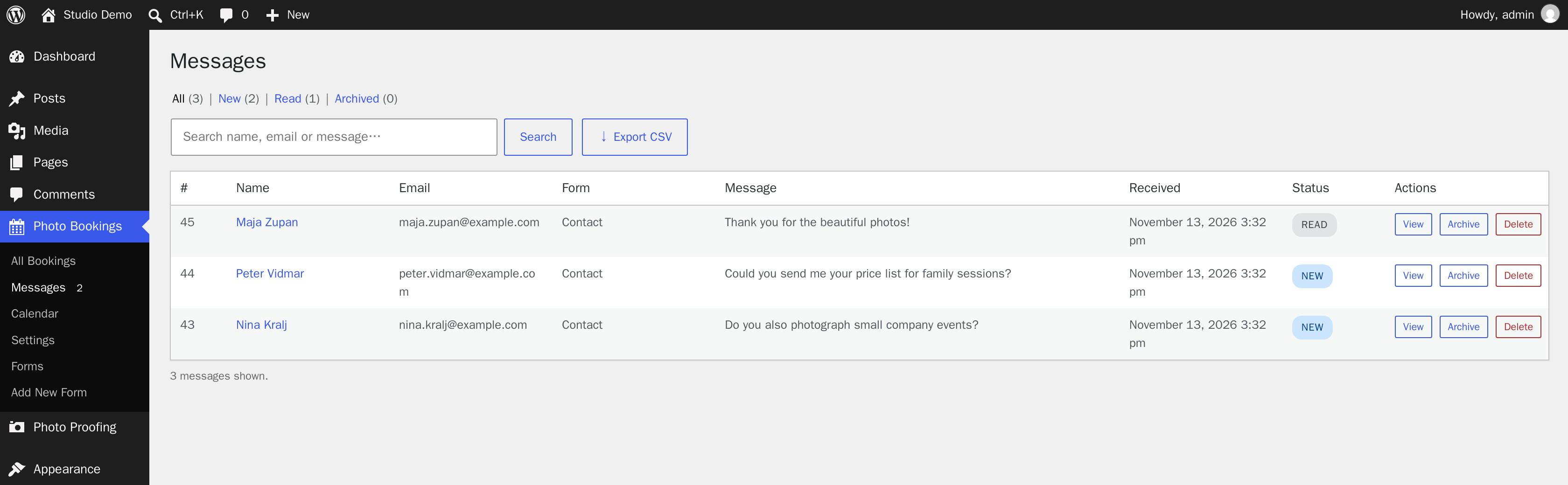
Contact form submissions arrive in the Messages inbox.
The names and addresses in the screenshots are invented.
What it does
A plugin for forms that you build yourself in the admin area. Every form is one of three types:
- Booking form — contains a calendar; a submission creates a booking that the photographer confirms or declines, and both sides get an email on every status change.
- Contact form — has no date; a submission lands in the Messages inbox with the statuses new / read / archived. A contact form can also serve as the pre-session questionnaire.
- Custom form — starts empty and accepts any field. If it contains a booking date field it behaves like a booking form, otherwise like a contact form.
Features
- Form builder: any fields (text, email, phone, number, long text, dropdown, radio buttons, checkboxes, consent, section heading), drag-and-drop ordering, full or half width, adjustable field height and spacing between fields, button appearance (outline or filled, colour, alignment, full width), button text and the message shown after submission.
- Field meaning ("Saves as"): first name, last name, client email, phone, type/interest, message. Fields marked this way appear in the list of entries and are available as tokens in emails; the others are stored as extra fields.
- Booking forms: a calendar (jQuery UI datepicker) that disables taken and manually blocked dates, plus a time picker when time slots are configured. Working days, blocked dates, time slots and the minimum number of days ahead are shared by all booking forms (one calendar).
- Emails per form: a notification to the photographer (with Reply-To set to the client; several comma-separated addresses are allowed — the first is the recipient, the others get a blind copy, Bcc) and an auto-reply to the client, each with its own template. Tokens:
{first_name},{booking_date},{photography_type},{site_name},{form_name},{all_fields},{field:Field label}… An empty template means the built-in text, shown in grey in the editor. - Booking statuses (pending / confirmed / cancelled) with global email templates for the client and the photographer.
- Automation through WP-Cron (bookings only): session reminder, follow-up for unconfirmed requests, sending the questionnaire.
- Spam protection on all forms: a hidden field (honeypot), a limit on submissions per visitor (5 in 10 minutes by default, adjustable) and optional reCAPTCHA v2, which can be switched off per form.
- CSV export (bookings and messages, including extra fields), an activity log and a log of sent emails.
- Personal data protection (GDPR): entries are included in WordPress's Export Personal Data and Erase Personal Data tools, old messages and bookings can be deleted automatically after a set period, and suggested text for the privacy policy is provided; visitors' IP addresses are not stored.
- Multilingual: interface texts are translatable (
languages/wp-photo-booking.pot); texts entered in the builder (field labels, options, messages) appear under String translations when Polylang is installed.
Shortcode
[wppb_form id="1"] Any form from the builder (booking, contact or custom)Admin menu: Photo Bookings → All Bookings, Messages, Calendar, Settings, Forms, Add New Form.
Database tables: {prefix}pb_bookings (bookings and messages, told apart by the entry_type column), pb_blocked_dates, pb_forms, pb_activity, pb_email_log.
Since 1.10.0: there is no built-in default booking form and no [photo_booking] shortcode any more; every form (booking forms included) is created in the builder and placed with [wppb_form id="…"]. The emails sent on submission are set per form only.
Upgrading from 1.6.x: the schema is upgraded automatically. The built-in booking form is gone: a booking form has to be created in the builder (photography types are options of its dropdown field, no longer a global setting). Existing bookings stay in the list, and existing custom forms automatically get a meaning assigned to their name, email, phone and message fields.
A step-by-step guide to setting up and testing every feature is in docs/HOWTO.md.
Installation
- Download
wp-photo-booking-<version>.zipfrom the releases. - In WordPress: Plugins → Add New → Upload Plugin → choose the ZIP → Install → Activate.
- Activation creates the tables and registers the cron job. When the plugin version changes, the schema is upgraded automatically — there is no need to deactivate and reactivate.
- Put the shortcode on a page and check the settings.
Uninstalling (Delete in WordPress) removes the plugin's data through uninstall.php.
Releases
Installable ZIP files are attached to the GitHub releases. They are built automatically from git tags named after the version, for example v1.10.1.
To publish a new version: change the version in wp-photo-booking.php (the Version: header and the version constant), commit, then tag and push:
git tag v1.10.1
git push origin v1.10.1
The release workflow (.github/workflows/release.yml) refuses a tag that does not match the version in the plugin header.
To build a ZIP by hand, for example to test before tagging:
git archive --format=zip --prefix=wp-photo-booking/ -o wp-photo-booking.zip HEADRepository layout
wp-photo-booking.php   plugin header, constants, class loading
includes/             logic: database, settings, email, AJAX, front end, cron
admin/                admin pages and views
assets/               CSS and JavaScript
languages/            translation template
docs/                 how-to and test guide (not part of the ZIP)
uninstall.php         removes the plugin's data when it is deleted
Support and security
This plugin is built for one photography studio and shared as it is, without warranty and without guaranteed support. Bug reports and suggestions are welcome as GitHub issues; there is no promise of a reply or a fix.
If you find a security problem, please do not open a public issue. Report it privately through the repository's Security tab (Report a vulnerability), so it can be fixed before the details are public.
Credits and licences
- WP Photo Booking is licensed under the GNU General Public License, version 2 or later. The full text is in LICENSE.
- It includes the jQuery UI 1.13.2 stylesheet (
assets/css/jquery-ui.min.css) for its calendar. jQuery UI is © OpenJS Foundation and other contributors, released under the MIT licence — see jqueryui.com.