Login Attempts Logger WP Registry grade A-. Low-severity findings · 1 findingWP RegistryLow-severity findings · 1 findingOpen the reportA-
A Wordpress plugin for logging login attempts.
★ 0stars
11release downloads
v1.3.0latest · 3 years ago
Install
Upload it under Plugins → Add New Plugin → Upload Plugin, then activate.
Install straight from GitHub with WP-CLI:
wp plugin install https://github.com/patrickstecker/wp-login-attempts-logger/releases/download/v1.1/login-attempts-logger.v1.1.zipNo built-in updater. New versions won't appear under Dashboard → Updates. Install new releases yourself, or let Git Updater track the repository.
Wordpress Login Attempts Logger
This Wordpress Plugin logs all login attempts and displays it on a settings page. It is secured against several potential attacks like SQL injections, XSS attacks, File inclusion attacks, brute force attacks, ...
How to install
- Download the latest release as a ZIP file.
- Log into your wordpress site with your admin user and go to
Plugins -> add Newand click the buttonUpload Plugin. - On this page, select the ZIP file you downloaded in step 1 and follow through the installation progress.
- When the installation was successful, don't forget to activate the plugin.
How to use
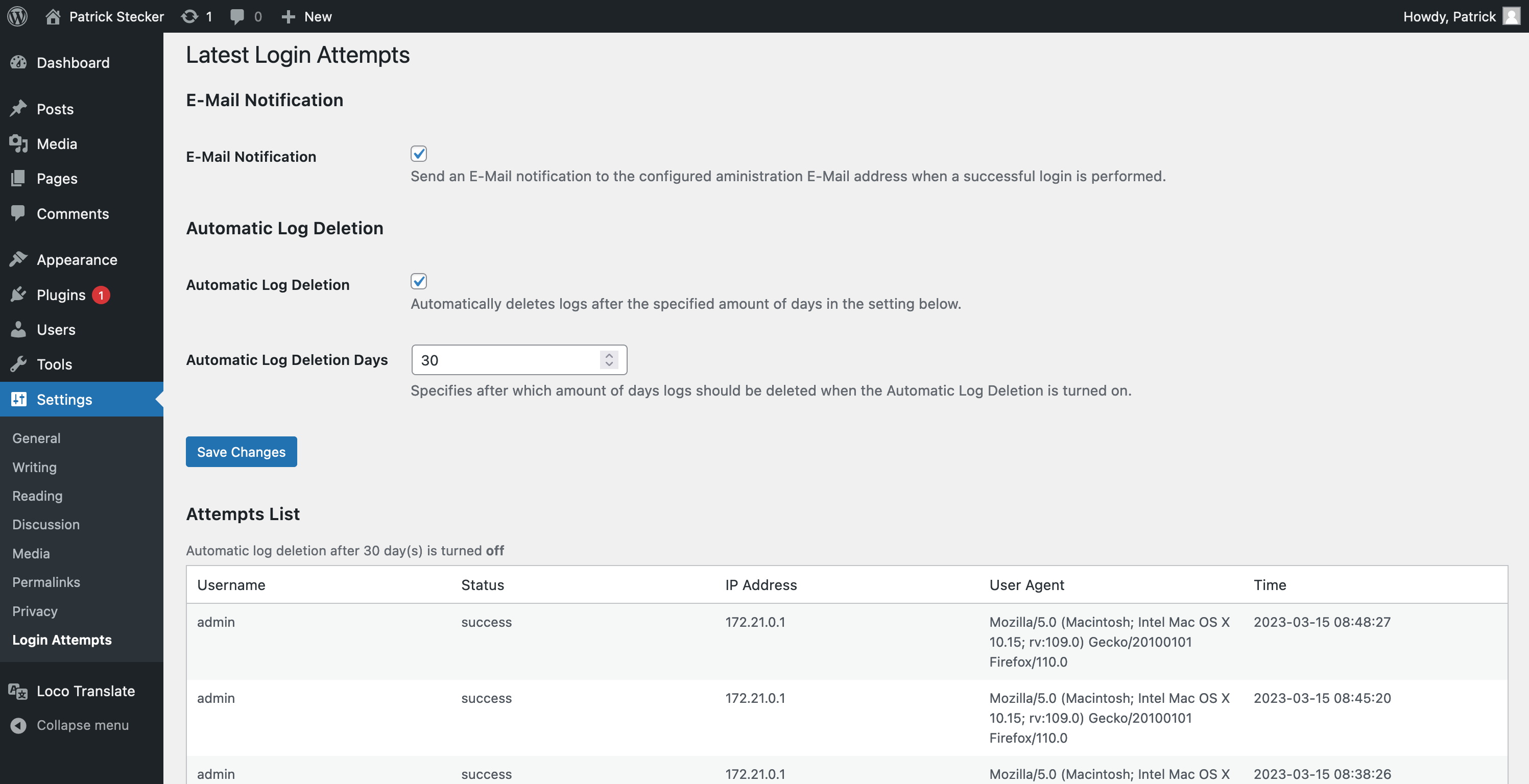
After you have installed and activated the plugin, it starts to log all login requests. It doesn't show log ins that happened before the plugin was activated.
To see the login attempts follow these steps:
- Log into your wordpress site with your admin user
- In your site's backend, navigate to
Settings -> Login Attempts - On this page you can see all login attempts since the plugin was activated. It should simular to this:
Releases
5 releases. Each count is every asset in that release; expand a row for the breakdown.