Article Voice Reader
A floating "Listen to this article" widget for WordPress, powered entirely by the visitor's own browser. No API keys, no external text-to-speech services, no ongoing cost.
by Pathmaka Galappaththi · github.com/pathmaka/article-voice-reader
Install
No release zip yet. The repository archive installs, but the folder name will carry the branch suffix and updates will not flow:
wp plugin install https://github.com/pathmaka/article-voice-reader/archive/refs/heads/main.zipReadme
Article Voice Reader
A floating "Listen to this article" widget for WordPress, powered entirely by the visitor's own browser. No API keys, no external text-to-speech services, no ongoing cost.
Features
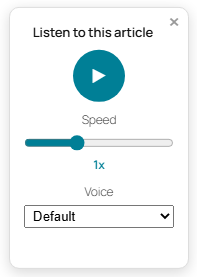
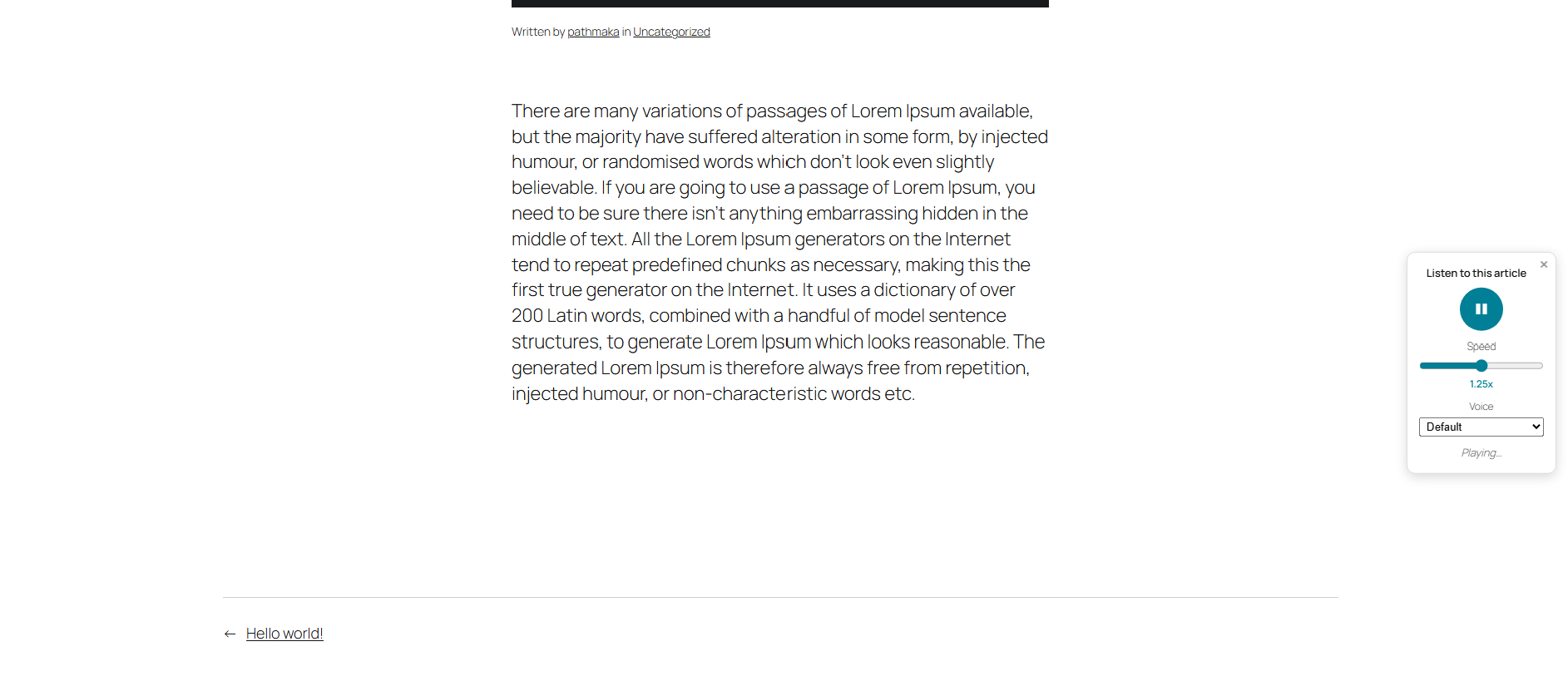
- Floating widget — collapses to a small icon; click to expand into the full player
- Play / Pause toggle, with a Speed slider (0.5x–2x)
- Voice selector — automatically shown only when the visitor's browser actually offers more than one voice; hidden entirely otherwise
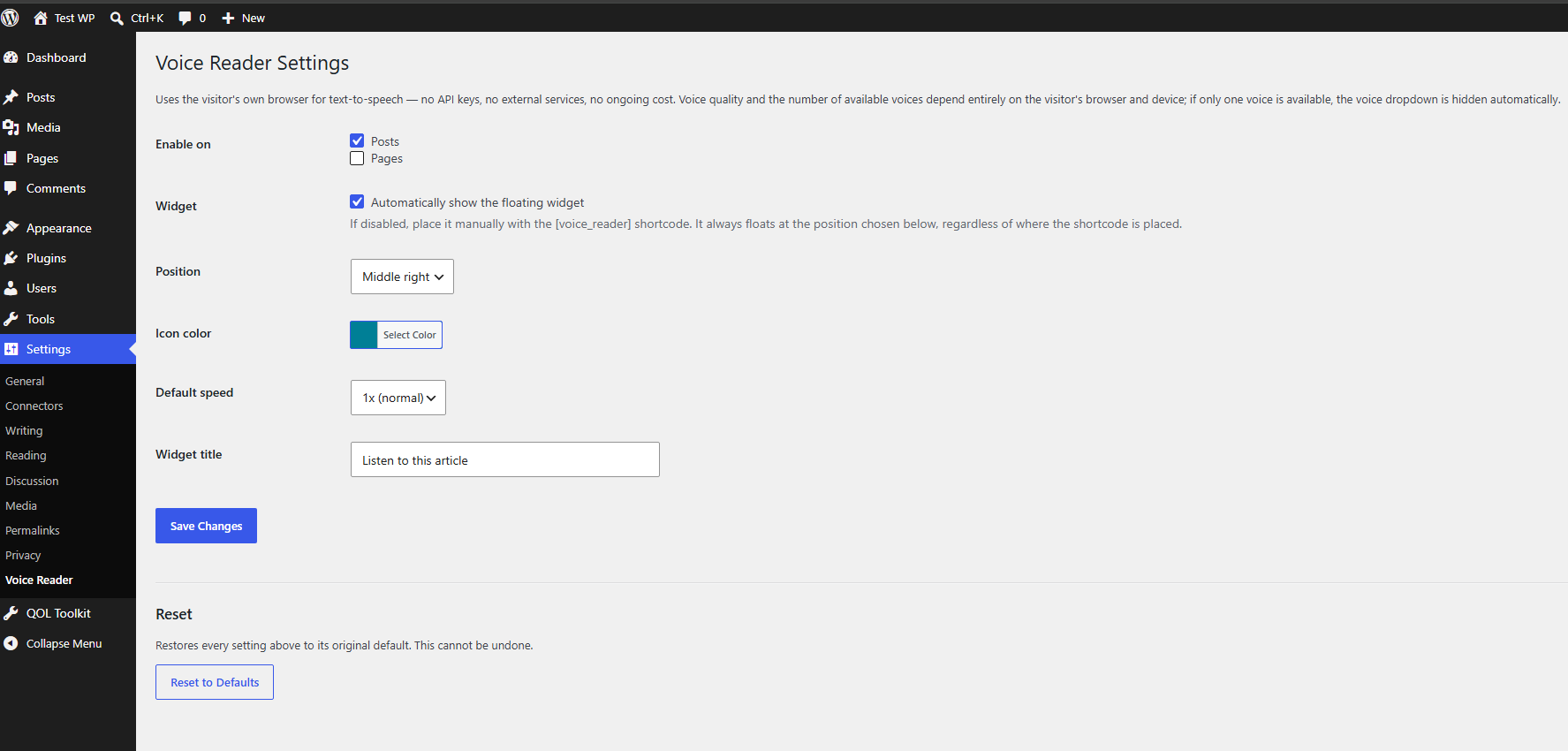
- Six position presets — Top Left, Top Right, Middle Left, Middle Right, Bottom Left, Bottom Right
- Customizable icon color via a native WordPress color picker
- Customizable widget title, also shown as a hover tooltip on the collapsed icon
[voice_reader]shortcode for manual placement, if you'd rather not auto-insert it everywhere- Reset to Defaults button to wipe customizations and start over
- Fully self-contained icon (inline SVG) — no external requests, not even to WordPress's own emoji CDN
- "View details" popup on the Plugins screen, matching the info panel WordPress.org-hosted plugins get automatically
Screenshots

Installation
- Download or clone this repo
- Upload the folder to
/wp-content/plugins/so the path looks like:/wp-content/plugins/article-voice-reader/article-voice-reader.php - Activate Article Voice Reader from the Plugins screen
- Configure it at Settings → Voice Reader
Alternatively, zip the article-voice-reader folder and install it via Plugins → Add New → Upload Plugin.
Settings (Settings → Voice Reader)
| Setting | Description |
|---|---|
| Enable on | Choose whether the widget appears on Posts, Pages, or both |
| Widget | Toggle automatic insertion on/off. If disabled, place it manually with the [voice_reader] shortcode — it still floats at the position chosen below regardless of where the shortcode is placed |
| Position | Where the widget floats: Top/Middle/Bottom × Left/Right (6 options) |
| Icon color | Background color of the icon and Play button, via a standard color picker |
| Default speed | Initial playback speed (0.5x–2x) before a visitor adjusts the slider |
| Widget title | The text shown inside the expanded panel and as the hover tooltip on the collapsed icon |
| Reset to Defaults | Wipes all of the above back to their original defaults (asks for confirmation first) |
Shortcode
[voice_reader]Use this on any singular post or page if you've turned off automatic insertion but still want the widget on that specific piece of content.
Requirements
- WordPress 5.8 or later
- PHP 7.4 or later
- No requirements on the visitor's side beyond a browser that supports the Web Speech API (all major modern browsers do, to varying degrees of voice quality)
How It Works
The widget extracts the plain text of a post/page server-side, then hands it to the visitor's own browser via the Web Speech API (SpeechSynthesisUtterance). Nothing is sent to any external server — the entire reading happens locally in the visitor's browser.
Notes & Limitations
- Voice availability is entirely browser/OS-dependent. Desktop Chrome tends to offer several voices; some mobile browsers offer only one (or none) — in the latter case, the Voice dropdown is automatically hidden.
- Changing speed or voice mid-playback resumes from roughly the last spoken word (tracked via the browser's
boundaryevents) rather than restarting from the top — but this depends on the browser/voice actually firing those events. When it isn't supported, it falls back to restarting from the beginning. - Closing the widget (×) does not pause or stop playback — it keeps reading in the background, the same way a minimized media player would. Reopening the panel reflects the correct Play/Pause state.
- Some browsers' built-in voices (e.g. certain Chrome "network" voices) stream over the internet in the background as an inherent part of how the browser implements them — this is outside the plugin's control either way.
Changelog
- 1.0.0 — Initial release
- Floating widget (collapsible icon → expands to full player)
- Play/Pause toggle with adjustable speed (0.5x–2x slider)
- Optional voice selector, shown only when the browser offers more than one voice
- Six position presets, customizable icon color, and customizable widget title
[voice_reader]shortcode for manual placement- Reset to Defaults option
- Self-contained inline SVG icon (no external requests)
- "View details" popup on the Plugins screen
License
Licensed under the GPL v2 or later, the same license as WordPress itself.
Author
Pathmaka Galappaththi www.linkedin.com/in/pathmaka
Credits
Built with the help of Claude (Anthropic).