Install
This is the repository archive. It installs, but the folder name will carry the branch suffix and updates will not flow.
Install straight from GitHub with WP-CLI:
wp plugin install https://github.com/pathao-eng/courier-woocommerce-plugin/archive/refs/heads/main.zipPathao Courier Plugin For WordPress WooCommerce
Description
This WordPress plugin is designed to enhance your website's functionality by providing courier service features. Whether you need seamless package tracking or a user-friendly way to manage deliveries, our plugin has you covered.
Features
- Easy to implement
- Sync orders to the Pathao Merchant Panel
- Webhook Implementations
- Real-time order status updates
- Bulk Order Creation
Requirements
- Requires at least: 6.0
- Tested up to: 6.4
- Requires PHP: 7.3
- Stable tag: 3.18.3
- Beta tag: 3.18.0-beta4
- License: GPLv3
Installation
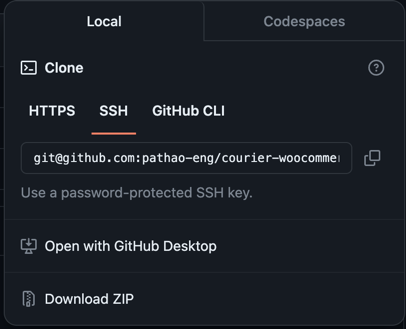
- Download the plugin zip file.
-
Upload Plugin:
-
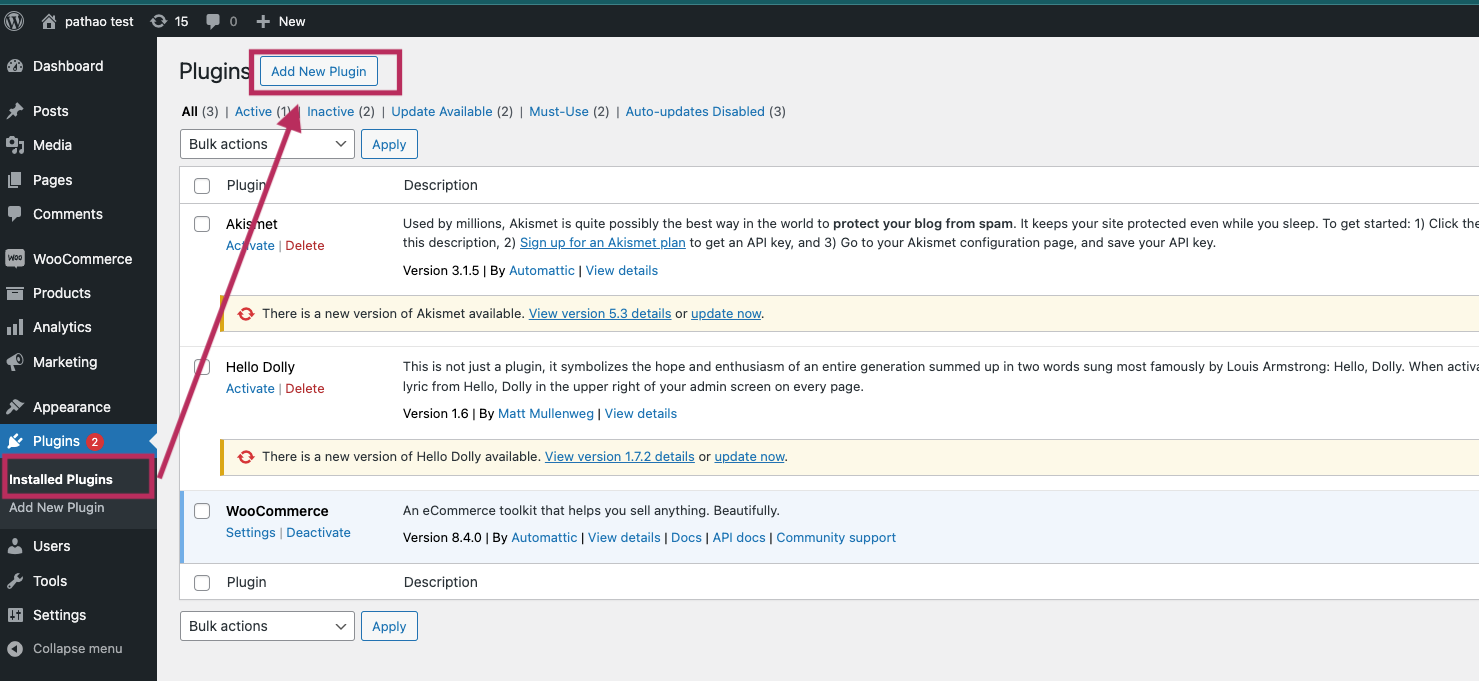
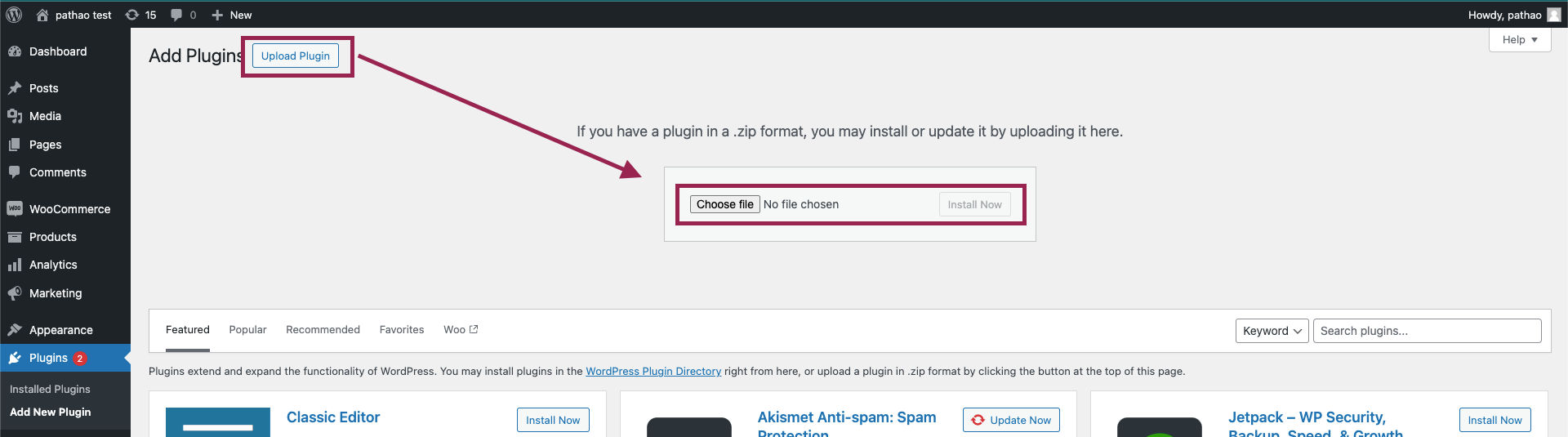
Go to the WordPress admin dashboard and navigate to 'Plugins > Add New Plugin'.
-
Click 'Upload Plugin' and choose the zip file you just downloaded.
-
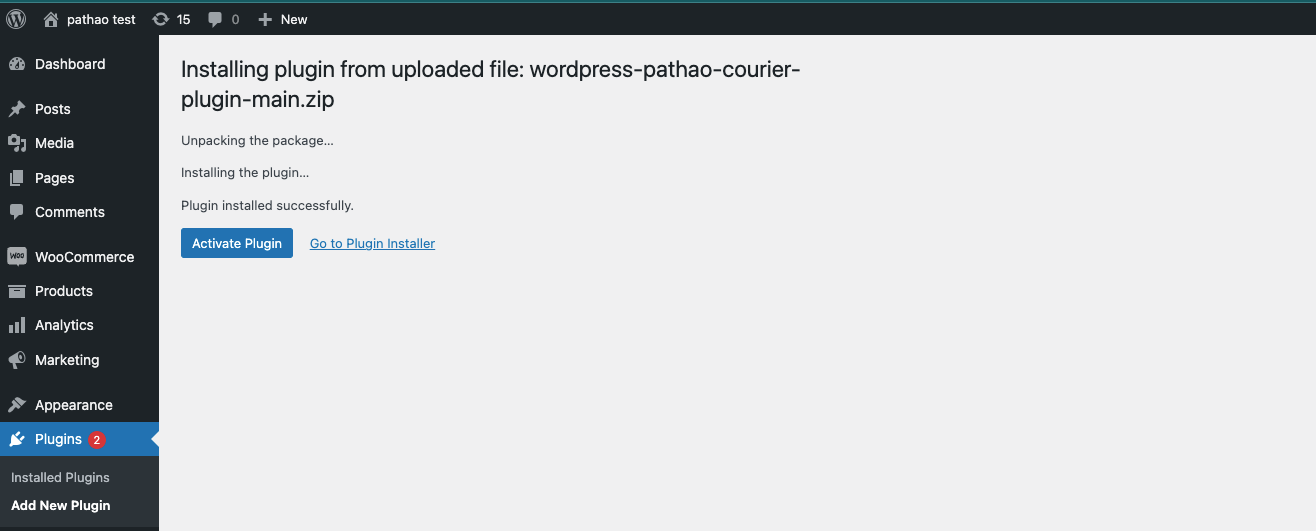
Click 'Install Now' and activate the plugin.
-
Or, unzip the file on your computer and upload the 'wordpress-pathao-courier-plugin' folder via FTP to your '/wp-content/plugins/' directory.
-
-
Setup Plugin:
-
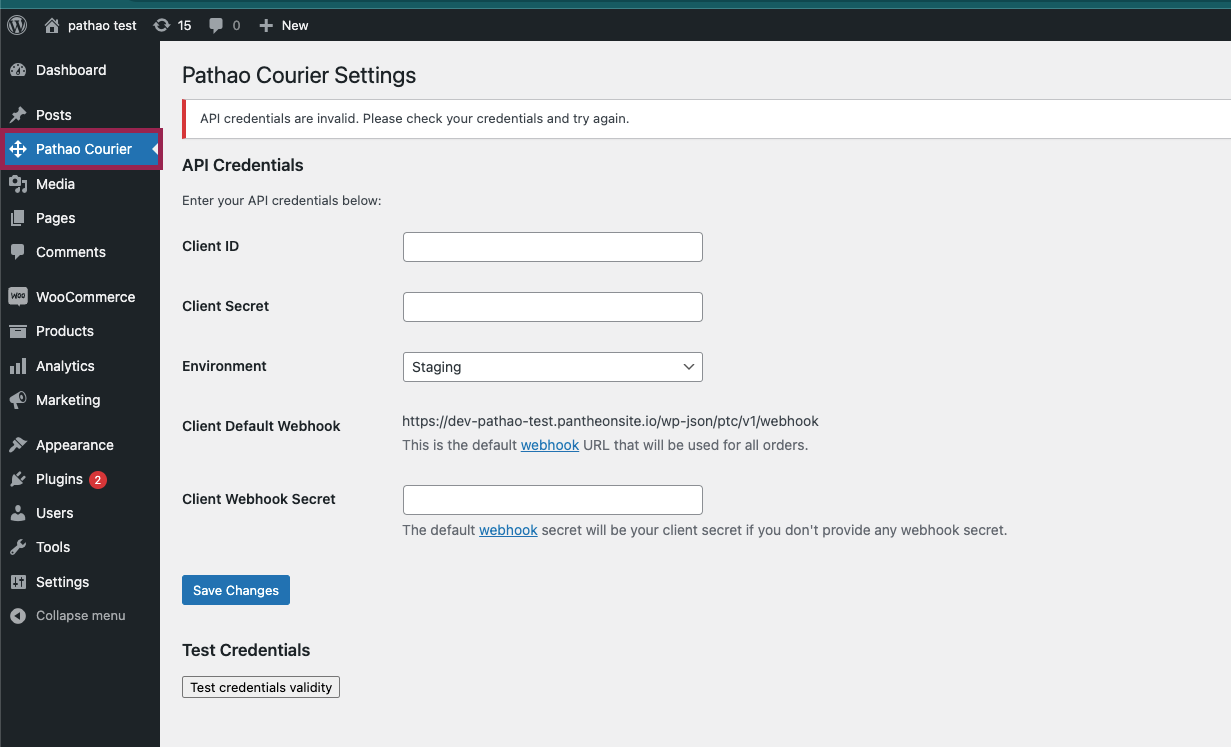
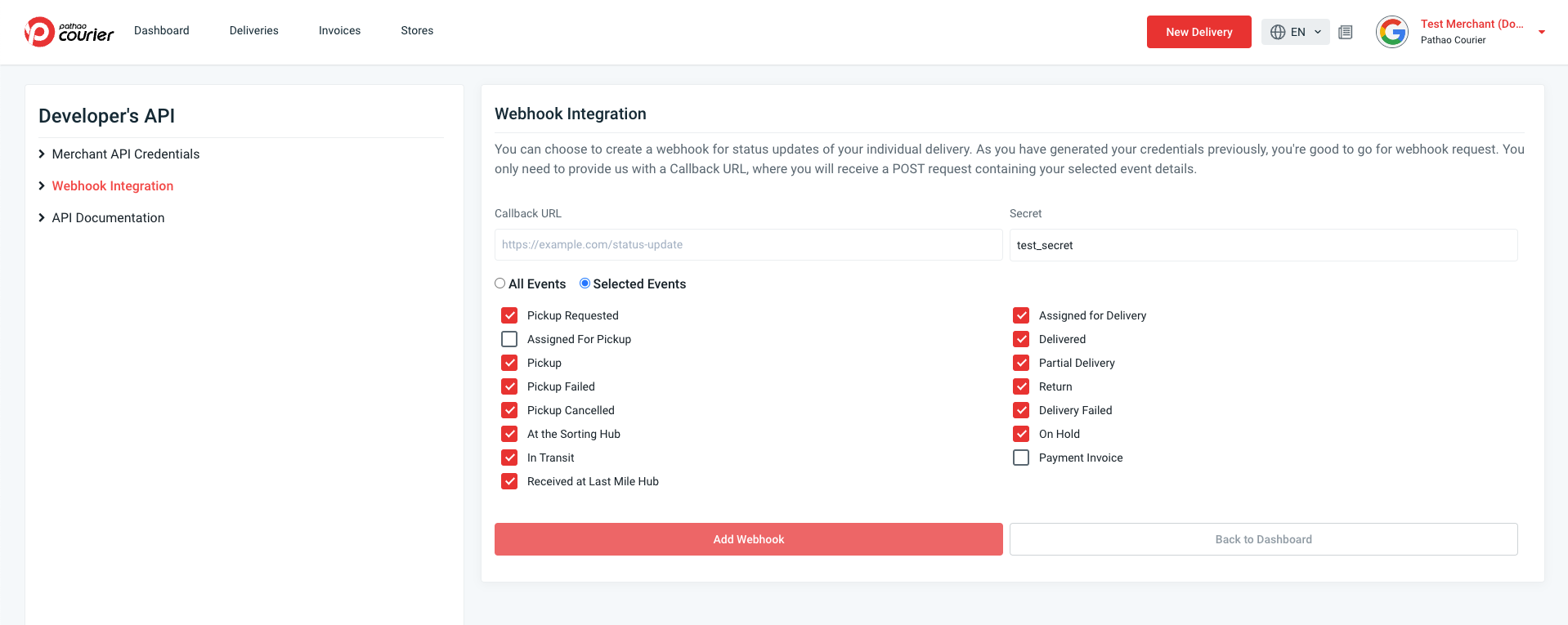
Go to the WordPress admin dashboard and navigate to 'Settings > Pathao Courier'. You will see a page 'Pathao Courier Settings' with the following options:
-
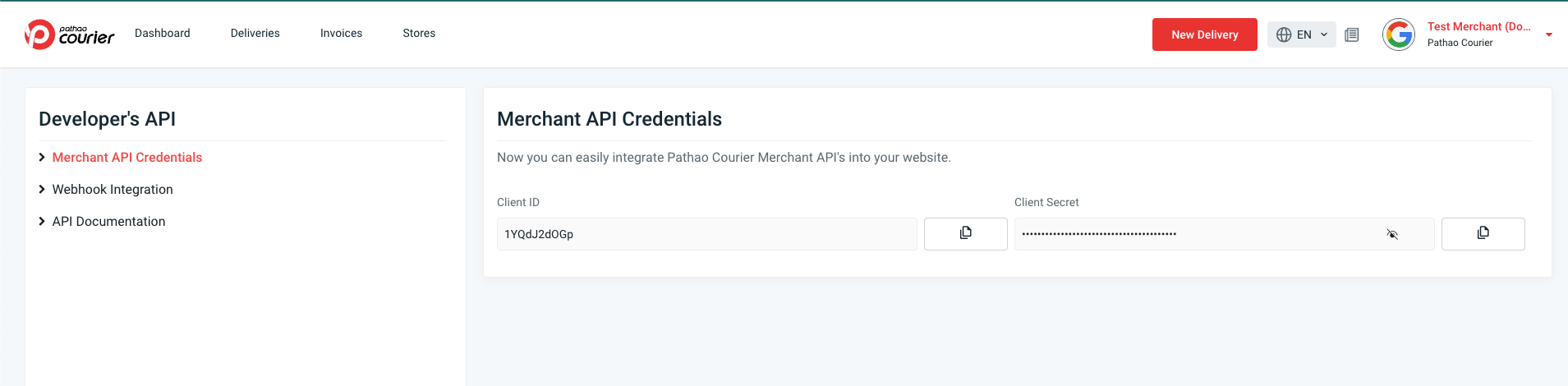
Client ID: Enter your client ID and Client Secret Key, which you will get from Pathao Merchant Panel.
-
Webhook URL: Enter your webhook URL, which you will get from Pathao Merchant Panel.
-
Click 'Save Changes' to save your settings.
Usage
-
To use, follow these steps:
- Add any product to the cart. Then go to the checkout page.
- Fill up the billing details and place the order.
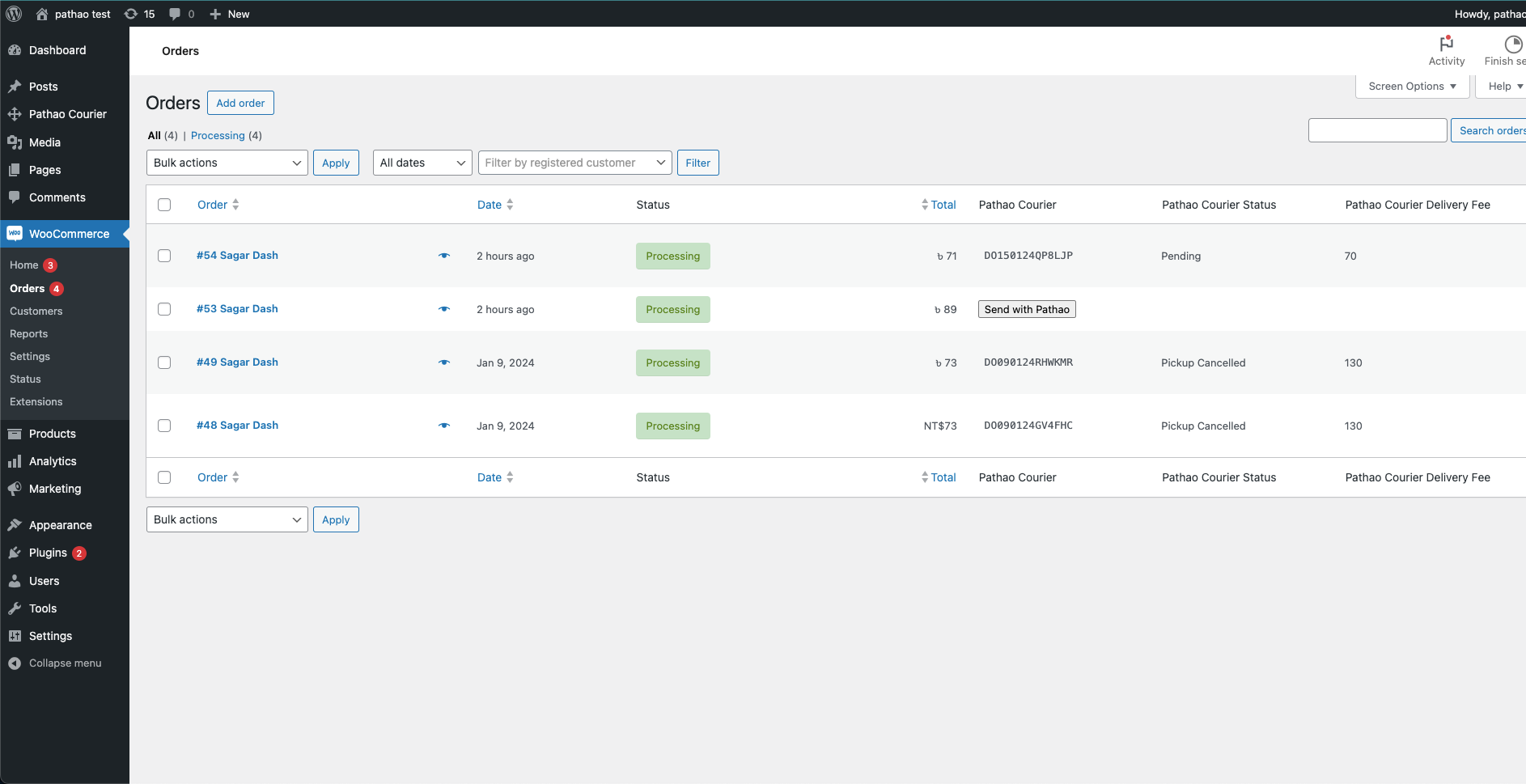
- Go to the admin panel and check the order Woocommerce -> orders.
- Click on the 'Send with Pathao' button to send the order to the Pathao Merchant Panel.
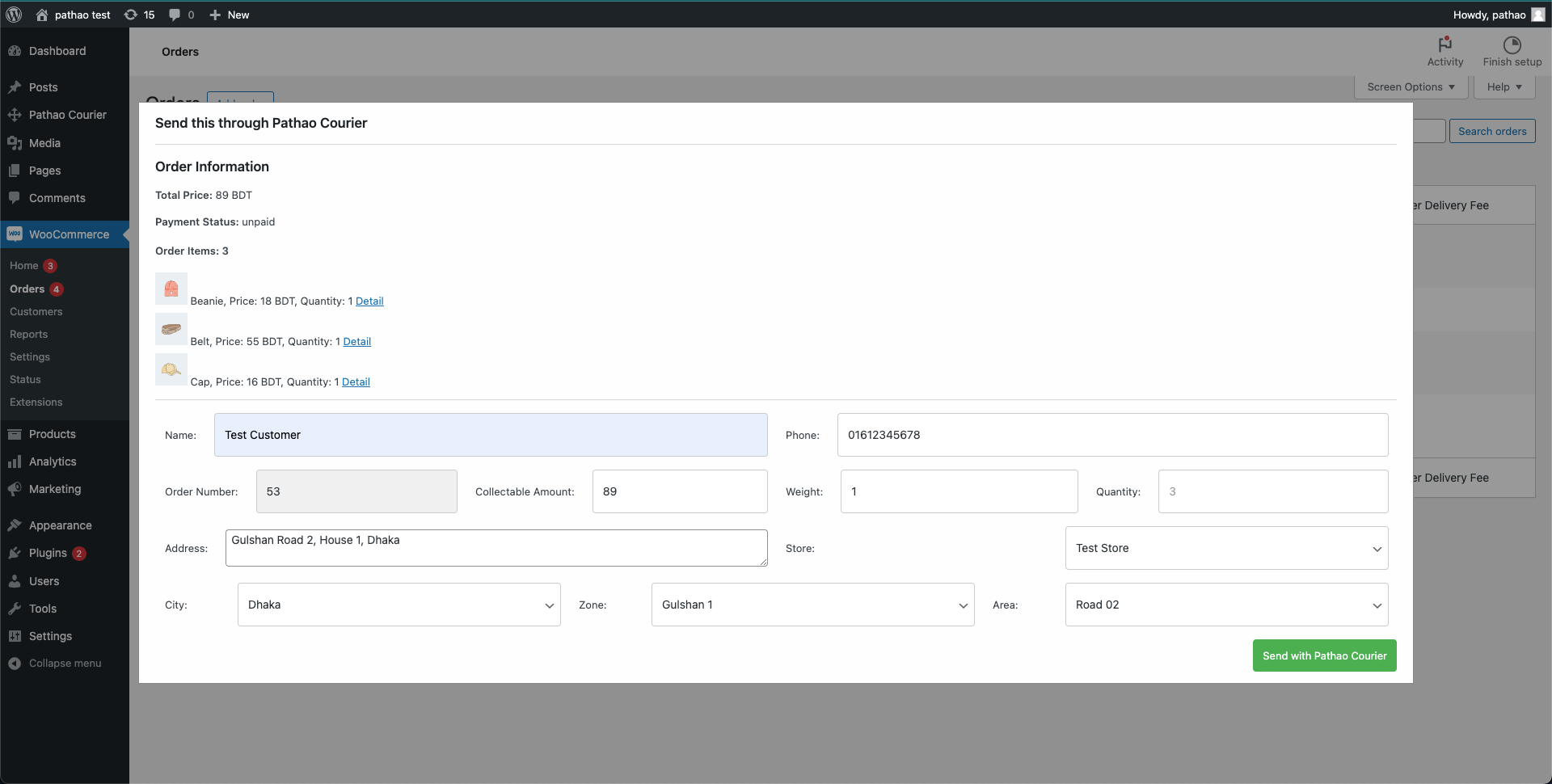
- You will see a modal with the order details. Fill in the details and click on the 'Send to Pathao' button.
Bulk Order Creation
You can now create orders in bulk!
-
Preload Location Data (Recommended):
- Go to Settings > Pathao Courier.
- Click the Preload City, Zone & Area button. This fetches and caches all location data for faster loading.

-
Select Orders:
- Go to WooCommerce > Orders.
- Select the orders you want to send.
- Choose Send with Pathao from the Bulk Actions dropdown and click Apply.
-
Bulk Order Modal:
-
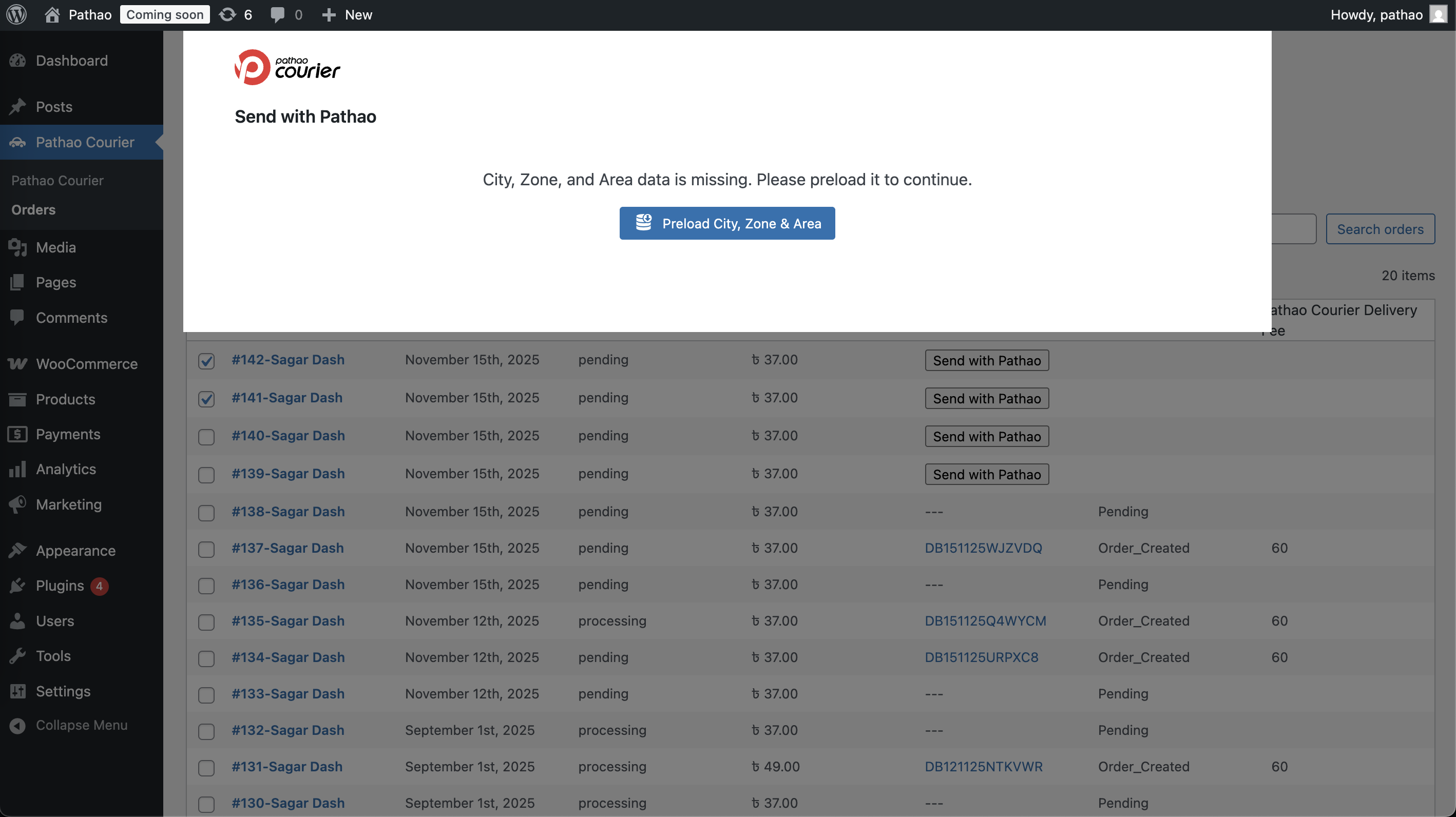
If you haven't preloaded data, you will see a prompt to fetch it.
-
Once loaded, you will see a grid view of your orders.
-
City, Zone, and Area will be automatically selected if you store data for any of these meta keys.
_billing_pathao_city
_billing_pathao_zone
_billing_pathao_area
_shipping_pathao_city _shipping_pathao_zone _shipping_pathao_area
- You can edit any details directly in the grid.  - Click **Confirm** to create all orders at once. -
Note
If you are facing any issues with the latest plugin version, you can use the previous version of the plugin from here.
License
This plugin is released under the GPL V3.
Developer Hooks
The plugin provides WordPress filters and actions for customizing modal fields and the final API payload.
Filters — Modal Field Defaults
These filters run when order data is fetched for the single/bulk modal. They let you override the default prefill values.
| Filter | Default Value | Arguments |
|---|---|---|
pathao_order_data_context |
[] |
$context, $order |
pathao_modal_recipient_name |
Billing full name | $value, $order, $context |
pathao_modal_recipient_phone |
Billing phone | $value, $order, $context |
pathao_modal_recipient_address |
Shipping or billing address | $value, $order, $context |
pathao_modal_item_description |
Product names x quantity | $value, $order, $context |
pathao_modal_order_data |
Array of all 4 fields above | $data, $order, $context |
Filters — Final API Payload
These filters run in makeDto() right before the order is sent to the Pathao API. The WC order is loaded and passed for context.
| Filter | Arguments |
|---|---|
pathao_order_payload_recipient_name |
$value, $order, $payload |
pathao_order_payload_recipient_phone |
$value, $order, $payload |
pathao_order_payload_recipient_address |
$value, $order, $payload |
pathao_order_payload_item_description |
$value, $order, $payload |
pathao_order_payload |
$payload, $order |
All payload values are re-sanitized after filters run.
Actions — Lifecycle Hooks
| Action | When | Arguments |
|---|---|---|
pathao_before_send_order |
Before single order API call | $payload, $order |
pathao_after_send_order |
After successful single order | $result, $payload, $order |
pathao_send_order_failed |
On single order API error | $errorBody, $statusCode, $payload, $order |
pathao_before_send_bulk_orders |
Before bulk orders API call | $payload |
pathao_after_send_bulk_orders |
After successful bulk orders | $result, $payload |
pathao_send_bulk_orders_failed |
On bulk orders API error | $errorBody, $statusCode, $payload |
Example — Custom recipient address from order meta
add_filter( 'pathao_modal_recipient_address', function ( $address, $order, $context ) {
    $parts = array_filter( [
        $order->get_meta( '_house_no' ),
        $order->get_meta( '_road_no' ),
        $order->get_meta( '_area' ),
        $order->get_billing_city(),
    ] );

    return implode( ', ', $parts );
}, 10, 3 );
Example — Modify the final API payload
add_filter( 'pathao_order_payload', function ( $payload, $order ) {
    // Force a specific store for prepaid orders
    if ( $order->is_paid() ) {
        $payload['store_id'] = 12345;
    }
    return $payload;
}, 10, 2 );
Example — Log failed orders
add_action( 'pathao_send_order_failed', function ( $errorBody, $statusCode, $payload, $order ) {
    error_log( sprintf(
        'Pathao order #%d failed (HTTP %d): %s',
        $payload['merchant_order_id'],
        $statusCode,
        wp_json_encode( $errorBody )
    ) );
}, 10, 4 );
Support
If you have any questions or need help, please get in touch with us at
- Email: support@pathao.com
- Phone: +8809610003030
Releases
24 releases.
These releases are tags only. The author does not attach a packaged zip, so there are no download counts to report.