Install
Upload it under Plugins → Add New Plugin → Upload Plugin, then activate.
Install straight from GitHub with WP-CLI:
wp plugin install https://github.com/patelutkarsh/ghostline/releases/download/v1.1.0/ghostline.zip
Ghostline
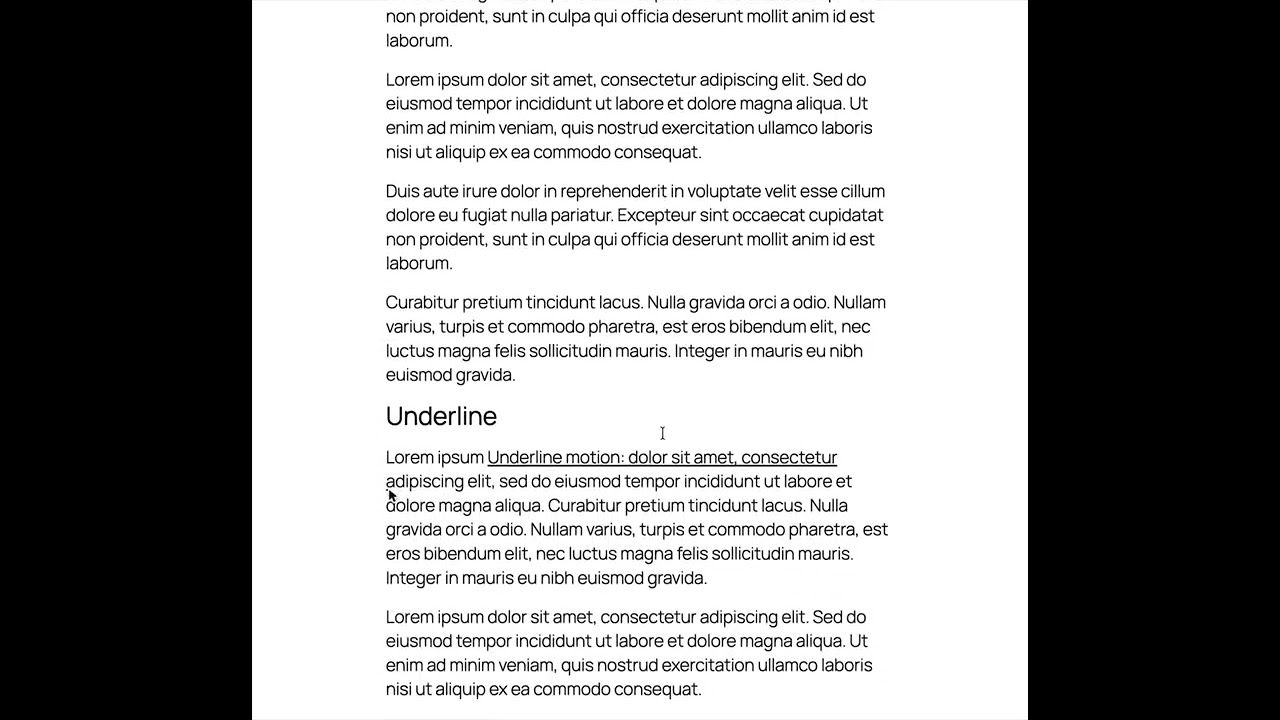
A WordPress plugin. A fake cursor moves, marks, or types the text that you select, when the text scrolls into view. The motion reverses when you scroll back.
The Playground link installs the newest release from WordPress.org and opens a page with all nine motions. It runs in your browser; nothing is installed on your computer.
Demo
Motions
| Motion | What the cursor does | Preview |
|---|---|---|
| Move | Drags tilted text into its position |  |
| Highlight | Marks the text; a marker stroke stays |  |
| Underline | Draws a line below the text |  |
| Strike | Draws a line through the text |  |
| Click | Clicks the text; a ring spreads out |  |
| Type | Types the text, one character at a time |  |
| Circle | Draws a ring around the text |  |
| Box | Draws a box around the text |  |
| Replace | Strikes out old text, then types the new text |  |
Requirements
- WordPress 6.5 or later
- PHP 8.1 or later
Installation
From WordPress.org
- In WP Admin, go to Plugins → Add New, search for "Ghostline", then click Install Now.
- Or download the zip from wordpress.org/plugins/ghostline, then upload it in Plugins → Add New → Upload Plugin.
With Composer
The package comes from WP Packages. If your project does not use it yet, add the repository first:
composer config repositories.wp-packages composer https://repo.wp-packages.org
composer require wp-plugin/ghostline
The package uses composer/installers. Composer asks you to allow it, and installs the plugin into wp-content/plugins/ghostline/. To use another folder, set installer-paths in extra.
Usage
- Activate the plugin.
- In the block editor, select some text in a Heading, Paragraph, List, or Quote block.
- In the block toolbar, open More (the arrow) and click Ghostline.
- Set the options in the popover.
Contributing
See CONTRIBUTING.md.
License
GPL-2.0-or-later
Releases
2 releases. Each count is every asset in that release; expand a row for the breakdown.