Install
This is the repository archive. It installs, but the folder name will carry the branch suffix and updates will not flow.
Install straight from GitHub with WP-CLI:
wp plugin install https://github.com/palasthotel/wp-content-observer/archive/refs/heads/main.zipContent Observer (WordPress-Plugin)
Efficiently observe content changes between WordPress instances. One site records what changed - posts, deleted posts, or anything a theme or plugin reports - and the sites observing it learn about those changes and react to them in their own code.
The plugin moves no content by itself. It transports modifications (content id, content type, create/update/delete, time); what an observing site does with them is up to a hook in that site's code.
Use cases
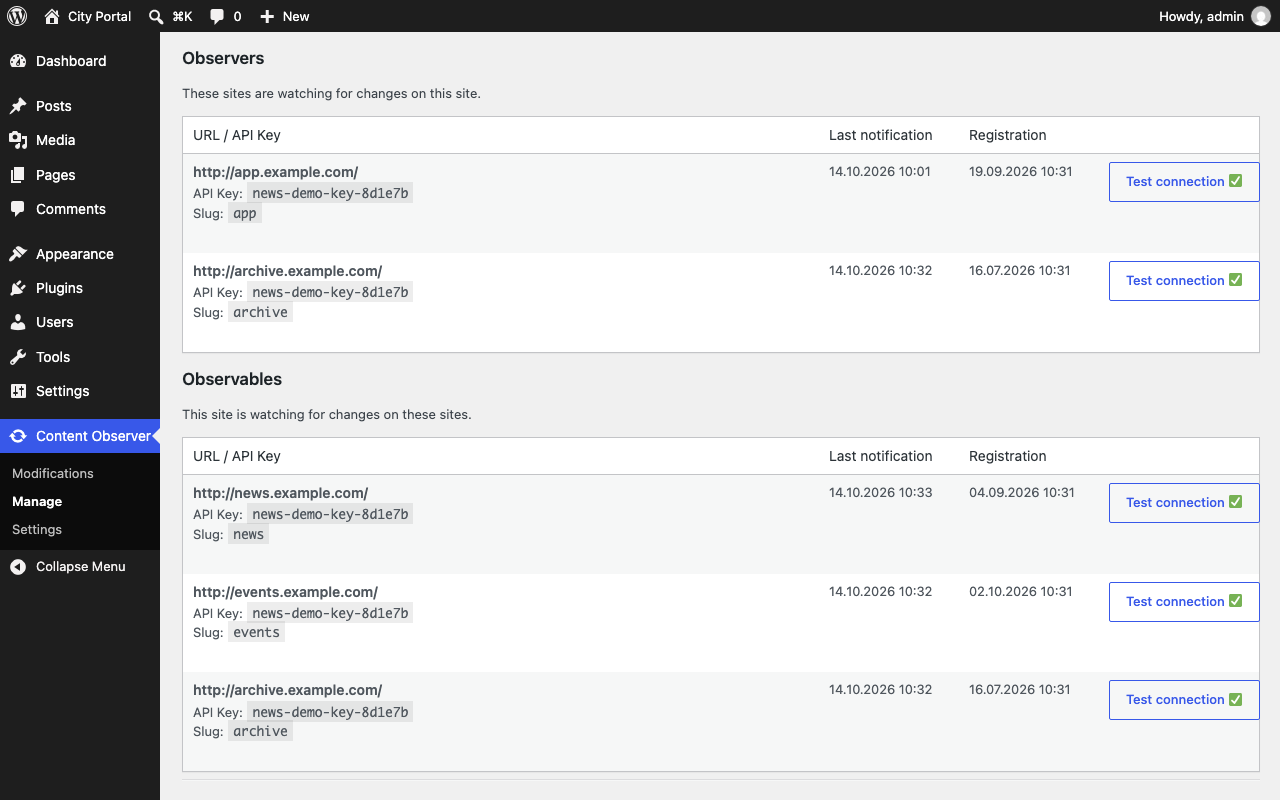
The examples use fictional sites: a City Portal that observes news.example.com, events.example.com and archive.example.com.
-
Keep teaser lists fresh. The City Portal shows the latest articles from news.example.com and caches that list. When the newsroom edits or deletes an article, the portal clears exactly that cache instead of waiting for it to expire.
use Palasthotel\WordPress\ContentObserver\Model\SiteModificationAction; add_action( 'content_observer_on_modifications', function ( SiteModificationAction $action ) { if ( 'news' !== $action->site->slug ) { return; } foreach ( $action->modifications as $mod ) { if ( 'post' === $mod->content_type ) { delete_transient( 'city_portal_news_teasers' ); return; } } } ); -
Share one navigation. The main site records
Modification::build( 'main-navigation', 'wp-menu' )->update()whenever its menu changes, and every site observing it rebuilds its mirrored navigation. -
Central search. A search site observes all the others. On
createandupdateit re-indexes the post from the observed site, ondeleteit drops it from the index. -
Archive articles. archive.example.com observes news.example.com and stores a copy of every article it hears about on
createandupdate, so the article survives a laterdeleteon the news site. Because the archive is observer and observable at once, the City Portal in turn learns when the archive changes.
Concepts
- Observable: a site whose changes others want to know about.
- Observer: a site that wants to know about another site's changes.
- Modification:
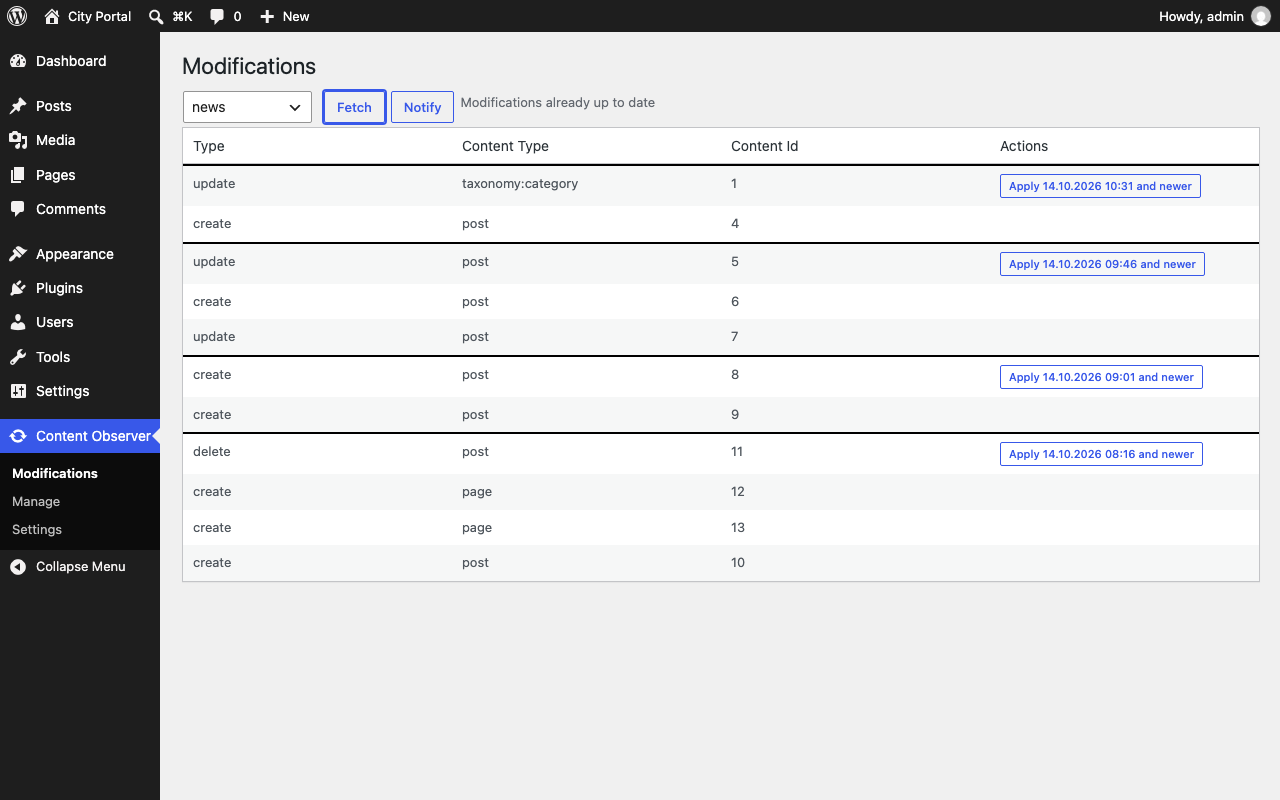
content_id,content_type(postby default, any string you choose),type(create,update,delete) and the time of the change. Saving and deleting posts records modifications automatically.
Both sites have the plugin and an API key (Content Observer → Settings). Under Content Observer → Manage the sites are connected; the connection exchanges the keys.
How changes travel
- notify (observable → observer): sends new modifications to every observer, hourly
by cron or with
wp content-observer notify. - fetch (observer → observable): asks the observable for its new modifications,
with
wp content-observer fetchor the Fetch button. - apply (on the observer): runs the hooks below for every modification since the last run, hourly by cron or with the Apply button.
Both schedules can be disabled under Settings if a system cron runs the WP-CLI commands instead.
Hooks
use Palasthotel\WordPress\ContentObserver\Model\SiteModificationAction;

add_action( 'content_observer_on_modifications', function ( SiteModificationAction $action ) {
    foreach ( $action->modifications as $mod ) {
        // $action->site->url, $mod->content_id, $mod->content_type, $mod->type
    }
} );| Hook | Type | |
|---|---|---|
content_observer_on_modifications |
action | modifications of any observed site |
content_observer_on_modifications_{site_id} |
action | modifications of one site |
content_observer_remote_request_header |
filter | headers for requests to other sites, e.g. basic auth |
Recording your own modifications:
use Palasthotel\WordPress\ContentObserver\Model\Modification;

content_observer_add_modification(
    Modification::build( 'main-navigation', 'wp-menu' )->update()
);
WP-CLI
wp content-observer ping
wp content-observer connect
wp content-observer notify
wp content-observer fetch
wp content-observer modifications
Repository layout
| Path | |
|---|---|
public/ |
the plugin as it ships to wordpress.org |
src/ |
TypeScript sources of the admin pages, built into public/dist/ |
content-observer.php |
development wrapper that loads public/, never shipped |
.github/ |
workflows, see .github/WORKFLOWS.md |
See CONTRIBUTING.md for the local setup and commit conventions.
License
GPL-3.0-or-later. Versions up to 1.2.3 were published under the GPL-2.0 named in their plugin header.