OWC | Mijn Services WP Registry grade A. No security issues foundWP RegistryNo security issues foundOpen the reportA
OWC Mijn Services is a WordPress plugin with Gutenberg blocks that make it easy to configure and display data from ZGW APIs directly in the WordPress.
Install
This is the repository archive. It installs, but the folder name will carry the branch suffix and updates will not flow.
Install straight from GitHub with WP-CLI:
wp plugin install https://github.com/openwebconcept/plugin-owc-mijn-services/archive/refs/heads/main.zipOn Packagist as plugin/owc-mijn-services:
composer require plugin/owc-mijn-servicesOWC Mijn Services is a WordPress plugin built around custom Gutenberg blocks that integrate with ZGW (Zaakgericht Werken) APIs. These blocks are the foundation of the plugin, allowing you to easily configure, and display data—directly within the WordPress block editor.
Installation
Manual installation
- Upload the 'owc-mijn-services' folder in to the
/wp-content/plugins/directory. cd /wp-content/plugins/owc-mijn-services- Run composer install, NPM asset build is in version control already.
- Activate the plugin in via the WordPress admin.
Composer installation
composer source git@github.com:OpenWebconcept/plugin-owc-mijn-services.gitcomposer require plugin/owc-mijn-servicescd /wp-content/plugins/owc-mijn-services- Run
composer install, NPM asset build is in version control already.
Configure your project
To use this plugin, make sure the following pages exist in your WordPress installation:
- A single page for a Zaak that contains the owc-my-services/zaak block.
- A single page for a Zaak download, no blocks required.
- A page (any type) that contains the owc-my-services/mijn-zaken block.
Gutenberg blocks
owc-my-services/zaak
This block displays all data for a single Zaak. Selecting a ZGW API supplier is the only configuration required in the block settings.
owc-my-services/mijn-zaken
This block displays an overview of all Zaken, filtered by the selected supplier and the social security number (BSN) of the currently logged-in citizen.
NLDS Components
Both owc-my-services/zaak and owc-my-services/mijn-zaken blocks use components from the NLDS (Nederlandse Design System).
- The NLDS React components and CSS are automatically loaded when a block is placed on the page.
- The project should have NLDS design tokens available to ensure styling.
Settings
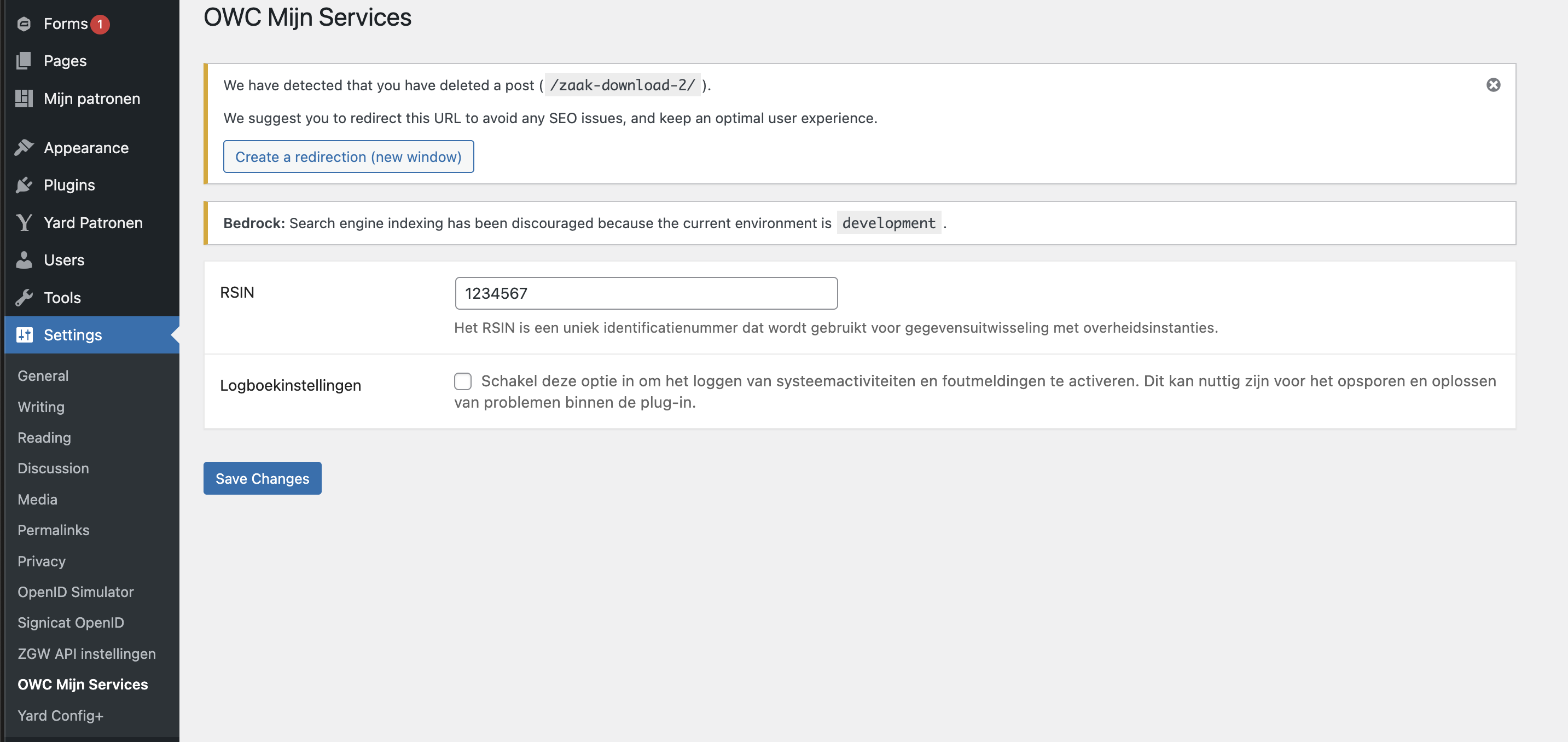
All settings are available under Settings > OWC Mijn Services in the WordPress admin. By default, only administrators can see or edit them.
- Logboekinstellingen — Enables logging of system activity and error messages, useful for troubleshooting. See Logging below for where the log files end up.
- DOC- en DOCX-documenten uitsluiten — Excludes
.docand.docxdocuments when fetching a zaak's documents. - Toegestane informatieobjecttypen — Restricts which informatieobjecttypen may be used when fetching or downloading a zaak's documents. Leave the field empty to allow all types. See Toegestane informatieobjecttypen below.
- Productiecontroles uitschakelen — Disables the requirement to configure at least one of the "Filter op BSN" or "Filter op KVK" block attributes. Production checks are enabled by default.
- Filtering op KVK uitschakelen — Disables filtering by KVK number, for suppliers that don't support it. Users logged in via eHerkenning won't be able to retrieve zaken while this is off, if the block relies on KVK filtering.
- Uitgebreide KVK-filtering inschakelen — Additionally filters by RSIN or vestigingsnummer when filtering by KVK, if available. Not every supplier supports these extra filter parameters.
Toegestane informatieobjecttypen
This field is a repeatable dropdown, grouped per configured ZGW supplier, listing that supplier's
informatieobjecttypen. Selected values are matched against the informatieobjecttype URL of a
zaak's documents.
- The list is fetched from each supplier's
informatieobjecttypenendpoint and cached for 24 hours, so opening the settings page doesn't have to wait on the ZGW API. - A WP-Cron job runs daily at 04:00 to refresh the cache before anyone needs it.
- Use the Informatieobjecttypen opnieuw ophalen button below the field to clear the cache manually, forcing a fresh fetch on next use.
- See Grant access to the "Toegestane informatieobjecttypen" setting for other roles
to expose this one field to users without the
manage_optionscapability.
Logging
Enable logging to keep track of errors during communication with the ZGW supplier(s).
- Logs are written daily to
owc-my-services-log{-date}.jsonin the WordPress webroot directory. - A rotating file handler keeps up to 7 log files by default, deleting the oldest as needed.
- You can change the maximum number of log files using the filter described below.
Hooks
Customizing Template Paths
You can customize the template paths by using the following filter in your theme or another plugin:
add_filter('owcms::view/template-paths', function ($paths) {
    $paths[] = get_stylesheet_directory() . '/resources/views/owc-mijn-services';

    return $paths;
});
To prioritize your custom template path over the default ones, use this example:
add_filter('owcms::view/template-paths', function ($paths) {
    $paths[] = get_stylesheet_directory() . '/resources/views/owc-mijn-services';

    return array_reverse($paths);
});
Change the maximum number of log files
Use the following filter to alter the rotating file handler's max files setting:
apply_filters('owcms::logger/rotating_filer_handler_max_files', OWC_MY_SERVICES_LOGGER_DEFAULT_MAX_FILES)Intercept exceptions for custom handling
Intercept exceptions caught by the plugin for additional processing or custom logging using this action:
do_action('owcms::exception/intercept', $exception, $method)The $exception parameter contains the caught exception object
Restricting page access based on authentication requirements
Pages can be protected by enforcing specific authentication methods, such as DigiD and/or eHerkenning. These access rules are configured through the Security metabox in the page editor.
By default, only the page post type supports access restrictions.
This can be customized using the following filter:
apply_filters( 'owcms::gatekeeper/metabox_post_types', array( 'page' ) )Configure number of redirection posts as option
Defaults to fetching all posts for the configured post types. Increase or limit this value when the query becomes too heavy by applying the filter below:
apply_filters( 'owcms::gatekeeper/metabox_number_of_redirect_options', -1 )Grant access to the "Toegestane informatieobjecttypen" setting for other roles
The "Toegestane informatieobjecttypen" setting (Settings > OWC Mijn Services) restricts which
informatieobjecttype URLs are allowed when fetching and downloading a zaak's documents. By
default, only administrators can see or edit this setting.
Use this filter to grant access to users with a different capability instead:
apply_filters( 'owcms::settings/allowed_informatieobjecttypen_capability', 'manage_options' )When filtered to a capability other than manage_options, any user holding that capability can
open the settings page, but will see only this one field — every other setting on the page
remains restricted to administrators. Filtering the capability doesn't grant it to anyone; the
target role still needs to actually hold it, for example:
add_filter('owcms::settings/allowed_informatieobjecttypen_capability', function () {
    return 'manage_informatieobjecttypen';
});

add_action('init', function () {
    $role = get_role('editor');

    if ($role && ! $role->has_cap('manage_informatieobjecttypen')) {
        $role->add_cap('manage_informatieobjecttypen');
    }
});
Releases
Newest 25 of 31 recorded releases.
These releases are tags only. The author does not attach a packaged zip, so there are no download counts to report.