manifest / integrations / wp-weewx
WPWeeWX WP Registry grade A. No security issues foundWP RegistryNo security issues foundOpen the reportA
A WordPress extension to read weather data from WeeWX
★ 2stars
16release downloads
≈10active sites
v0.5.2latest · 4mo ago
Install
Upload it under Plugins → Add New Plugin → Upload Plugin, then activate.
Install straight from GitHub with WP-CLI:
wp plugin install https://github.com/open-astro/wp-weewx/releases/download/v0.5.2/wpweewx-0.5.2.zipNo built-in updater. New versions won't appear under Dashboard → Updates. Install new releases yourself, or let Git Updater track the repository.
Display WeeWX JSON weather data with a shortcode.
Changelog
See CHANGELOG.md for release history.
Plugin Info
- Contributors: Joey Troy, gpt-5.2-codex
- Requires at least: 6.0
- Tested up to: 6.6
- Requires PHP: 8.0
- Stable tag: 0.2.0
- License: GPLv3
- License URI: https://www.gnu.org/licenses/gpl-3.0.html
- Plugin Website: https://github.com/open-astro/WPWeeWX
Description
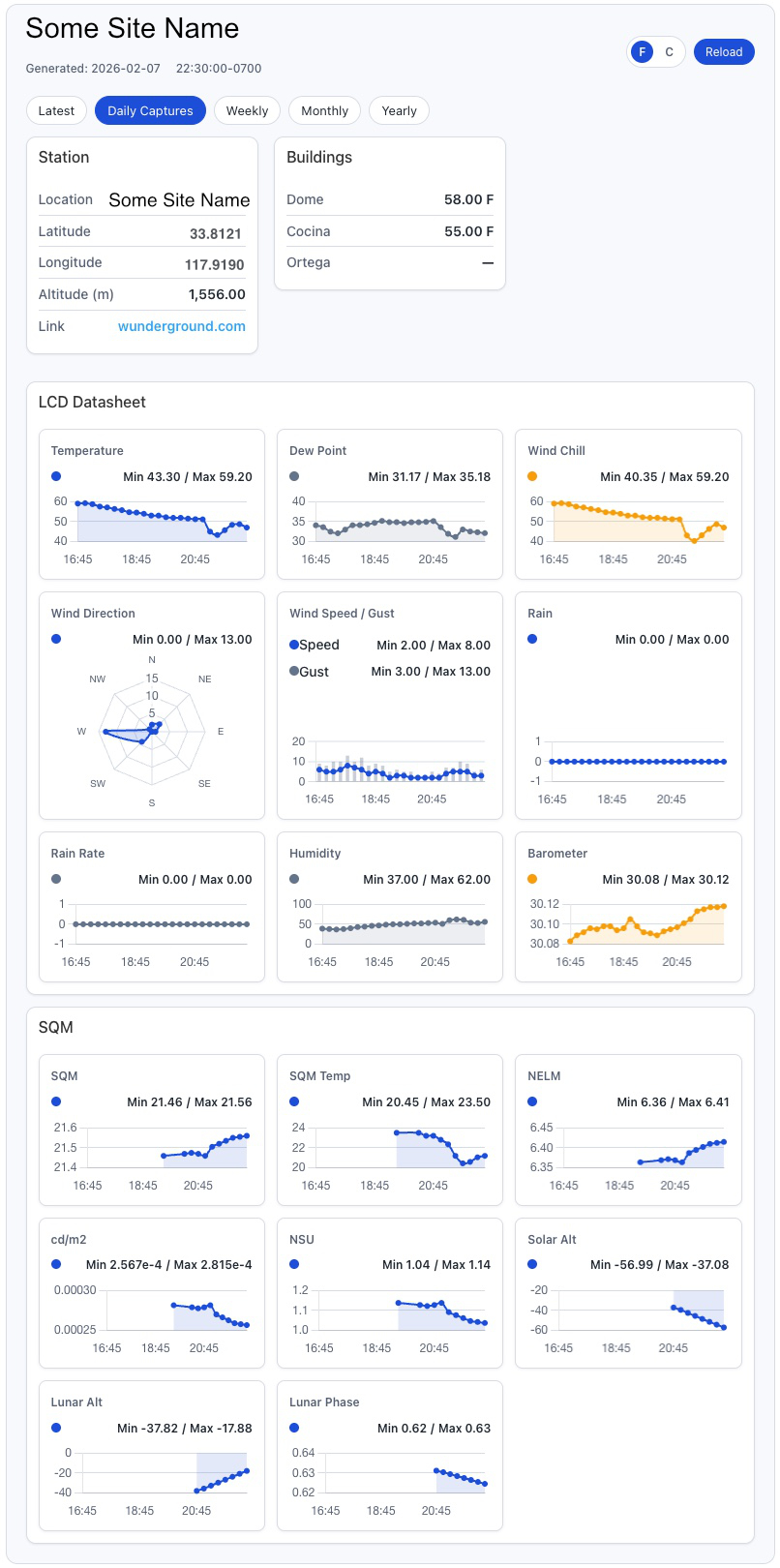
WPWeeWX fetches WeeWX-generated JSON and renders responsive weather dashboards.
Installation
- Upload the plugin folder to
/wp-content/plugins/. - Activate the plugin in WordPress.
- Install WeeWX-Conditions
- Configure JSON URLs under Settings → WeeWX Weather.
Usage
Use [weewx_weather] or specify attributes:
[weewx_weather source="simple" view="current"]
Timezone
LCD timestamps are rendered using the WordPress site timezone (Settings → General → Timezone).
Releases
2 releases. Each count is every asset in that release; expand a row for the breakdown.
Tag
Published
Assets
Downloads
Active-site estimate ≈10 comes from the median of recent superseded releases. Method.