Oldrup Media Companion
WordPress companion for Modern Image Formats: transliterates upload filenames using broad Latin, Greek, and Cyrillic character support; sets WebP quality to 70; removes unscaled originals after scaling; and corrects WebP MIME types.
Install
This is the repository archive. It installs, but the folder name will carry the branch suffix and updates will not flow.
Install straight from GitHub with WP-CLI:
wp plugin install https://github.com/oldrup/oldrup-media-companion/archive/refs/heads/main.zipA small companion to WordPress's Modern Image Formats plugin. It fine-tunes WebP quality, cleans upload filenames to avoid hosting complications, and removes the unscaled original after WordPress creates a scaled image.
Requirement: Install and activate Modern Image Formats, then select WebP under Settings > Media. This plugin does not support or optimize AVIF.
What it does
- Sets WordPress's WebP image-editor quality value to 70 when WebP images are generated.
- Cleans filenames on uploads and sideloads, transliterating many Latin, Greek, and Cyrillic characters into filename-safe Latin text. The original filename (without its extension) is retained as the Media Library title.
- Deletes the unscaled original when WordPress generates a scaled image and records the original in attachment metadata. With WordPress's default big-image threshold, this generally applies when either image dimension exceeds 2560 pixels. The original file is deleted; keep backups if you may need it.
- Updates the attachment's MIME type to
image/webpwhen its attached file has a.webpextension.
What it does not do
This plugin does not convert or compress images by itself. It relies on Modern Image Formats for WebP generation. It does not scan, convert, or bulk-optimize existing Media Library images; its changes apply to uploads handled after activation.
Installation
- Install and activate Modern Image Formats.
- Go to Settings > Media and select WebP as the target format. Modern Image Formats may default to AVIF, which this plugin does not support.
- Install and activate Oldrup Media Companion.
- Upload images through WordPress.
Existing media
Existing images are unaffected unless you separately run an image regeneration or migration workflow. Such tools may regenerate image sizes with Modern Image Formats active, but the result depends on their settings. If fallback images are disabled, regeneration may remove JPEG sub-sizes that existing content links to. This plugin does not rewrite image URLs in posts. Back up your site and check the regeneration tool's behavior before proceeding.
Compatibility
Filename cleanup uses WordPress's upload and sideload filters. Form plugins may handle files differently, so behavior depends on how each plugin passes files through WordPress; compatibility is not guaranteed.
Screenshots
| Default JPEG output | Modern Image Formats with WebP |
|---|---|
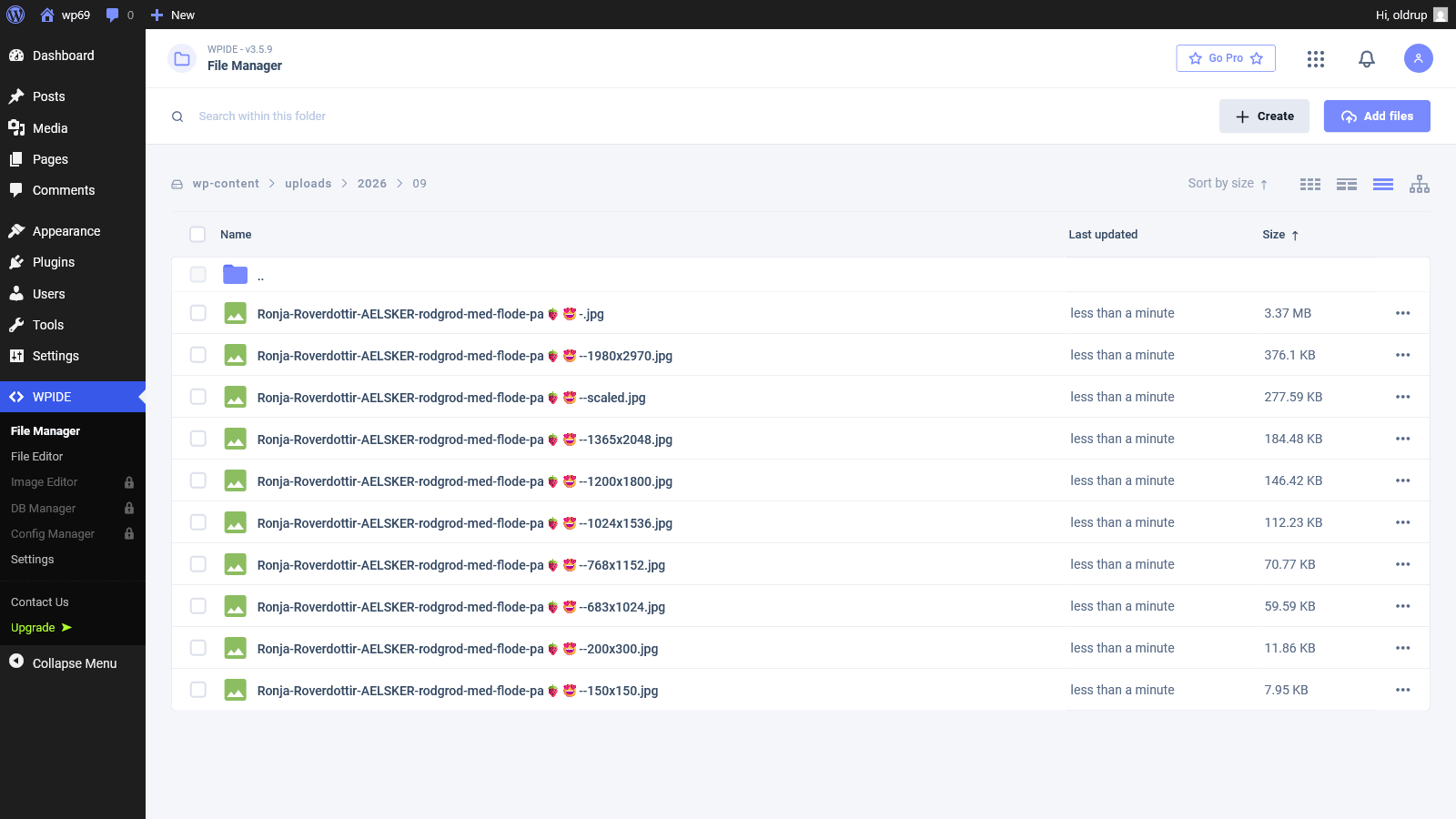 |
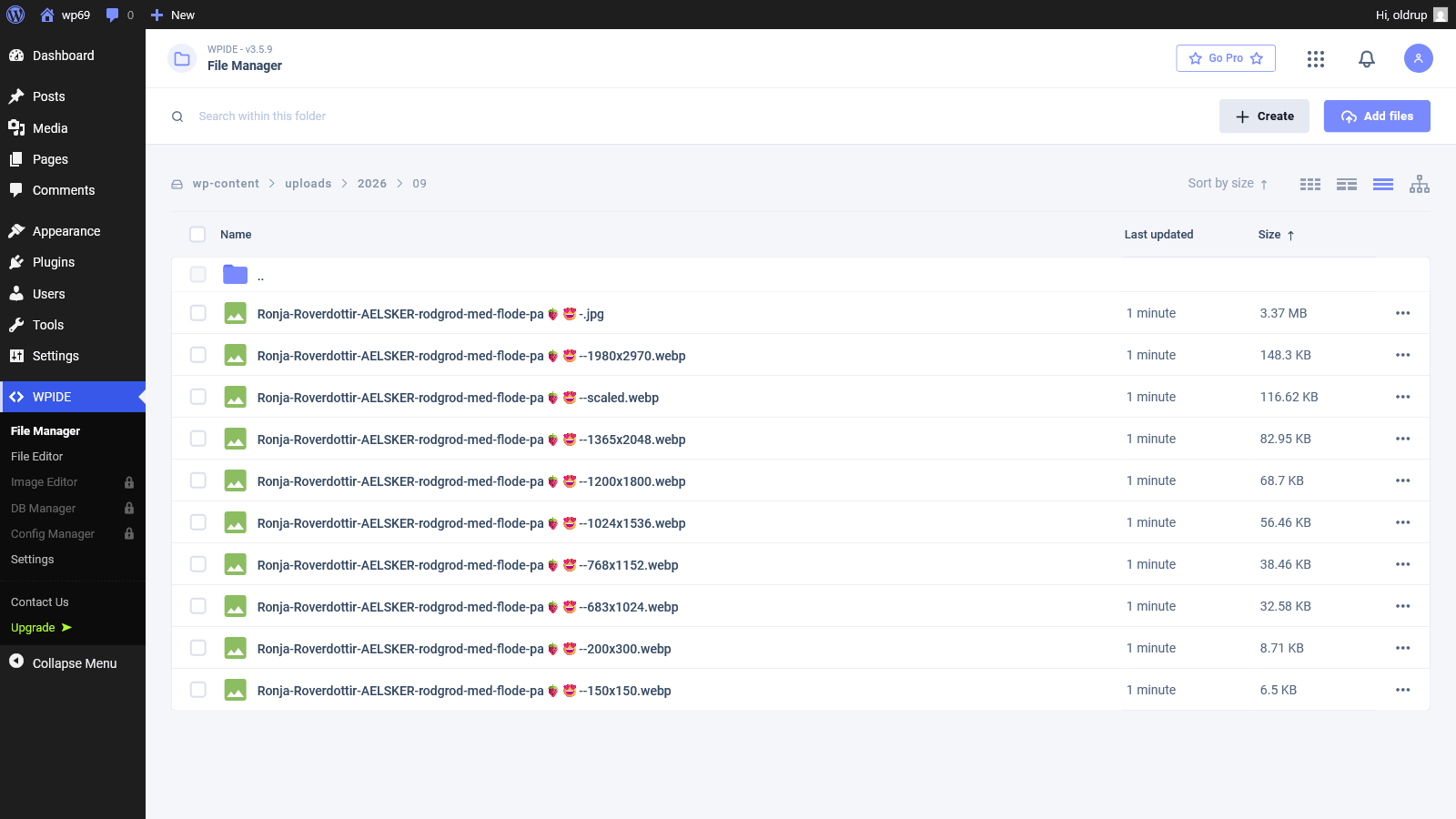 |
| WebP output with Oldrup Media Companion | WebP settings in WordPress |
|---|---|
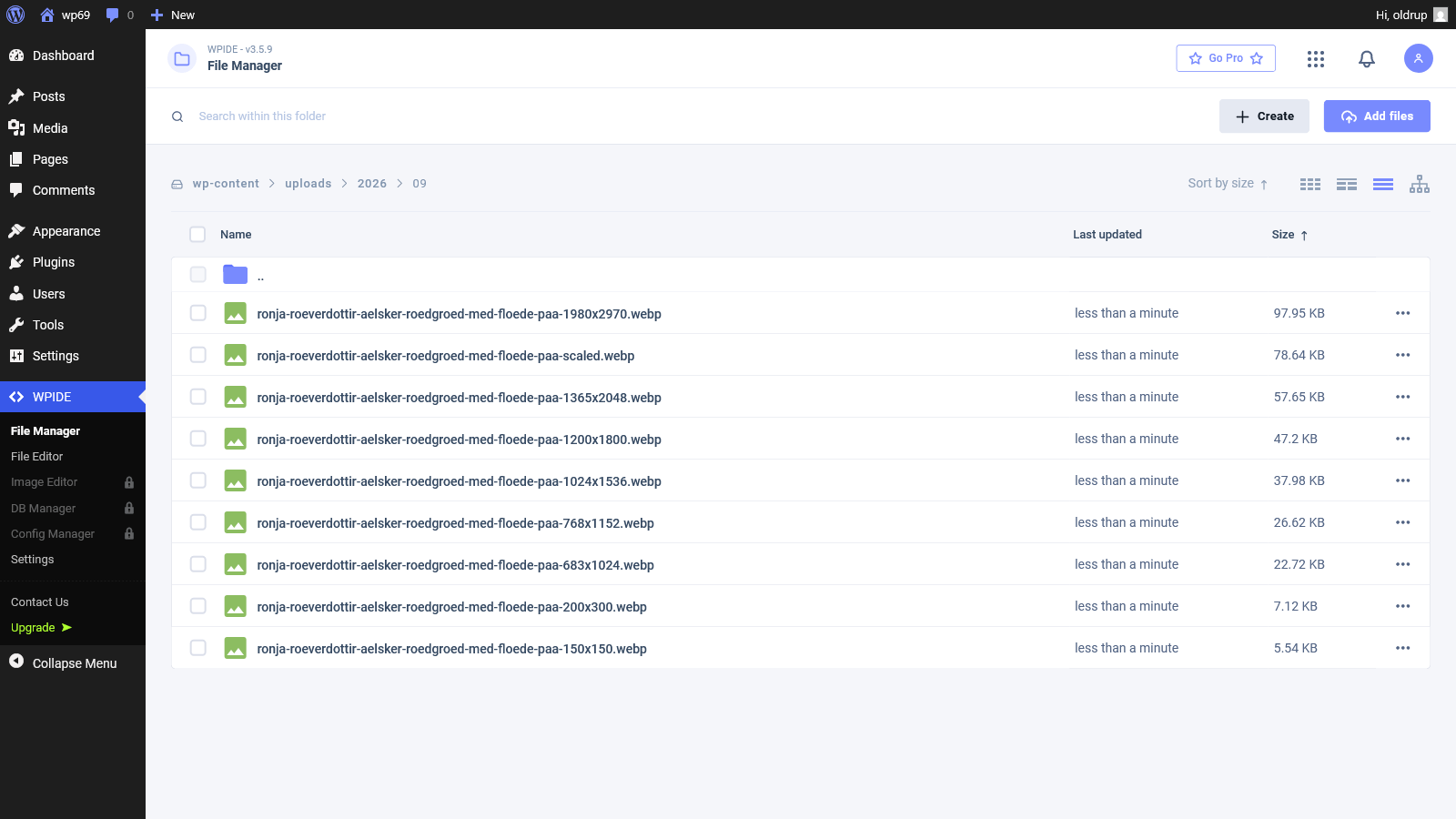 |
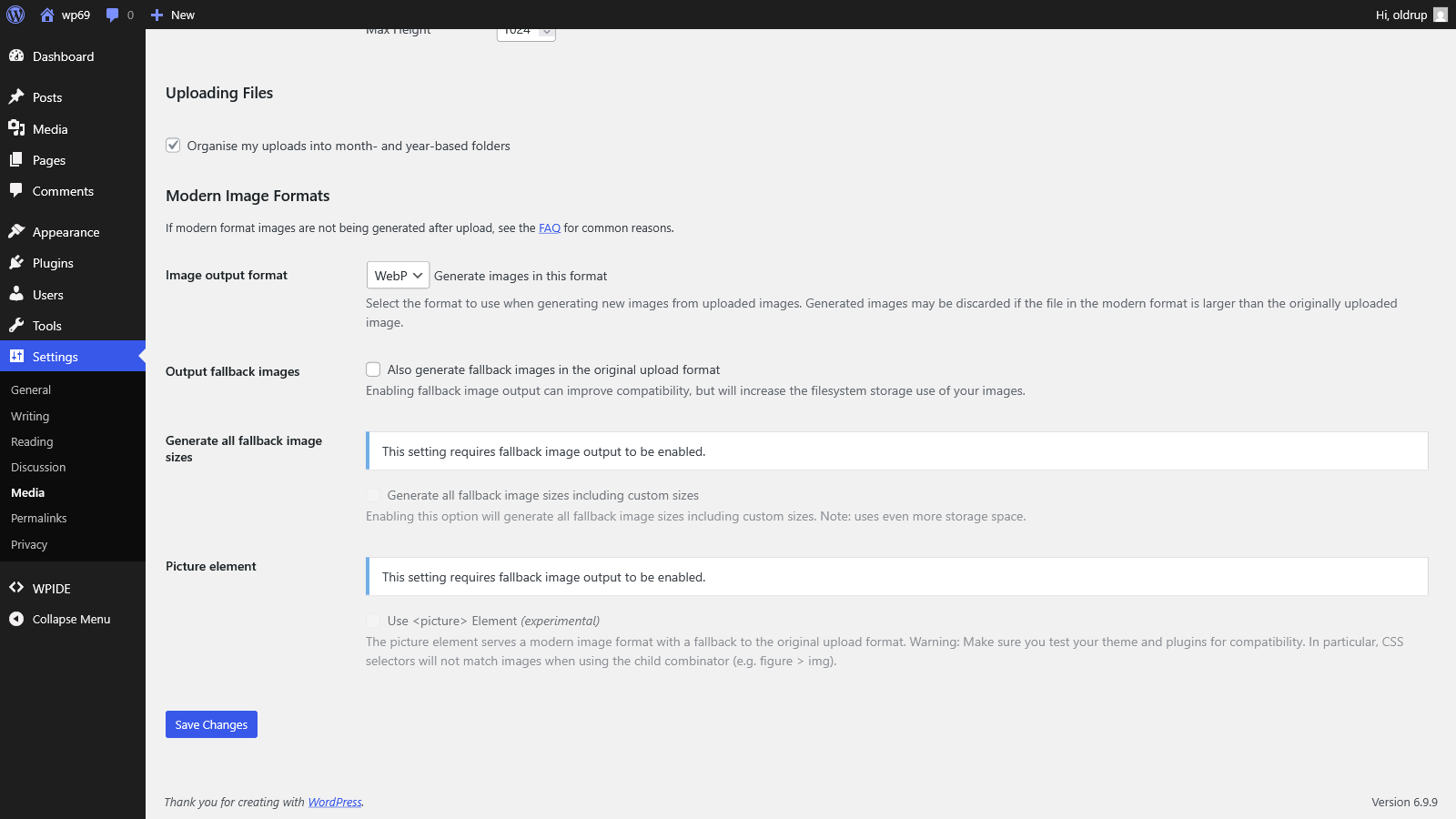 |
Credits and references
Developed by Bjarne Oldrup. Source code is hosted on GitHub.
Filename character mapping adapted and expanded from Clean Image Filenames.