Codeally External Links Icon
Automatically marks external links in WordPress content and adds CSS icons, with block-level styling and no settings page.
by Codeally · github.com/oldrup/codeally-external-links-icon · website
Install
No release zip yet. The repository archive installs, but the folder name will carry the branch suffix and updates will not flow:
wp plugin install https://github.com/oldrup/codeally-external-links-icon/archive/refs/heads/main.zipAutomatically mark external links in WordPress content and show a recognizable icon, with no settings page or JavaScript.
What it does
- Adds
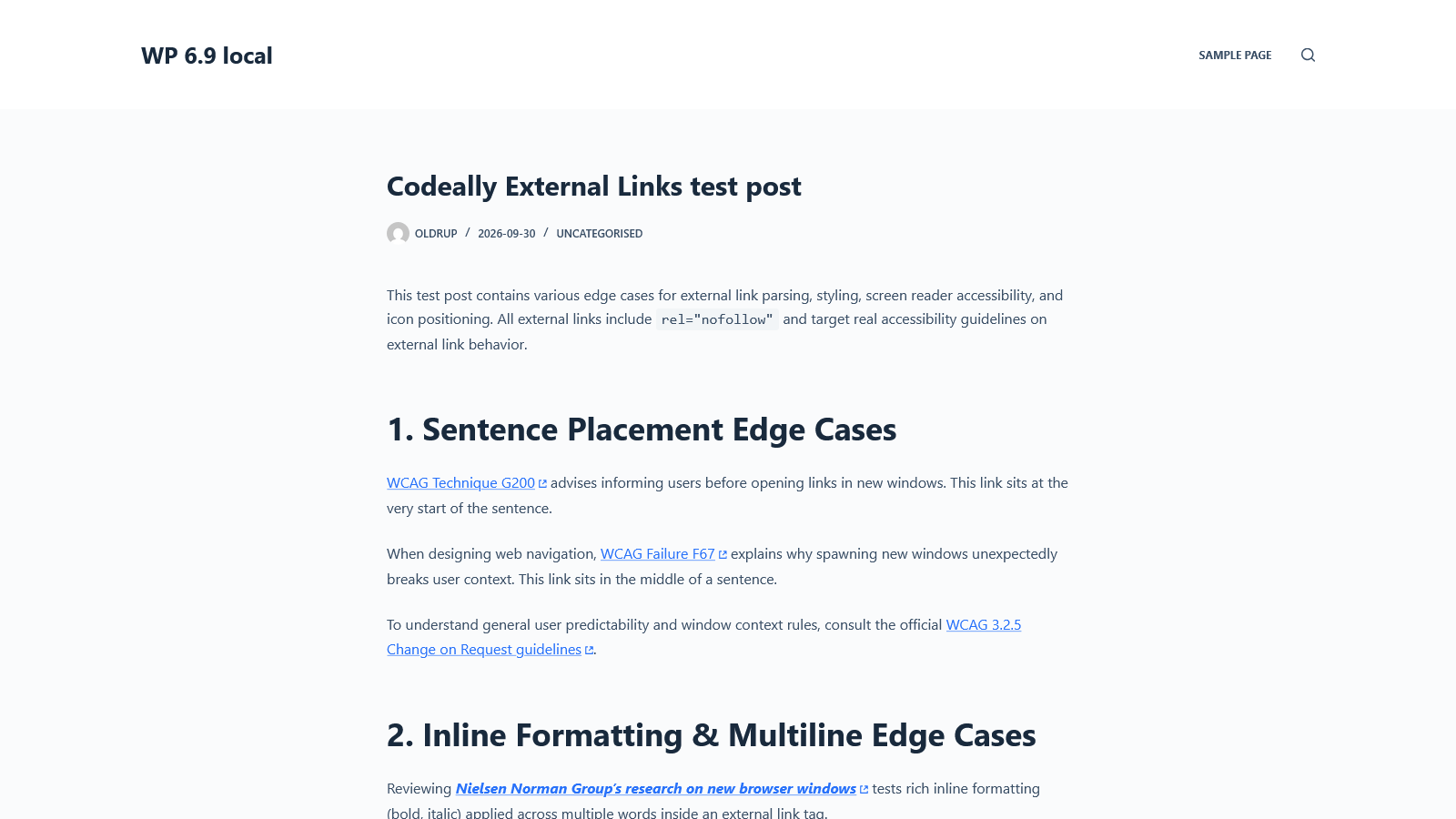
rel="external"to external links while WordPress renders post content. - Displays a CSS-masked external-link icon beside external links.
- Provides a default box-arrow icon and an optional diagonal-arrow preset.
- Adds a localized screen-reader label to links marked
rel="external". - Leaves post content and the database unchanged; no options or tables are created.
The icon is also shown on links with target="_blank" and native link blocks. Those links get a visual indicator only; the plugin does not add rel="external" or its screen-reader label to them.
Requirements
- WordPress 6.9 or later
- PHP 8.2 or later
- A modern browser with CSS masking and
:has()support
Tested up to WordPress 7.1. The plugin is intended for native WordPress Block Editor content; third-party page builders are not officially supported.
Installation
- Download the installable ZIP from GitHub Releases when available. The ZIP attached to a release is the WordPress package; GitHub's automatically generated source archives are repository snapshots.
- In WordPress, go to Plugins > Add New Plugin > Upload Plugin, choose the ZIP, and select Install Now.
- Activate Codeally External Links Icon. It works automatically on the front end.
Customize the icon
By default, external links use a box-arrow icon. To use the diagonal arrow inside a block, select the block in the editor and add has-cdly-icon-arrow under Additional CSS class(es).
You can also set the icon globally or for a specific scope with CSS:
:root {
    --cdly-external-links-icon: var(--cdly-mask-image-arrow);
}
Available presets are --cdly-mask-image-box and --cdly-mask-image-arrow. The icon and spacing can be customized with --cdly-external-links-icon and --cdly-external-links-margin.
Accessibility and compatibility
The localized "external link" screen-reader label is applied to links with rel="external". Links that only match target="_blank" or native link-block selectors receive an icon but no label from this plugin; use your theme or editor's accessibility options to describe links that open in a new tab.
The icon uses CSS masks and the :has() selector, so older browsers may not display it. The plugin has been tested with current Chrome, Safari, and Firefox, and with NVDA and Windows Narrator on Windows 11. A page cache may serve already-rendered HTML without rerunning WordPress's content filter; clear the cache after changing content if needed.
Development
The plugin uses WordPress core's WP_HTML_Tag_Processor to update links during content rendering. It does not use JavaScript or permanently modify saved content.
See the WordPress plugin readme for the detailed FAQ and the changelog for version history.
License
GPL-2.0-or-later. See the GNU General Public License.