Install
This is the repository archive. It installs, but the folder name will carry the branch suffix and updates will not flow.
Install straight from GitHub with WP-CLI:
wp plugin install https://github.com/nyxashu25/wp-security-hardening/archive/refs/heads/main.zip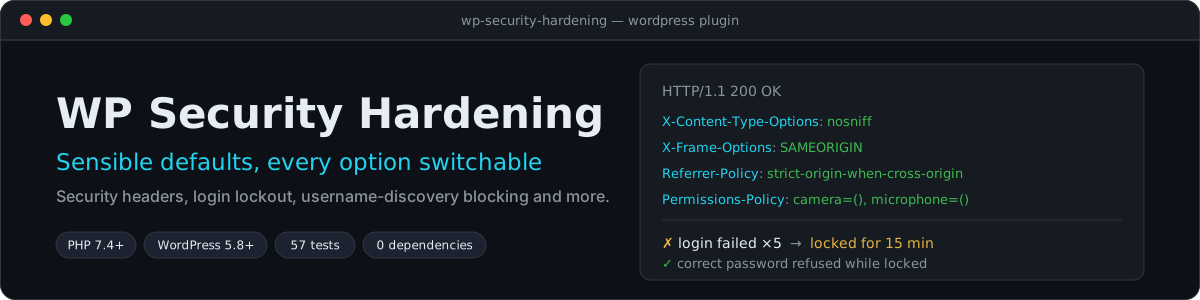
A small WordPress plugin that closes the common, low-effort ways attackers probe a site: guessing logins, harvesting usernames, reading version numbers and framing your pages. Every option has a switch, nothing phones home, and the defaults avoid anything that tends to break other plugins.
What it does
| Option | Default | What changes |
|---|---|---|
| Hide the WordPress version | on | Removes the generator tag and the ?ver= number WordPress adds to its own scripts and styles. Plugin and theme versions are left alone. |
Remove unneeded <head> links |
on | Drops the RSD, Windows Live Writer and shortlink tags. |
| Disable XML-RPC | off | Turns off xmlrpc.php and the X-Pingback header. Off by default because Jetpack and the WordPress mobile apps use it. |
| Disable the file editor | on | Defines DISALLOW_FILE_EDIT, so a hijacked admin session cannot edit PHP from the dashboard. |
| Block username discovery | on | Redirects ?author=1 scans, hides /wp/v2/users from signed-out visitors and removes users from the sitemap. Signed-in users are unaffected. |
| One generic login error | on | "Invalid username or password" whichever part was wrong, so usernames cannot be probed. |
| Security headers | on | X-Content-Type-Options: nosniff, X-Frame-Options: SAMEORIGIN, Referrer-Policy: strict-origin-when-cross-origin and a Permissions-Policy that switches off camera, microphone and geolocation. |
| HSTS | off | Strict-Transport-Security, sent only over HTTPS. Browsers remember it for the whole max-age, so enable it only once HTTPS works everywhere. |
| Limit login attempts | on | 5 failures within 15 minutes locks that visitor out for 15 minutes. All three numbers are adjustable. |
Find it under Settings → Security Hardening.
Install
- Download this repository as a ZIP (Code → Download ZIP) and use Plugins → Add New → Upload Plugin, or copy the folder to
wp-content/plugins/wp-security-hardening. - Activate it. The defaults apply immediately.
- Review Settings → Security Hardening, and enable XML-RPC blocking or HSTS if they suit your site.
Requires PHP 7.4 or newer and WordPress 5.8 or newer. Uninstalling the plugin from the Plugins screen removes its settings and any lockout records.
How the login lockout works
- Failed logins are counted per visitor IP address. The address is hashed before it is stored, so the database never holds a raw IP.
- The lockout check runs after WordPress has verified the password, so a correct password is refused too while a visitor is locked out. Otherwise an attacker could keep guessing and simply wait to be told "yes".
- A failure while already locked does not extend the lockout. When it ends, the count starts again from zero, and a successful login clears the count.
- Records are transients, so they expire by themselves and need no cleanup job.
Behind a proxy or CDN? WordPress then sees the proxy's address for every visitor, so one attacker would lock out everyone. Tell the plugin where the real address is, for example for Cloudflare:
add_filter( 'wsh_client_ip', function ( $ip ) {
    return isset( $_SERVER['HTTP_CF_CONNECTING_IP'] ) && filter_var( $_SERVER['HTTP_CF_CONNECTING_IP'], FILTER_VALIDATE_IP )
        ? $_SERVER['HTTP_CF_CONNECTING_IP']
        : $ip;
} );
Only do this if your server is reachable solely through that proxy; otherwise a visitor could forge the header and dodge the limit.
Know before you enable
- Username discovery blocking removes
/wp/v2/usersfor signed-out visitors. Headless sites that list authors from the public REST API will need it switched off. X-Frame-Options: DENYalso blocks your own pages from being framed, which can break page-builder previews.SAMEORIGINis the default for that reason. Headers are not sent in the Customizer preview.DISALLOW_FILE_EDITis defined only ifwp-config.phphas not already defined it. A value set there always wins.- Shared IP addresses (an office behind one connection) share one counter. Raise the allowed attempts if that matters to you.
What it is not
This plugin reduces exposure. It is not a firewall or a malware scanner, and it does not set a Content-Security-Policy, which needs a policy written for your own site. Keep WordPress, themes and plugins updated, use strong passwords or two-factor login, and keep backups.
Development
No build step and no dependencies. Needs PHP 7.4 or newer.
php tests/run.phpThe 57 tests cover settings validation (including clamping and rejecting header-injection attempts), header building, the lockout state machine, hook registration and priorities, and the admin form's consistency with the settings. WordPress itself is not loaded: the tests supply small stand-ins for the WordPress functions the plugin calls and check that the plugin asks WordPress for the right things. Try the plugin on a staging site before production, as with any plugin that touches login.
CI runs a syntax check and the tests on PHP 7.4, 8.1, 8.3 and 8.4.
| File | Role |
|---|---|
wp-security-hardening.php |
Plugin header and bootstrap |
includes/class-wsh-settings.php |
Defaults, validation and reading settings |
includes/class-wsh-headers.php |
Builds the response headers |
includes/class-wsh-login-limiter.php |
Failure counting and lockout, independent of WordPress storage |
includes/class-wsh-hardening.php |
Registers the WordPress hooks for each option |
includes/class-wsh-admin.php |
The settings page |
uninstall.php |
Removes settings and lockout records |
tests/ |
Dependency-free test runner and tests |
License
Released under the MIT License.