Install
This is the repository archive. It installs, but the folder name will carry the branch suffix and updates will not flow.
Install straight from GitHub with WP-CLI:
wp plugin install https://github.com/nyxashu25/wp-lead-form/archive/refs/heads/main.zip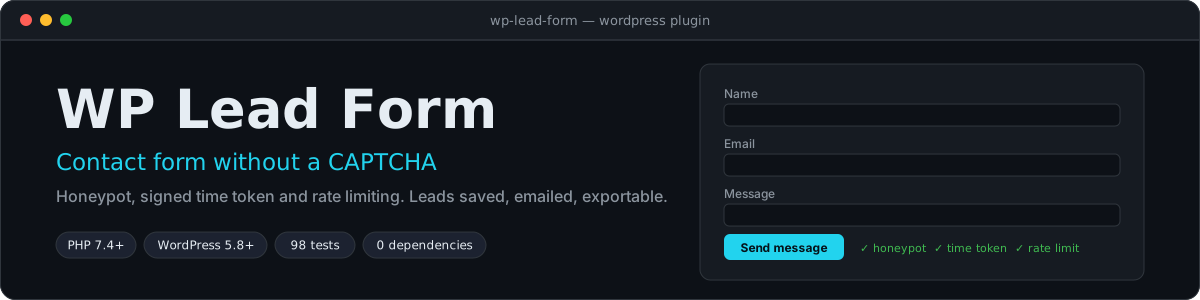
A contact form for WordPress that keeps spam out without making visitors solve a CAPTCHA. Every enquiry is saved as a private lead you can read in the dashboard, emailed to you with the visitor set as Reply-To, and exportable as a spreadsheet-safe CSV.
Features
- No CAPTCHA. Three quiet checks instead: a hidden honeypot field, a signed time token (instant submissions are refused) and a per-visitor rate limit.
- Works with and without JavaScript. With JavaScript the form sends over the REST API and shows errors next to each field. Without it, the form posts normally and redirects back with a notice.
- Leads inbox. Each message becomes a private record under Leads, visible to administrators only. It is never exposed on the front end or through the REST API.
- Email notification to the address you choose (the site admin by default), with
Reply-Toset to the visitor so you can answer straight from your inbox. - CSV export in one click, with protection against spreadsheet formula injection.
- Accessible. Real labels, an error message tied to each field, a live status region, and a honeypot that keyboard and screen-reader users never meet.
- Cache-friendly. The JavaScript fetches a fresh token, so a cached page does not freeze the timestamp.
Install
- Download this repository as a ZIP (Code → Download ZIP) and use Plugins → Add New → Upload Plugin, or copy the folder to
wp-content/plugins/wp-lead-form. - Activate it. A Leads menu appears.
- Add the form to any page or post with the shortcode:
[lead_form]
[lead_form title="Contact us" button="Send enquiry"]- Open Leads → Settings to choose the notification address, success message, consent text and spam limits.
Requires PHP 7.4 or newer and WordPress 5.8 or newer.
How spam is stopped
| Layer | What it does | What a bot sees |
|---|---|---|
| Honeypot | A field named website, hidden from people and screen readers. Anything typed into it marks the submission as a bot. |
A normal "thank you". Nothing is saved or sent, so there is no signal to learn from. |
| Signed time token | The form carries a timestamp signed with a key derived from your site's secret salts. A submission arriving sooner than the minimum (3 seconds by default) is refused, and so is a token older than 7 days or one that was edited. | An error and a 4xx status. |
| Rate limit | At most 5 stored messages per visitor per hour by default. Only messages that were actually saved count, so a typo never locks anyone out. The visitor's address is hashed, never stored. | A "try again later" message. |
Page caching. With JavaScript, the form asks for a fresh token when the page loads, so caching plugins are not a problem. For visitors without JavaScript the token printed in the page is used, and it stays valid for 7 days. Change that with a filter if your cache holds pages longer:
add_filter( 'wlf_token_max_age', function () { return 14 * DAY_IN_SECONDS; } );Behind a proxy or CDN? WordPress then sees the proxy's address for every visitor, which would make the rate limit apply to everyone at once. Supply the real address with the wlf_client_ip filter, and only if your server is reachable solely through that proxy:
add_filter( 'wlf_client_ip', function ( $ip ) {
    return isset( $_SERVER['HTTP_CF_CONNECTING_IP'] ) && filter_var( $_SERVER['HTTP_CF_CONNECTING_IP'], FILTER_VALIDATE_IP )
        ? $_SERVER['HTTP_CF_CONNECTING_IP']
        : $ip;
} );
Your data and privacy
Each lead stores the visitor's name, email, phone (optional), message, the page they wrote from, and whether they ticked the consent box. It does not store their IP address or browser details.
- Leads are kept until you delete them. On uninstall they are kept unless you tick Also delete all stored leads in the settings.
- You are responsible for a privacy notice and for handling access and erasure requests. Deleting a lead and emptying the trash removes it completely. The plugin does not hook into WordPress's built-in personal data export and erase tools.
- Email goes out through WordPress's normal mail function. If messages do not arrive, install an SMTP plugin: that is a hosting setting, not a form problem.
Security notes
- Inputs are cleaned on arrival (tags and control characters removed, lengths capped) and escaped on output.
- The notification email is plain text. The visitor is set as
Reply-Toonly, never asFrom, which would fail SPF and DMARC checks, and every header value is stripped of line breaks, so a crafted name or address cannot inject extra recipients. - The export prefixes cells that start with
=,+,-or@with an apostrophe, so opening it in Excel or Sheets never runs a formula a visitor typed. A phone number such as+971 50 123 4567therefore shows with a leading apostrophe in the sheet. - Only administrators can see, edit, delete or export leads.
Development
No build step and no dependencies. Needs PHP 7.4 or newer.
php tests/run.phpThe 98 tests cover cleaning and validation (including header-injection and markup attempts), the signed token (forgery, expiry, replay), the spam guard and rate limiter, email building, CSV safety, the full submission pipeline with a failing database and a failing mail server, and the WordPress layer: the rendered form, REST responses, post-type permissions and redirect logic. WordPress itself is not loaded: the tests supply small stand-ins for the WordPress functions the plugin calls. Try the plugin on a staging site before production.
CI runs a syntax check and the tests on PHP 7.4, 8.1, 8.3 and 8.4.
| File | Role |
|---|---|
wp-lead-form.php |
Plugin header and bootstrap |
includes/class-wlf-handler.php |
The submission pipeline: spam check, validate, save, notify |
includes/class-wlf-spam-guard.php |
Honeypot, token and rate-limit decisions |
includes/class-wlf-token.php |
Signed timestamps |
includes/class-wlf-rate-limiter.php |
Per-visitor counters |
includes/class-wlf-validator.php, class-wlf-sanitize.php |
Cleaning and validation |
includes/class-wlf-mailer.php |
Builds the notification email |
includes/class-wlf-csv.php |
Spreadsheet-safe CSV |
includes/class-wlf-settings.php |
Settings defaults and validation |
includes/class-wlf-plugin.php |
WordPress integration: post type, shortcode, REST, admin |
assets/form.js, assets/form.css |
The front-end script and light styling |
tests/ |
Dependency-free test runner and tests |
License
Released under the MIT License.