Install
This is the repository archive. It installs, but the folder name will carry the branch suffix and updates will not flow.
Install straight from GitHub with WP-CLI:
wp plugin install https://github.com/nonigopalchandro/notifyflow/archive/refs/heads/main.zipNotifyFlow – WordPress Notification Plugin
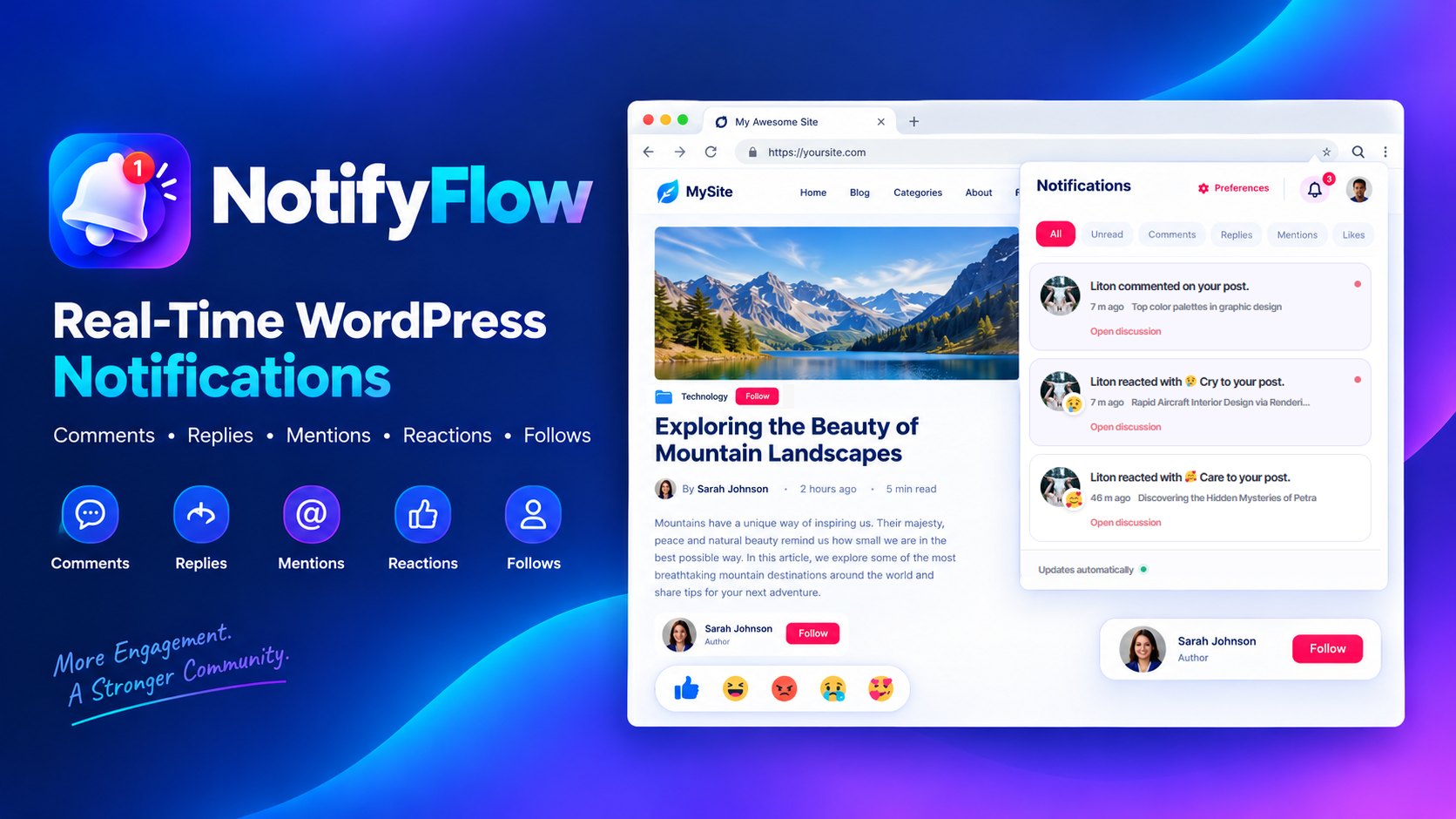 NotifyFlow is an extensible WordPress notification plugin that adds an on-site notification center for registered users. It helps websites improve user engagement with comment and reply notifications, @username mentions, animated post reactions, author and topic follows, unread notification counts, and customizable notification preferences.
Designed for WordPress websites that need an integrated activity feed, NotifyFlow keeps notifications within your site without requiring a mandatory third-party notification service.
Features
- On-Site Notification Center – Display a notification bell, unread count badge, responsive notification panel, activity filters, and paginated notification feed.
- Comment and Reply Notifications – Notify registered users about approved comments and nested replies, with duplicate-recipient handling.
- @Username Mentions – Support mentions of registered WordPress users.
- Animated Post Reactions – Let logged-in users react to posts with Like 👍, Haha 😂, Angry 😡, Cry 😢, and Care 🥰.
- Author Following – Allow users to follow post authors and receive notifications when they publish new posts.
- Category and Tag Following – Support following content topics, with notifications for newly published posts in followed categories or tags.
- Notification Preferences – Let users control notifications for comments, replies, mentions, reactions, followed authors, followed topics, and custom events.
- Customizable Appearance – Configure the accent color, notification panel width, feature availability, and notification retention.
- Notification Grouping – Group repeated reactions for the same post and reaction type within the current feed page.
- Developer PHP API – Create generic custom notifications from trusted server-side WordPress code.
- WordPress REST API – Retrieve notifications, check unread counts, update read status, manage preferences, and handle reactions and follows.
- Privacy and Data Management – Integrate with WordPress personal-data export and erasure tools and provide an administrator-controlled uninstall data deletion option.
Requirements
- WordPress 6.2 or later
- PHP 7.4 or later
- A modern browser with JavaScript enabled
- WordPress REST API access
Installation
-
Download or clone this repository.
-
For a standard WordPress installation, use the installable NotifyFlow plugin ZIP if one is provided with the release.
-
In your WordPress dashboard, navigate to Plugins → Add New Plugin → Upload Plugin.
-
Upload the NotifyFlow ZIP file and click Install Now.
-
Activate NotifyFlow.
-
Add the notification bell to a page, template, or shortcode-capable widget using:
[notifyflow_bell]To position the bell on the left, use:
[notifyflow_bell position="left"] -
Test the plugin with registered users on a staging website before using it in production.
Available Shortcodes
| Shortcode | Purpose |
|---|---|
[notifyflow_bell] |
Displays the notification bell and notification feed. |
[notifyflow_author] |
Displays a follow button for the current post's author. |
[notifyflow_category] |
Displays follow buttons for categories assigned to the current post. |
[notifyflow_follow] |
Legacy shortcode that displays both author and category follow controls. |
[notifyflow_reactions] |
Displays post reaction controls on the current singular post or page. |
The reaction and follow shortcodes require logged-in users. The author and category shortcodes are intended for singular posts where the current post's author and assigned categories can be determined.
Developer Integration
NotifyFlow includes a PHP API for creating generic custom notifications from trusted server-side code.
NotifyFlow_Plugin::create_notification(
    $recipient_user_id,
    get_current_user_id(),
    $event_id,
    $post_id
);
Use a stable, unique object ID for each event to help prevent duplicate notifications. The method returns true when a notification is inserted, false when it is skipped or already exists, and a WP_Error when required IDs are invalid.
Newly inserted notifications also trigger the notifyflow_notification_created action.
Important: Call this API from trusted server-side code and validate event data before passing it to the method. The API creates a generic notification message; it does not accept arbitrary custom message text.
REST API
NotifyFlow provides REST endpoints for notification management and user activity, including:
- Reading notifications and filtering by type or unread status
- Retrieving unread notification counts
- Marking individual notifications or all notifications as read
- Reading and updating notification preferences
- Retrieving and updating post reactions
- Following authors, categories, and tags
Cookie-authenticated REST requests use the standard WordPress X-WP-Nonce header. Access is scoped to the authenticated user, and reaction and follow actions require login.
See the plugin's readme.txt for the supported endpoint paths and parameters.
Privacy and Data Retention
NotifyFlow stores notification data, reactions, follows, and notification preferences in your WordPress database. It does not send this data to an external NotifyFlow server.
The notification retention setting controls expired notification rows. A value of zero retains notifications indefinitely. Reactions and follows have separate data-lifecycle rules, and uninstall data deletion is disabled by default unless an administrator enables it.
Depending on your website's avatar configuration, Gravatar or another custom avatar provider may receive visitor IP addresses and related request metadata. Review your site's privacy policy and adapt it to your actual configuration.
Limitations
- Comment and reply notifications are generated only for registered, logged-in commenters; anonymous comment authors are ignored.
- Notifications are displayed on the website. Browser notifications, background Web Push, email digests, WebSockets, and external push providers are not included.
- Reaction grouping applies to the current API page, not across every page or an unlimited time window.
- The API accepts tag-follow targets, but a dedicated tag-follow interface is not included in this build.
- WooCommerce, BuddyPress/BuddyBoss, and bbPress integrations are not included.
Contributing
Bug reports, suggestions, and code contributions are welcome. Before proposing changes, please describe the issue clearly and include reproducible steps where possible.
Test changes on a staging WordPress installation and avoid including credentials, private user data, or production database content in reports.
License
NotifyFlow is distributed under the GNU General Public License v2.0 or later (GPL-2.0-or-later). See LICENSE.txt for the license text.
Keywords
WordPress notification plugin, WordPress notifications, comment notification plugin, reply notifications, user mentions, WordPress activity feed, post reactions, author follow plugin, category follow, user engagement, notification bell, WordPress REST API.