Install
This is the repository archive. It installs, but the folder name will carry the branch suffix and updates will not flow.
Install straight from GitHub with WP-CLI:
wp plugin install https://github.com/nis-prog/upgravo/archive/refs/heads/main.zipNo built-in updater. New versions won't appear under Dashboard → Updates. Install new releases yourself, or let Git Updater track the repository.

Upgravo – PHP Compatibility Check
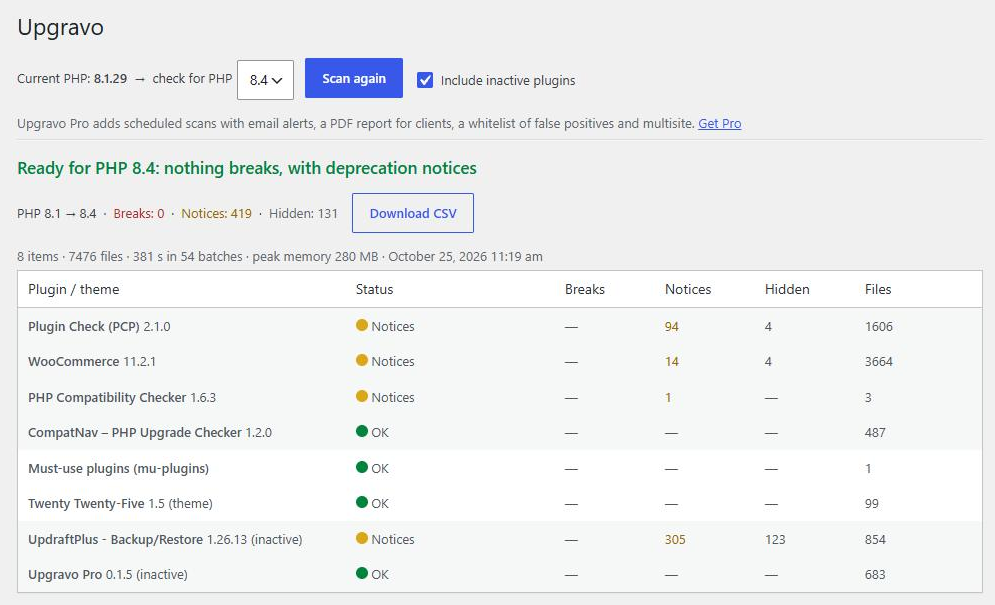
Scans the plugins and theme of a WordPress site on its own server and tells you what will break before you upgrade PHP (8.1, 8.2, 8.3, 8.4). No external service, no exec(), no account.
- Install: WordPress admin → Plugins → Add New → search for Upgravo — or wordpress.org/plugins/upgravo
- Try it in your browser: the Live Preview button on the WordPress.org page opens it in WordPress Playground.
- Website: phpready.com
- Support: please use the WordPress.org support forum (issues are disabled here so every question is answered in one place).
What it does
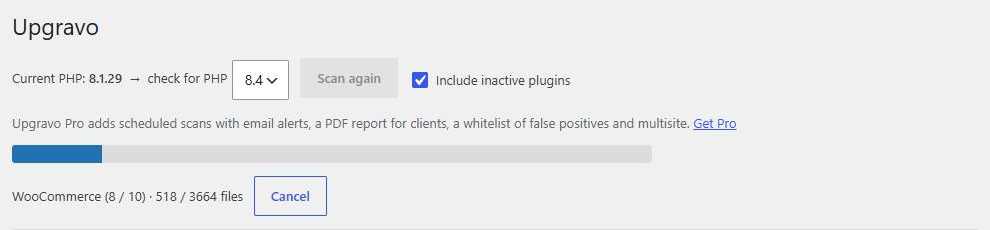
- Scans active plugins, the active theme (and parent), must-use plugins and drop-ins in short batches, so it works on shared hosting.
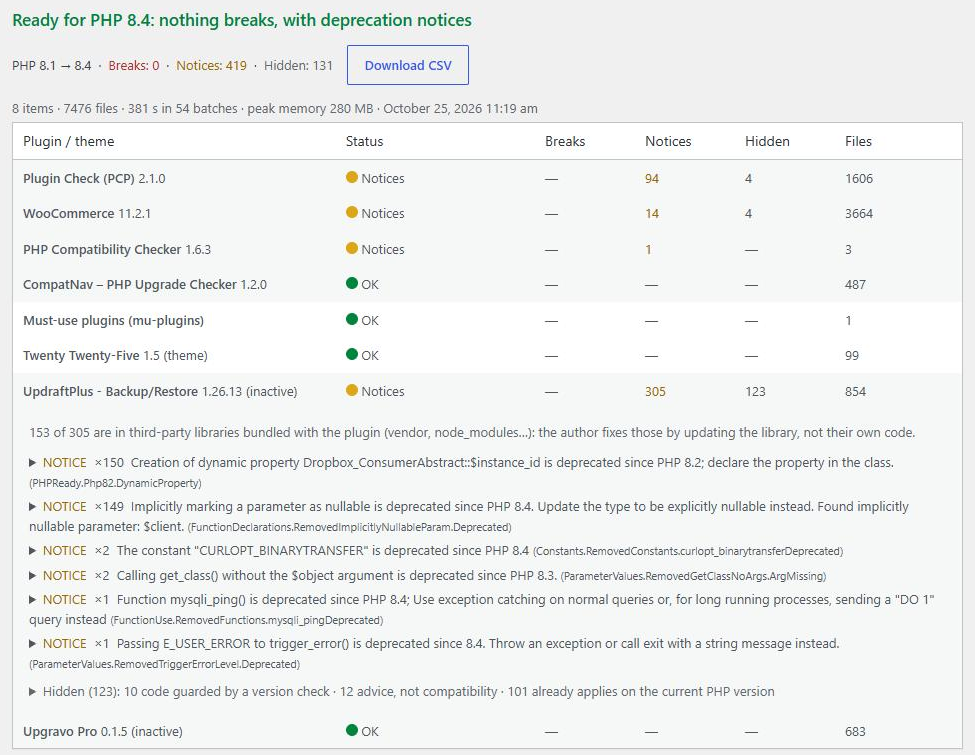
- Gives a verdict and a "What to do first" list: what breaks, what only raises deprecation notices, and what was hidden as a false positive (with the reason).
- Separates third-party libraries bundled inside a plugin from the plugin's own code.
- Exports a CSV, adds the verdict to Tools → Site Health, and includes a WP-CLI command:
wp upgravo scan.
Screenshots
 |
 |
 |
 |
Building from source
The scanning engine is PHP_CodeSniffer + PHPCompatibility + PHPCSUtils, installed with Composer:
composer install --no-devThe release package on WordPress.org ships vendor/ without the parts the scanner never runs (tests, docs and PHP_CodeSniffer's coding-style standards).
License
GPLv3 or later. Bundled libraries keep their own licenses (BSD-3-Clause for PHP_CodeSniffer, LGPL-3.0-or-later for PHPCompatibility and PHPCSUtils).