Install
Upload it under Plugins → Add New Plugin → Upload Plugin, then activate.
Install straight from GitHub with WP-CLI:
wp plugin install https://github.com/nikolaigauer/activity-builder/releases/download/v1.4.3/activity-builder-1.4.3.zipA WordPress plugin for structured activities and reflection in higher-education ePortfolios.
The hope is to make it easier for both students and instructors to use WordPress as an ePortfolio platform.
Instructors build activity and reflection prompt pages using a section-based visual builder. Students complete and submit responses directly on the page via easy-to-use forms or the plugin’s custom post builder.
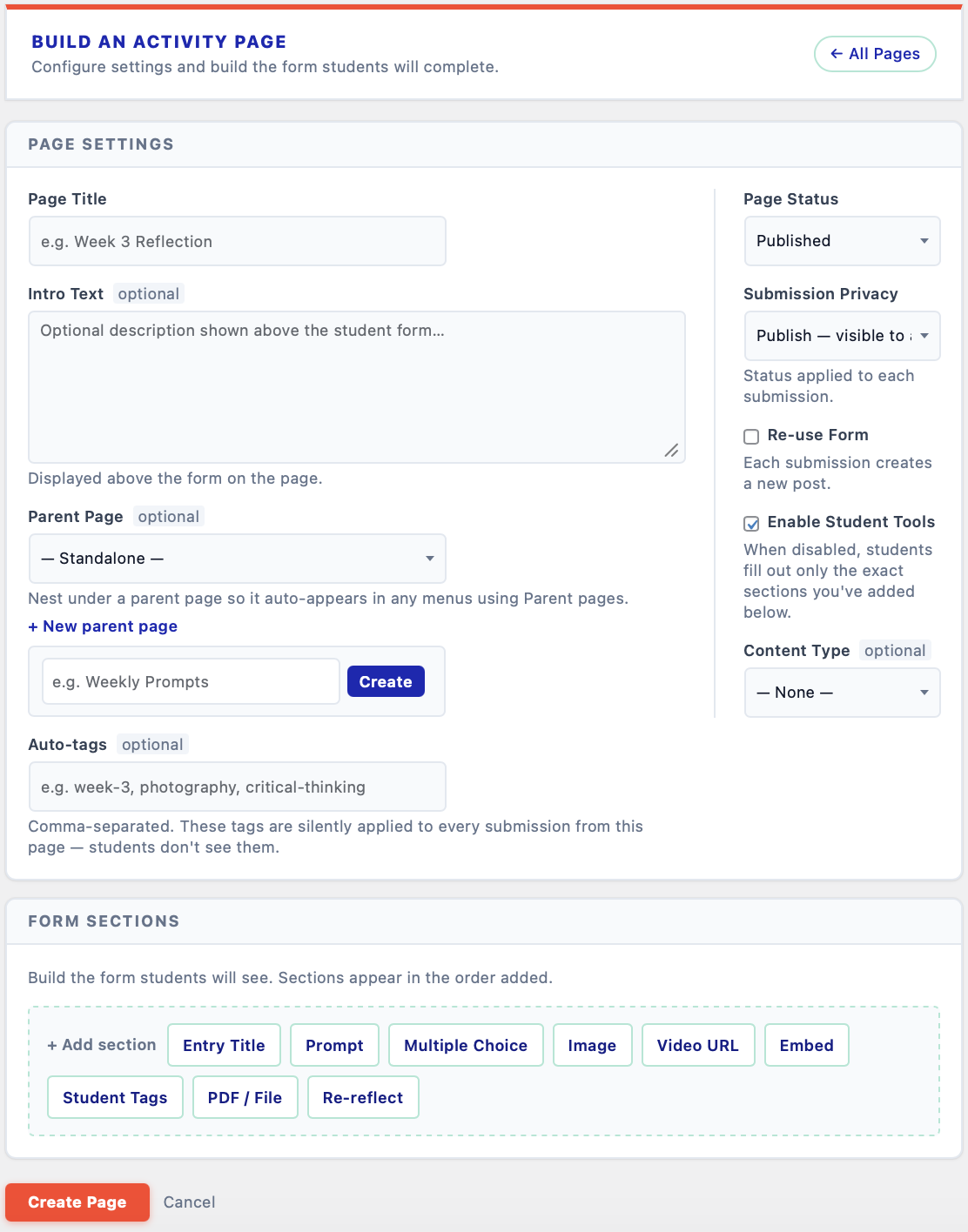
Instructor view — building an activity page in the WordPress admin: page settings and form sections on a single screen.
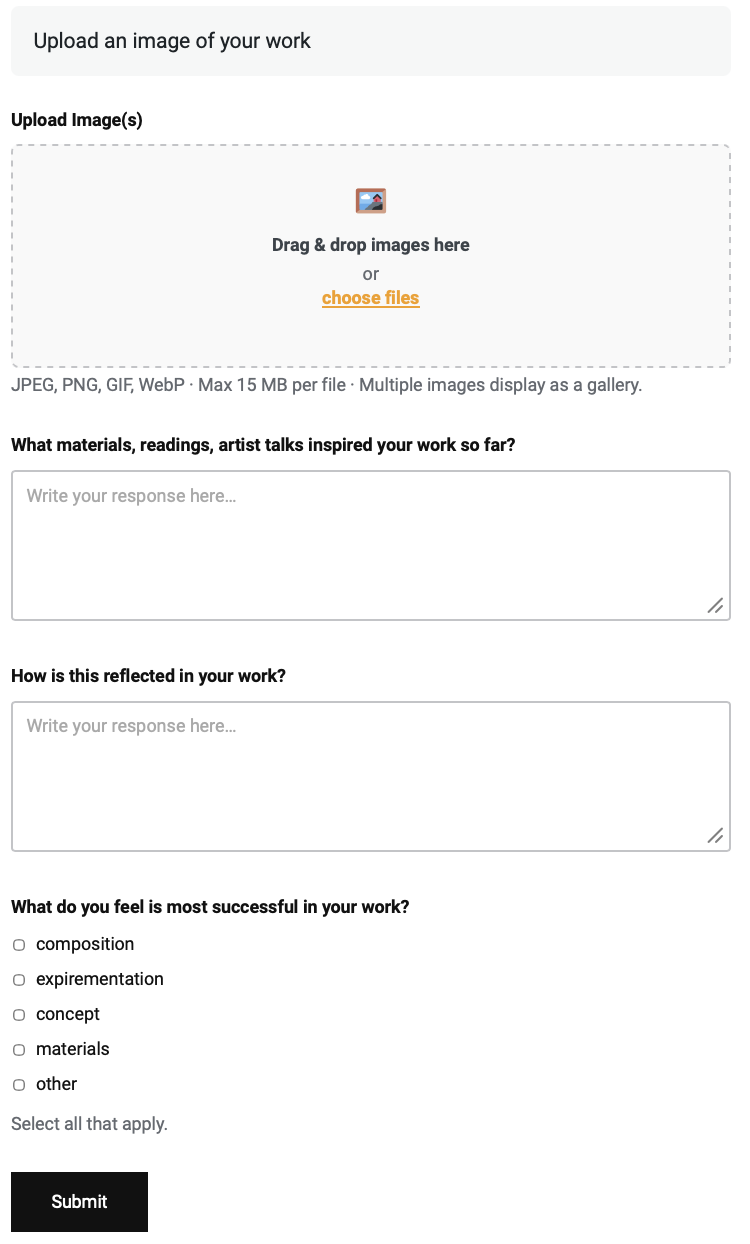
Student view — the response form as students see it: image upload, written prompts, and multiple choice.
Requirements
- WordPress 6.0+
- PHP 8.0+
- No additional plugins required
Installation
- Download the latest release zip from the Releases page.
- In your WordPress admin go to Plugins → Add New → Upload Plugin.
- Upload the zip and activate.
Features
For Instructors
- Section-based page builder — compose reflection pages from typed sections: text prompts, multiple-choice questions, PDF embeds, video/image upload fields, and re-reflect cards.
- Re-reflect section — automatically surfaces a student's past submission (filtered by date range and tags) to prompt deeper reflection.
- Submission management — browse, filter, and read all student submissions per reflection page.
- Feedback — leave written feedback on individual submissions; students see it on their My Submissions page.
- Progress grid — at-a-glance view of which students have completed which tasks.
For Students
- Rich text responses, image uploads, PDF attachments, video URLs, and embedded content — all configurable per section.
- Save as Draft — save unfinished work to the site and come back to it on another day or another device. Drafts stay invisible to the instructor until submitted.
- Autosave draft (localStorage) with restore notice on reload, as a second safety net.
- Auto-growing response fields with a live word count, so long-form writing isn't cramped into a fixed box.
- Friendly client-side file size guard before submission.
Usage
Page Builder
In the WordPress admin, go to Activity Builder → Activity Pages and click + New Activity Page. Add and reorder sections, set the page options in the sidebar, and save. The plugin creates a matching WordPress page with the [reflection_form] shortcode already in place, so the form appears for students as soon as you publish.
License
Activity Builder, Copyright (C) 2026 Nikolai Gauer. Licensed under the GNU General Public License v2 or later. See LICENSE or https://www.gnu.org/licenses/gpl-2.0.html
Releases
11 releases. Each count is every asset in that release; expand a row for the breakdown.