Git Installer WP Registry grade C-. High-severity findings · 1 findingWP RegistryHigh-severity findings · 1 findingOpen the reportC-
Install and update WordPress themes and plugins directly from your Git repository via GitHub, Gitlab or Bitbucket.
Install
This is the repository archive. It installs, but the folder name will carry the branch suffix and updates will not flow.
Install straight from GitHub with WP-CLI:
wp plugin install https://github.com/nico-martin/git-installer/archive/refs/heads/main.zip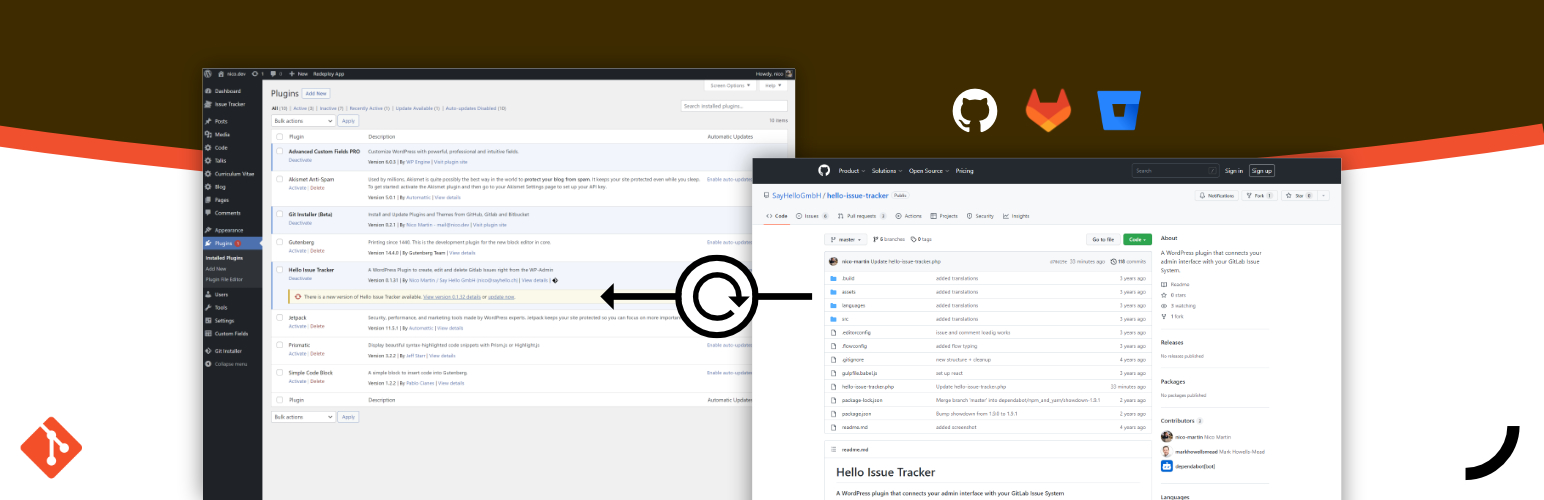
Git Installer
Install and update WordPress themes and plugins directly from your Git repository via GitHub, Gitlab or Bitbucket.
"Git Installer" works with public and private repositories, different branches, subdirectories and even allows automated updates via webhooks. Furthermore, plugins or themes are automatically recognised and validated and it also supports must use plugins and multisite installations.
Download
https://update.git-installer.com/zip.php?release=latest
Features
| Feature | Status |
|---|---|
| Install and update Plugins from Git repositories | ✅ |
| Provider | |
| - GitHub | ✅ |
| - Gitlab | ✅ |
| - Bitbucket | ✅ |
| Webhook updates | ✅ |
| Integrated WordPress update process View pending updates directly in the WordPress overview and update them individually or as a bulk update. |
✅ |
| Private Repositories | ✅ |
| Must Use Plugin support https://wordpress.org/support/article/must-use-plugins/ |
✅ |
| Branches | any branch |
| Multisite | ✅ |
| Install from subdirectories | ✅ |
| Check directory Validates a Repository and checks wether a valid WordPress theme or plugin is found. |
✅ |
| Postupdate Hooks Run your composer, NPM or other builds after the update |
✅ |
Webhook updates
"Git Installer" enables updates to be carried out automatically via a webhook. For each package, a "Webhook Update URL" is created, which must be deposited with the respective provider.
GitHub
Repository -> Settings -> Webhooks -> Add webhook:
- Payload URL: the Webhook Update URL
- Content type: application/x-www-form-urlencoded
- Secret: none
- Which events would you like to trigger this webhook?: Just the push event
Gitlab
Repository -> Settings -> Webhooks:
- URL: the Webhook Update URL
- Trigger: Push events (Branch name should match the branch you are using, blank works as well)
- Secret token: none
- SSL verification: checked
Bitbucket
Repository -> Repository settings -> Workflow -> Webhooks -> Add webhook:
- Title: choose your own
- URL: the Webhook Update URL
- Active: checked
- SSL/TLS: unchecked
- Triggers: Repository > Push
Hooks
Plugin Update action
An action that runs after a successful update.
add_action('shgi/GitPackages/updatePackage/success', function($packageKey, $ref, $prevVersion, $nextVersion){
  // $packageKey: string    = the key of the plugin or theme. Usually the name of the github repo
  // $ref: string           = key of the "refOption" defined in `shgi/UpdateLog/refOptions`
  // $prevVersion: string   = version before the update
  // $nextVersion: string   = version after the update
}, 20, 4);
An action that runs after a failed update.
add_action('shgi/GitPackages/updatePackage/error', function($packageKey, $ref, $reason){
  // $packageKey: string    = the key of the plugin or theme. Usually the name of the github repo
  // $ref: string           = key of the "refOption" defined in `shgi/UpdateLog/refOptions`
  // $reason: WP_Error      = a reason why the update failed
}, 20, 3);
Must Use Plugin
Activate "Must Use Plugin" support
add_filter('shgi/Repositories/MustUsePlugins', '__return_true');Now you are able to select the target folder for your plugin before the installation.
Update Referer
Updates are usually done via a REST endpoint:
`${REST_API}/git-installer/v1/git-packages-deploy/${REPOSITORY_SLUG}/?key=${REPOSITORY_SECRET}`This endpoint accepts an additional GET parameter called ref which is used for logging.
`${REST_API}/git-installer/v1/git-packages-deploy/${REPOSITORY_SLUG}/?key=${REPOSITORY_SECRET}&ref=webhook-update`If needed, further refferer values can be added via a filter.
add_filter('shgi/UpdateLog/refOptions', function($refs){
  /**
   * Initial values:
   * [
   *   'install' => __('Install', 'shgi'),
   *   'webhook-update' => __('webhook', 'shgi'),
   *   'update-trigger' => __('update button', 'shgi')
   * ]
   */

  $refs['my-ref'] = 'My custom trigger';
  return $refs;
});
Custom Postupdate Hooks
add_filter('shgi/Hooks/PostupdateHooks', function($hooks){
  $hooks['my-custom-hook'] = [
    'title' => 'My Custom Hook',
    'description' => 'Describe what the hook will do',
    'function' => function($package){
      // this function will run after a successfull update
      // $package is the full Package-Object
    },
    'check' => function(){
      // returns a boolean wether the system supports this hook (for example if npm/composer is installed)
      return true;
    }
  ];
  return $hooks;
});
Composer
By default, git-installer uses the composer-alias to run composer. If your configuration does not support aliases, you can also define a SHGI_COMPOSER_COMMAND constant in the wp-config.php:
define('SHGI_COMPOSER_COMMAND', '~/bin/composer');Author
Nico Martin
nico.dev - github.com/nico-martin
Releases
15 releases.
These releases are tags only. The author does not attach a packaged zip, so there are no download counts to report.