Install
Upload it under Plugins → Add New Plugin → Upload Plugin, then activate.
Install straight from GitHub with WP-CLI:
wp plugin install https://github.com/nickstewart95/tariff-fee-for-woocommerce/releases/download/1.0.0/tariff-fee-for-woocommerce.zipThis plugin adds a US reciprocal tariff fee to the Woocommerce cart based on the country of origin of the product.
Features
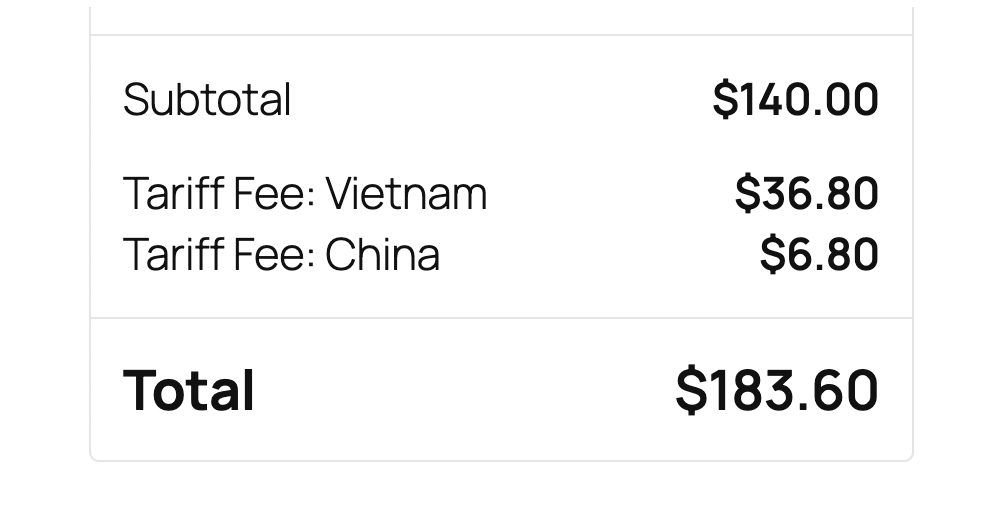
- Adds a tariff fee to the Woocommerce cart based on the country of origin of the product.
- The tariff fee is calculated based on the tariff percent data located in "resources/data/tariff_fees.csv".
- Fees are added per country, so multiple tariff fees can be added to the cart.
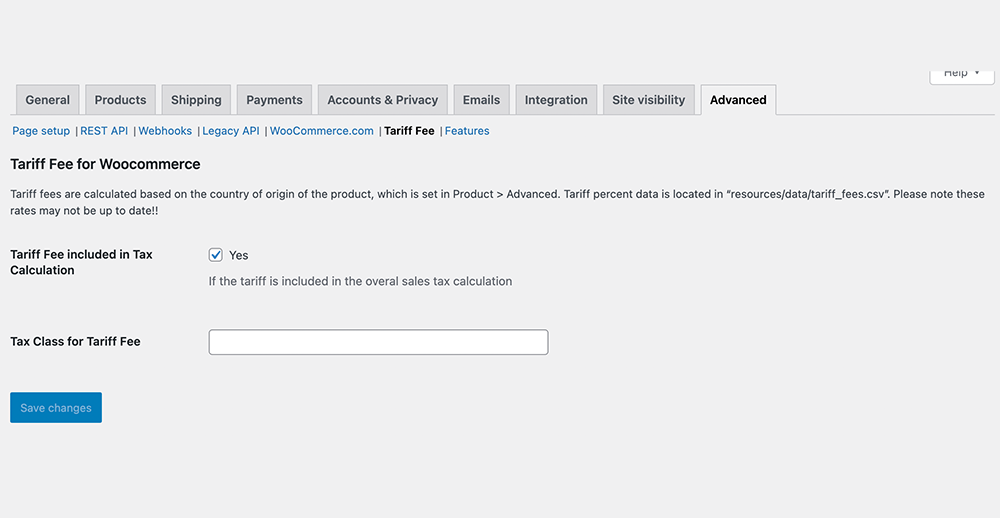
- The tariff fee is included in the tax calculation by default, but can be turned off
Usage
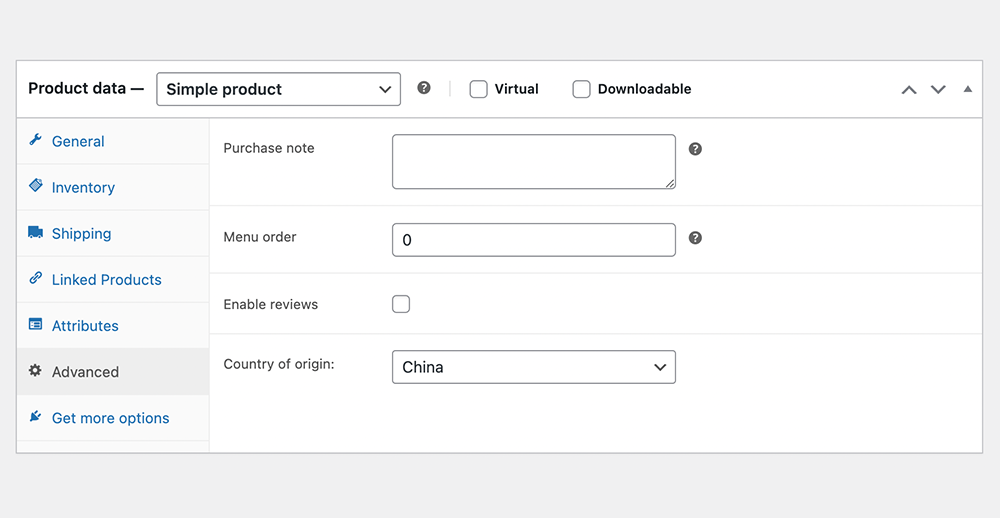
To set the country of origin for a product, in the Product settings, click to the Advanced tab.
To modify the tax settings for tariffs, visit WooCommerce > Settings > Advanced > Tariff Fee.
Tariff Data
Tariff data is stored in the "resources/data/tariff_fees.csv" file. This plugin makes no guarantees about the accuracy of the data. Please confirm this data is correct before using on a production website.
Screenshots
Tariff Fees in the WooCommerce Cart
Setting the country of origin
Plugin settings
Releases
1 release. Each count is every asset in that release; expand a row for the breakdown.