Install
This is the repository archive. It installs, but the folder name will carry the branch suffix and updates will not flow.
Install straight from GitHub with WP-CLI:
wp plugin install https://github.com/nhamne/student-manager-plugin/archive/refs/heads/main.zipNo built-in updater. New versions won't appear under Dashboard → Updates. Install new releases yourself, or let Git Updater track the repository.
Bài tập thực hành viết Plugin WordPress quản lý sinh viên.
1. Yêu cầu chức năng đã hoàn thành
A. Quản trị hệ thống (Backend)
- Custom Post Type: Đã tạo mục "Sinh viên" trong menu WordPress.
- Thuộc tính hỗ trợ: Hỗ trợ nhập Họ tên (Title) và Tiểu sử/Ghi chú (Editor).
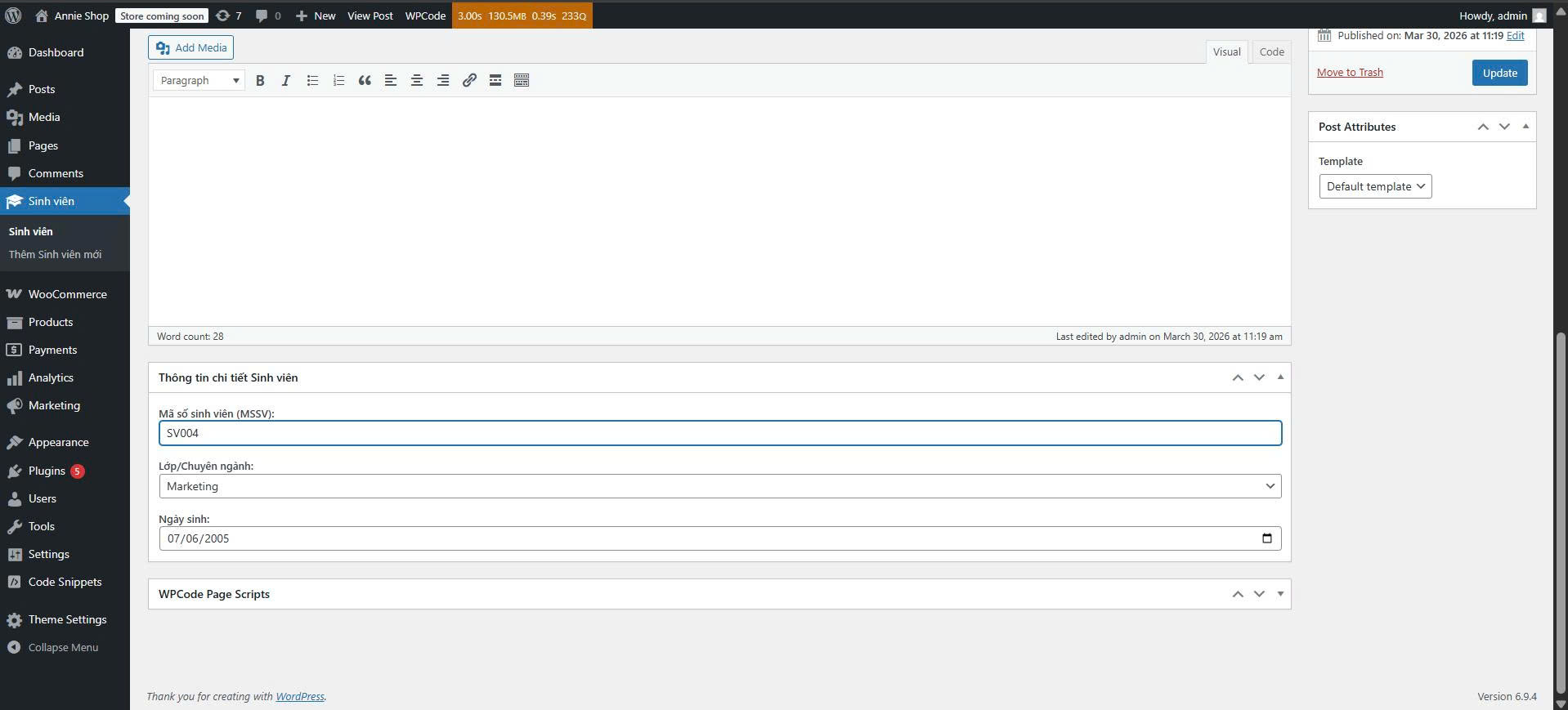
- Custom Meta Boxes: Thêm khu vực nhập liệu bổ sung gồm:
- Mã số sinh viên (MSSV): Kiểu text.
- Lớp/Chuyên ngành: Dropdown (CNTT, Kinh tế, Marketing).
- Ngày sinh: Kiểu date.
- Bảo mật: Sử dụng Nonce để bảo mật và Sanitize dữ liệu trước khi lưu vào database.
B. Hiển thị dữ liệu (Frontend)
- Shortcode: Tạo mã
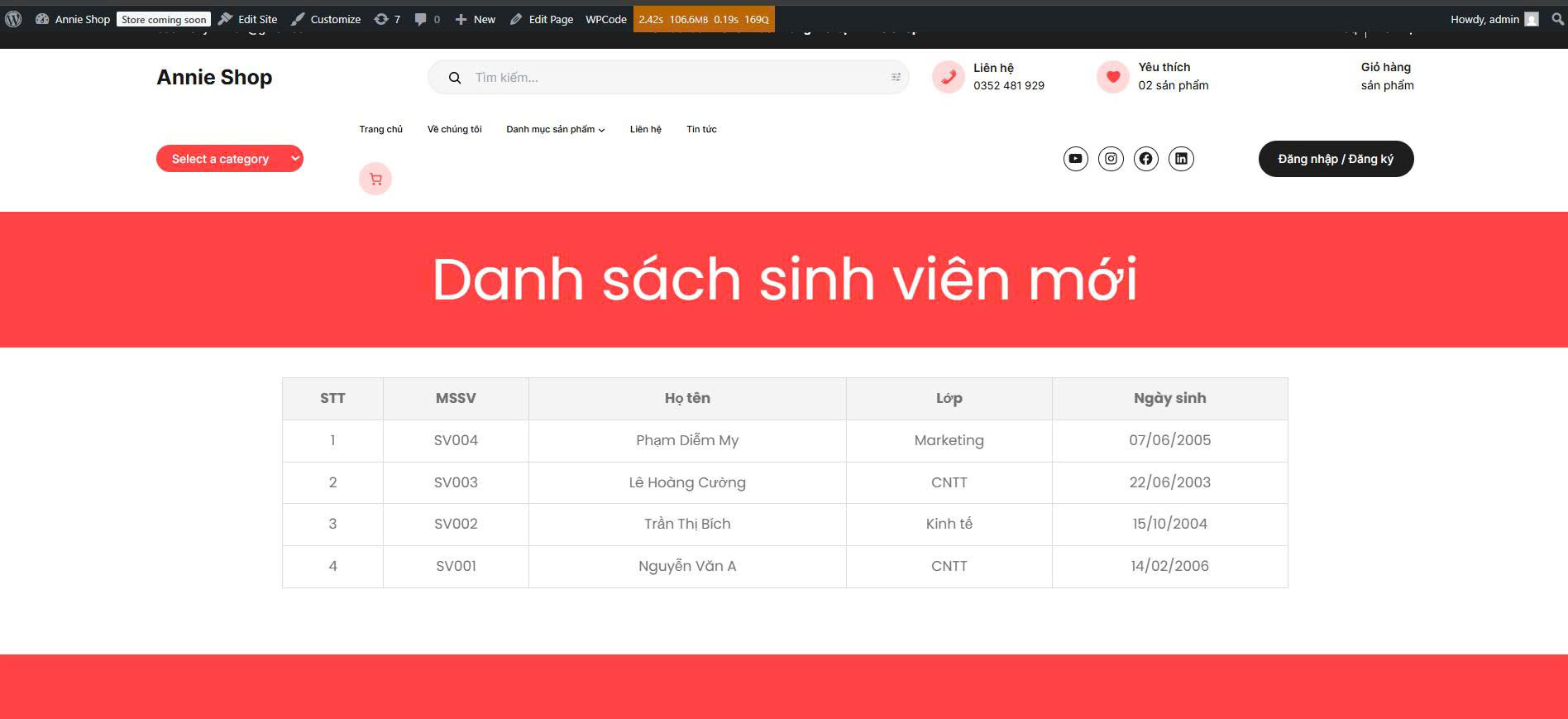
[danh_sach_sinh_vien]. - Logic hiển thị: Truy vấn toàn bộ sinh viên và hiển thị dưới dạng bảng HTML gồm các cột: STT, MSSV, Họ tên, Lớp, Ngày sinh.
2. Ảnh chụp kết quả
Giao diện Quản trị (Backend)
Đây là khu vực nhập liệu chi tiết thông tin sinh viên với các Custom Meta Box:
Giao diện Hiển thị (Frontend)
Danh sách sinh viên được hiển thị ra ngoài trang web thông qua Shortcode:
3. Cấu trúc thư mục Plugin
student-manager/
├── student-manager.php (File chính)
├── includes/
│   ├── cpt-metabox.php (Xử lý CPT & Meta Box)
│   └── shortcode.php   (Xử lý hiển thị Shortcode)
└── assets/
    └── style.css       (CSS cho bảng hiển thị)