Infobip Omnichannel Messaging for WooCommerce WP Registry grade A. No security issues foundWP RegistryNo security issues foundOpen the reportA
Enhance your customer experience by integrating omnichannel communication into your WooCommerce store.
Install
Upload it under Plugins → Add New Plugin → Upload Plugin, then activate.
Install straight from GitHub with WP-CLI:
wp plugin install https://github.com/neuralab/infobip-omnichannel-messaging-for-woocommerce/releases/download/v1.1/infobip-omnichannel-messaging-for-woocommerce.zip
Introduction
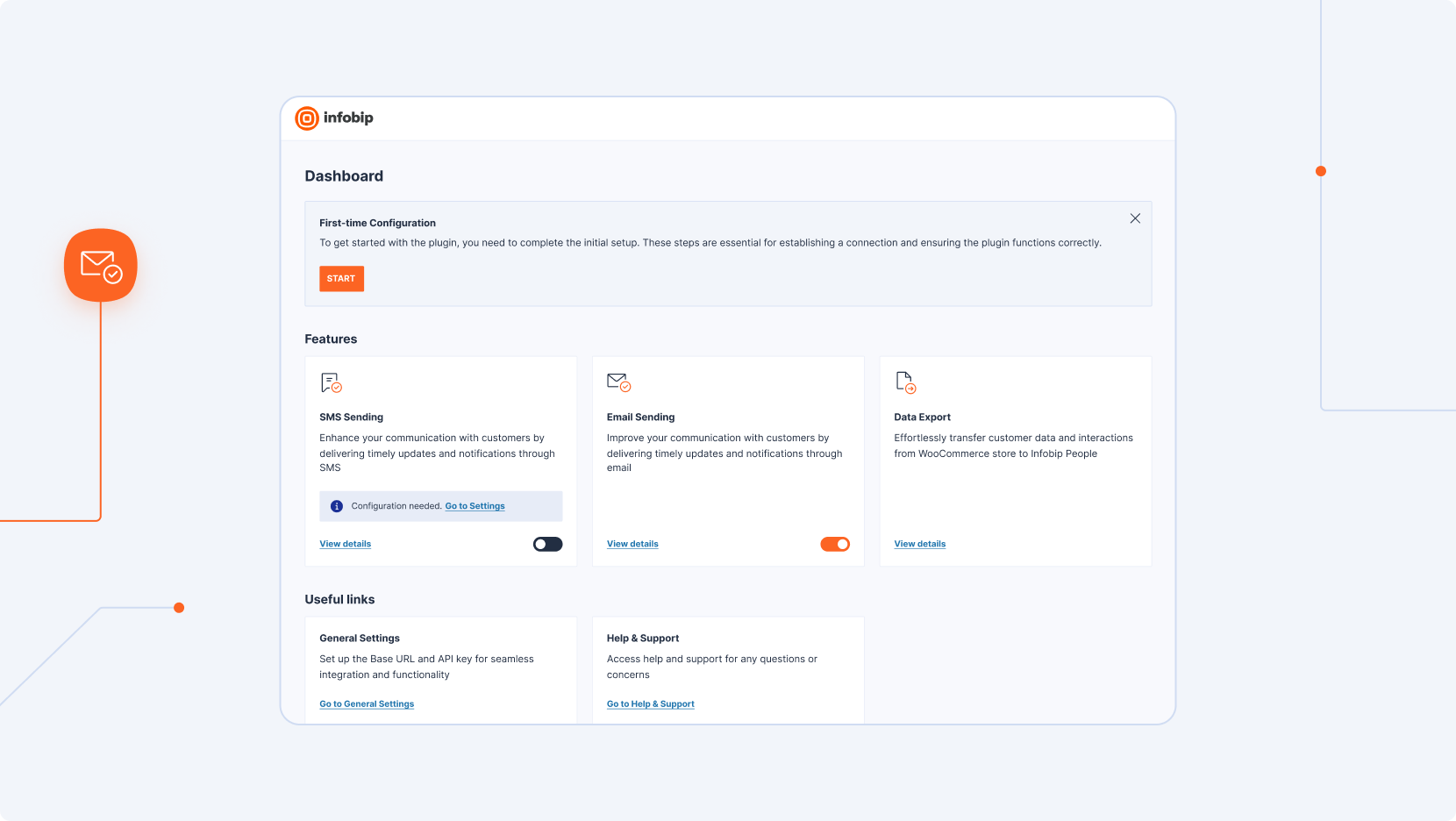
Infobip Omnichannel Messaging for WooCommerce is a powerful plugin designed to enhance customer experience by integrating Infobip's robust communication and marketing automation tools directly into WooCommerce stores. With SMS, email, and data exports, this plugin enables seamless, personalized customer interactions throughout the shopping journey.
Problem Statement & Solution
Many eCommerce businesses struggle with timely, targeted customer engagement. This plugin bridges that gap by enabling WooCommerce stores to leverage Infobip’s omnichannel communication platform, ensuring that customers receive updates, promotions, and personalized messages across SMS and email.
Features

Feature List
- Automated SMS Notifications
- Send order updates and promotional messages to customers via SMS, triggered by WooCommerce events.
- Transactional Email Integration
- Replace default emails with Infobip’s reliable email service for improved deliverability and customization.
- Data Export for Infobip People
- Easily export customer data to Infobip People for data-driven, personalized marketing.
- Live Chat Integration
- Add a live chat feature for real-time customer support. This requires manual, direct implementation within the WordPress theme, following guidelines in Infobip’s documentation: Infobip Live Chat Documentation.
Installation
Prerequisites
- WordPress (Version 6.3 or greater)
- WooCommerce (Version 8.2 or greater)
- PHP (Version 7.4 or greater)
- Infobip account with valid API key scopes set
Step-by-Step Guide
- Download the plugin from the Neuralab GitHub Repository.
- Upload the plugin .zip file to your WordPress site and install.
- Follow the on-screen instructions to configure SMS and email integrations, for a complete guide, refer to the Installation Documentation.
License
Additional Resources
Documentation Links
- Postman suite for testing Infobip API endpoints
- Slack integration guide
- Community & Support
- For help, join our community on the Infobip support forum or contact us directly at support@infobip.com.
Releases
2 releases. Each count is every asset in that release; expand a row for the breakdown.
Active-site estimate ≈10 comes from the median of recent superseded releases. Method.