UTM Phone Switcher
Map campaign URL parameters to phone numbers on WordPress sites. Custom website and plugin development: $30/hour. Support: https://www.donationalerts.com/r/needtome | https://patreon.com/needtome
Install
Upload it under Plugins → Add New Plugin → Upload Plugin, then activate.
Install straight from GitHub with WP-CLI:
wp plugin install https://github.com/needtome/utm-phone-switcher/releases/download/v1.0.4/utm-phone-switcher-1.0.4.zipShow a campaign-specific phone number on a WordPress site by matching URL parameters. The plugin updates matching phone text and tel: links in the visitor's browser; it does not send campaign data to a third-party service.
Live demo and plugin page · Download the 1.0.4 WordPress.org review package
Features
- Match any URL query parameter, including exact names and wildcard patterns such as
utm_*. - Match a parameter's presence or require an exact value.
- Target phone text with CSS selectors and update matching
tel:links. - Apply ordered rules to multiple contact points.
- Optionally remember matched rule IDs in a first-party cookie so the campaign number continues across pages.
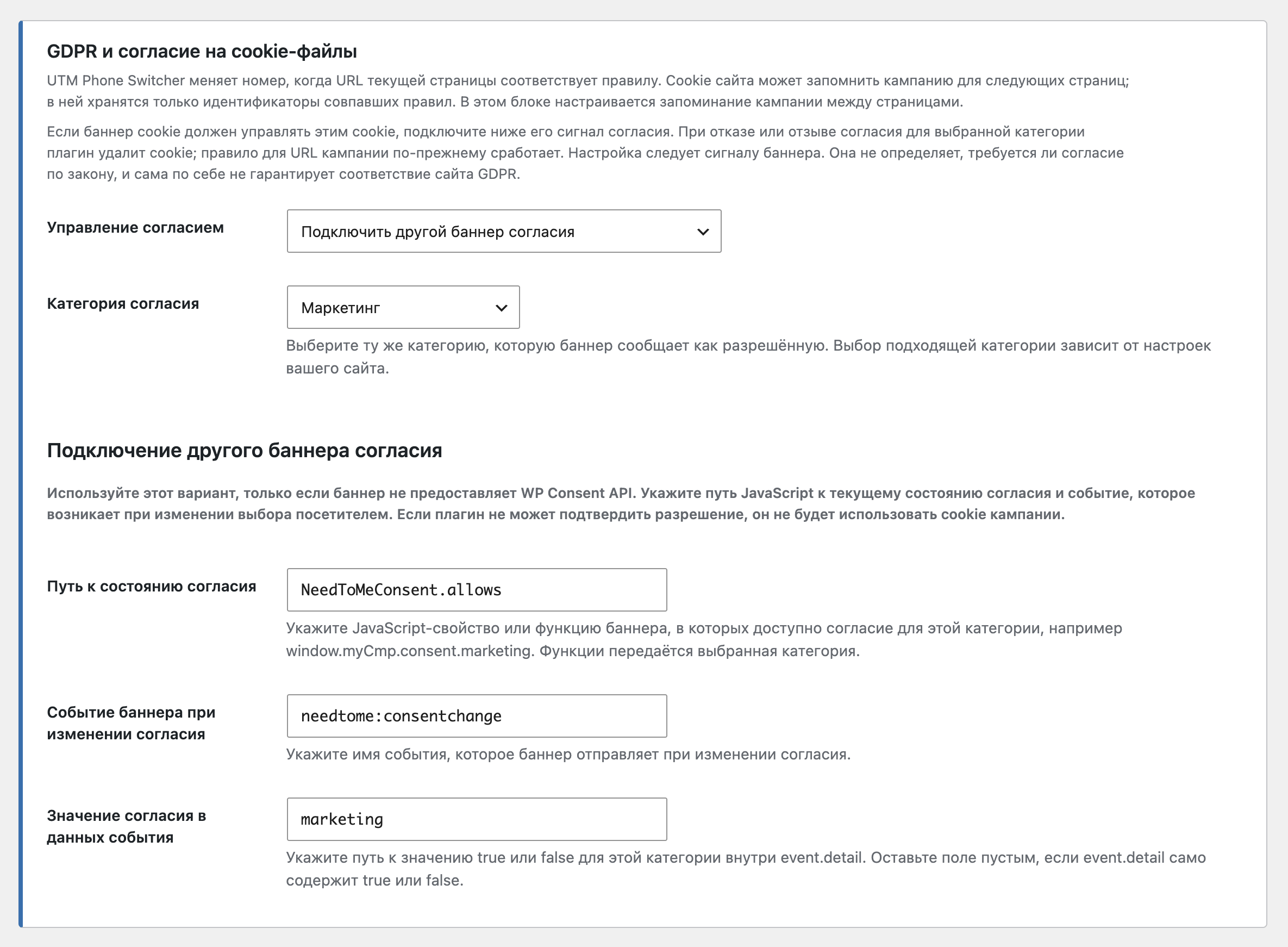
- Connect campaign memory to the WordPress Consent API or a custom JavaScript consent state and change event. When consent is denied or withdrawn, the plugin clears and stops using the campaign cookie. The site owner chooses the consent category; the plugin does not classify cookies or certify legal compliance.
- Test enabled rules on the public site as a logged-in administrator before showing them to visitors.
- No call-tracking account or third-party service is required.
Screenshots
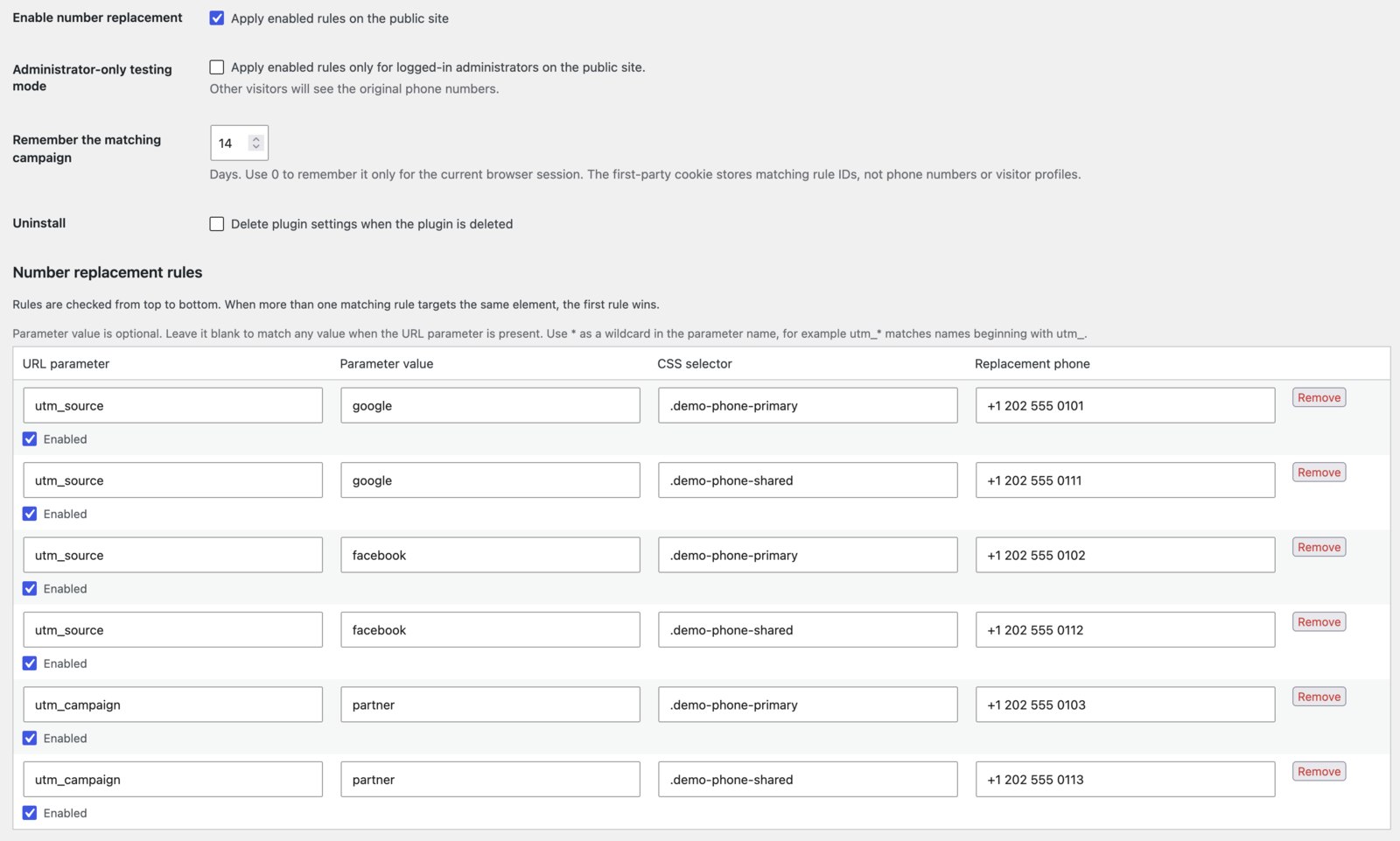
Campaign rules in the WordPress settings
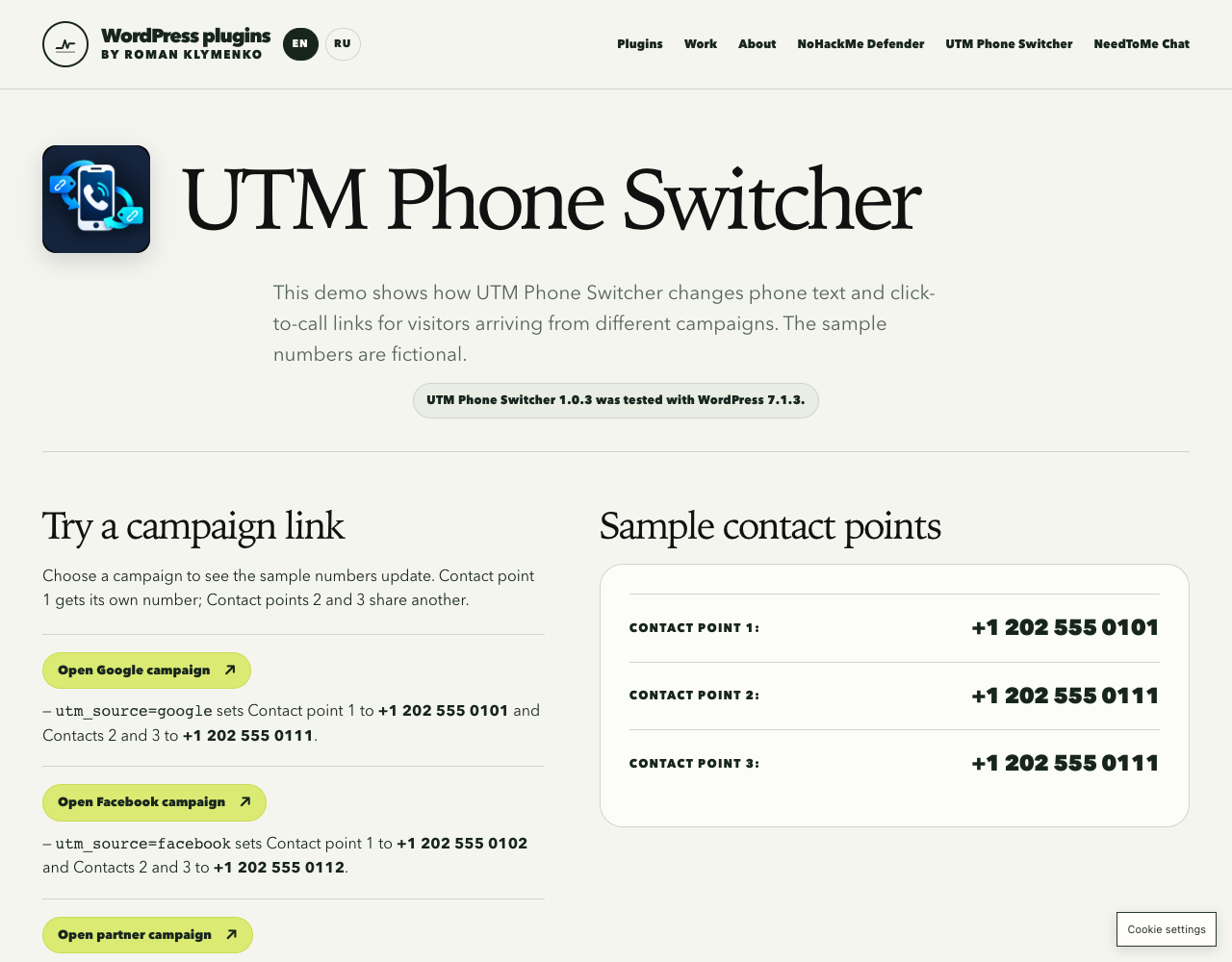
Campaign-specific phone numbers in the live demo
Campaign memory and consent settings
Requirements
- WordPress 6.3 or later
- PHP 7.4 or later
- Checked with WordPress 7.1.3
Installation
- Download the ZIP from the v1.0.4 release.
- In WordPress, open Plugins → Add Plugin → Upload Plugin, choose the ZIP, and activate it.
- Open Settings → UTM Phone Switcher and add a rule with a URL parameter, optional value, CSS selector, and replacement number.
- Test a matching campaign URL, for example
https://example.com/contact/?utm_source=newsletter.
Developer
Roman Klymenko is a senior web developer with 15+ years in commercial development and 400+ delivered or optimized websites and platforms. His work focuses on high-performance WordPress, custom business systems, large catalogs, marketplaces, trading tools, automation, technical SEO, and integrations. He is also a published technical author, with production experience in JavaScript, Python/FastAPI, Node.js automation, Asterisk, parsers, bots, and performance engineering.
Custom website and WordPress plugin development is available at $30/hour. See NeedToMe or the developer profile.
Support continued plugin development via DonationAlerts or Patreon.
License
GPL-2.0-or-later. See LICENSE.
Releases
1 release. Each count is every asset in that release; expand a row for the breakdown.