Install
This is the repository archive. It installs, but the folder name will carry the branch suffix and updates will not flow.
Install straight from GitHub with WP-CLI:
wp plugin install https://github.com/narinder9/easy-wp-translator-on-device-chrome-ai-translation/archive/refs/heads/main.zipTranslate your WordPress website into multiple languages using free On-Device Chrome AI translation. No server calls, no API cost, no SaaS subscription — completely free and fast.
Inspiration
Creating a multilingual website sounds exciting, but in real life, it’s often confusing, costly, and time-consuming. Many people use paid translation services or complicated plugins that need setup, subscriptions, and send website content to third-party servers.
When Chrome introduced on-device AI, we saw the perfect opportunity to fix all of this. With translation running directly inside the browser, it’s now super fast, fully private, and completely free.
Why Use Easy WP Translator?
- Free AI Translations – Uses Chrome AI for free; no paid credits needed
- Familiar WordPress UI – Easy to use for beginners
- Works with Elementor & Gutenberg – Fully compatible with popular page builders
- Fast, Secure & Private – No data is sent to external servers
- No SaaS Lock-In – Once installed, it’s fully yours
Testing Workflow
-
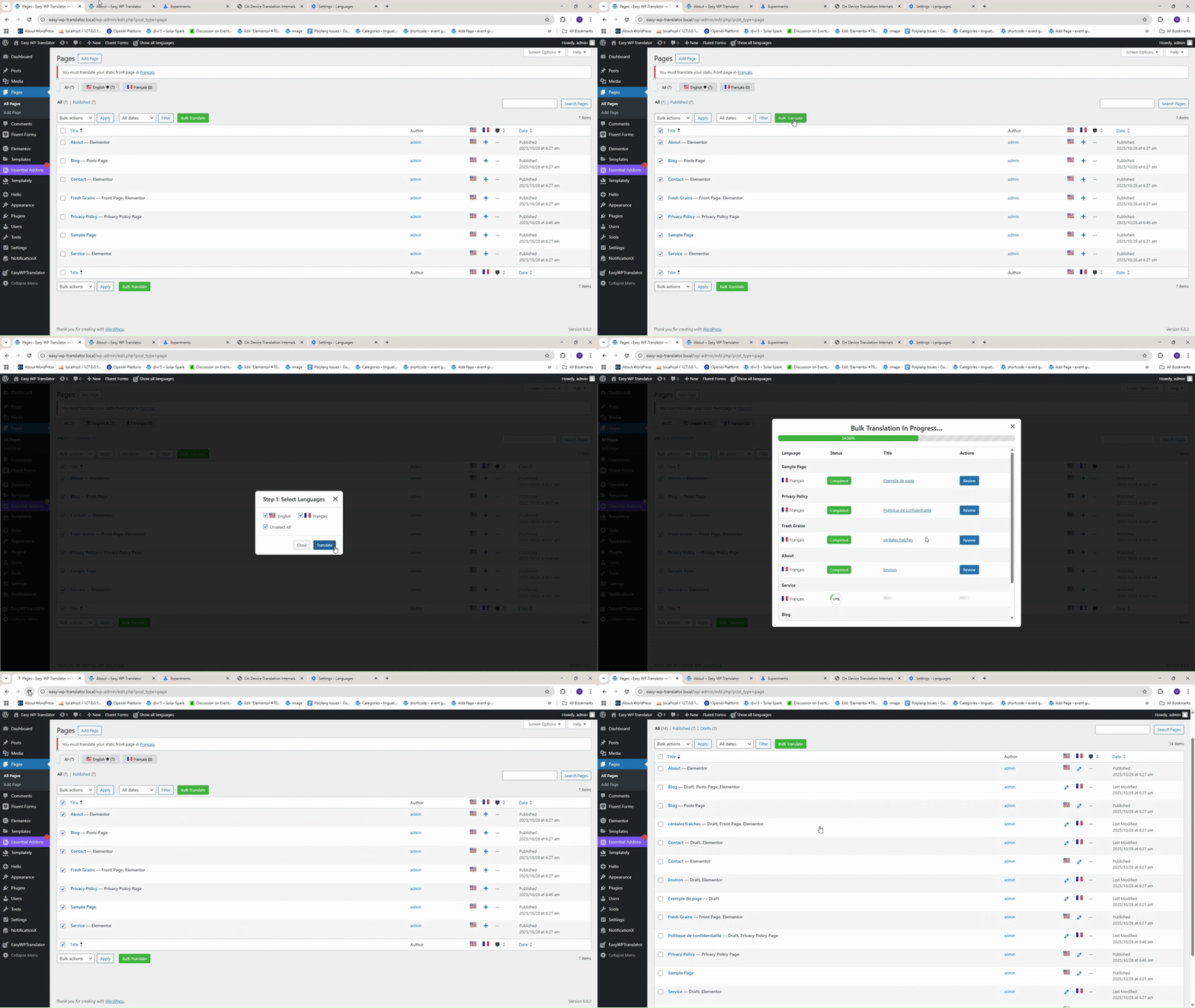
Open the Pages or Posts section in your WordPress dashboard.
-
Select the pages or posts you want to translate.
-
Click the Bulk Translate button.
-
Choose the target languages and click Translate.
-
If any Chrome AI configuration is missing, an error message will appear.
-
Click the Error Details button and follow the steps shown in the Chrome popup to enable translation settings.
(These errors depend on your Google Chrome configuration.)
-
Download the required language pack in your Chrome browser and reload the page.
-
Click the Translate button again.
-
That’s it! Your website content will now be translated instantly, making your site multilingual within seconds.
For more details, you can check the screenshots or watch the demo video to see the full translation workflow in action.
Installation
- Log in to your WordPress Dashboard.
- Go to Plugins → Add New → Upload Plugin.
- Click Choose File and select the Easy WP Translator ZIP file shared with you.
- Click Install Now, then Activate the plugin.
- Once activated, follow the on-screen setup steps to start translating your website.
Setup Wizard Steps
on-screen setup:
- Select your main (default) language
- Choose additional languages to support e.g (fr,It)
- Decide URL structure (
/fr/,?lang=fr, etc.) - Choose translation engine: Chrome On-Device AI
- Enable the Language Switcher and select its display style
Google Chrome’s built-in AI API used
This plugin uses translation powered by Chrome’s built-in AI.
About this project
The Easy WP Translator – On-Device Chrome AI Translation WordPress Plugin is a experimental project by Narinder, Vishali and is a submission for the Google Chrome Built-in AI Challenge.
It is an experimental project and should not be used in production environments