Install
This is the repository archive. It installs, but the folder name will carry the branch suffix and updates will not flow.
Install straight from GitHub with WP-CLI:
wp plugin install https://github.com/naimurrahmannahid/wordpress-critical-error-detector/archive/refs/heads/main.zipWordPress Critical Error Detector (MU-Plugin)
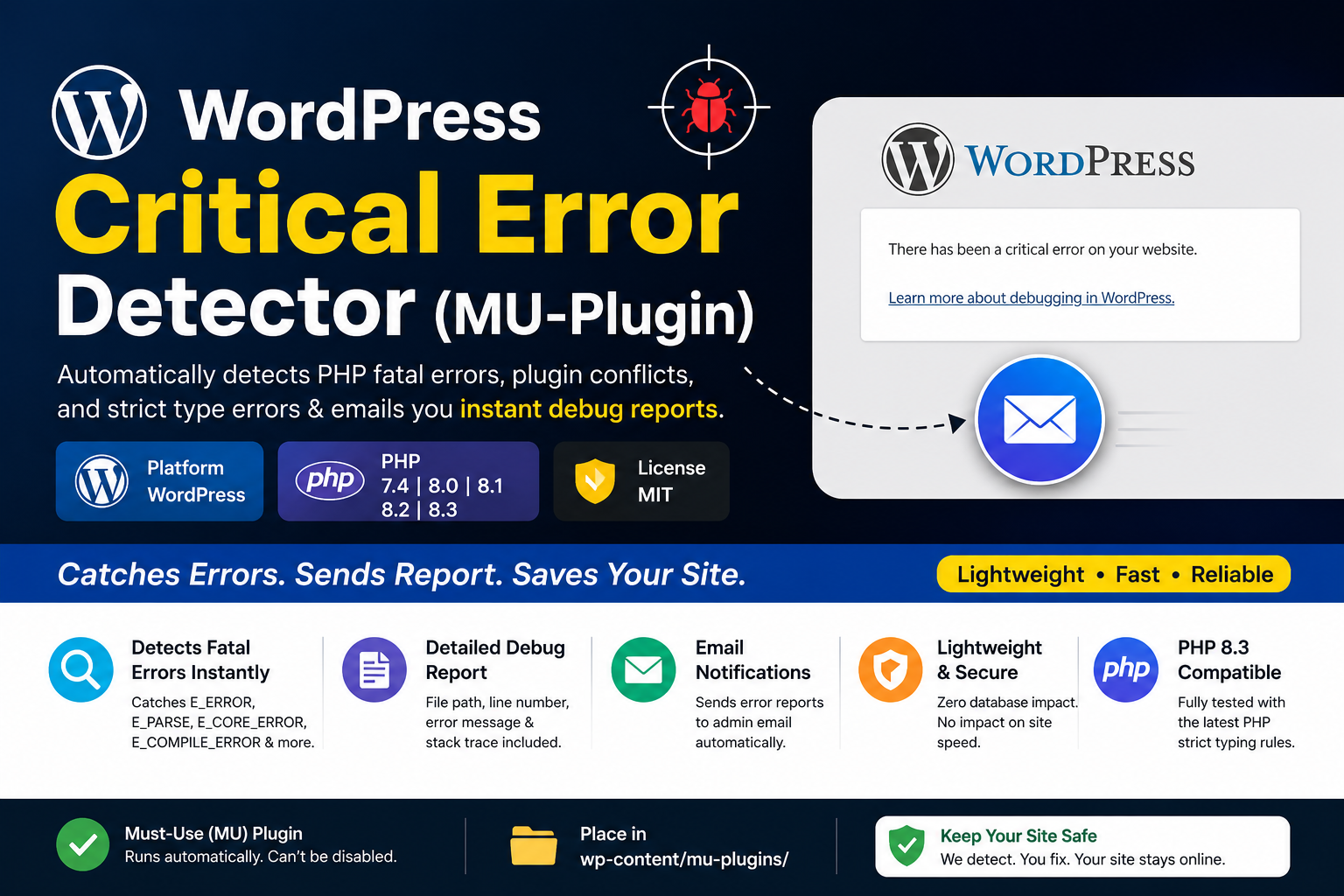
A lightweight, highly efficient WordPress Must-Use Plugin (MU-Plugin) designed to automatically detect PHP fatal errors, plugin conflicts (like Elementor crashes), and strict type errors. It instantly sends a detailed debug report directly to the site administrator's email. Fully compatible with PHP 8.3.
English Documentation
Prerequisites & Environment Checklist
Before installing this MU-Plugin, ensure your WordPress environment meets the following requirements:
- [x] Active SMTP Setup: The plugin uses the default
wp_mail()function to send error reports. Your server must have a working email configuration. - [x] Recommended SMTP Plugin: We highly recommend using FluentSMTP for a secure and reliable email delivery system. Without a proper SMTP configuration, the fatal error emails might end up in the spam folder or not send at all.
How to Receive Email Notifications as a Developer.
- If you want to receive reports on a custom email address, you have to replace code on line 24.
- Replace this code:
$to = get_option( 'admin_email' );with$to = 'freelancernahid2463@gmail.com'; - Finally, ensure that at the bottom of the file,
wp_mail( $to, $subject, $message );is activated for email notification.
Installation Guide
Unlike standard plugins, Must-Use (MU) plugins are activated automatically and cannot be disabled from the WordPress admin dashboard.
- Connect to your WordPress website root directory via FTP, cPanel, or hPanel File Manager.
- Navigate to the
wp-contentdirectory. - Look for a folder named
mu-plugins. If it does not exist, create a new folder and name it exactly:mu-plugins. - Create a new PHP file inside that folder and name it:
wordpress-critical-error-detector.php(Path:wp-content/mu-plugins/wordpress-critical-error-detector.php). - Copy the code from this repository and paste it into that file. Save the changes.
- Done! The plugin is now active and will monitor your site for any critical crashes or White Screen of Death (WSoD) issues.
Key Features
- Instantly catches
E_ERROR,E_PARSE,E_CORE_ERROR, andE_COMPILE_ERROR. - Identifies the exact file path and line number causing the conflict.
- Dynamically fetches the WordPress admin email to send the report.
- Zero database bloat and zero impact on website loading speed.
- Tested and fully compatible with the latest PHP 8.3 strict typing rules.
বাংলা গাইডলাইন (Bangla Documentation)
পূর্বশর্ত এবং এনভায়রনমেন্ট চেকলিস্ট
এই প্লাগিনটি ব্যবহার করার আগে আপনার ওয়ার্ডপ্রেস ওয়েবসাইটে নিচের বিষয়গুলো নিশ্চিত করুন:
- [x] অ্যাক্টিভ SMTP সেটআপ: প্লাগিনটি এরর রিপোর্ট পাঠানোর জন্য ওয়ার্ডপ্রেসের ডিফল্ট
wp_mail()ফাংশন ব্যবহার করে। তাই আপনার ওয়েবসাইটে ইমেইল আদান-প্রদান সিস্টেম চালু থাকতে হবে। - [x] সুপারিশকৃত SMTP প্লাগিন: ইমেইল ডেলিভারি নিশ্চিত করতে আমরা FluentSMTP প্লাগিনটি ব্যবহার করার রেকমেন্ড করছি। সঠিক এসটিএমপি (SMTP) কনফিগারেশন না থাকলে ফ্যাটাল এররের ইমেইলগুলো স্প্যাম ফোল্ডারে যেতে পারে অথবা ডেলিভারি ফেইল হতে পারে।
একজন ডেভেলপার হিসেবে কীভাবে ইমেল নোটিফিকেশন পাবেন।
১. আপনি যদি কাস্টম ইমেইল অ্যাড্রেসে রিপোর্ট পেতে চান, তবে কোডের ২৪ নম্বর লাইনটি পরিবর্তন করতে হবে।
২. $to = get_option( 'admin_email' ); কোডটি মুছে দিয়ে তার জায়গায় $to = 'freelancernahid2463@gmail.com'; বসিয়ে দিন।
৩. সবশেষে, নিশ্চিত করুন যে ফাইলের শেষে, ইমেল নোটিফিকেশনের জন্য wp_mail( $to, $subject, $message ); সক্রিয় করা আছে।
ইন্সটলেশন গাইড (কীভাবে যুক্ত করবেন)
সাধারণ প্লাগিনের মতো এটি ড্যাশবোর্ড থেকে আপলোড করা যায় না। Must-Use (MU) প্লাগিনগুলো স্বয়ংক্রিয়ভাবে রান হয়। এটি সেটআপ করার নিয়ম:
১. আপনার হোস্টিংয়ের ফাইল ম্যানেজার (cPanel/hPanel) বা FTP দিয়ে ওয়েবসাইটে লগইন করুন।
২. wp-content ফোল্ডারের ভেতরে প্রবেশ করুন।
৩. সেখানে mu-plugins নামের কোনো ফোল্ডার আছে কি পণ্ডিত না চেক করুন। না থাকলে নতুন করে ঠিক এই বানানে একটি ফোল্ডার তৈরি করুন: mu-plugins (শেষে 's' দিতে ভুলবেন না)।
৪. এবার সেই ফোল্ডারের ভেতর নতুন একটি PHP ফাইল তৈরি করুন এবং নাম দিন: wordpress-critical-error-detector.php (পাথ: wp-content/mu-plugins/wordpress-critical-error-detector.php)।
৫. এই রিপোজিটরির কোডগুলো কপি করে সেই ফাইলে পেস্ট করে সেভ করুন।
৬. কাজ শেষ! এখন থেকে ওয়েবসাইটে কোনো প্লাগিন কনফ্লিক্ট বা ফ্যাটাল এরর (যেমন: Elementor ক্র্যাশ) হলে সাথে সাথে অ্যাডমিন ইমেইলে রিপোর্ট চলে আসবে।
মূল ফিচারসমূহ
- ওয়েবসাইটের ফ্যাটাল এরর এবং হোয়াইট স্ক্রিন অফ ডেথ (WSoD) স্বয়ংক্রিয়ভাবে ডিটেক্ট করে।
- ঠিক কোন প্লাগিনের বা থিমের কোন ফাইলের কত নম্বর লাইনে সমস্যা, তা ইমেইলে জানিয়ে দেয়।
- ওয়েবসাইটের স্পিড বা পারফরম্যান্সে কোনো ক্ষতিকর প্রভাব ফেলে না।
- লেটেস্ট PHP 8.3 এর স্ট্রিক্ট টাইপিং রুলসের সাথে পুরোপুরি সামঞ্জস্যপূর্ণ।