Install
This is the repository archive. It installs, but the folder name will carry the branch suffix and updates will not flow.
Install straight from GitHub with WP-CLI:
wp plugin install https://github.com/nabilhassan/wp-domain-alias/archive/refs/heads/main.zipShow one WordPress site on several approved domains while keeping visitors on the domain they typed. Canonical URLs, sitemaps and structured data keep pointing at the primary domain.
Current release: 0.1.1. Tested locally only, on PHP's built-in server and on Nginx and Apache with PHP-FPM over HTTPS (see what was tested). No hosting provider has been tested yet. Try it on a staging copy first.
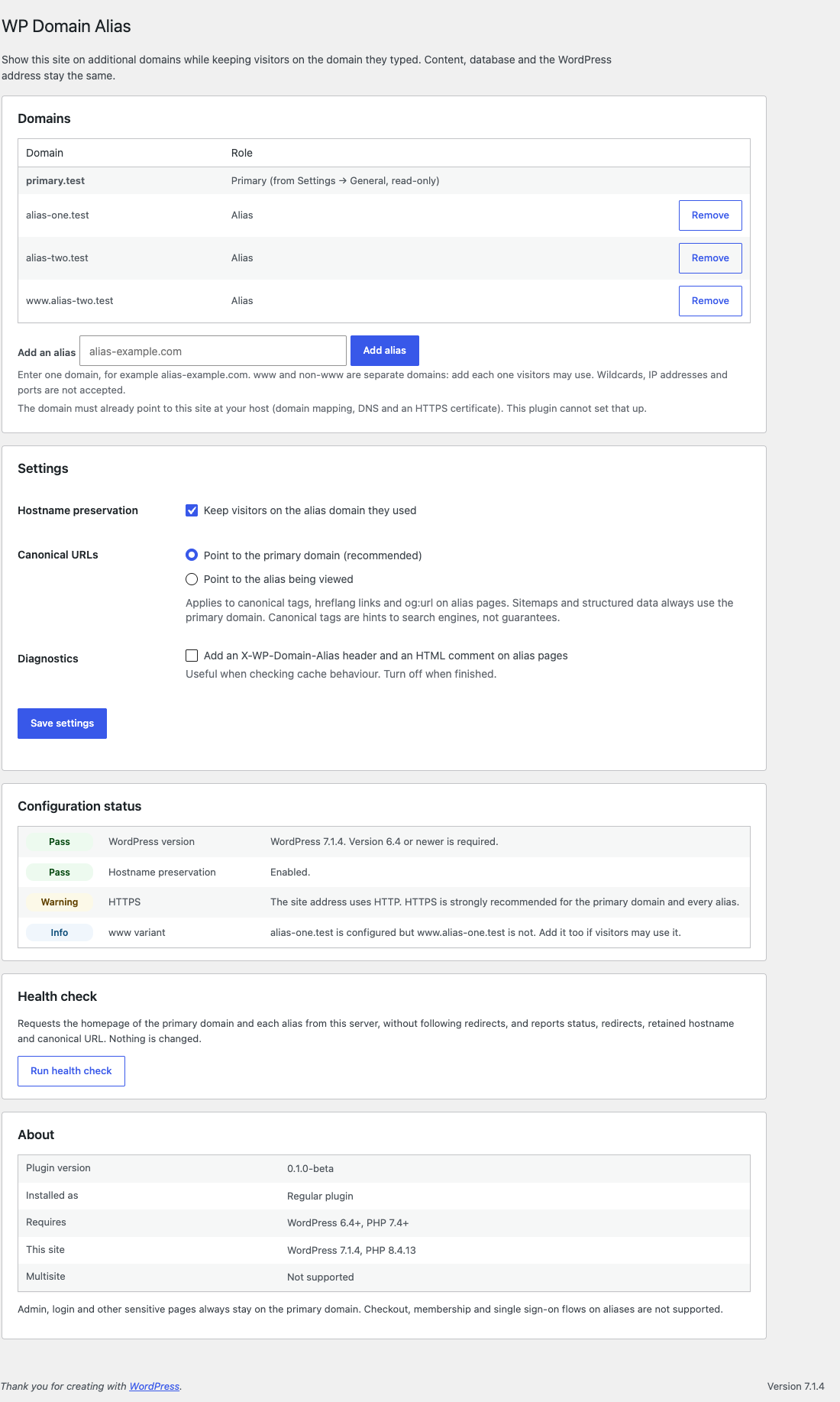
What it does
Suppose your site lives at primary-example.com, and alias-example.com also points to the same WordPress installation. Without this plugin, every menu link, button and form on alias-example.com sends visitors to primary-example.com. With it:
- Navigation links, buttons, pagination, forms and language switchers on an alias keep the alias hostname.
- Canonical tags, sitemaps and JSON-LD stay on the primary domain, so search engines see one site.
- Admin, login, sign-up, cron and XML-RPC always stay on the primary domain.
- Only domains an administrator adds are used. Requests with any other
Hostheader are not treated as aliases. - A health check shows whether each domain answers, redirects, keeps its hostname, and has the expected canonical URL.
What it does not do:
- It does not change the database, run search-replace, or touch the WordPress Address / Site Address settings.
- It does not create DNS records, hosting domain mappings, virtual hosts or SSL certificates. You set those up at your host first.
- It makes no outgoing requests except the health check that an admin starts. There is no telemetry, licensing or remote service.
When to use it — and when not to
| You want… | Use |
|---|---|
| Several domains to show the same site, each keeping its own hostname | WP Domain Alias |
| Old domains to send visitors to one main domain | A 301 redirect at your host or CDN (no plugin needed) |
| Separate sites, each with its own content, users or settings | WordPress Multisite (not supported by this plugin) |
| Checkout, membership or single sign-on on each domain | Not supported. Keep those flows on the primary domain. |
Requirements
- WordPress 6.4 or newer (tested on 6.4.5 and 7.1.4)
- PHP 7.4 or newer (tested on PHP 8.4)
- A single-site installation. Multisite is not supported.
- Each alias must already reach this WordPress installation, ideally over HTTPS with a valid certificate.
DNS and hosting prerequisites (do this first)
Every domain must resolve and route to the same WordPress installation before this plugin can work. The plugin does not create DNS records, hosting domain mappings or SSL certificates. You set these up at your DNS provider and host:
- Same installation: every hostname (the primary domain and each alias) must reach this one WordPress installation, not a copy or a parked page.
- A records: if your host gives you an IP address, point each domain's A record to that same hosting-assigned IP address. Any AAAA (IPv6) records must reach the same installation too.
- CNAME or managed DNS targets: some providers use a CNAME or another DNS target instead of a shared A record. Follow your provider's instructions; what matters is that all domains reach the same WordPress installation.
wwwand non-www: these are separate hostnames. If visitors may use bothalias-example.comandwww.alias-example.com, configure DNS, hosting and HTTPS for both, and add both in the plugin settings.- Hosting dashboard: add (map) every domain to the same site in your hosting dashboard. It may be called "add domain", "alias", "parked domain" or "server alias". Do not make an alias the primary domain.
- HTTPS: every hostname needs its own valid SSL/TLS certificate.
- No redirects to the primary: make sure no hosting, CDN or redirect-plugin rule sends approved aliases to the primary domain. The plugin cannot override a redirect that happens before WordPress runs.
- WordPress settings: keep Settings → General → WordPress Address (URL) and Site Address (URL) on the primary domain. Do not change them to an alias.
Wait for DNS to propagate, then open each domain and check it shows the same site without redirecting. See the hosting guides.
Installation
- Complete the DNS and hosting prerequisites for every alias first.
- Download
wp-domain-alias-<version>.zipfrom the Releases page. - In WordPress go to Plugins → Add New → Upload Plugin, choose the ZIP, install and activate.
- Go to Settings → WP Domain Alias, add each alias (add
www.and non-wwwforms separately if both are used). - Click Run health check.
- Purge your page cache, then visit each alias and click through menus, forms and any language switcher.
A Must-Use installation is available for advanced users: docs/must-use.md.
Step-by-step guides: docs/installation.md.
Settings
| Setting | Default | What it does |
|---|---|---|
| Aliases | none | Exact hostnames, up to 25. Wildcards, IP addresses, ports and paths are rejected. Internationalised domains are stored as punycode. |
| Hostname preservation | on | Off = aliases still load, but links point to the primary domain. |
| Canonical URLs | primary | Always the primary domain: canonical, hreflang and og:url on alias pages point to the primary domain. Not configurable (see SEO). |
| Diagnostics | off | Adds an X-WP-Domain-Alias response header and an HTML comment on alias pages, to help debug caching. |
The primary domain is read from Settings → General → Site Address and cannot be changed here.
Health check
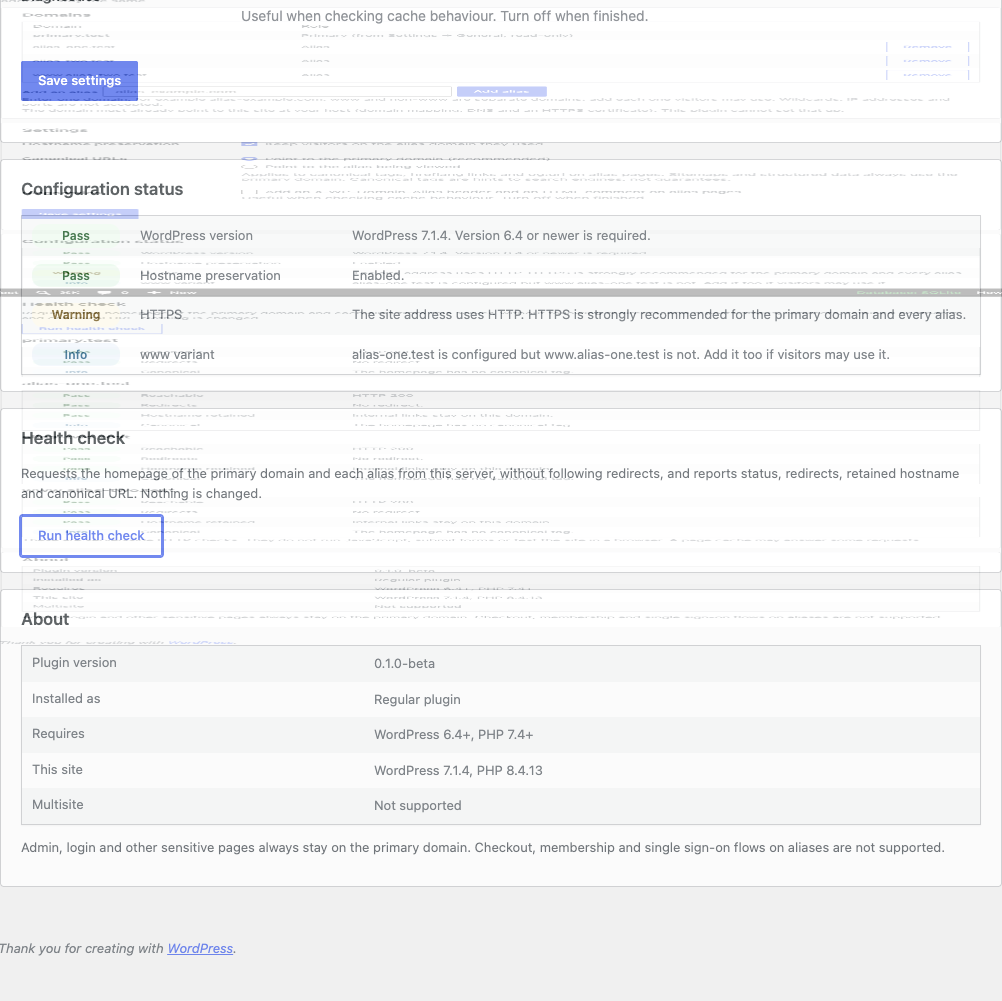
The health check runs only when an administrator clicks the button. It requests each saved domain's homepage from the server, without following redirects, with a 5-second timeout and a 1 MB response limit.
- Short requests. With JavaScript, one domain is checked per request and results appear as they arrive. Without JavaScript, up to three domains are checked per click, with a Check the next domains button. No request runs long, even with 25 aliases.
- Safe destinations. Every address a domain resolves to must be public. The connection is pinned to the checked address, so a second DNS answer can't redirect it.
- Rate limit. A new check can be started once every 20 seconds per user.
It reports:
- whether the domain answers with HTTP 200 and a valid certificate,
- any redirect, and whether it goes to another domain,
- whether internal links keep the alias hostname (a cache serving another domain's copy shows up here),
- the canonical URL and whether it points to the primary domain.
It does not run JavaScript, submit forms or test the site in a browser.
How it works
WordPress keeps generating primary-domain URLs. On an approved alias page view, the plugin:
- buffers the final HTML and changes only navigation attributes (
a/areahref,form action,formaction,data-column-clickable) that point to this site, using WordPress's HTML API (WP_HTML_Tag_Processor); - serves scripts, stylesheets, the script-module import map and theme fonts from the alias, because browsers block module scripts and web fonts loaded from another origin without CORS headers (images stay on the primary domain);
- keeps REST API and
admin-ajax.phprequests made by frontend scripts on the alias, so forms and AJAX stay same-origin (admin-post.phpforms stay on the primary unless a site opts them in); - keeps WordPress's own canonical redirects (trailing slash, etc.) on the alias, and cancels only redirects that would switch the visitor to another host.
Details: docs/architecture.md.
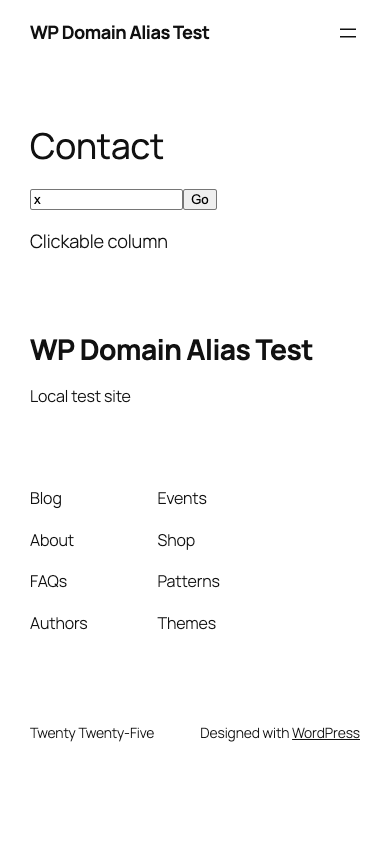
SEO
- Every alias page has one canonical tag pointing to the same page on the primary domain. Hreflang alternates and
og:urldo too. XML sitemaps (core, Yoast SEO, Rank Math) and JSON-LD list only primary URLs. - Canonical tags are hints that search engines usually follow, not guarantees.
- 0.1.0-beta had an option to point canonicals at the alias. It sent contradictory signals and was removed in 0.1.1-beta. A stored value is migrated automatically, with a one-time notice.
More: docs/seo.md.
Caching
Your page cache and CDN must store a separate copy per hostname. Most do by default. A cache keyed only on the path would show one domain's links on another. The health check detects this. Purge all caches after adding or removing an alias.
Cache Enabler is supported directly: purges are repeated for each alias. An Nginx FastCGI cache keyed on the host was also verified. Details, test results and per-cache notes: docs/caching.md.
What has been tested
All testing was done locally with .test hostnames. No hosting provider has been tested.
| Area | Tested with |
|---|---|
| Servers | PHP 8.4 built-in server (HTTP); Nginx 1.31.8 + PHP-FPM 8.4 (HTTPS); Apache 2.4.67 + PHP-FPM 8.4 with .htaccess rewrites (HTTPS) |
| WordPress | 6.4.5 and 7.1.4 (Twenty Twenty-Four, Twenty Twenty-Five) |
| SEO | WordPress core, Yoast SEO 28.8, Rank Math 1.0.281 |
| Multilingual | Polylang 3.9.1 |
| Builders and forms | Elementor 4.3.6, Contact Form 7 6.2.4.1 |
| Cache | Cache Enabler 1.8.17; Nginx FastCGI cache (host key, plus a path-only key as a negative control); simulated proxy caches |
| Browser | Chrome via Playwright, desktop and 390×844 mobile |
Not tested: Gravity Forms (needs a licence), Weglot (needs an account; its integration is unit-tested with stubs only), WPML, WooCommerce, WP Rocket, LiteSpeed Cache, W3 Total Cache, WP Super Cache (tried, could not be verified), LiteSpeed/OpenLiteSpeed servers, any CDN, and all hosting providers.
Full matrix: docs/compatibility.md. Hosting: docs/hosting/README.md. How to run the tests: docs/testing.md.
Known limitations
- Multisite is not supported. The plugin refuses network activation and does nothing on a network.
- Logged-in sessions are per domain. Admin and login stay on the primary domain, so logged-in features on alias pages (admin bar, comment forms for logged-in users) behave as for a logged-out visitor.
- Checkout, membership, SSO and OAuth flows on aliases are not supported. Use the
wp_domain_alias_rewrite_urlfilter to keep such URLs on the primary domain. admin-post.phpforms post to the primary domain by default, so visitors land on the primary domain after submitting. Specific actions can be kept on the alias with thewp_domain_alias_admin_post_actionsfilter, if their handler doesn't rely on primary-domain cookies.- Page caches keyed only by path are not supported.
- WordPress below 6.7: font URLs that other plugins print inline in `