Install
This is the repository archive. It installs, but the folder name will carry the branch suffix and updates will not flow.
Install straight from GitHub with WP-CLI:
wp plugin install https://github.com/mwistro/supportcandy-ai-copilot/archive/refs/heads/main.zipEnglish | Português (Brasil) | Español (España)
A WordPress plugin and a lightweight PWA that turn incoming support tickets into reply drafts for an agent to review, edit and send.
PHP · WordPress · SupportCandy · JavaScript · PWA · Firebase · OpenAI
Showcase · What it does · Set up a development instance · How it works
Showcase
Review three suggested replies
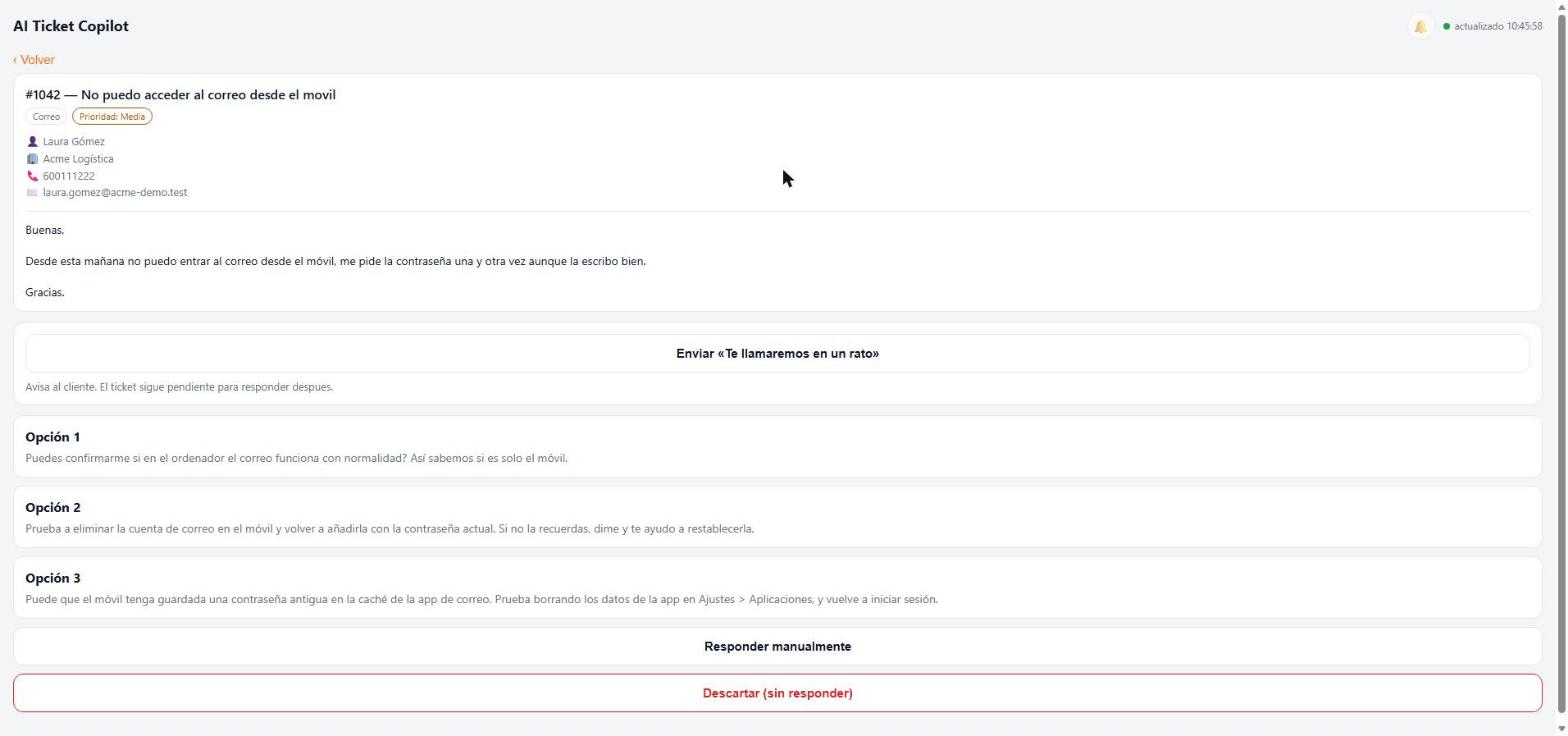
The agent reads the ticket, chooses a suggestion or writes a custom response, then confirms the send action.
Keep pending work and sent history visible
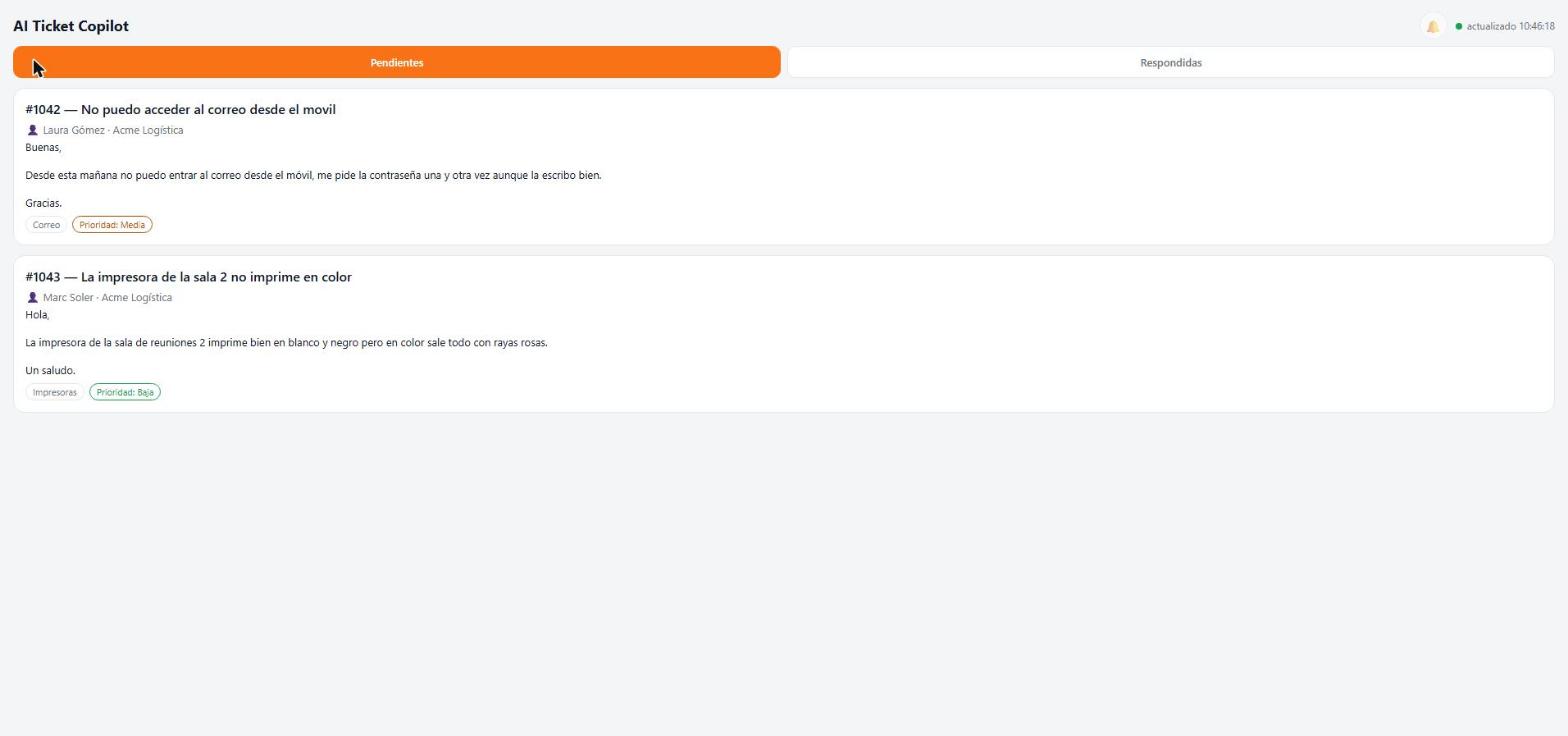
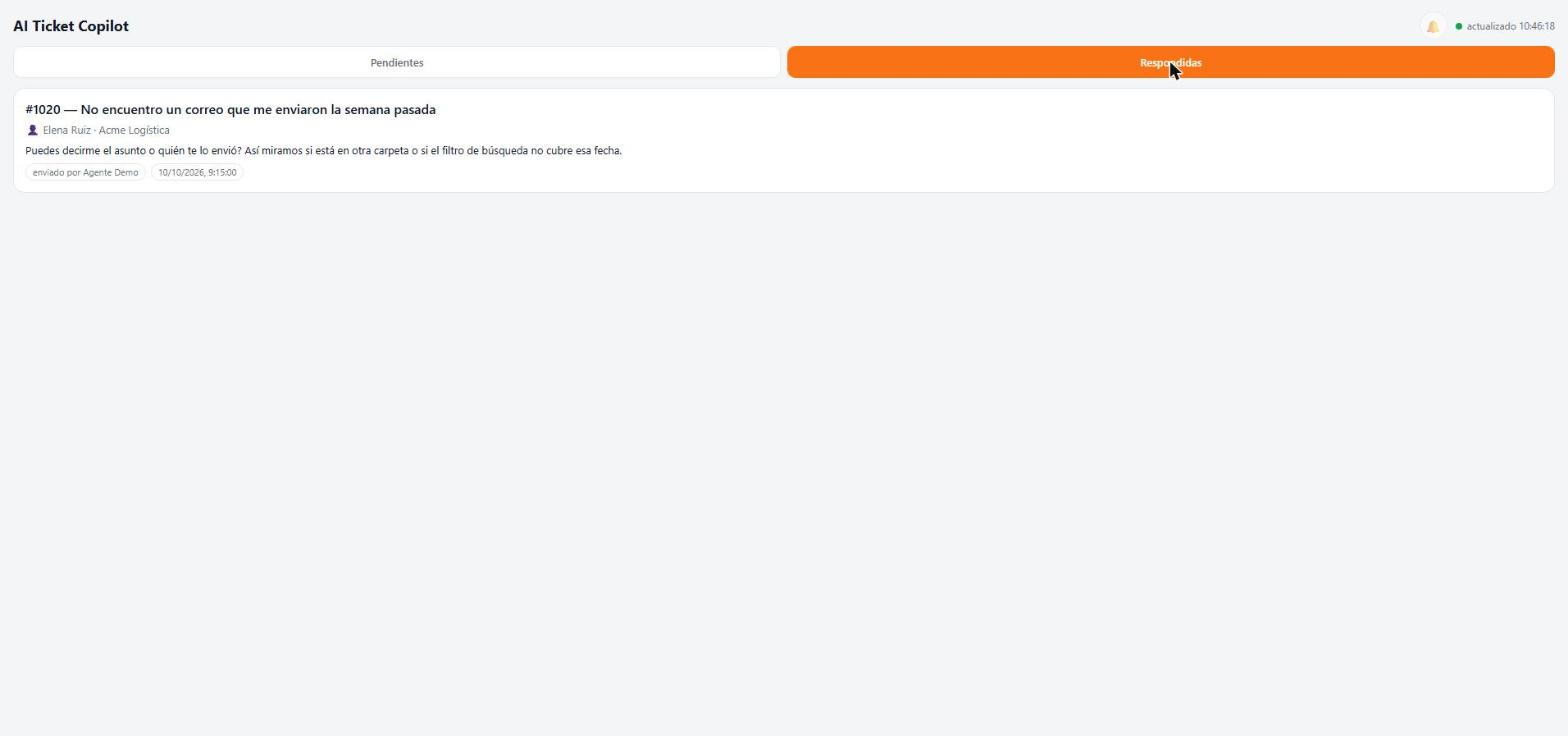
These are the existing project screenshots with fictional tickets and customer details. They demonstrate the Spanish-language UI; no live customer data is needed to browse this showcase. Login screen.
What it does
| Capability | Implementation |
|---|---|
| Ticket intake | Listens to wpsc_ticket_created. |
| Template matching | Checks keyword rules before requesting model output. |
| Suggested replies | Requests three alternatives, a confidence label and a needs_human flag. |
| Agent workflow | Pending list, review/edit, explicit sending, dismissal and sent history. |
| Notifications | Firebase Cloud Messaging integration for the PWA. |
| Administration | Configure generation and regenerate pending suggestions from WordPress. |
No reply is sent automatically when a ticket arrives. The PWA's reply and acknowledgement buttons do send customer-facing messages when an agent activates them.
Set up a development instance
The app needs WordPress with SupportCandy, a PHP environment with mbstring and openssl, and an HTTPS site for the PWA and Application Password authentication. There is no frontend build step.
- Clone this repository into your development site's
wp-content/plugins/directory and activate SupportCandy AI Copilot. - In Settings → AI Ticket Copilot, enable automatic draft generation and configure an OpenAI API key and a model compatible with the request in
cai_call_openai_api(). The current implementation uses Chat Completions, a strict JSON schema andreasoning_effort: low. - Set
SITE_URLinpwa/index.htmlto your WordPress origin, without a trailing slash. The login screen accepts a username and Application Password; it does not provide a site-address field. - For push notifications, configure your own Firebase project. Replace
CAI_FIREBASE_*in the plugin,FIREBASE_CONFIGandFIREBASE_VAPID_KEYin the PWA, and the Firebase configuration inpwa/sw.js. - Copy
firebase-service-account.example.phptofirebase-service-account.phpand fill in your service account values. The real file is ignored by Git. - Create a WordPress Application Password for an account that passes the plugin's agent/admin permission check. Open the plugin's PWA link from its settings page, sign in and enable notifications if needed.
- Create a fictional ticket in that development instance and verify draft generation, review and status updates before using real tickets.
If an openai-config.php file exists with an api_key, its settings override the admin form. Custom field slugs cust_70 and empresa are installation-specific and should be reviewed for your SupportCandy setup.
How it works
flowchart TD
    A[New SupportCandy ticket] --> B{Keyword rule matches?}
    B -->|Yes| C[Template draft]
    B -->|No| D[OpenAI request]
    D --> E[Three reply alternatives]
    C --> F[Pending draft in WordPress]
    E --> F
    F --> G[PWA and push notification]
    G --> H[Agent reviews or edits]
    H --> I[Send through SupportCandy]
    H --> J[Dismiss without replying]
Drafts and push tokens use plugin-owned database tables. Authenticated REST routes under /wp-json/ai-ticket-copilot/v1/ connect the PWA to WordPress. Sending uses SupportCandy's submit_ticket_thread() integration and applies the configured ticket status after a reply.
Keyword matches use a fixed template in all three suggestion slots. For unmatched tickets, an unsuccessful model request produces no new draft. Disabling generation stops the intake flow; templates are not an independent background fallback.
Engineering notes
- Human review: suggestions remain pending until an agent acts. A confidence label never authorizes sending.
- Prompt design: short Spanish alternatives, explicit constraints against claiming work not recorded in the ticket, and topic-specific guidance. The current prompt reflects the original team's writing style.
- Structured output: the request asks for a strict JSON schema; the plugin still handles API errors and missing draft data.
- PWA: vanilla HTML/CSS/JavaScript, a manifest, a service worker, polling and push notifications.
- Integration boundary: SupportCandy internals and some direct database updates make compatibility testing necessary for the installed plugin version.
| File | Responsibility |
|---|---|
supportcandy-ai-copilot.php |
Ticket hooks, draft generation, REST routes and settings. |
pwa/index.html |
Agent interface, authentication and review flow. |
pwa/sw.js |
App-shell caching and background notifications. |
admin-regenerate.js |
Admin interaction for regenerating pending drafts. |
Checks and current scope
php -l supportcandy-ai-copilot.php
php -l firebase-service-account.example.php
node scripts/check-frontend.cjs
CI checks PHP syntax on PHP 8.3 and JavaScript/manifest syntax with Node.js 24. These checks do not exercise WordPress, SupportCandy, the model API, push delivery or real replies.
The PWA stores its Application Password in browser local storage. Ticket subject, description, category, priority and customer name are included in model requests for unmatched tickets. Configure access and data handling for your deployment; the published screenshots and credential templates use sample values.
There is no standalone offline backend demo. Interface text and draft instructions are in Spanish; the READMEs are available in English, Brazilian Portuguese and Spanish from Spain.
Created by Mateus Maistro.