CMB2 Field Type: Google Maps WP Registry grade A. No security issues foundWP RegistryNo security issues foundOpen the reportA
Google Maps field type for Custom Metaboxes and Fields for WordPress
Install
This is the repository archive. It installs, but the folder name will carry the branch suffix and updates will not flow.
Install straight from GitHub with WP-CLI:
wp plugin install https://github.com/mustardbees/cmb_field_map/archive/refs/heads/master.zipDescription
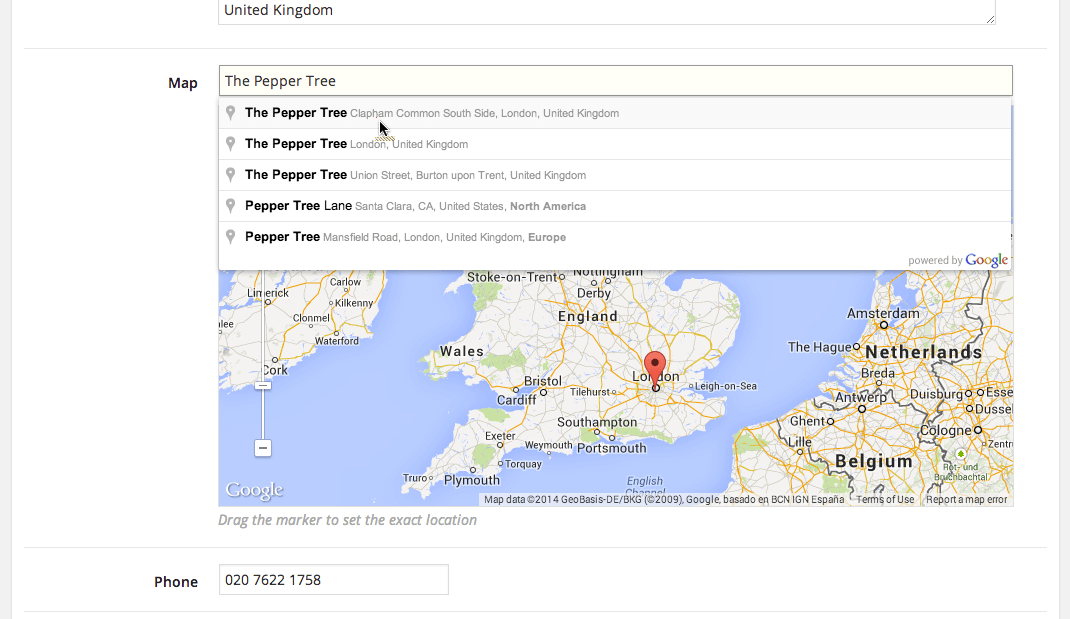
Google Maps field type for CMB2.
The pw_map field stores the latitude/longitude values which you can then use to display a map in your theme.
Installation
You can install this field type as you would a WordPress plugin:
- Download the plugin
- Place the plugin folder in your
/wp-content/plugins/directory - Activate the plugin in the Plugin dashboard
Or you can use WP-CLI to install from GitHub.
wp plugin install --activate https://github.com/mustardBees/cmb_field_map/archive/master.zipGoogle API Key
You'll need to generate a Google API key with both "Maps JavaScript API" and "Places API" enabled.
There are three options for specifying the Google API key:
- Pass the
api_keyfield parameter. Not recommended as you'll have to do this for each map field. - Define the key in your
wp-config.phpfile. - Hook in your own key retrieval logic using the
pw_google_api_keyfilter.
Usage
pw_map
Save a location on a map. Example:
$cmb->add_field( array(
    'name' => 'Location',
    'desc' => 'Drag the marker to set the exact location',
    'id' => $prefix . 'location',
    'type' => 'pw_map',
    // 'split_values' => true, // Save latitude and longitude as two separate fields
) );
Extra Parameters:
split_valuesSave the latitude/longitude values into two custom fields, they will be stored as$id . '_latitude'and$id . '_longitude'.
Screenshot
Releases
15 releases.
These releases are tags only. The author does not attach a packaged zip, so there are no download counts to report.