L.O.R.E. - Leaflet OpenSimulator Regional Explorer WP Registry grade C-. High-severity findings · 1 findingWP RegistryHigh-severity findings · 1 findingOpen the reportC-
Leaflet OpenSimulator Regional Explorer - WordPress Plugin
Install
Upload it under Plugins → Add New Plugin → Upload Plugin, then activate.
Install straight from GitHub with WP-CLI:
wp plugin install https://github.com/mteedev/lore-opensim-map/releases/download/v1.1.1/lore-opensim-map-v1.1.1.zipL.O.R.E.
Leaflet OpenSimulator Regional Explorer

"Every Region Has a Story"
A modern, interactive WordPress plugin that displays your OpenSimulator grid as a beautiful, clickable Leaflet.js map. Click any region to get its name, a one-click teleport link, and a registration button — all fully customizable to match your grid's branding.
✨ Features
- 🗺️ Interactive Leaflet map — zoom, pan, explore your entire grid
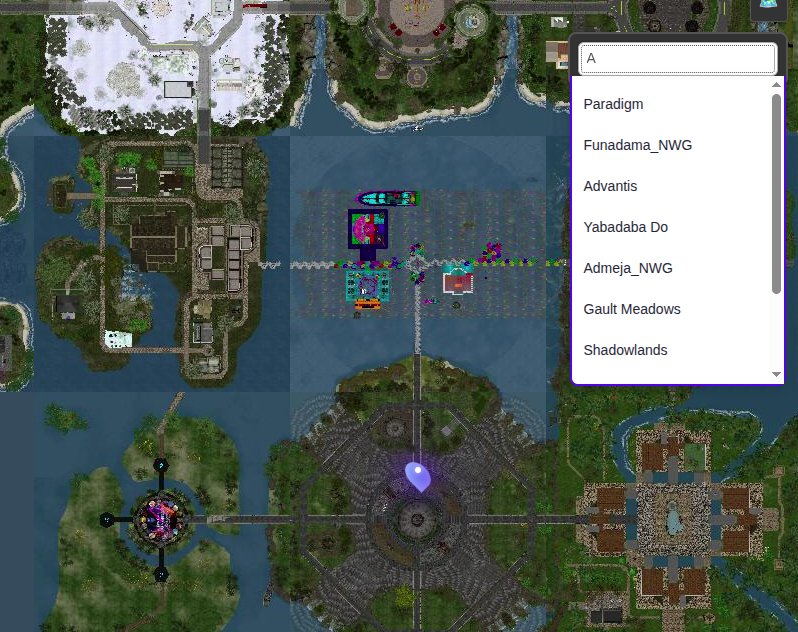
- 🔍 Region search — live search box with instant dropdown results
- 🚀 One-click teleport — dynamically built
hop://links from your grid URL - 🎨 Color picker — choose your own accent and button colors in the admin
- 📊 Batch sync with progress bar — syncs regions in batches of 50, no timeouts
- ⭐ Featured region marker — highlight your welcome/landing region
- 🌙 Dark mode support — popups adapt automatically
- 🔌 Simple shortcode —
[lore_map]drops the map anywhere
📸 Screenshots
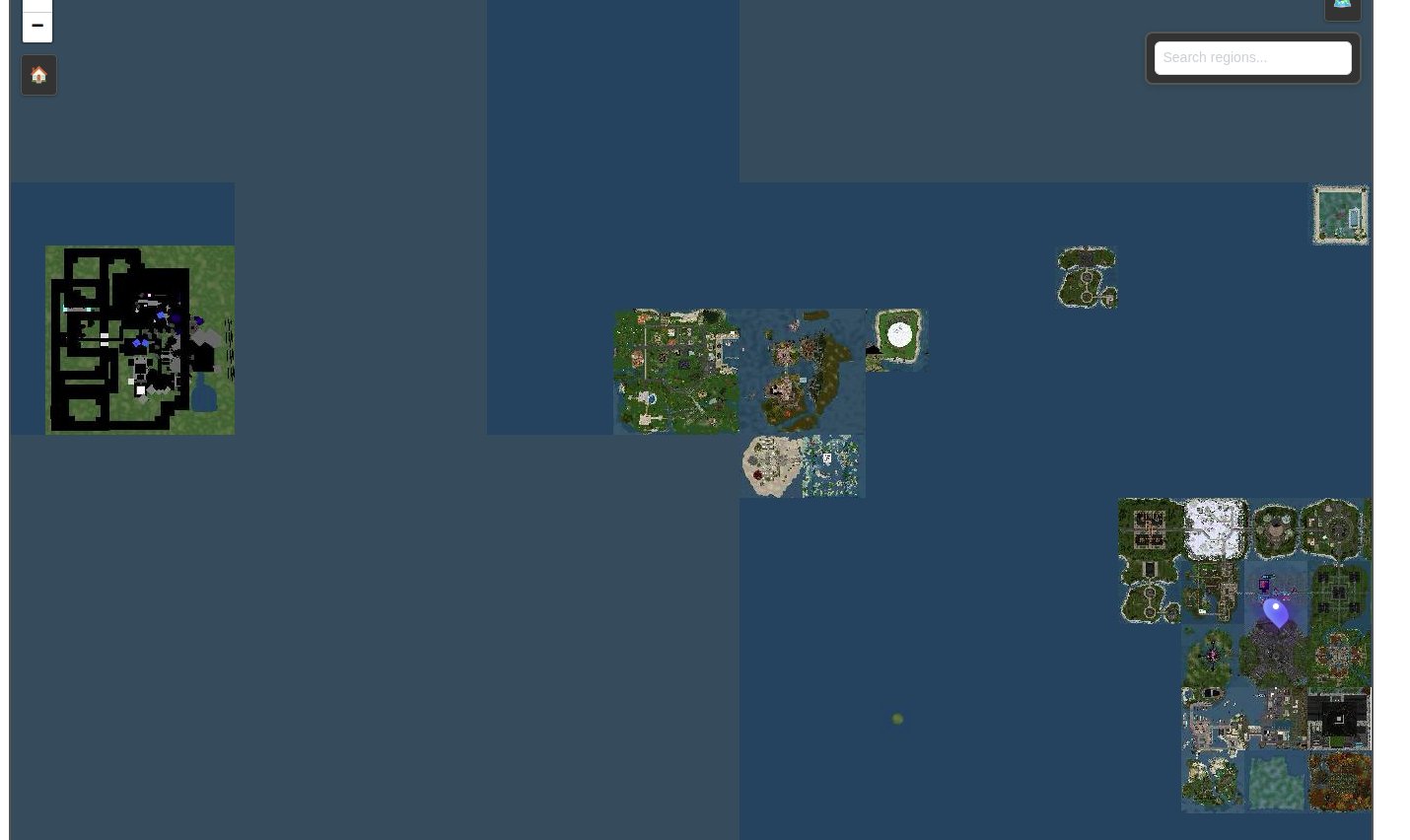
🗺️ Map Overview
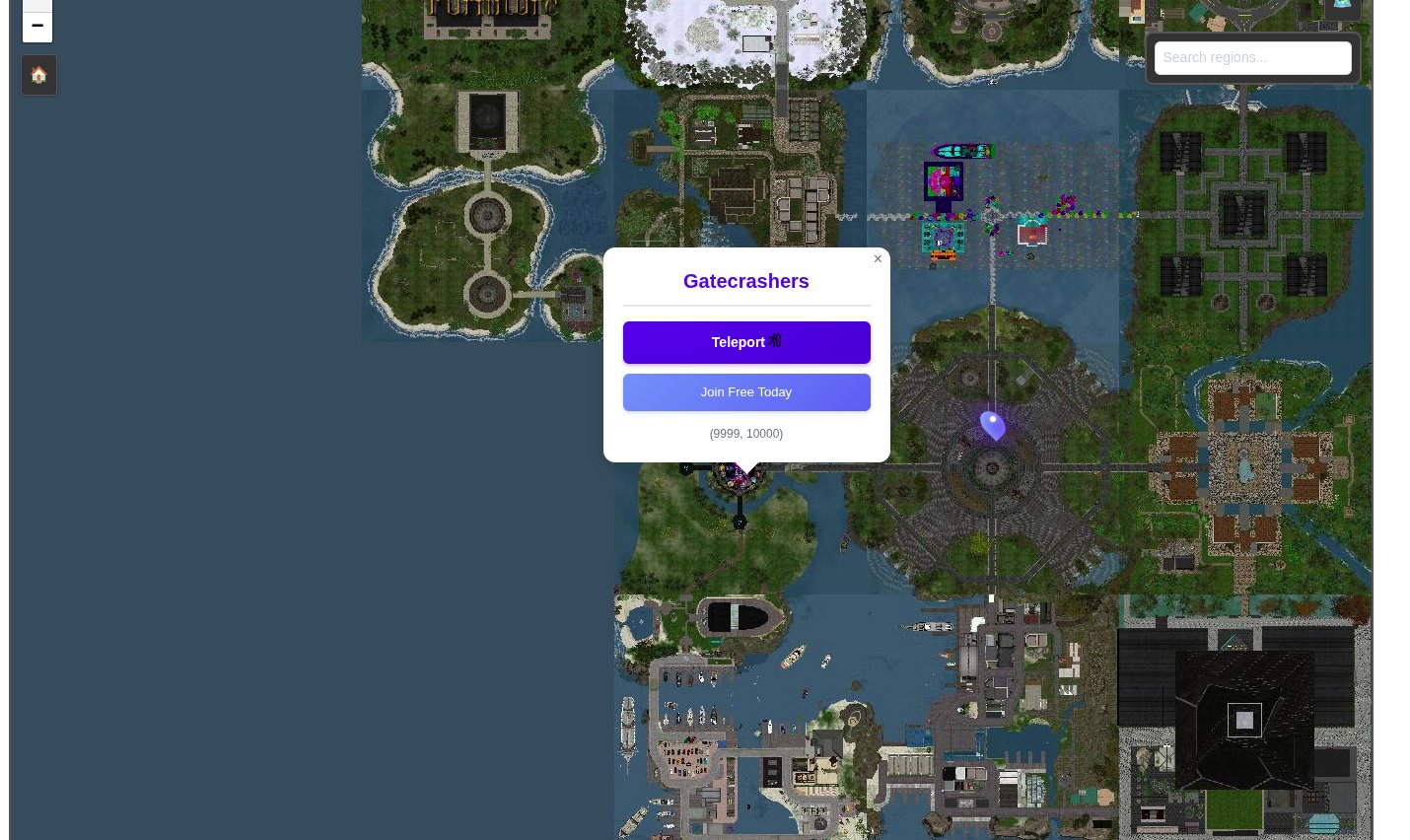
🚀 Region Popup
🔍 Search in Action
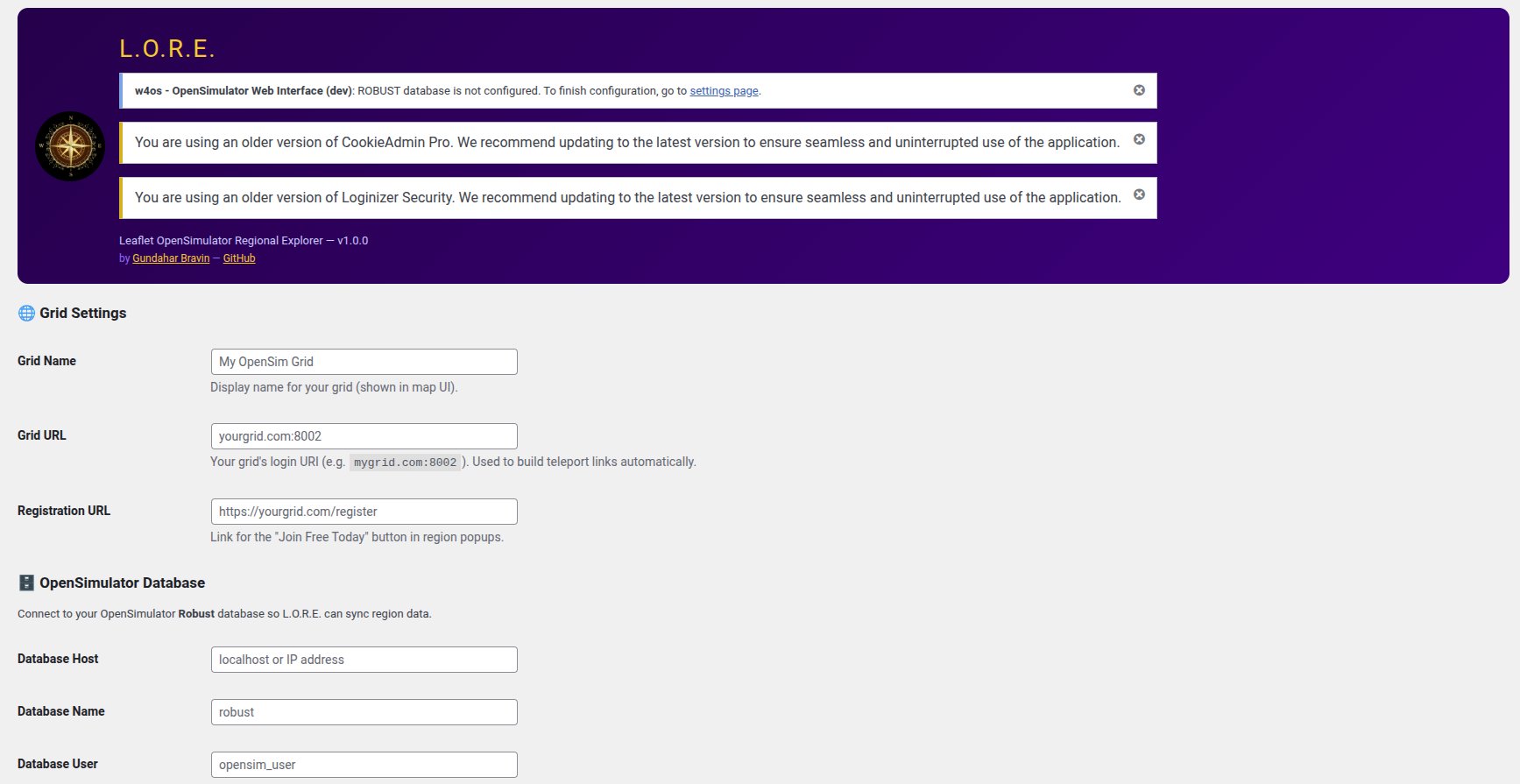
⚙️ Admin Settings Panel
🔧 Requirements
- WordPress 5.5 or higher
- PHP 7.4 or higher
- An OpenSimulator grid with a MySQL/MariaDB Robust database
- Read access to the Robust database from your WordPress server
- Warp3D or compatible map tile service running on your grid
📦 Installation
Method 1: WordPress Admin (Recommended)
- Download the latest
lore-opensim-map.zipfrom Releases - In WordPress Admin go to Plugins → Add New → Upload Plugin
- Choose the zip file and click Install Now
- Click Activate Plugin
Method 2: FTP / FileZilla
- Unzip
lore-opensim-map.zip - Upload the
lore-opensim-mapfolder to/wp-content/plugins/ - Go to Plugins in WordPress Admin and activate L.O.R.E.
⚙️ Configuration
Go to Settings → L.O.R.E. Map and fill in the sections:
🌐 Grid Settings
| Setting | Description |
|---|---|
| Grid Name | Your grid's display name (shown in map attribution) |
| Grid URL | Your grid's login URI, e.g. mygrid.com:8002 |
| Registration URL | Link for the "Join Free Today" button in popups |
💡 The Teleport button URL is built automatically from your Grid URL + the region name. No manual configuration needed!
🗄️ Database Settings
L.O.R.E. connects directly to your OpenSimulator Robust database to sync region data.
| Setting | Description |
|---|---|
| Database Host | IP or hostname of your Robust database server |
| Database Name | Usually robust |
| Database User | A MySQL user with read access to the regions table |
| Database Password | The database user's password |
🔒 Security note: Use a read-only MySQL user for best practice. L.O.R.E. only ever reads from the
regionstable.
🗺️ Map Settings
| Setting | Default | Description |
|---|---|---|
| Map Tile URL | (blank) | Your Warp3D tile URL pattern |
| Default Zoom | 3 | Initial zoom level (1–8) |
| Center X | 1000 | Starting X grid coordinate |
| Center Y | 1000 | Starting Y grid coordinate |
🎨 Appearance
Use the color pickers to set:
- Accent Color — popup title, search border, coordinate text
- Button Color — Teleport button gradient
⭐ Featured Region (optional)
Enter the exact name of a region to highlight with a special marker (pulsing glow, gold star, or pin drop). Leave blank to disable.
🔄 Region Sync
Click Sync Regions from Grid to import all regions from your Robust database. The progress bar shows you exactly how many batches have completed. Syncing in batches of 50 ensures no PHP timeouts regardless of grid size.
📋 Shortcode
Basic usage:
[lore_map]All options:
[lore_map width="100%" height="600px" zoom="3" center_x="1000" center_y="1000" grid_url="mygrid.com:8002"]| Parameter | Default | Description |
|---|---|---|
width |
100% |
Map width |
height |
600px |
Map height |
zoom |
From settings | Initial zoom (1–8) |
center_x |
From settings | Starting X coordinate |
center_y |
From settings | Starting Y coordinate |
grid_url |
From settings | Override the grid URL for this map instance |
❓ FAQ
Q: The map shows tiles but clicking regions says "Unknown Region" A: Go to Settings → L.O.R.E. Map and click Sync Regions from Grid. The region database needs to be populated first.
Q: Some large (var) regions only work when clicked in the lower-left corner A: This is normal OpenSimulator behavior. Variable-size regions store only their anchor (lower-left) coordinate in the database. Consider adding a note above the map for visitors.
Q: My grid uses a different coordinate range than 1000–2000 A: Set Center X and Center Y in the admin to match your grid's actual coordinate range. NWG-style grids often use coordinates around 10000.
Q: Teleport links open my viewer but land me somewhere wrong
A: Make sure your Grid URL is correct in settings. The format should be yourgrid.com:8002 without http://.
Q: Can I display multiple maps on the same page?
A: Yes! Each [lore_map] shortcode creates an independent map instance.
🗂️ File Structure
lore-opensim-map/
├── lore-opensim-map.php    # Main plugin file
├── assets/
│   ├── lore.js             # Map initialization, popups, search
│   ├── lore.css            # All styles
│   └── compass.png         # Plugin icon
├── screenshots/
│   ├── map-overview.png
│   ├── region-popup.png
│   ├── search.png
│   └── admin-settings.png
├── README.md
├── CHANGELOG.md
└── LICENSE
📝 Changelog
See CHANGELOG.md
📚 Full Documentation
📖 Need help? Want detailed guides?
Visit the L.O.R.E. Wiki for comprehensive documentation:
- Installation Guide - Step-by-step setup
- Configuration Guide - Every setting explained
- Shortcode Examples - Practical usage examples
- Troubleshooting - Fix common issues
- FAQ - Quick answers
The Wiki has everything you need to get the most out of L.O.R.E.! 🚀
📄 License
GPL v2 or later — see LICENSE
👤 Author
Gundahar Bravin
- Website: nerdypappy.com
- GitHub: @mteedev
🙏 Credits
- Leaflet.js — the amazing open-source mapping library
- OpenSimulator — the open-source virtual world platform
- Compass rose image used with appropriate rights - (downloaded from pngegg).
Built with ❤️ for the OpenSimulator community
Releases
4 releases. Each count is every asset in that release; expand a row for the breakdown.