Install
This is the repository archive. It installs, but the folder name will carry the branch suffix and updates will not flow.
Install straight from GitHub with WP-CLI:
wp plugin install https://github.com/mt-shihab26/woocommerce-orders-per-page-selector/archive/refs/heads/main.zipNo built-in updater. New versions won't appear under Dashboard → Updates. Install new releases yourself, or let Git Updater track the repository.
A simple WordPress plugin that adds a dropdown selector to the WooCommerce admin orders page to change how many orders are displayed per page.
Features
- Dropdown selector on WooCommerce admin orders page
- Customizable per-page options through settings
- Auto-reloads when selection changes
- Works with both classic and HPOS orders screens
- Preserves all filters and search parameters
- Optional serial number column in orders table
- WooCommerce settings integration
Used By
This plugin is actively used on the following websites:
Usage
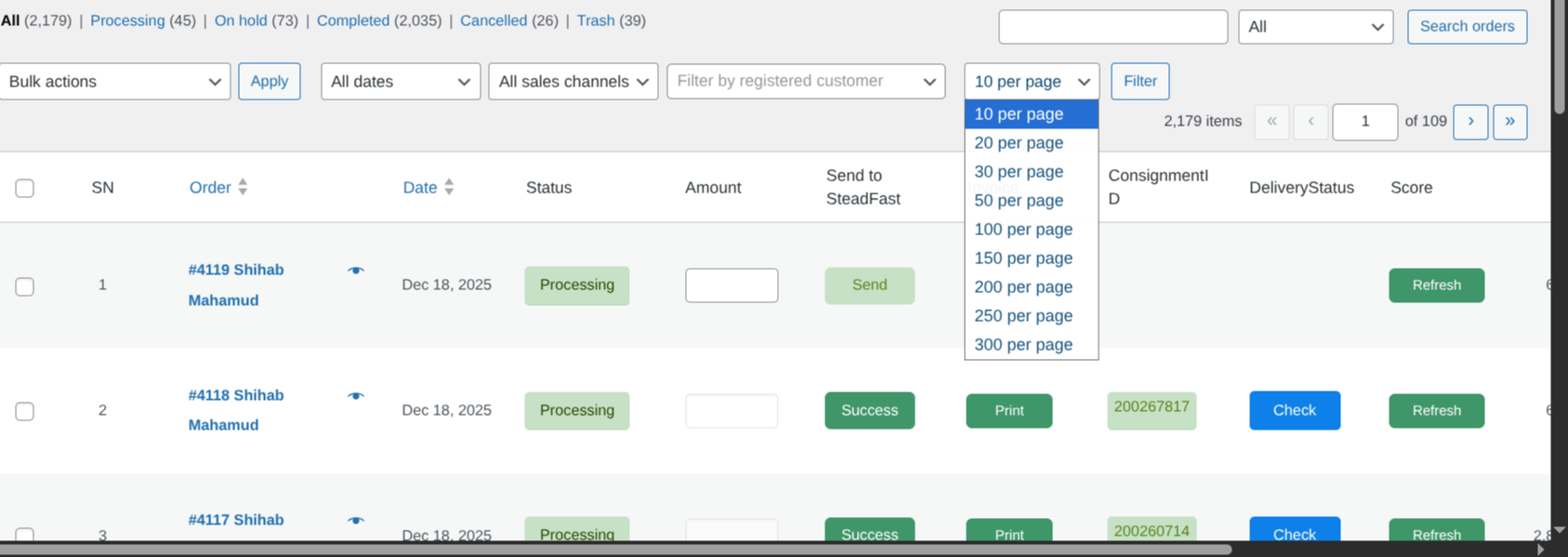
- Go to WooCommerce → Orders
- Find the dropdown selector next to other filters
- Select your preferred number of orders per page
- The page will automatically reload with the selected number of orders
Configuration
Settings Page
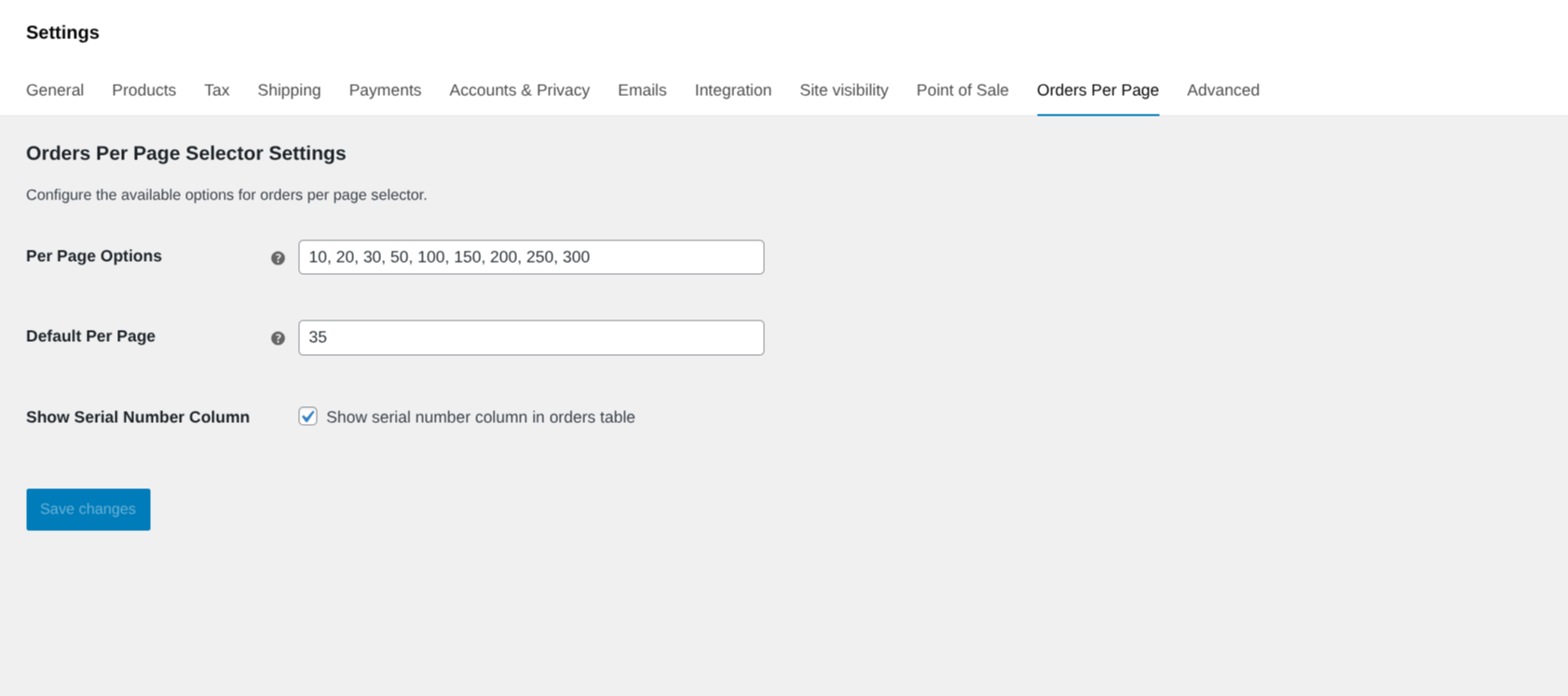
Navigate to WooCommerce → Settings → Orders Per Page to configure:
Per Page Options
Enter comma-separated values for the dropdown selector options.
- Default:
10, 20, 30, 50, 100 - Example:
25, 50, 75, 100, 200 - Values must be positive integers
- Will be automatically sorted in ascending order
Default Per Page
Set the default number of orders to display per page.
- Default:
20 - Must be one of the values from "Per Page Options"
- If not found in options, the first option will be used
Show Serial Number Column
Toggle to show/hide the serial number column in the orders table.
- Default: Enabled
- Serial numbers are calculated based on pagination
- Example: Page 1 shows 1-20, Page 2 shows 21-40, etc.
Installation
- Upload the plugin files to
/wp-content/plugins/woocommerce-orders-per-page-selector/ - Run
composer installto install dependencies (if not already installed) - Activate the plugin through the 'Plugins' menu in WordPress
- Configure settings under WooCommerce → Settings → Orders Per Page
License
Licensed under the GPL v3 or later - see the LICENSE file for details.