Install
Upload it under Plugins → Add New Plugin → Upload Plugin, then activate.
Install straight from GitHub with WP-CLI:
wp plugin install https://github.com/mt-shihab26/quick-redirect-manager/releases/download/v1.0.0/quick-redirect-manager.zipNo built-in updater. New versions won't appear under Dashboard → Updates. Install new releases yourself, or let Git Updater track the repository.

Quick Redirect Manager
A lightweight WordPress URL redirection manager plugin that uses WordPress's native options table for storage. Perfect for managing redirects without the overhead of additional database tables.
Features
- Simple and intuitive WordPress admin interface
- Support for both 301 (permanent) and 302 (temporary) redirects
- Multiple redirection types:
- Internal path to internal path (
/old-page→/new-page) - Internal path to external URL (
/external-link→https://example.com)
- Internal path to internal path (
- Lightweight - uses WordPress options table (no additional tables)
- Built with performance in mind
Used By
This plugin is actively used on the following websites:
Usage
- Go to Settings → Redirections in your WordPress admin
- Find the "Add New Redirection" form
- Enter your source URL (the URL to redirect from)
- Enter your target URL (the destination URL)
- Select the redirect type (301 or 302)
- Click "Add Redirection"
- The redirect will be active immediately
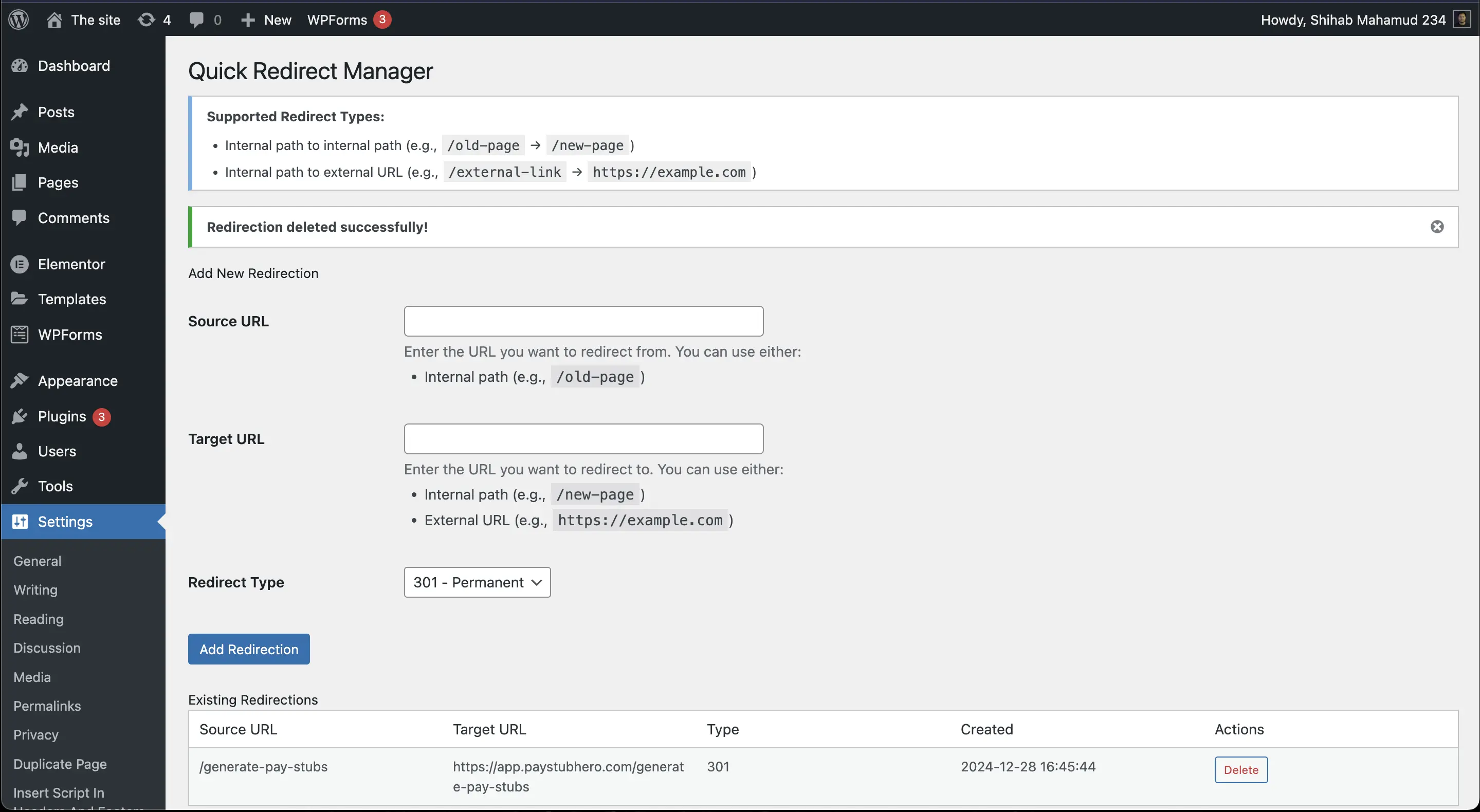
Managing Redirects
- View All Redirects: All active redirects are displayed in a table on the settings page
- Delete Redirect: Click the delete button next to any redirect to remove it
- Test Redirect: Navigate to the source URL to verify the redirect works correctly
Configuration
Redirect Types
The plugin supports two types of HTTP redirects:
301 - Permanent Redirect
- Use when: The original page has permanently moved to a new location
- SEO Impact: Passes link equity (ranking power) to the new URL
- Browser Behavior: Browsers cache this redirect, so users won't hit your server on subsequent visits
- Best for:
- Permanently moved content
- Site restructuring
- URL changes that won't be reversed
302 - Temporary Redirect
- Use when: The redirect is temporary or might change
- SEO Impact: Does not pass link equity to the new URL
- Browser Behavior: Browsers don't cache this redirect, always checking your server
- Best for:
- A/B testing
- Temporary maintenance pages
- Seasonal redirects
- Short-term URL changes
Redirection Examples
Internal to Internal
Redirect from one page on your site to another:
- Source:
/old-pageor/blog/old-post - Target:
/new-pageor/blog/new-post - Type: 301 (if permanent) or 302 (if temporary)
Internal to External
Redirect from your site to an external website:
- Source:
/external-linkor/partner - Target:
https://example.comorhttps://partner-site.com/page - Type: Usually 302 (temporary)
With Query Parameters
The plugin preserves the exact path you specify:
- Source:
/product?id=123 - Target:
/new-product?id=123 - Note: Query parameters must match exactly for the redirect to trigger
Installation
- Upload the plugin files to
/wp-content/plugins/quick-redirect-manager/ - Run
composer installto install dependencies (if not already installed) - Activate the plugin through the 'Plugins' menu in WordPress
- Configure settings under Settings → Redirections
License
Licensed under the GPL v2 or later - see the LICENSE file for details.
Releases
1 release. Each count is every asset in that release; expand a row for the breakdown.
Tag
Published
Assets
Downloads