Advanced Direct Invoices for WooCommerce
Create professional invoices, payment requests, subscriptions, and receipts. Modern React 18 admin with unlimited payment methods, recurring billing, reminders, PDFs, and WooCommerce checkout.
Install
This is the repository archive. It installs, but the folder name will carry the branch suffix and updates will not flow.
Install straight from GitHub with WP-CLI:
wp plugin install https://github.com/mrshahbazdev/woocommerce-advanced-direct-invoices/archive/refs/heads/main.zipA modern, free WooCommerce plugin to create and manage direct invoices, generate PDFs, accept partial payments, track expenses, send by email / WhatsApp / Telegram, and let customers pay through a branded public invoice page.
Built with React 18, Vite, and Material UI (MUI) v5 for a fast, polished, Shopify-style admin dashboard.
Keywords
WooCommerce direct invoices, WooCommerce PDF invoice, invoice templates, partial payments, expense tracking, recurring invoices, payment reminders, invoice builder, WooCommerce billing, customer invoicing, multi-currency invoices, WooCommerce quotes, invoice PDF generator, MUI React admin, Vite WordPress plugin
Stack
- PHP 7.4+ / WordPress 6.0+ / WooCommerce 7.0+
- React 18
- Vite 5
- Material UI (MUI) v5
- Dompdf 3.x
@mui/x-data-grid
Features
Invoice Management
- Create and edit invoices with itemized products/services, quantities, prices, and descriptions.
- Automatic invoice numbering.
- Tax rate, discount (fixed or percent), and customer notes.
- Multiple currencies including USD, EUR, GBP, PKR, AED, SAR, and more.
- Set due dates and recurring schedules.
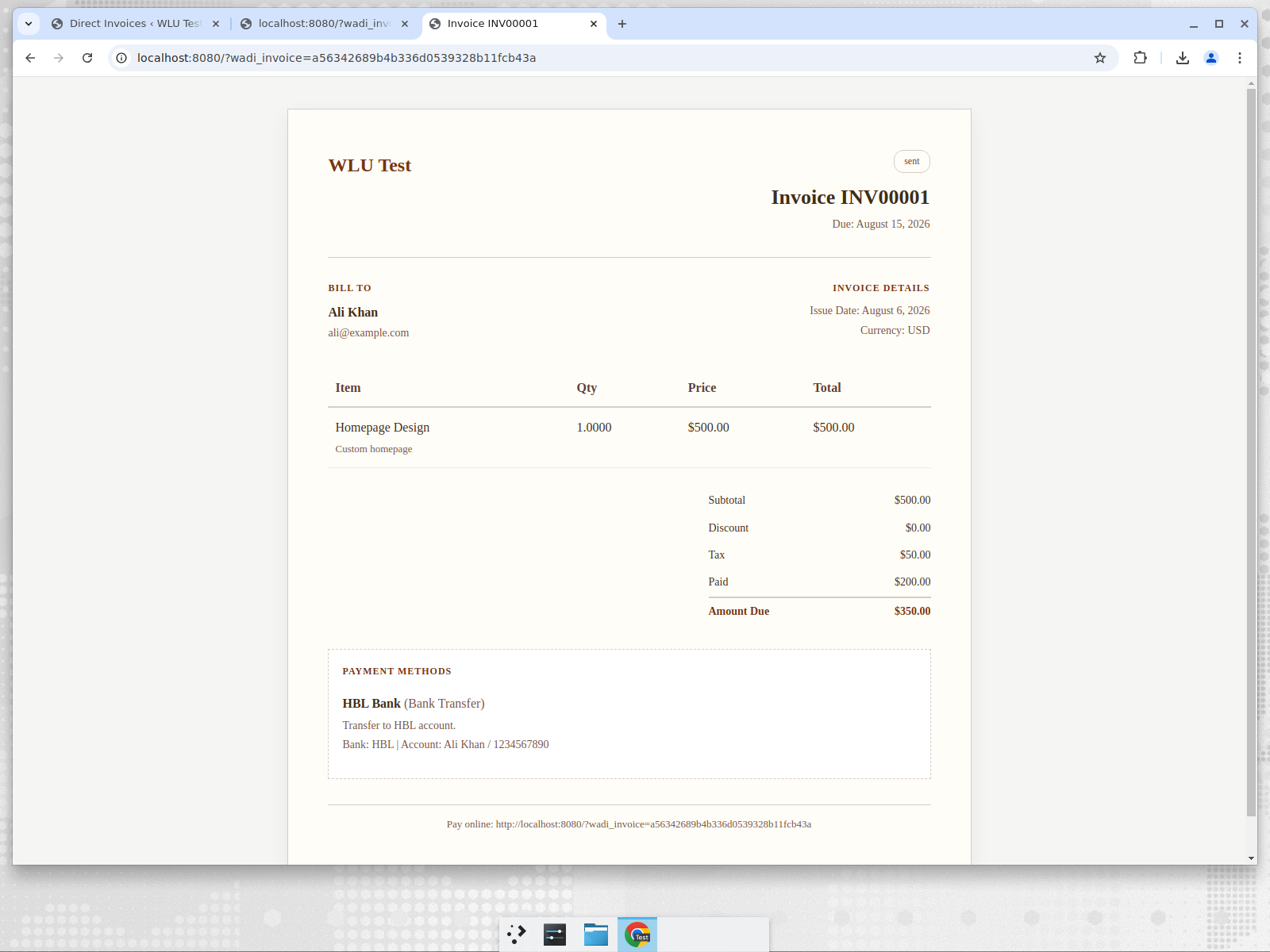
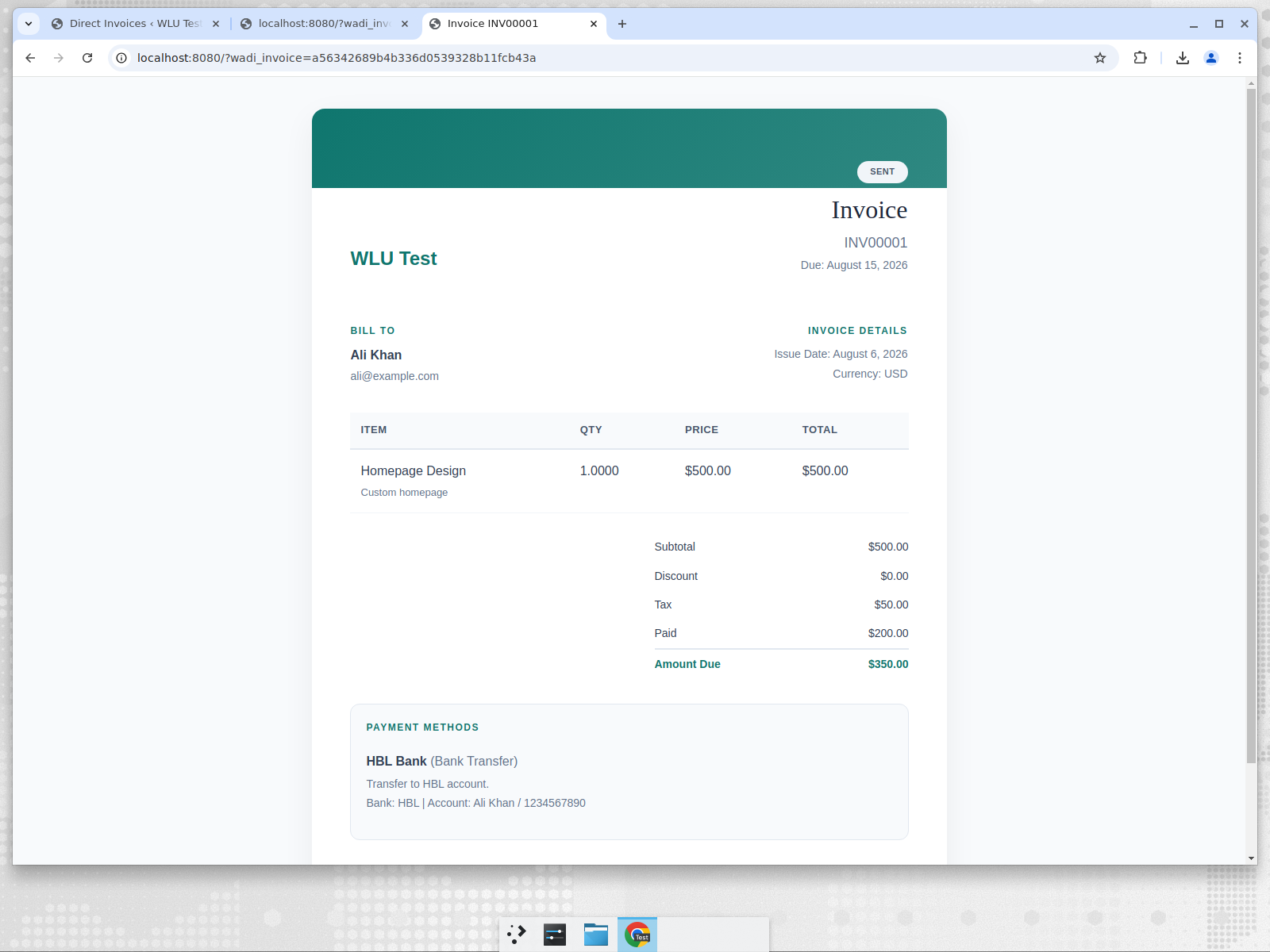
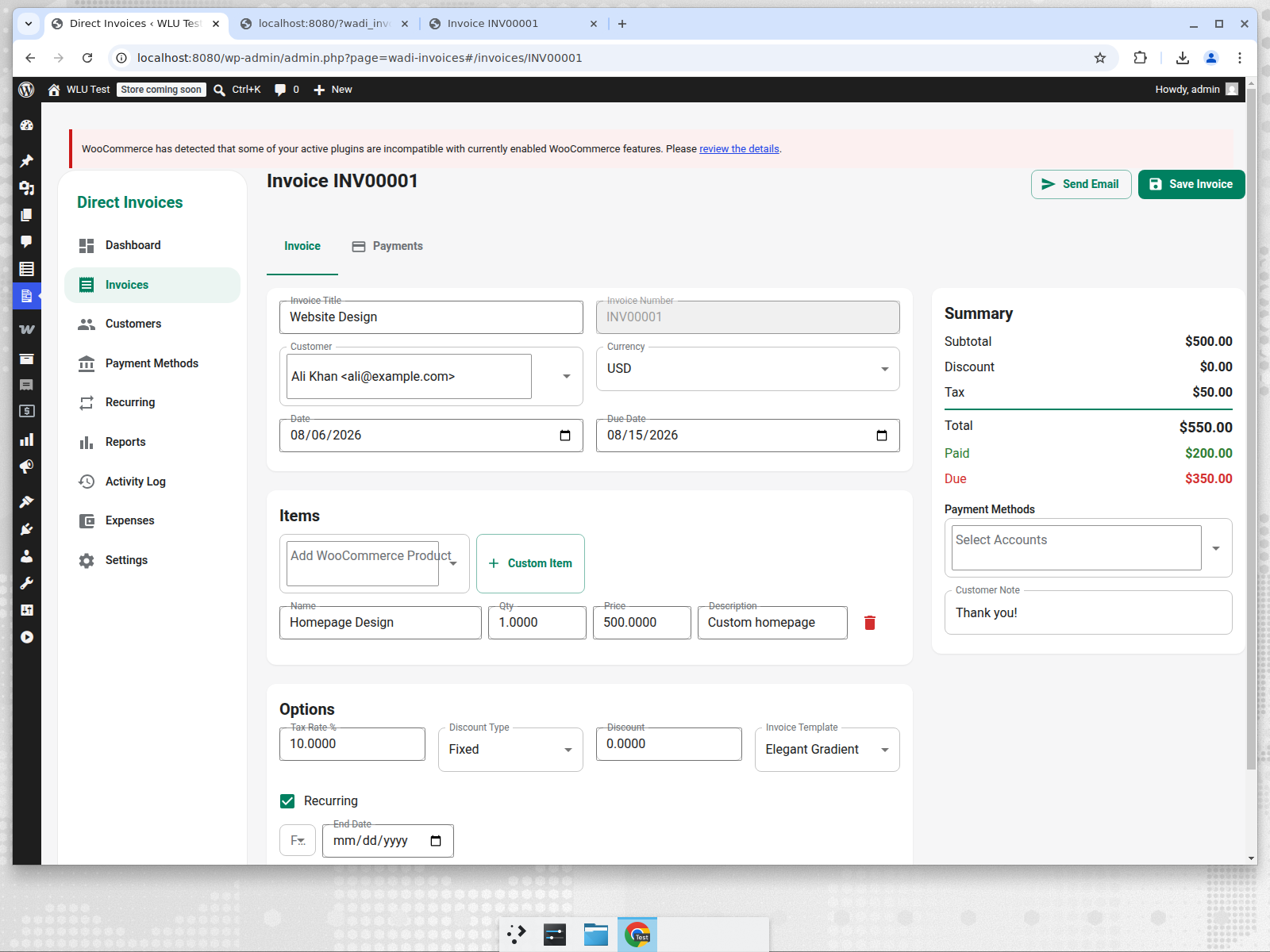
6 Selectable Invoice Templates
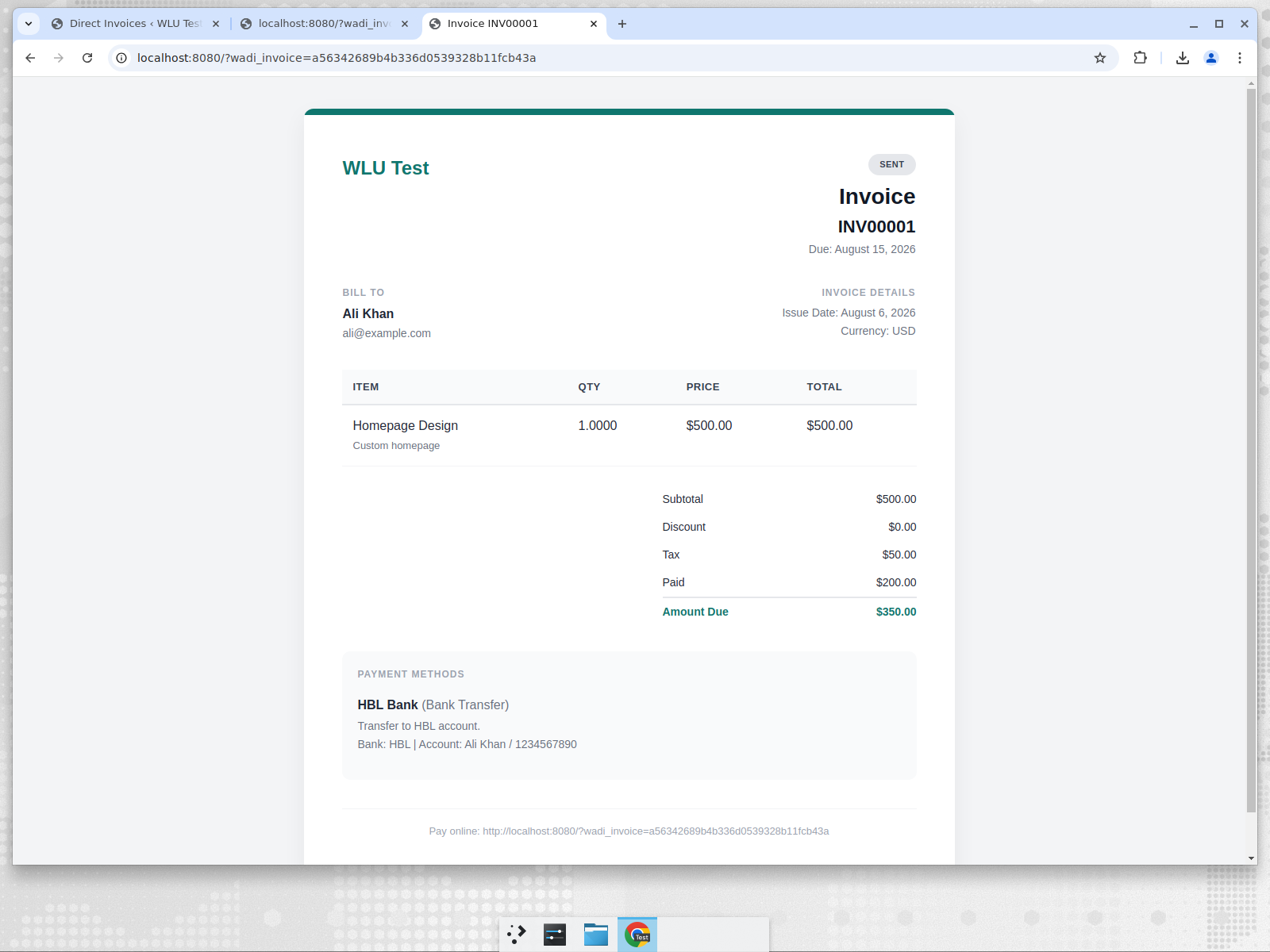
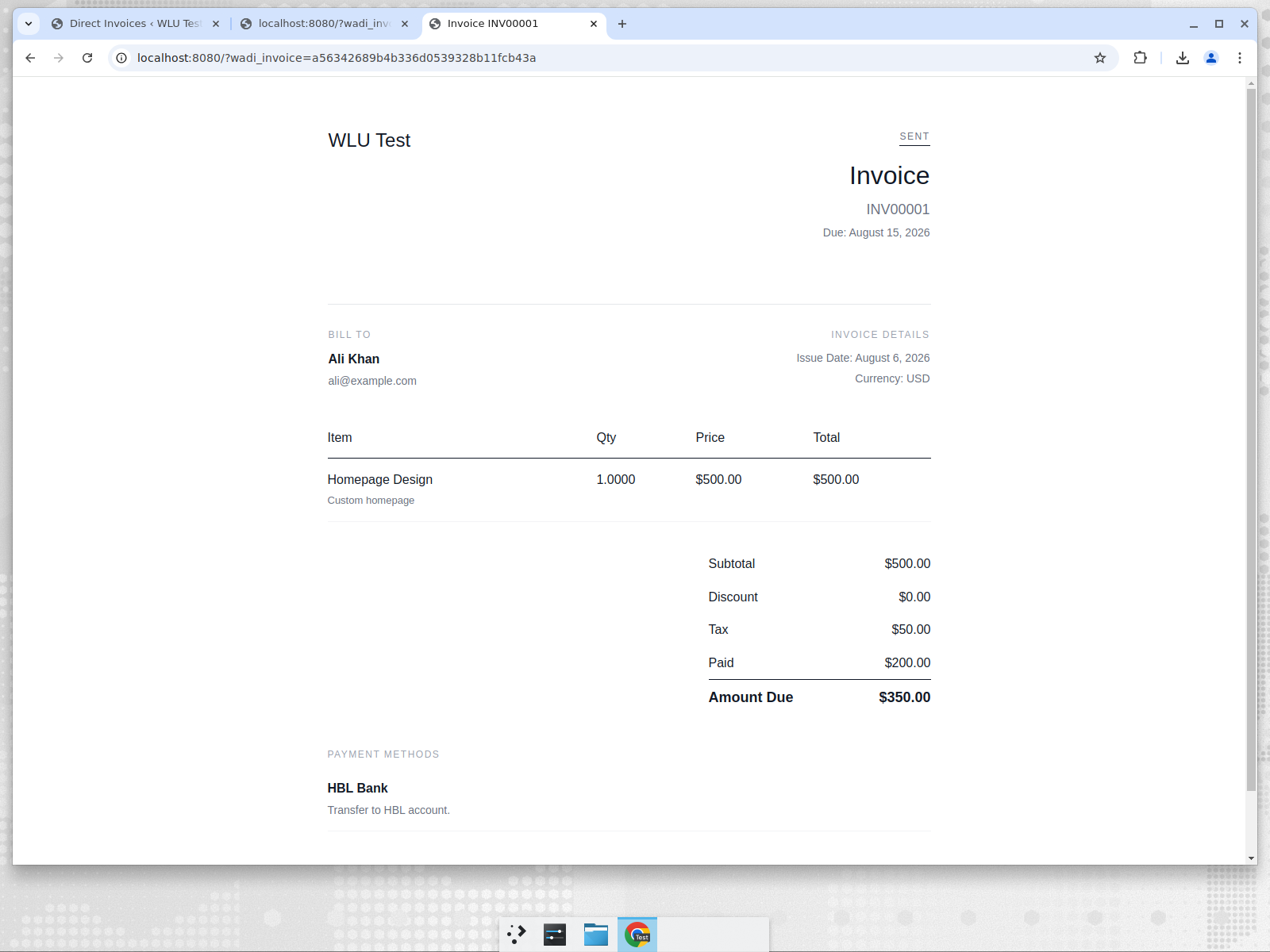
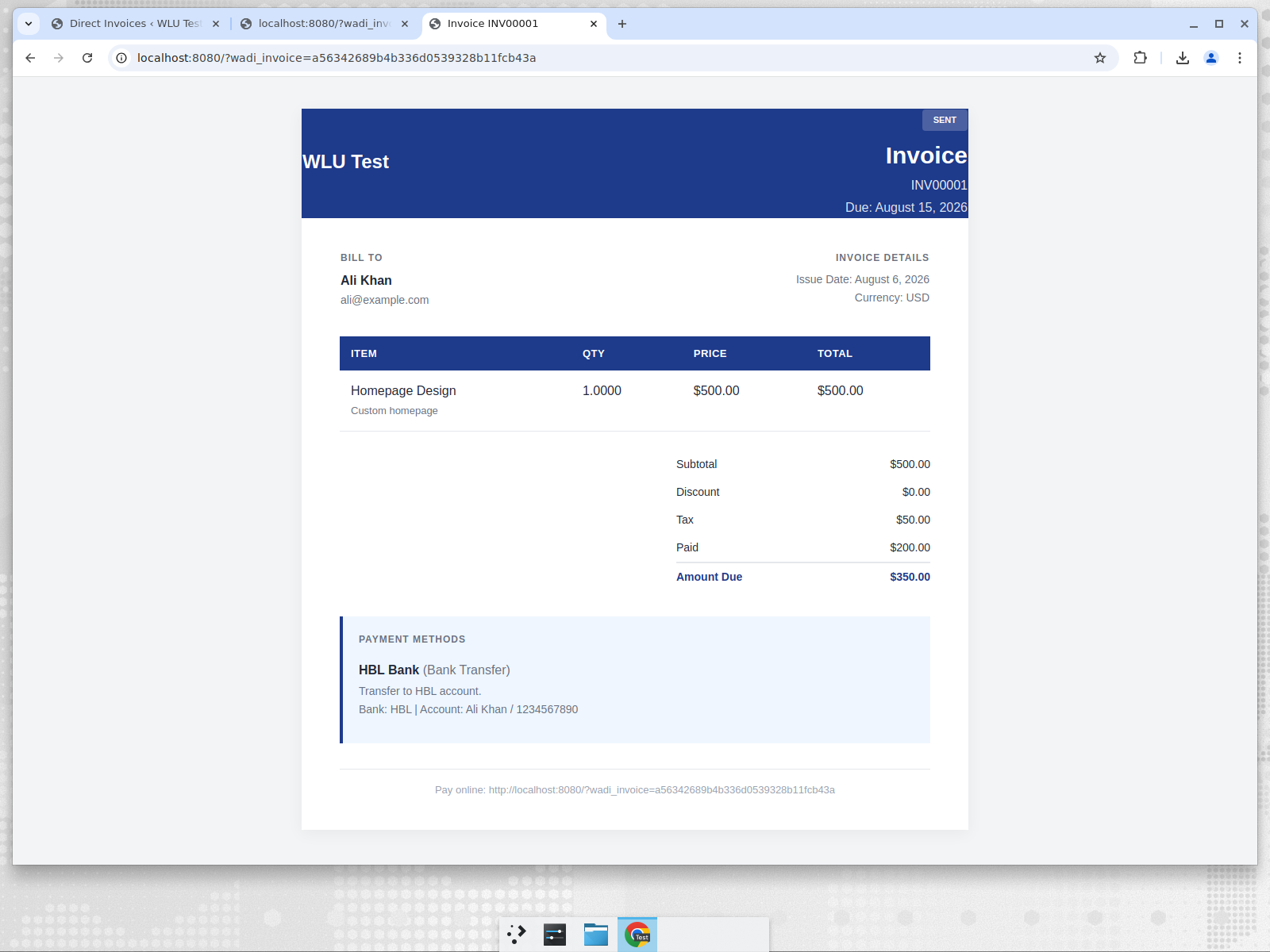
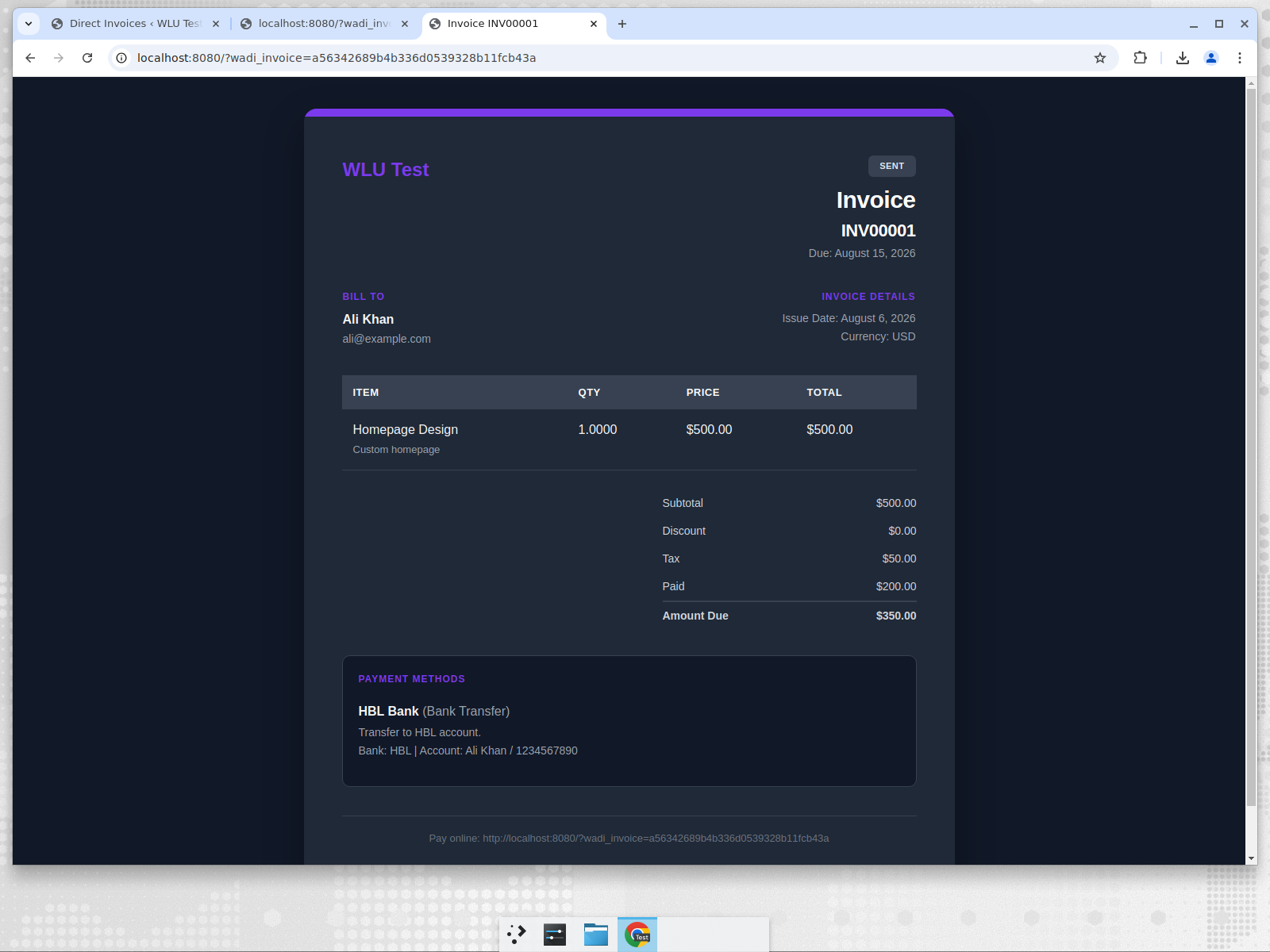
Choose the template that matches your brand. Each template is built with professional typography, clear sections, and partial-payment support.
- Modern Teal – clean card-style layout with a colored accent bar
- Minimal Clean – light, spacious, and elegant
- Corporate Pro – structured business look with a full header band
- Bold Dark – high-contrast statement style with dark background
- Classic Paper – traditional bordered paper style
- Elegant Gradient – modern gradient header with refined spacing
Partial Payments
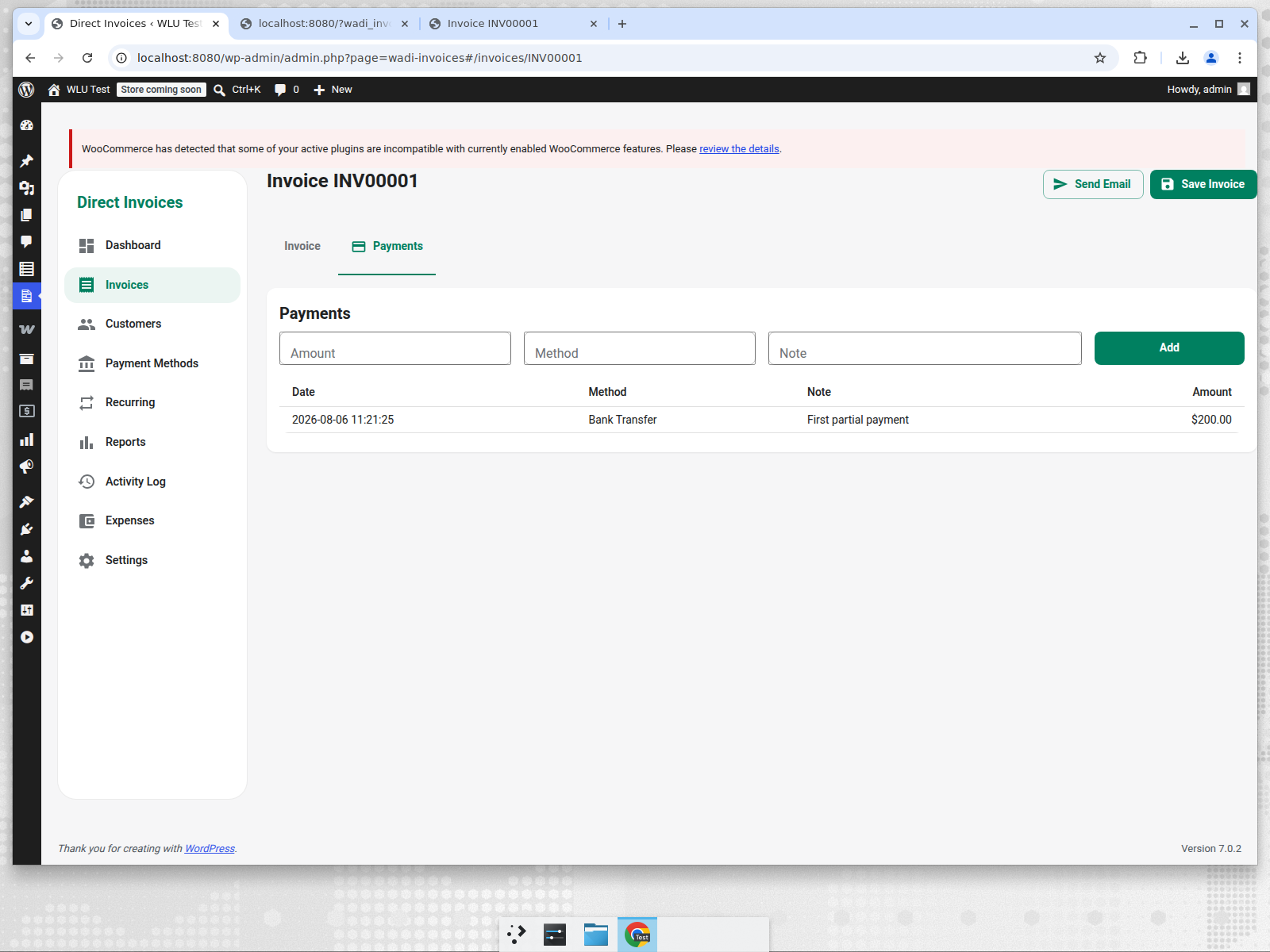
- Record multiple payments against an invoice.
- Tracks total paid and amount due in real time.
- Status stays clear across the dashboard and public page.
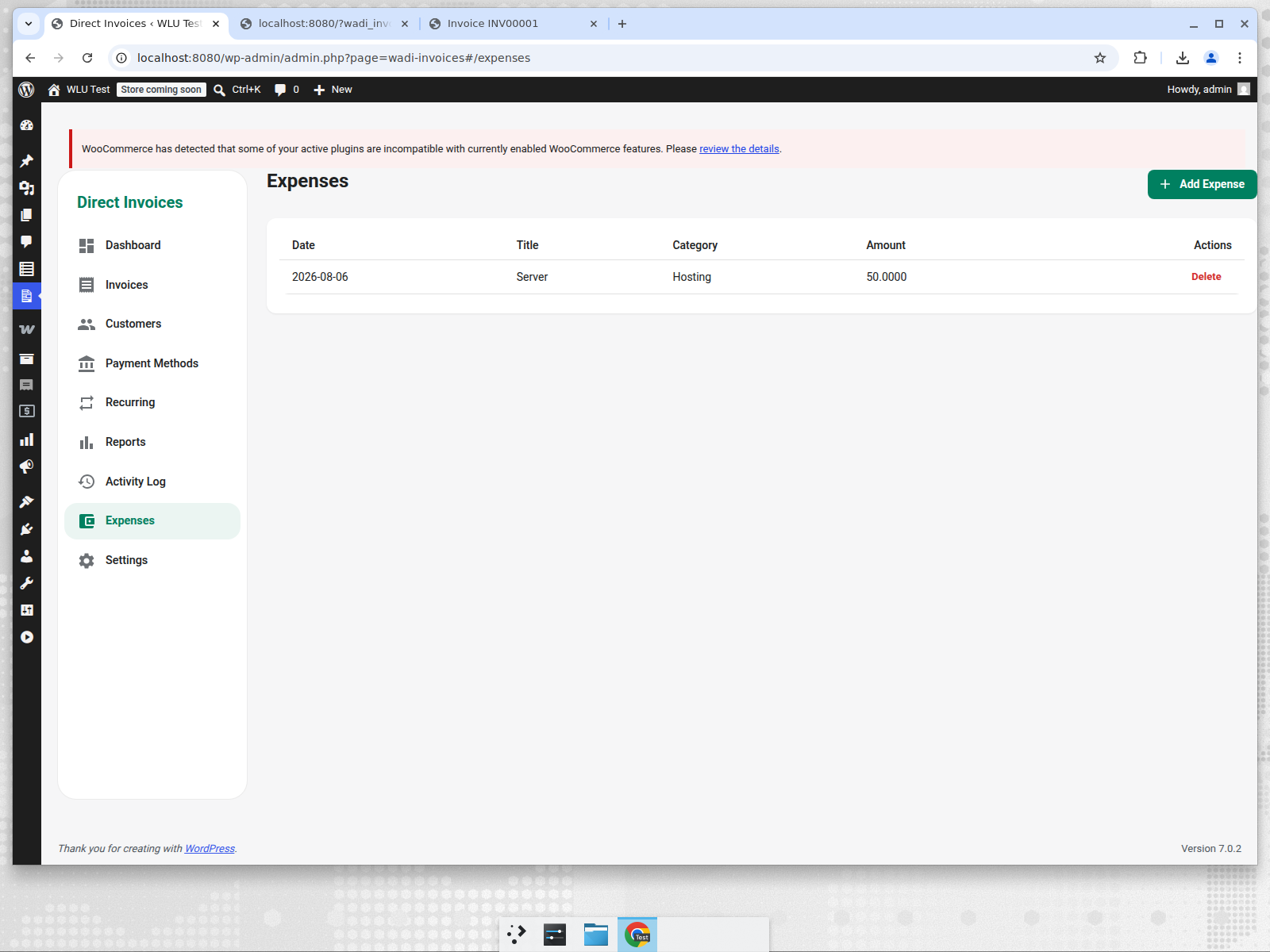
Expense Tracking
- Add business expenses with title, category, amount, date, and notes.
- View all expenses in a clean list inside the admin dashboard.
Customer & Payment Accounts
- Manage a customer directory with name, email, phone, and billing details.
- Add unlimited payment accounts (bank, PayPal, Stripe, Wise, etc.) for the public invoice page.
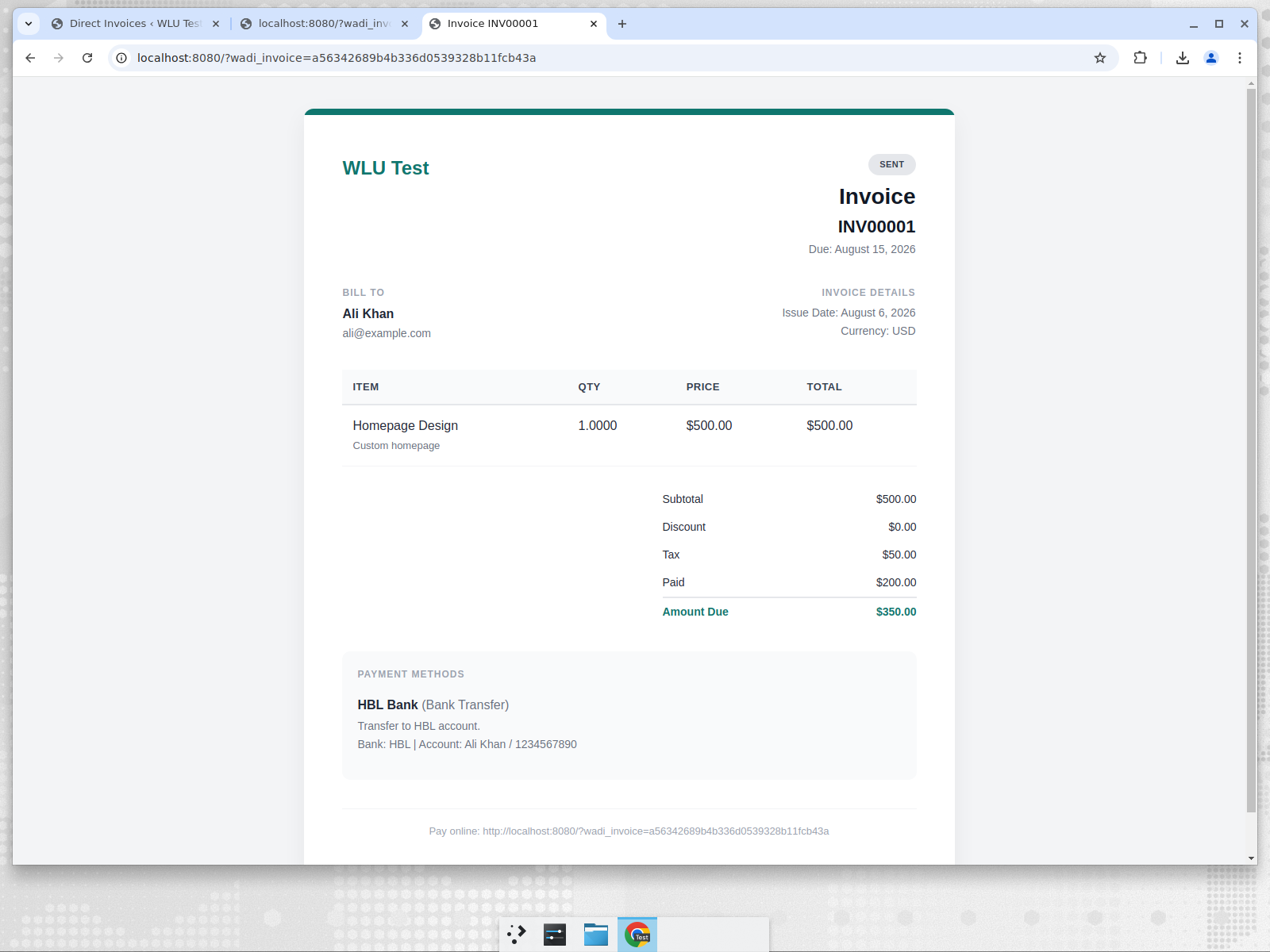
Public Invoice & Payment Page
- Every invoice gets a unique public URL and public hash.
- Customers can view the invoice, see payment methods, and pay.
- Download the invoice as a PDF with
?wadi_action=pdf. - Works with both pretty permalinks and plain permalinks.
Recurring Invoices & Reminders
- Set recurring frequency and end date for repeating invoices.
- Scheduled cron automatically creates the next invoice.
- Payment reminder emails are queued via WordPress cron.
Communication
- Send invoice emails from the edit page.
- Built-in support for sharing links via WhatsApp and Telegram.
- Branded email templates with business logo and colors.
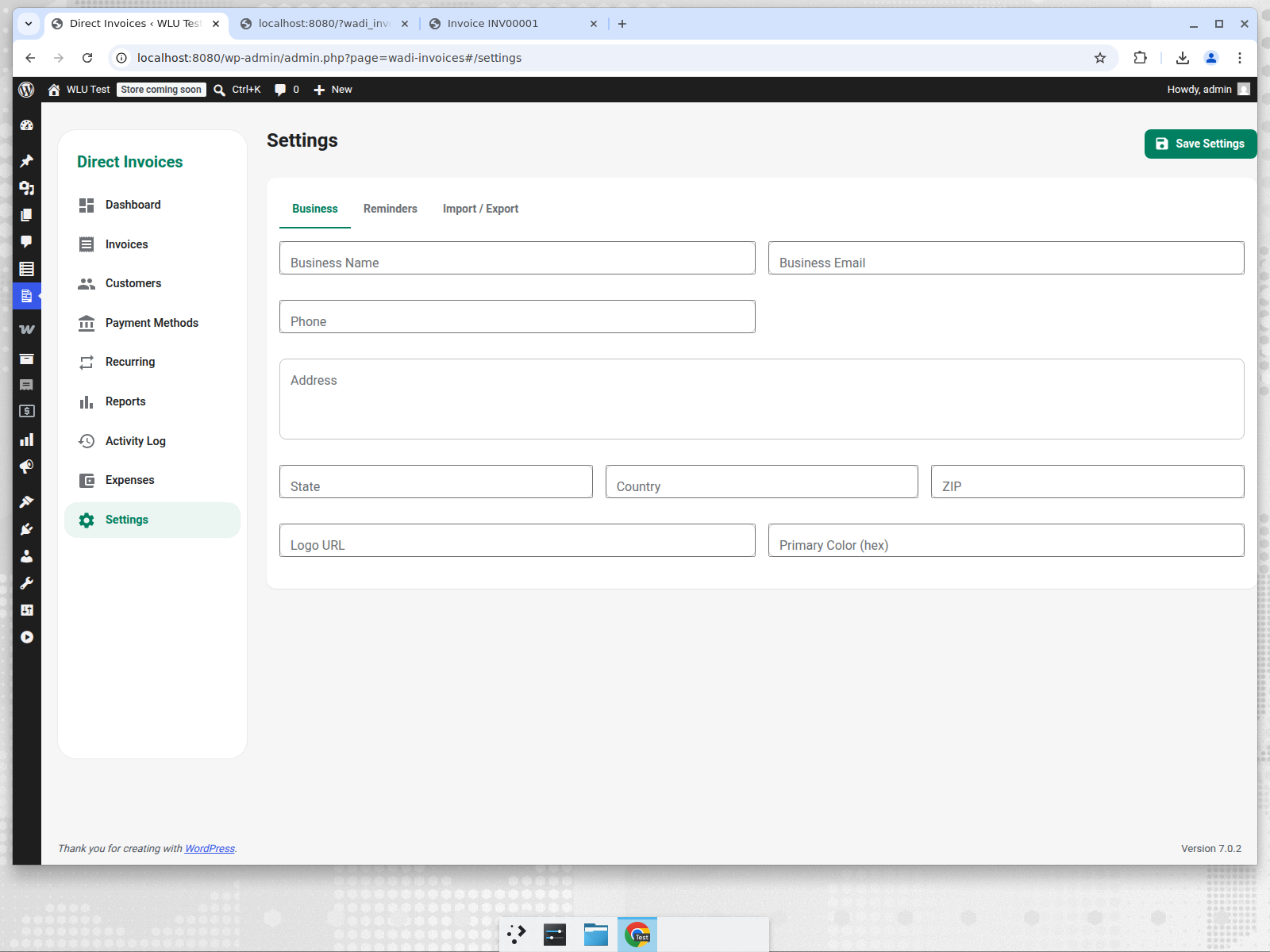
Branding
- Upload a logo URL.
- Set a primary brand color used in the public invoice and UI accents.
Reports & Activity Log
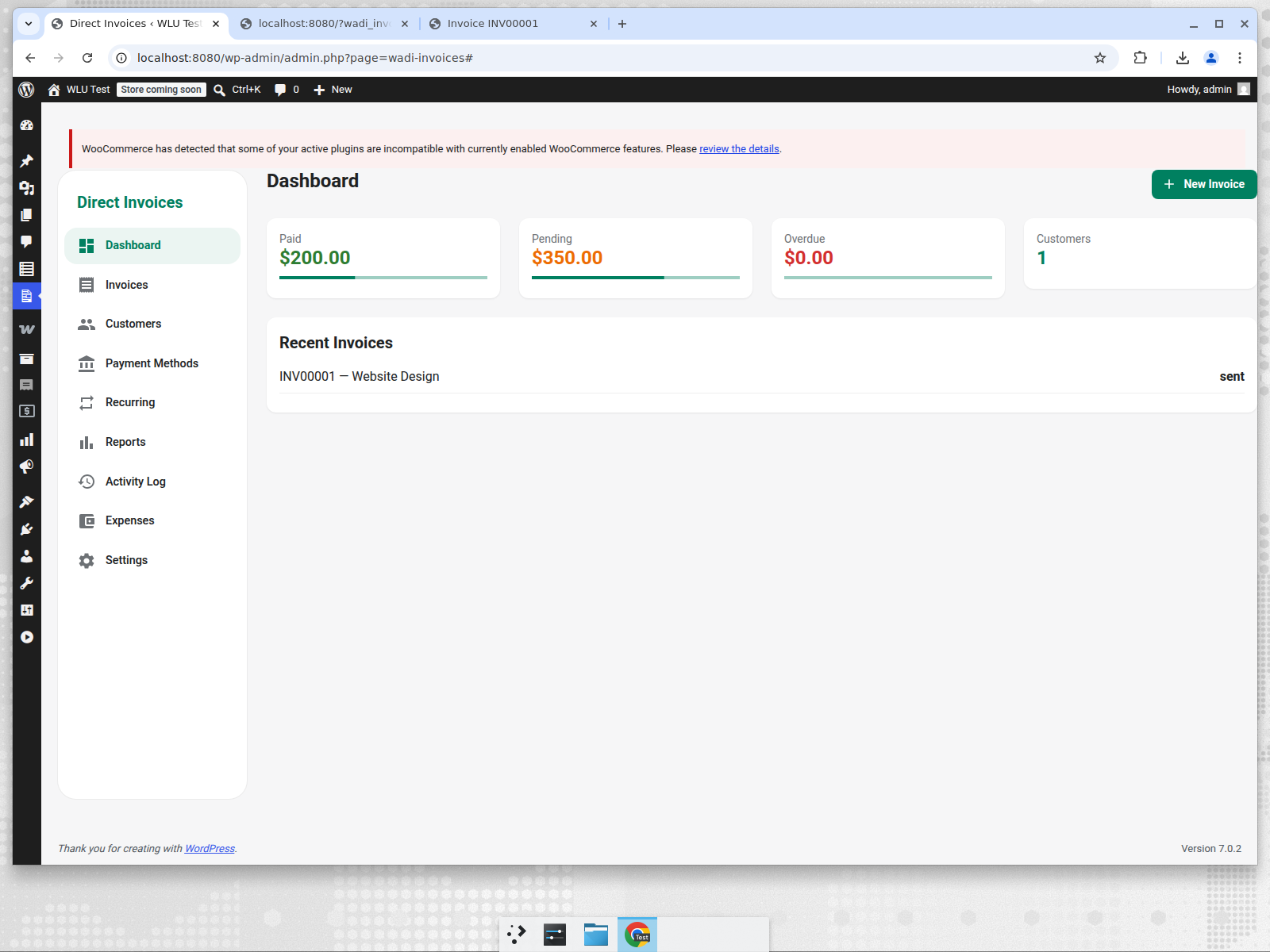
- Dashboard summary: paid, pending, overdue, and customer counts.
- Activity log tracks every email sent and major invoice action.
Import / Export
- Export all invoices, customers, payment accounts, expenses, and settings as JSON.
- Import the same JSON to migrate or restore data across sites.
Role-Based Access
- All admin features require
manage_woocommerceormanage_options. - Public invoice pages are accessible without authentication for customers.
Screenshots
Dashboard
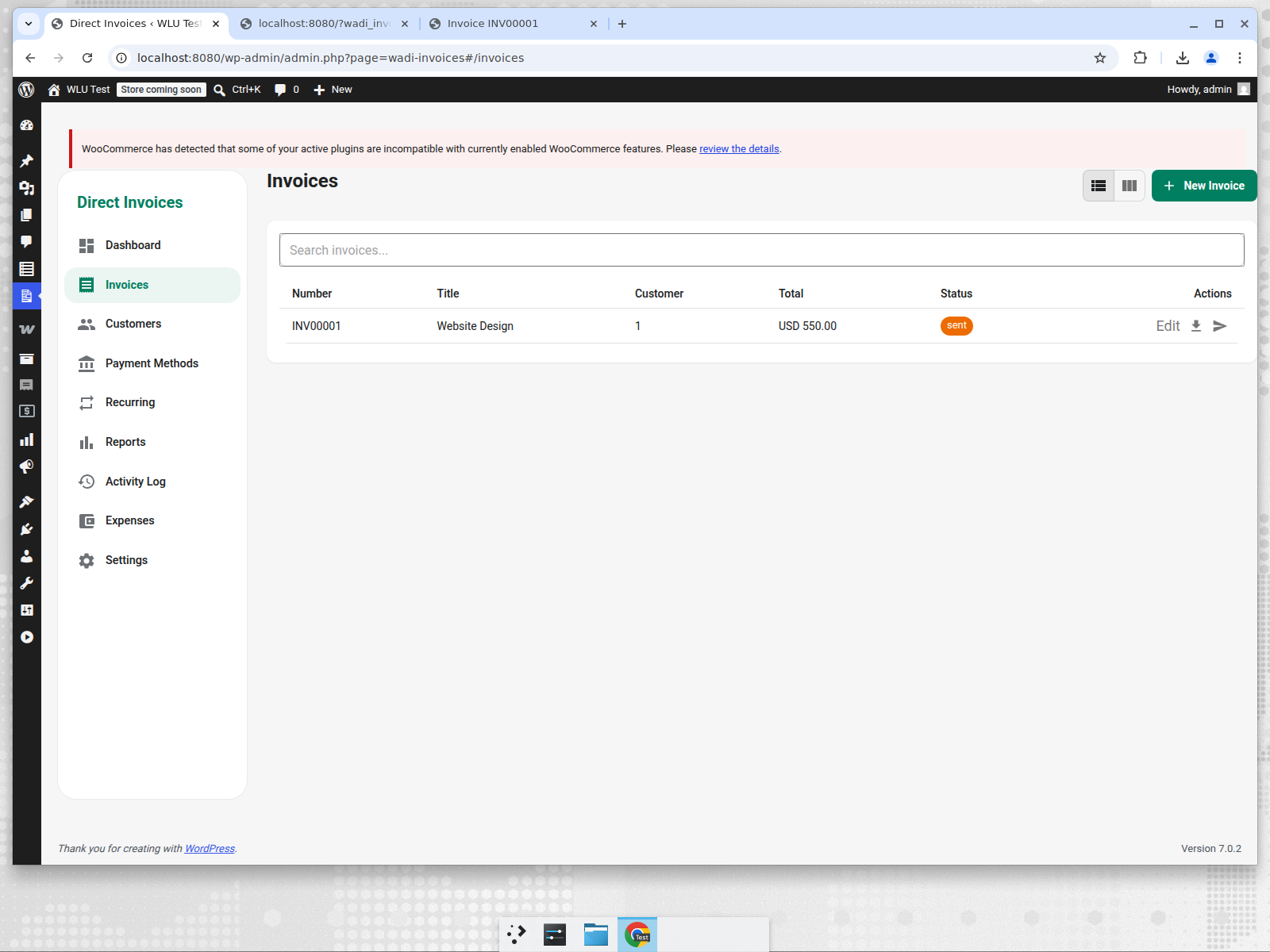
Invoices List
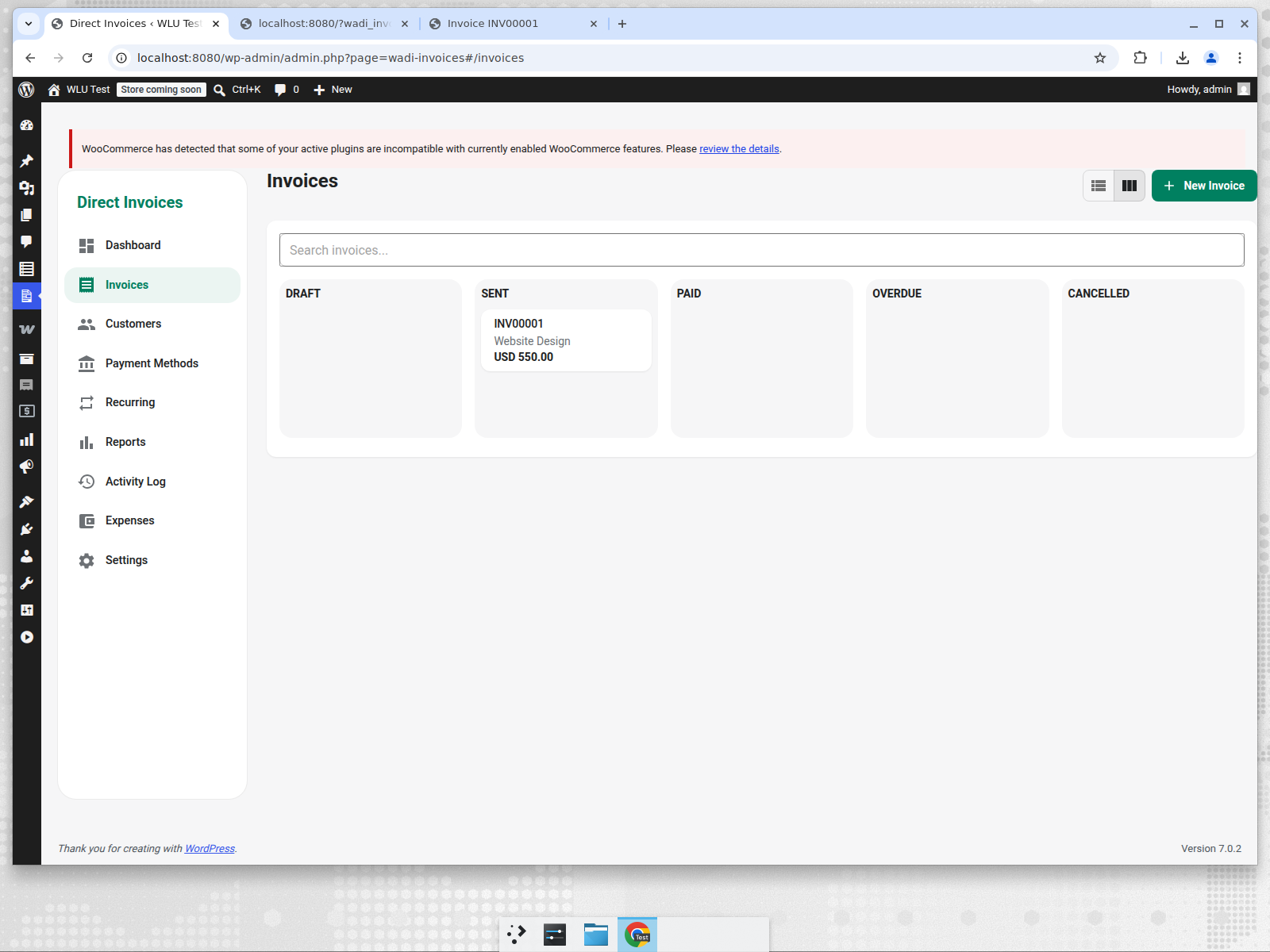
Kanban Board View
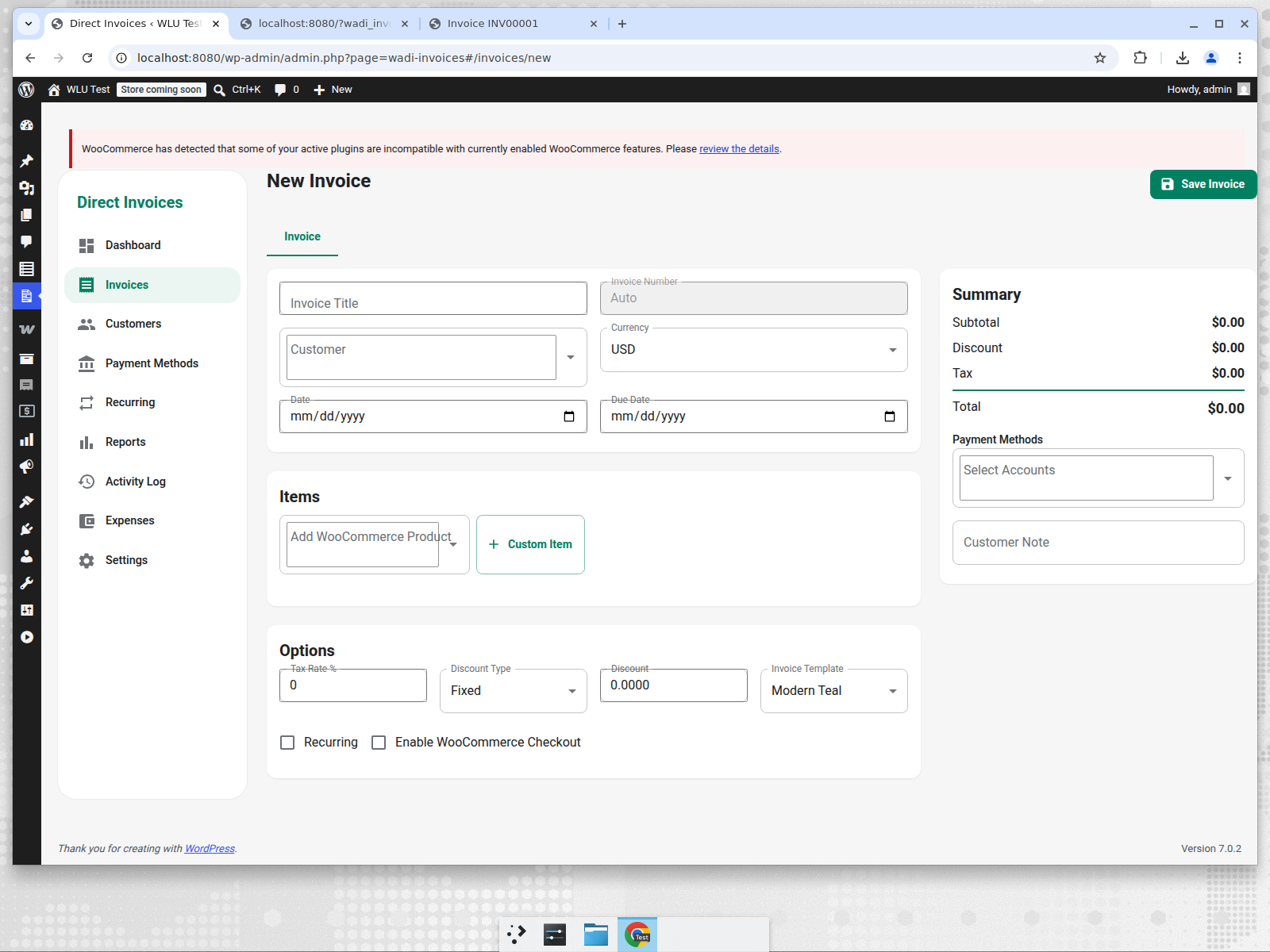
New Invoice
Invoice Edit with Template Selector
Partial Payments
Expense Tracking
Settings
Public Invoice Page
Installation
- Build the React app:
npm install
npm run build- Zip the plugin folder or copy it to
wp-content/plugins/woocommerce-advanced-direct-invoices. - Activate Advanced Direct Invoices for WooCommerce in WordPress admin.
- Go to Direct Invoices in the admin menu.
Development
The Vite build outputs to assets/dist, which the PHP admin loader enqueues in WordPress.
npm run dev
npm run build
REST API
All endpoints are under /wp-json/wadi/v1/ (or index.php?rest_route=/wadi/v1/ on default permalinks) and require the manage_woocommerce capability.
GET /dashboard— summary statsGET/POST /invoices— invoice CRUDGET/POST /invoices/{id}/payments— partial paymentsGET/POST /customers— customer directoryGET/POST /payment-accounts— payment methodsGET/POST /expenses— expense trackingGET /invoice-templates— available templatesGET /reports— sales and expense reportsGET /activity-log— activity streamGET /export/POST /import— backup and restore
License
GPL-2.0-or-later