Install
Upload it under Plugins → Add New Plugin → Upload Plugin, then activate.
Install straight from GitHub with WP-CLI:
wp plugin install https://github.com/monext/monext-woocommerce/releases/download/1.5.12/woocommerce-payline_v1.5.12.zip
Monext Woocommerce Plugin
Table of Content
- Overview
- Features
- Installation
- Configuration
- Additional resources for developers
- License
- Contact and support
Overview
This plugin allows you to use the Monext payment system with a Wocommerce ecommerce application.
Features
This plugin integrate with native Wocommerce orders' workflow and provides the following features: It allows you to:
- Do offsite payment on a payment page hosted by Monext.
- Cancel payments.
- Refund payments.
Supported payment methods
This plugin supports the several payment methods. You can also check our documentation for more information about other supported payment methods.
Installation
Requirements
The current minimum requirements are:
- php 7.4
- WordPress 6.0
- WooCommerce 10.6
- Theme fully compatible with Woocommerce (may work even if theme is flagged as "Not declared")
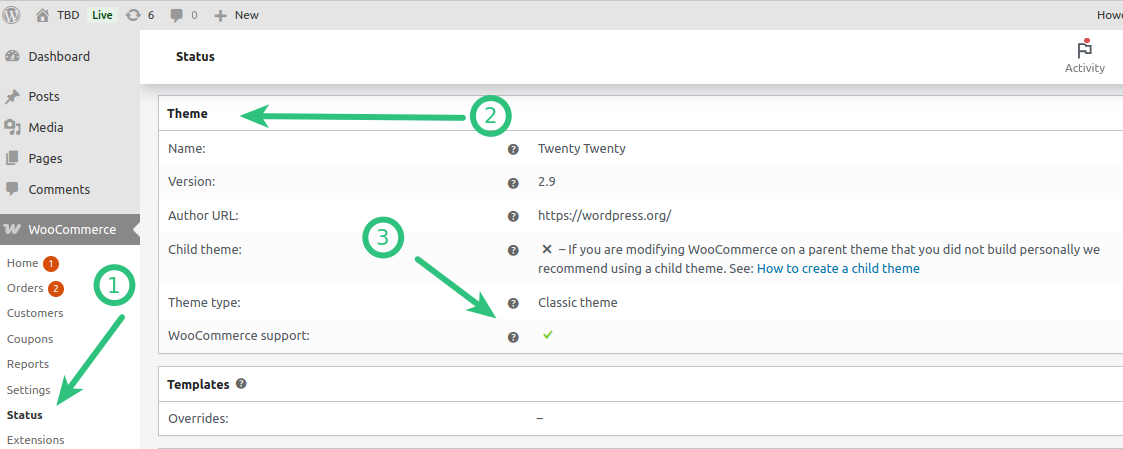
Environment (Development, QA validation)
- WordPress version: 7.0.1
- WooCommerce version: 10.9.4
- php 8.4
Installation process
You will need to download the last available released package ( woocommerce-payline_vx.x.x.zip ) from the Github Releases page
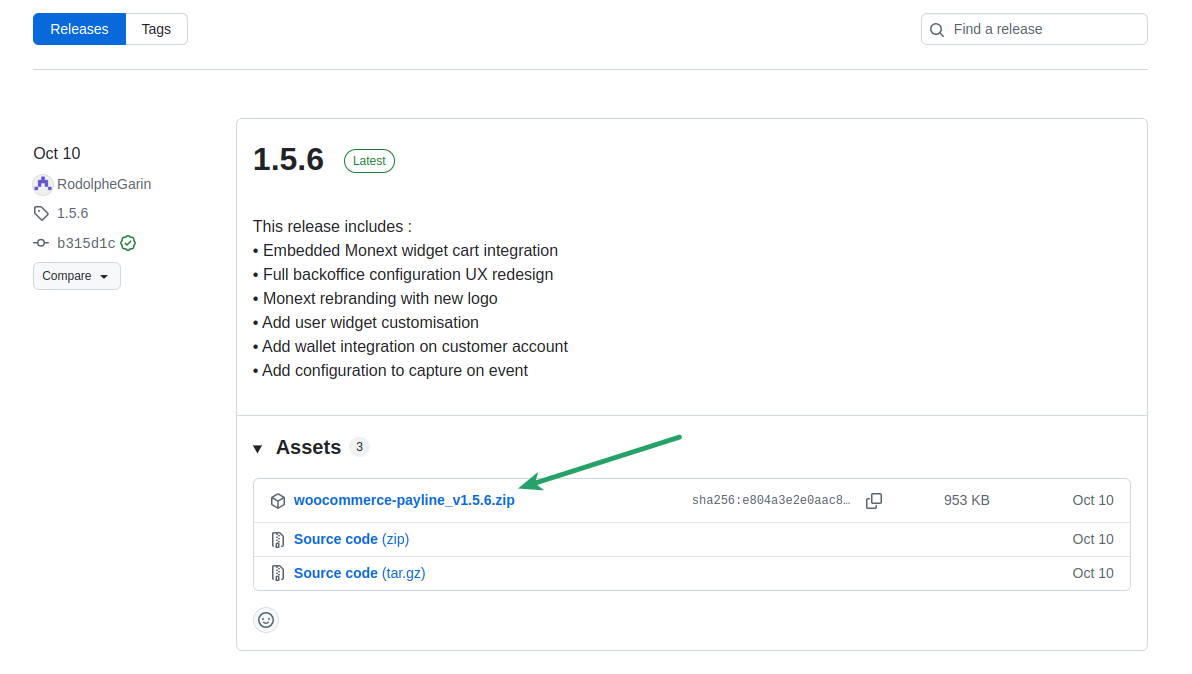
See installation documentation
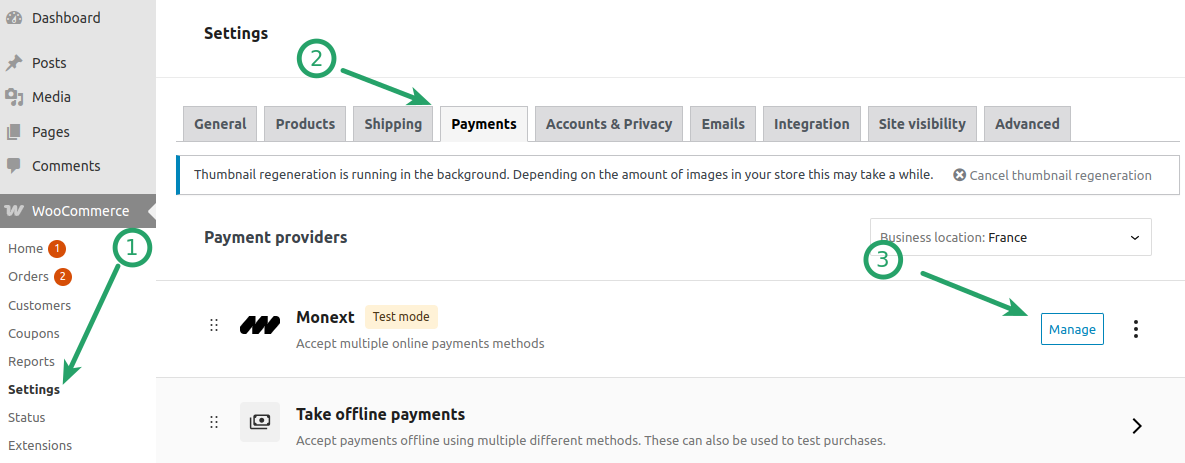
Configuration
Enter the Monext payment configuration
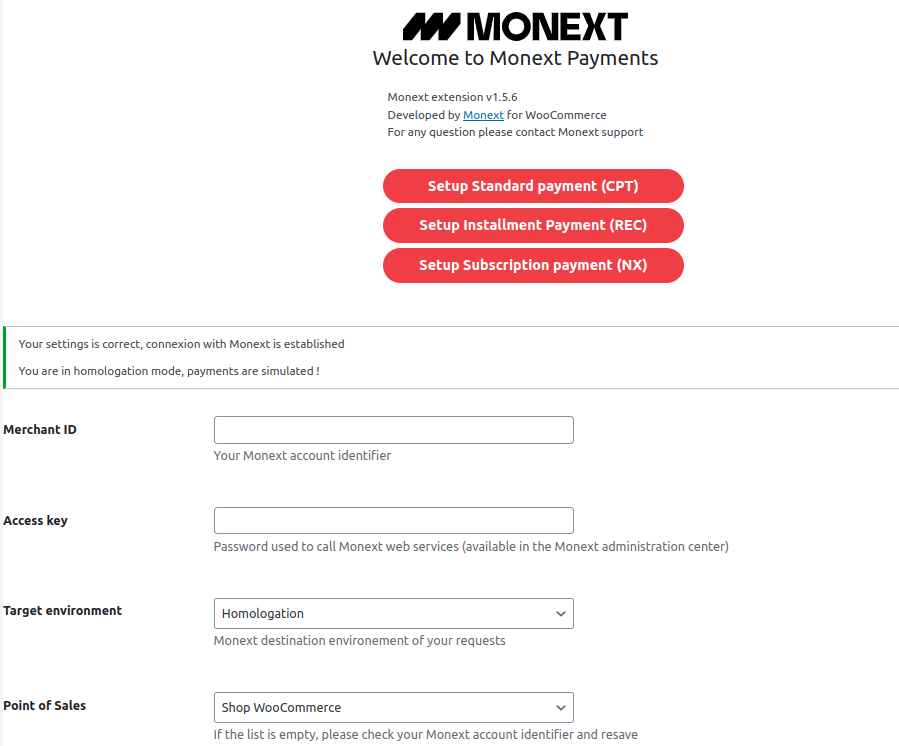
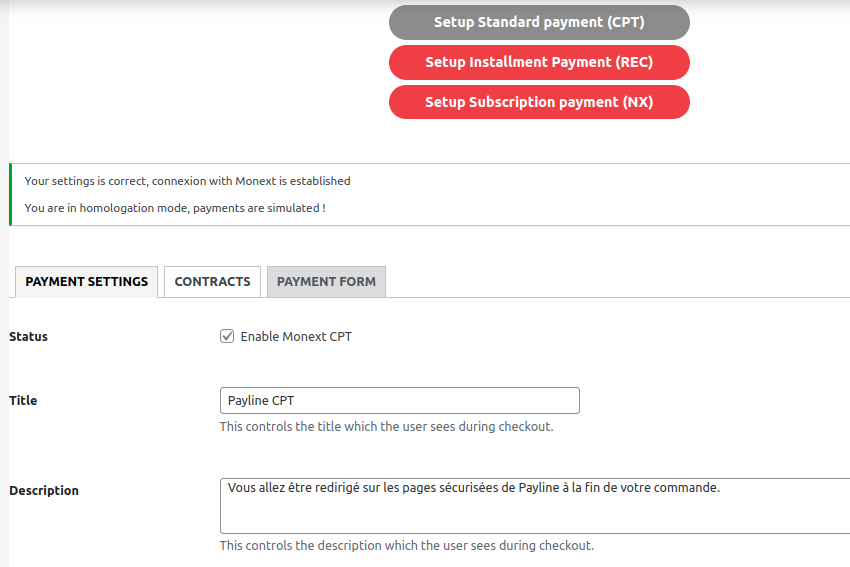
Here are the main configuration fields for the payments methods (Standard, Installment and Subscription)
- Set the Monext credentials
- Merchant ID
- Access key
- Environment
- Homologation for debug and test purpose.
- Production for real payment.
- Point of Sales (will be filled after the first save)
You need to carry out 'pilot' transactions to validate that they are working properly in production.
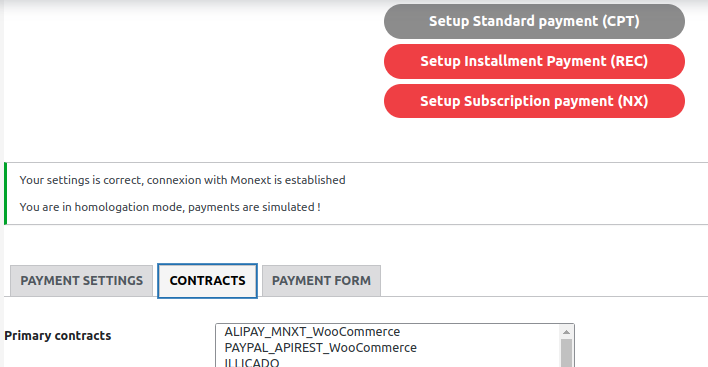
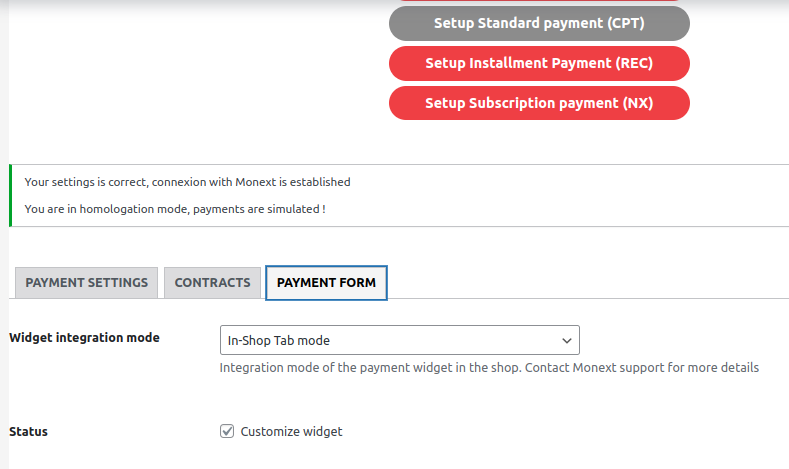
- Define specific settings
- Payment settings
- Contracts
- Payment form (allow widget personalization, only for standard payment)
Additional resources for developers
To learn more about how the API used by the plugin and how to modify or use Woocommerce with it to fit your needs:
- Woocommerce Plugin Monext documentation
- Monext API documentation
- Woocommerce developer documentation
License
This plugin's source code is completely free and released under the terms of the MIT license.
Contact and support
If you want to contact us, the best way is through this page on our website and send us your question(s).
We guarantee that we answer as soon as we can!
If you need support you can also directly check our FAQ section and contact us on the support page.
Releases
12 releases. Each count is every asset in that release; expand a row for the breakdown.
Active-site estimate ≈40 comes from the median of recent superseded releases. Method.