Install
This is the repository archive. It installs, but the folder name will carry the branch suffix and updates will not flow.
Install straight from GitHub with WP-CLI:
wp plugin install https://github.com/mofistudio/geo-my-posts/archive/refs/heads/main.zipNo built-in updater. New versions won't appear under Dashboard → Updates. Install new releases yourself, or let Git Updater track the repository.
Geo My Posts is a WordPress block plugin that lets you add location data to posts and display it using a Google Maps block.
✨ Features
- Add a location to posts and pages directly in the block editor
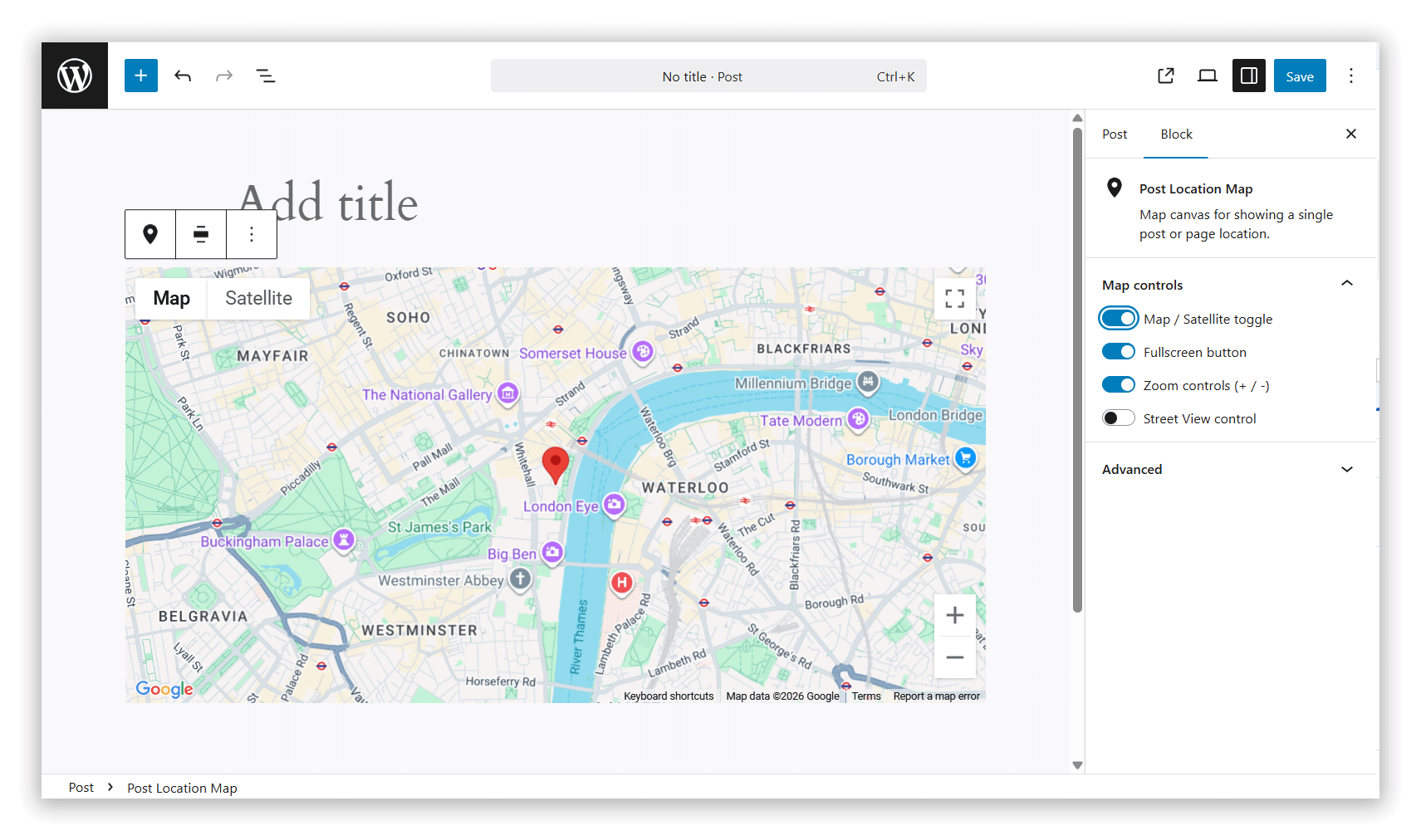
- Display a single post location with the Single Map block
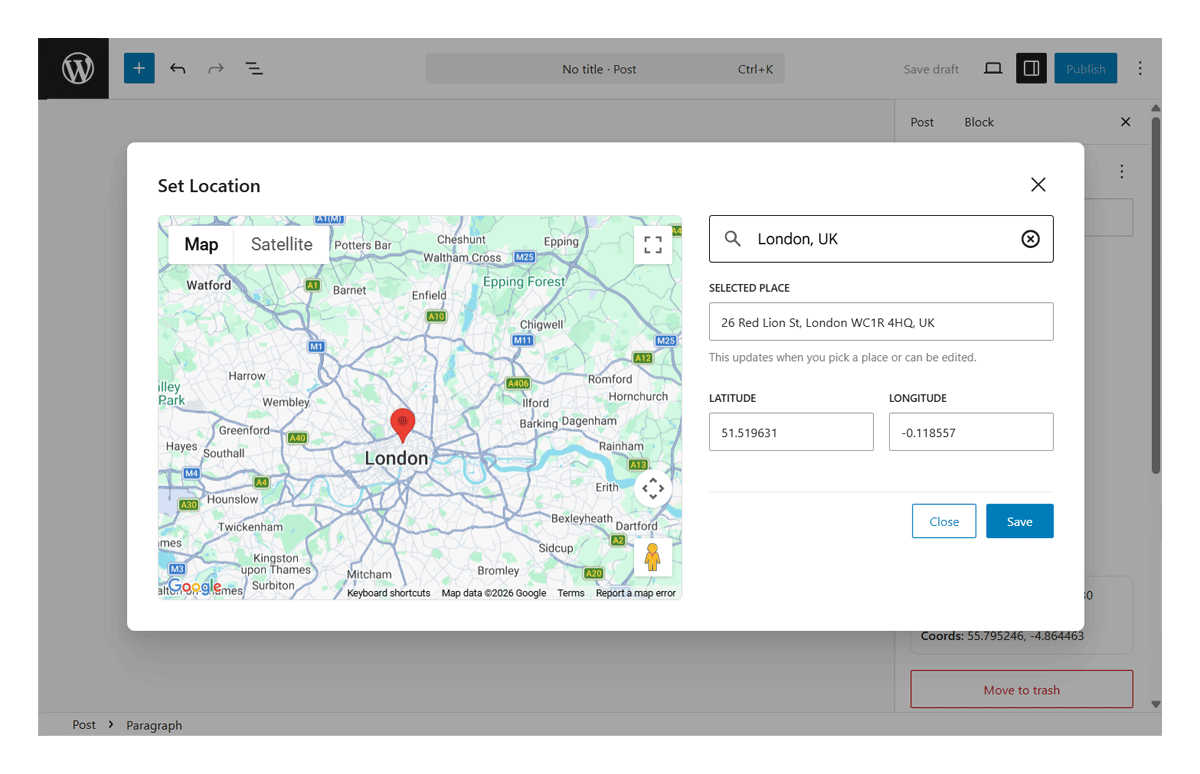
- Simple modal-based location picker
- Configure Google Maps API key and Map ID
- Control map options (zoom, fullscreen, map type, Street View)
- Enable location features for selected post types
📸 Screenshots
Set Location Modal – Choose a post location
Single Map Block – Display a saved location on the front end
🚀 Installation
- Upload the plugin to
/wp-content/plugins/geo-my-posts/ - Activate it in WordPress
- Go to Geo My Posts → Map Settings
- Enter your Google Maps API key and Map ID
🧩 Usage
- Open a post or page in the block editor
- Click Set Location in the post settings panel
- Choose a location using the map modal
- Add the Single Map block to display the location
⚙️ Development
Install dependencies:
npm installBuild the plugin:
npm run buildStart development mode:
npm start📌 Notes
- Requires a valid Google Maps API key
- A Map ID is recommended for advanced styling
- Works with selected post types defined in settings
📄 License
GPL-2.0-or-later