Install
Upload it under Plugins → Add New Plugin → Upload Plugin, then activate.
Install straight from GitHub with WP-CLI:
wp plugin install https://github.com/mobbi-dev/admin-activity-logger-lite/releases/download/v1.2.0/admin-activity-logger-lite.zipA lightweight WordPress plugin that logs key admin activities like post changes, media deletions, and user actions. Includes auto-purge and manual log clearing.

Features
- Dedicated admin logs page with search, filtering, sorting, and pagination
- Clean and readable dashboard widget to view the latest admin actions
- Manual log clear button with confirmation
- Auto-purge logs older than configurable number of days
What does it log?
- 📄 When a new post is published
- 🗑️ When a post is moved to trash
- ❌ When a post is permanently deleted
- ✏️ When a post is updated
- 👤 When a new user is created or their role is changed
- 🚫 When a user is deleted
- 📎 When a media file is uploaded (with attachment ID and file type)
- 🖼️ When a media file is permanently deleted
FAQ
Is this plugin GDPR compliant? Yes. The plugin only logs admin-side actions and does not track frontend user activity.
Where are logs stored?
Logs are stored in a dedicated database table: aal_logs.
Can I clear the logs manually? Yes, via the "Clear Logs" button with confirmation prompt.
How does auto-purge work? You can set retention days in settings. Logs older than that will be automatically deleted daily using WordPress cron.
Installation
- Upload the plugin files to the
/wp-content/plugins/admin-activity-logger-litedirectory, or install the plugin through the WordPress plugins screen directly. - Activate the plugin through the 'Plugins' screen in WordPress.
- Configure settings via Settings > AAL Logger.
Screenshots
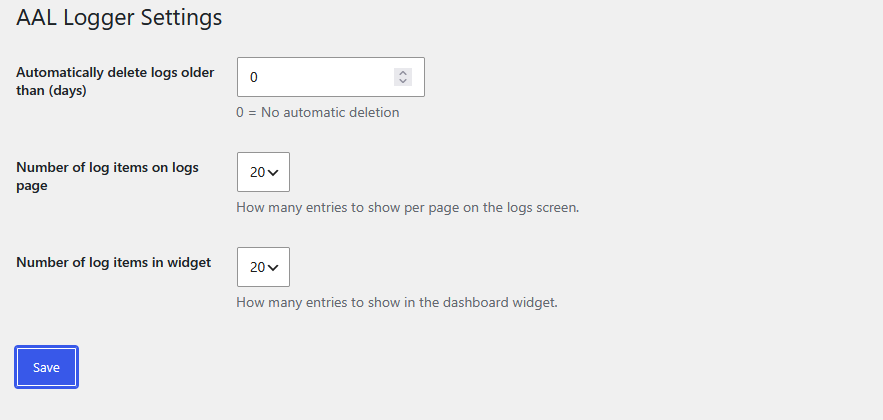
Settings page with log retention and log count options.
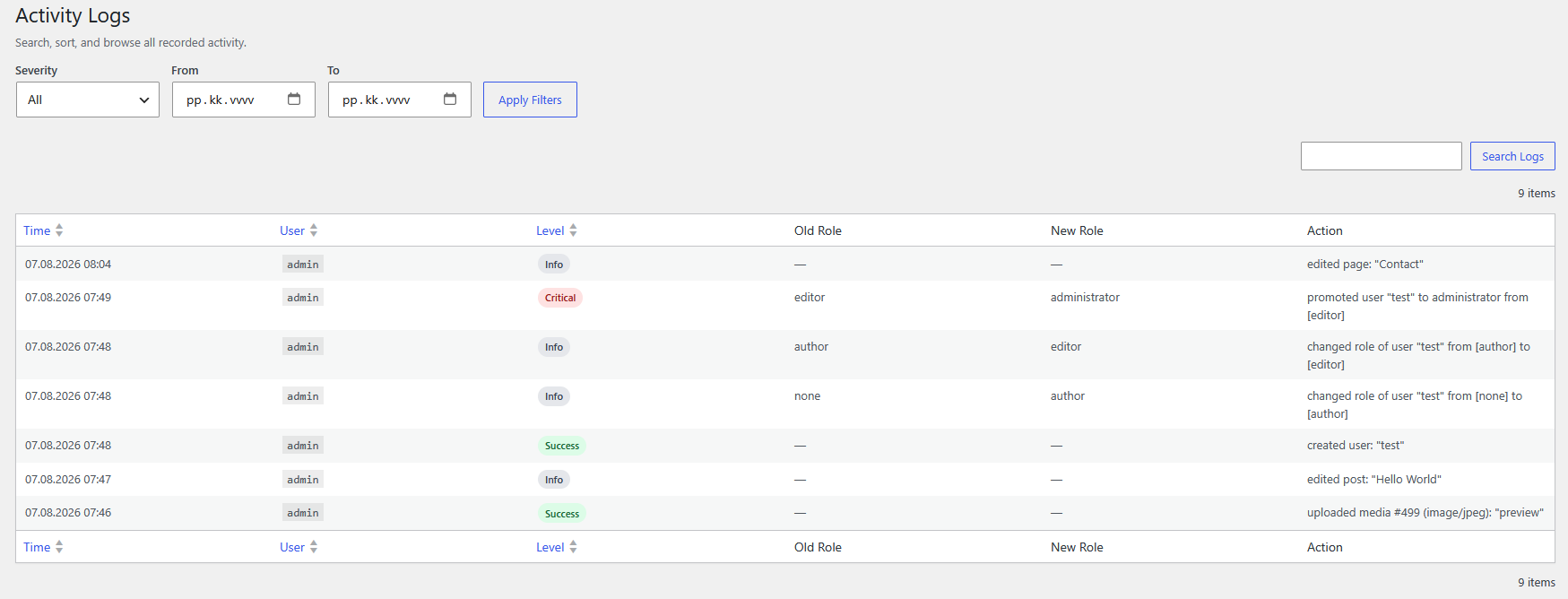
Dedicated logs page with filters and search.
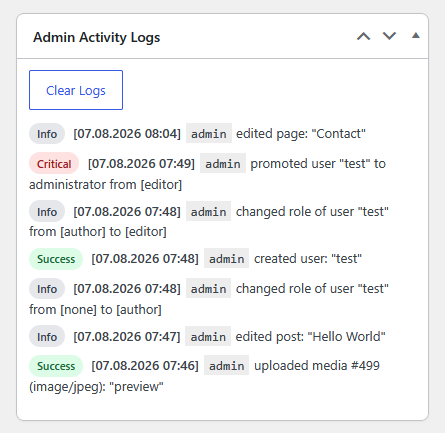
Dashboard widget showing recent admin actions.
Changelog
1.2.0
- Log role promotions to administrator as a critical event
- Add severity labels and colors to dashboard logs
- Upgrade schema to support log severity
- Add severity filters for warning and critical logs
- Add date range filtering on the logs page
- Show old role and new role columns for role changes
- Move log count setting to the logs page
- Add a separate widget log count setting
- Cache logs page queries by filter and page
- Add full-text search and sort indexes for logs
- Move schema upgrades to admin-only and extract admin CSS
- Log media uploads in the media library
1.1.0
- Refactored into separate includes for scalability
- Fixed log escaping, admin capability checks, and cron scheduling
- Added an index for faster dashboard log queries
1.0.0
- Initial release with logging for posts, users, and media actions
- Manual log clearing
- Auto-clean logs older than X days
Releases
2 releases. Each count is every asset in that release; expand a row for the breakdown.