Install
This is the repository archive. It installs, but the folder name will carry the branch suffix and updates will not flow.
Install straight from GitHub with WP-CLI:
wp plugin install https://github.com/milliephanillie/stock-quantity-mgmt/archive/refs/heads/main.zipNo built-in updater. New versions won't appear under Dashboard → Updates. Install new releases yourself, or let Git Updater track the repository.
WooCommerce Storefront Developer Exercise
A simple plugin to manage the stock quantity changes in a bulk fashion.
Description
Custom plugin for WooCommerce Storefront Developer Exercise.
Features
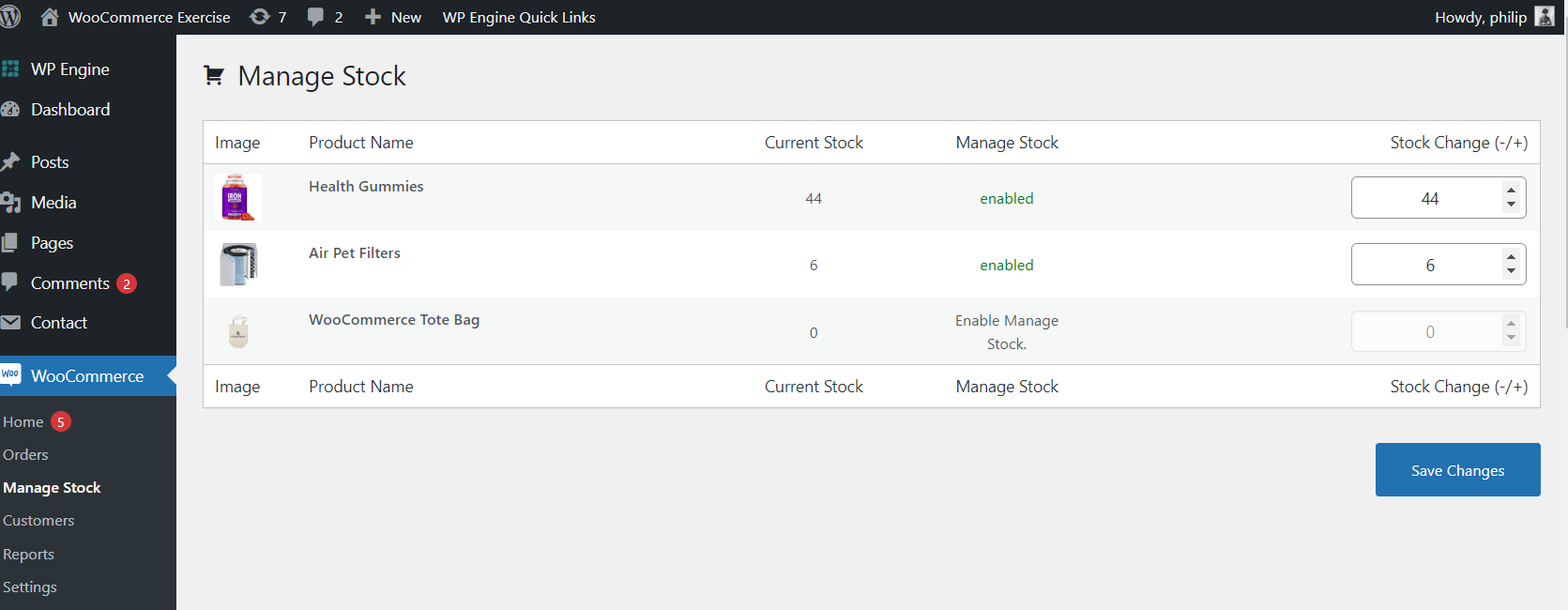
- Creates admin page for managing stock in bulk
- Queries products and has ui for updating the stock
- Saves data using WooCommerce CRUD
Requirements
- This plugin requires the WooCommerce plugin.
- To use it, you must add products.
Directions
Docker
Set up this dockerized WordPress Starter. It requires Docker Desktop to be installed, and to have ports 8080 and 443 available on your local machine. Alternatively, MAMP can be used, or any preferred local web development solution.
Here are the directions for the dockerized version:
- Clone the Dockerized WordPress Starter package. This is the docker repo with all of the plugins in it.
- Navigate to example -> docker-compose.yml and add each plugin under the wordpress image (wordpress -> volumes) as following:
- ./plugins/stock-quantity-mgmt:/app/wp-content/plugins/stock-quantity-mgmt- ./plugins/woocommerce:/app/wp-content/plugins/woocommerce
- Navigate to example and run
docker-compose up --build -dThis will build the containers as defined in docker-compose.yml in this folder, along with the plugins. This file as it is where all the configurations are. - Once the container has been built, you should be able to navigate to http://localhost:8080/wp-admin and login with the username and password root/root
- You'll also be able to bash into the container using
docker-compose exec -i wordpress bash. - To run
phpunittests: navigate to/app/wp-content/plugins/stock-quantity-mgmtand simply typephpunit - The plugins will already be installed, but you will need to visit the plugin dash and activate them.
- Connecting to MySQL: You can remote in to the mysql using a tool like Table Plus. The credentials are also in the docker-compose.yml file:
- Host: localhost
- Port: 3306
- User: root
- Password: root
- The SQL file and the wordpress importer are both located in this repo in the root folder.
Screenshots