Install
This is the repository archive. It installs, but the folder name will carry the branch suffix and updates will not flow.
Install straight from GitHub with WP-CLI:
wp plugin install https://github.com/mikeyarce/opensensemap-block/archive/refs/heads/main.zipDisplay live environmental sensor data from openSenseMap.org directly in your WordPress site!
What is openSenseMap?
openSenseMap is a citizen science platform for publishing and exploring sensor data as open data. Anyone can build their own sensor box (called a senseBox), register it on openSenseMap, and contribute to a global network of environmental measurements. Learn more on their About page.
Want to build your own sensor? Check out the sensor.community guides or senseBox:home DIY instructions.
Plugin Features
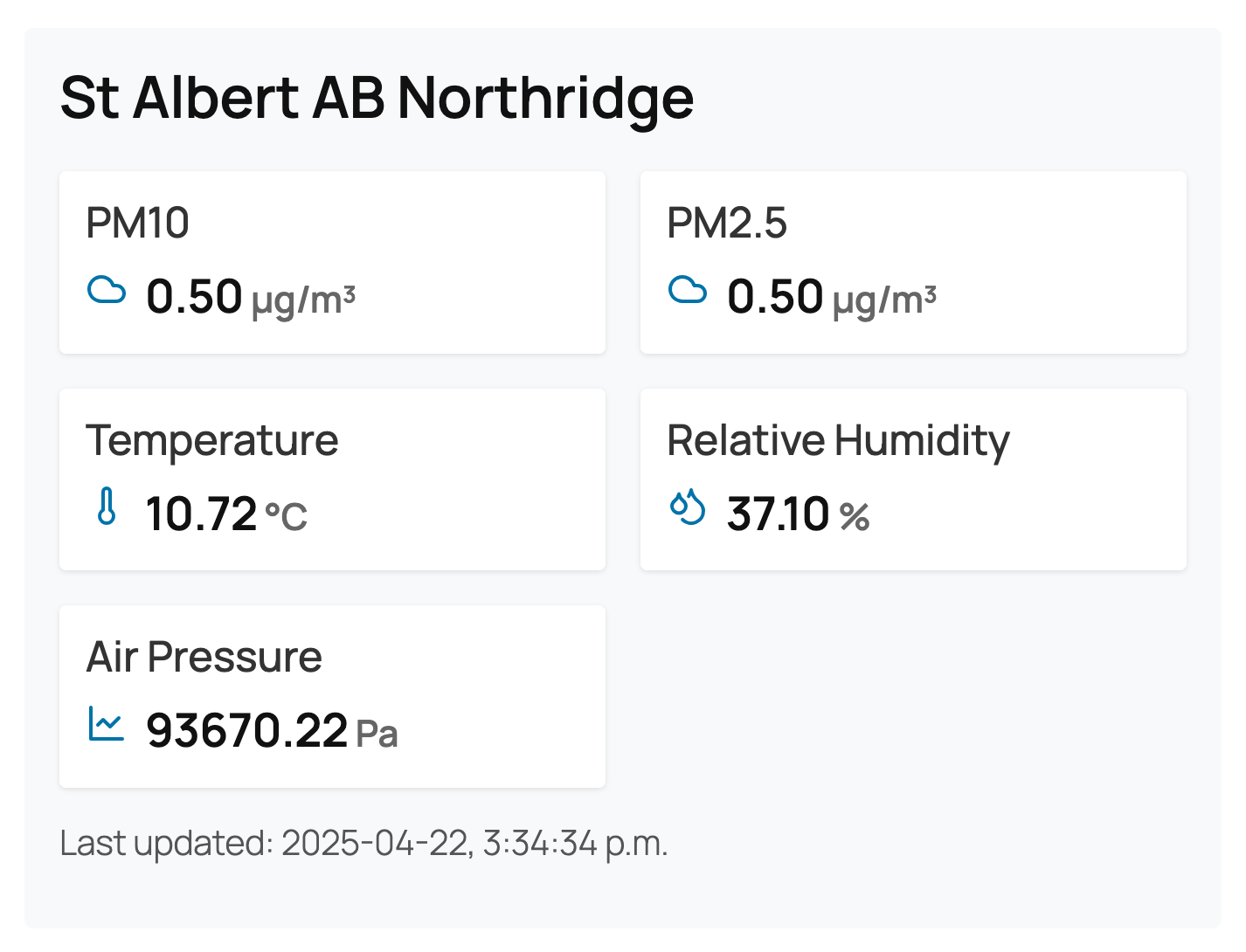
- Display live sensor readings (temperature, humidity, air pressure, and more) from any openSenseMap box
- Customizable display: show/hide sensor names, location, and last update time
- Responsive, modern design
- Easy to use – just add the block and enter a Box ID
How to Use
- Add the OpenSenseMap Block to any post or page using the WordPress block editor.
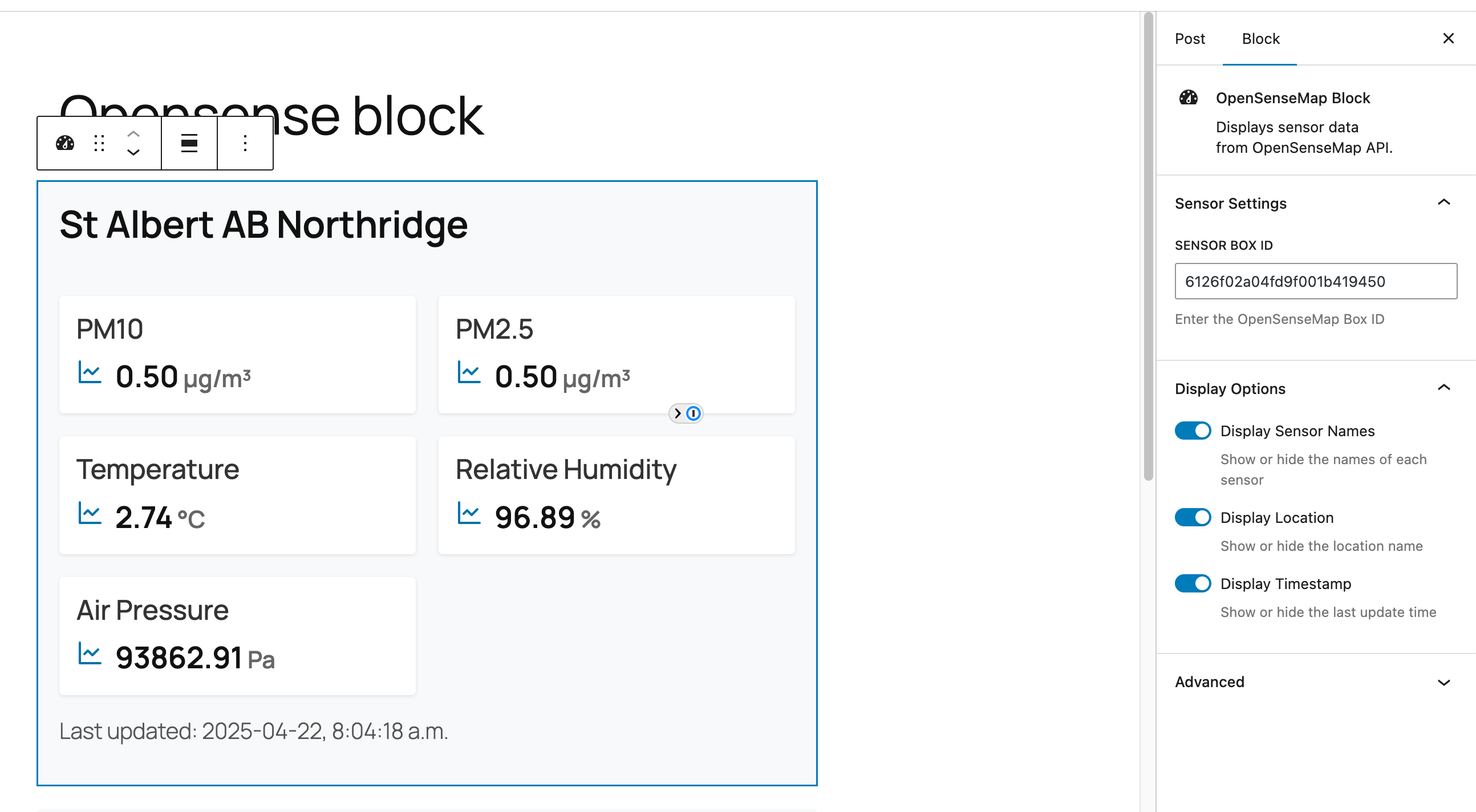
- In the block settings, enter the Sensor Box ID you want to display. (You can find this on openSenseMap.org by selecting a box and copying its ID from the URL or details panel.)
- Choose which details to display: sensor names, location, and last update time.
- Publish or update your post/page. The block will show live data from the selected sensor box!
Note: Data is cached for 5 minutes to reduce API calls. You may see cached data if you reload the page within that window.
Installation
- Upload the plugin files to the
/wp-content/plugins/opensensemap-blockdirectory, or install the plugin through the WordPress plugins screen directly. - Activate the plugin through the 'Plugins' screen in WordPress.
Screenshots
| Example Block | Block Settings |
|---|---|
 |
 |
Links & Resources
License
GPL-2.0-or-later. See LICENSE for details.
openSenseMap and senseBox are open-source projects. Learn more and get involved at openSenseMap GitHub and senseBox GitHub.