Install
This is the repository archive. It installs, but the folder name will carry the branch suffix and updates will not flow.
Install straight from GitHub with WP-CLI:
wp plugin install https://github.com/mikeyarce/interactive-table-block/archive/refs/heads/main.zipNo built-in updater. New versions won't appear under Dashboard → Updates. Install new releases yourself, or let Git Updater track the repository.
Interactive Table
An interactive table block for WordPress that adds the ability to search and filter table rows in real time.
Description
Interactive Table is a WordPress block plugin that lets you add filterable, interactive tables to your site using the block editor.
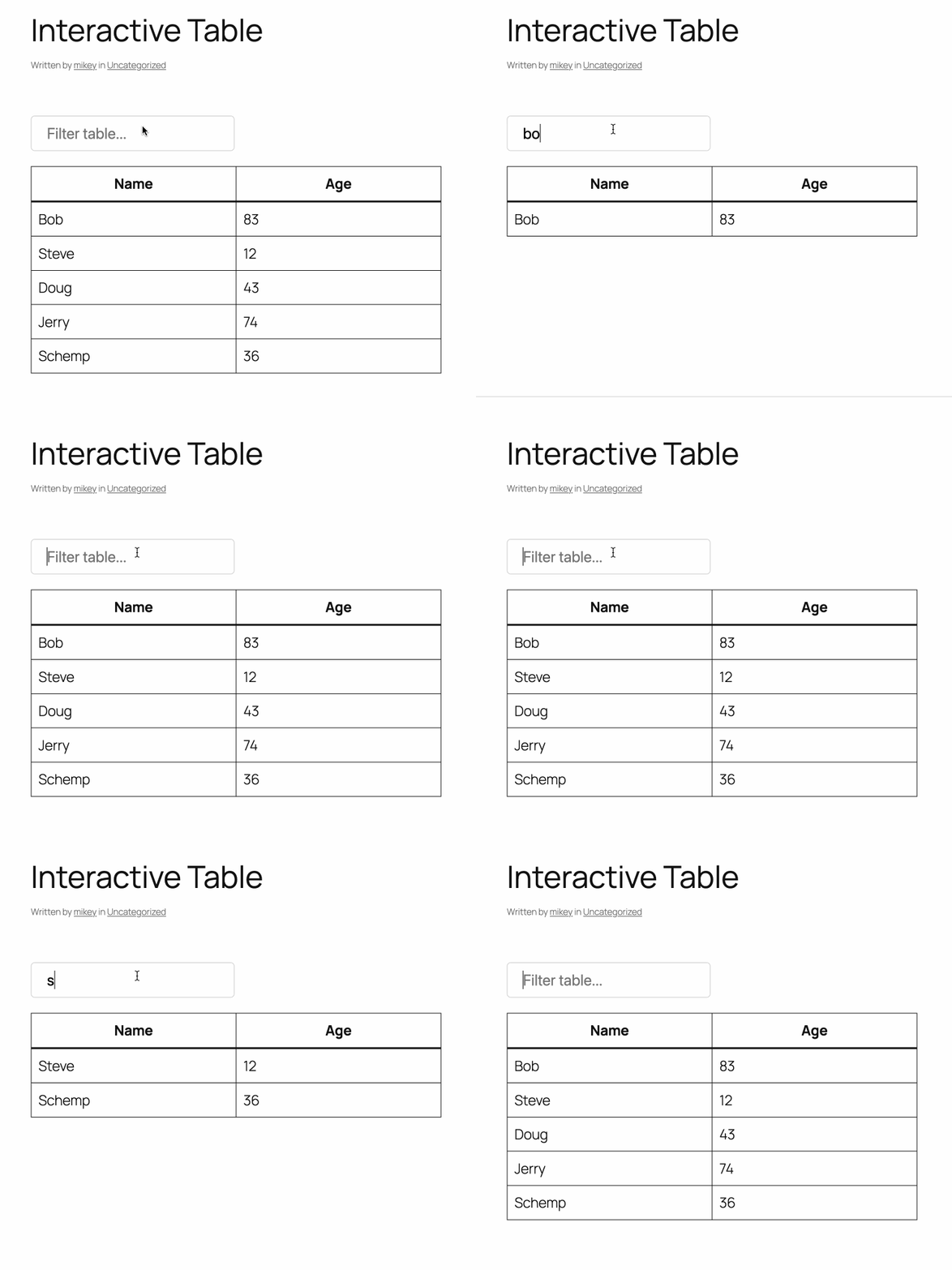
- Instantly filter table rows as you type
- Add and edit tables visually in the block editor
- Built with the WordPress Interactivity API
Installation
- Upload the plugin files to the
/wp-content/plugins/interactive-tabledirectory, or install the plugin through the WordPress plugins screen directly. - Activate the plugin through the 'Plugins' screen in WordPress.
Usage
- In the block editor, insert the Interactive Table block from the block inserter.
- A default table will be added automatically.
- Add, remove, or edit rows and columns using the standard Table block controls.
- Use the search field above the table to filter rows instantly on the front end.
Frequently Asked Questions
How do I add an interactive table?
Insert the "Interactive Table" block from the block inserter. A default table will be added automatically.
Can I customize the table?
Yes! You can add, remove, or edit rows and columns using the standard Table block controls.
Screenshots
Changelog
0.1.0
- Initial release
Contributing
- PHP code is linted with WordPress Coding Standards via
phpcs.xml. - JavaScript/React code is linted with @wordpress/eslint-plugin via
.eslintrc.js. - To run linters:
vendor/bin/phpcsfor PHPnpx eslint .for JS