PressViber
Claude Code for WordPress
by Falt AI · github.com/michaelodafe/pressviber-wp-plugin · website
Install
No release zip yet. The repository archive installs, but the folder name will carry the branch suffix and updates will not flow:
wp plugin install https://github.com/michaelodafe/pressviber-wp-plugin/archive/refs/heads/main.zipPressViber — AI Agent for WordPress
Build, edit, and manage your WordPress site through a natural language chat interface — powered by DeepSeek v3 and GPT-4.
PressViber embeds an agentic AI directly inside your WordPress admin dashboard. Describe what you want in plain English and the agent reads your site, finds the right files, edits them, and verifies the result — all without leaving WordPress.
Table of Contents
- Overview
- Features
- How It Works
- Installation
- Configuration
- Agent Tools
- Architecture
- Vercel Agent Runtime
- Requirements
- Roadmap
- Contributing
- License
Overview
PressViber is an open-source WordPress plugin that gives you a conversational AI interface for making site changes. Instead of hunting through theme files, the Customizer, and the page editor separately, you describe your goal once and the agent figures out the right place to make the change.
You:    "Change 'Explore by Region' to 'Browse by Region' on the homepage"
Agent:  ✔  Searched theme and custom plugins for the text
        ✔  Found it in ai2africa-company-profile.php line 847
        ✔  Replaced text using replace_text_in_file
        ✔  Verified: fetched rendered page, new text confirmed
Screenshots
PressViber Plugin Homepage
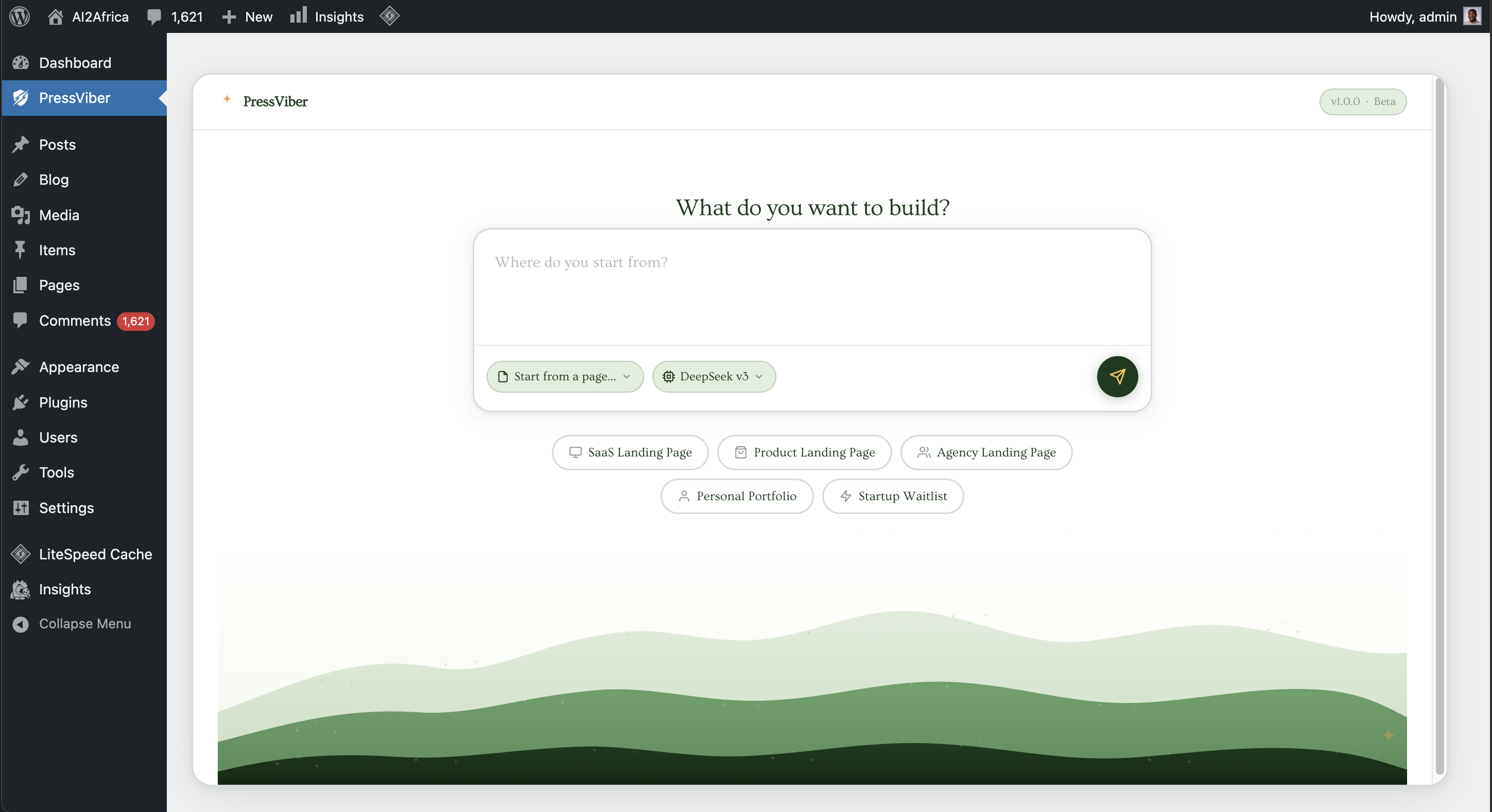 The main PressViber interface in the WordPress admin dashboard
PressViber with Prompt Inputted
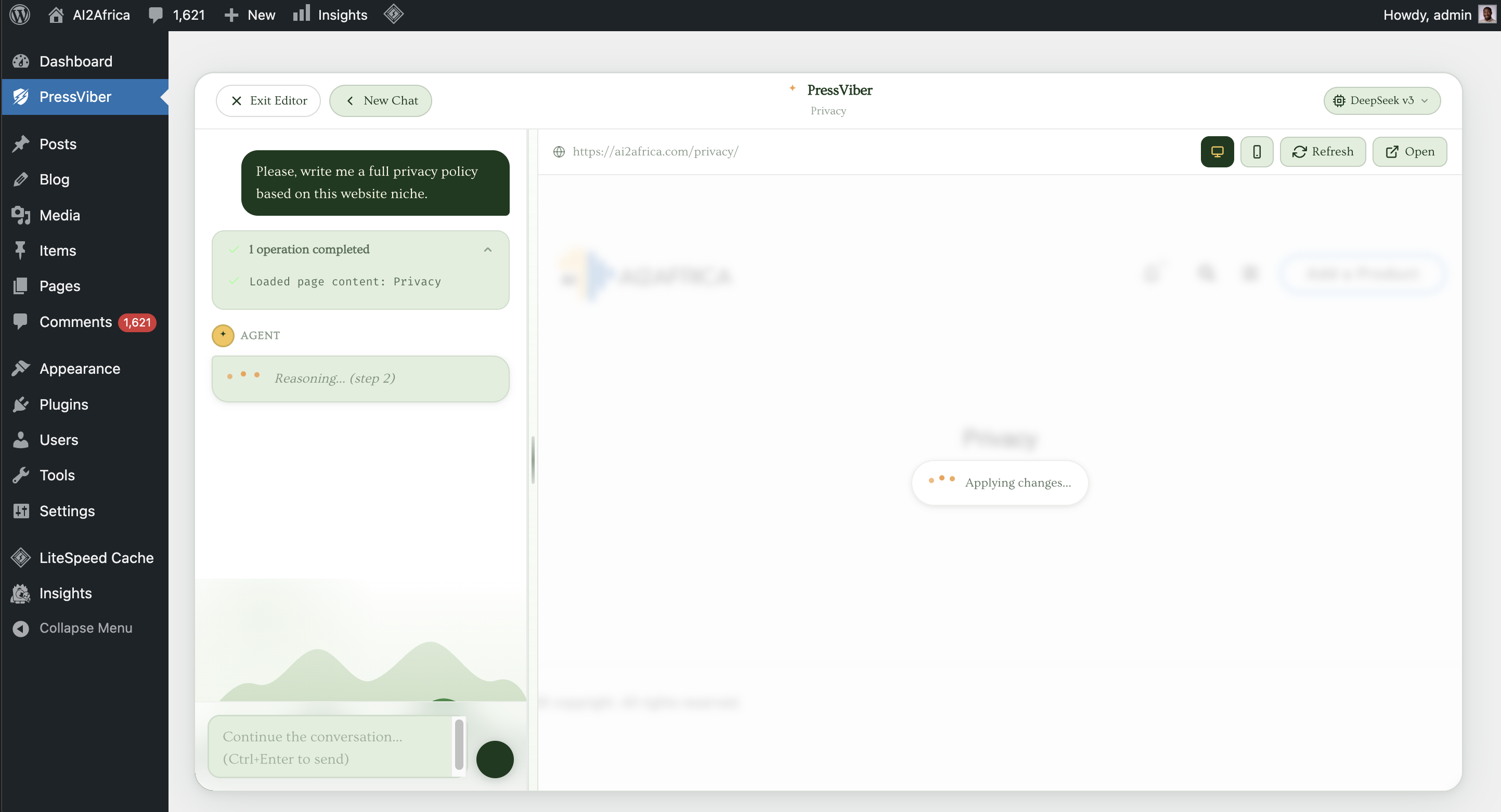 User entering a natural language command in the chat interface
PressViber Task Completed
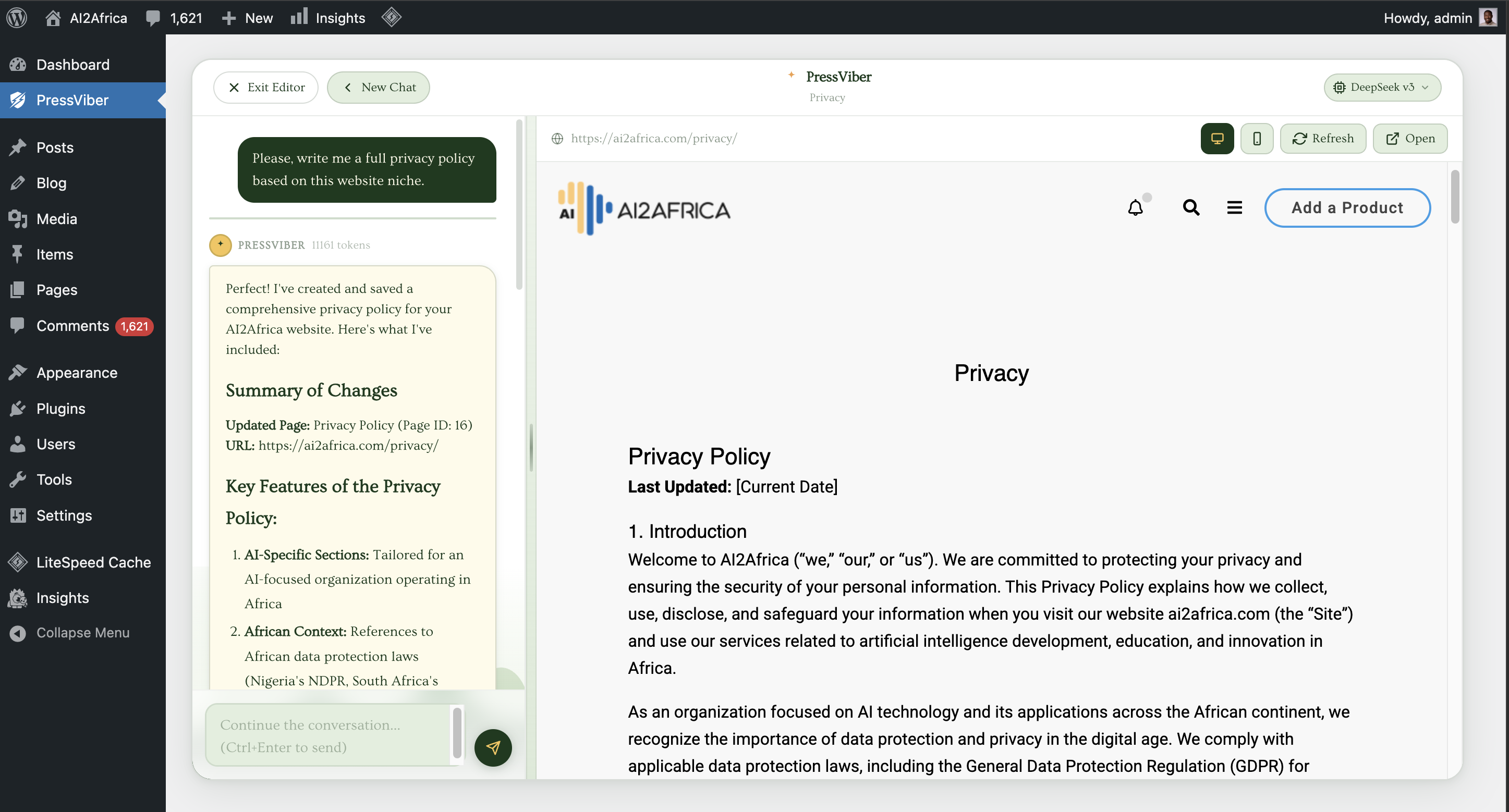 The agent successfully completing a site modification task
Features
- Natural language editing — describe changes in plain English
- 50+ WordPress tools — pages, posts, menus, theme settings, widgets, file system, shell commands
- Intelligent text discovery —
find_page_elementlocates visible text by rendering the live page, so the agent never has to guess which template is in use - Multi-model support — DeepSeek v3 (default, fast & cheap) and GPT-4 (coming soon, Claude coming soon)
- Safe file operations — sandboxed file manager; deleted files go to
.aivb_trash/not the void - Streaming responses — results stream token-by-token via Server-Sent Events so you see progress live
- Conversation history — multi-turn context so you can iterate ("now make the font bigger")
- Template chips — one-click prompts for common tasks (SaaS landing page, portfolio, waitlist, etc.)
- Vercel runtime — optional external agent runtime deployable to Vercel Edge for faster response times
How It Works
- You type a task in the chat interface inside the WordPress admin.
- The plugin streams the request to the AI (DeepSeek v3 via OpenAI-compatible API).
- The AI responds with tool calls — structured instructions like
find_page_element,replace_text_in_file, orupdate_page_content. - The PHP agent layer executes each tool call against your live WordPress installation.
- Tool results feed back into the conversation so the AI can continue, verify, or self-correct.
- The loop runs up to 15 iterations until the task is complete or the AI returns a final message.
- The result streams back to your browser in real time.
The agent follows a strict decision tree: it always tries the least-invasive approach first (WordPress database APIs before touching files, targeted text replacement before full file rewrites).
Installation
From ZIP
- Download the latest release ZIP from the Releases page.
- In WordPress admin go to Plugins → Add New → Upload Plugin.
- Upload the ZIP and click Install Now, then Activate.
- Go to AI Builder in the left sidebar.
Manual / Development
cd wp-content/plugins
git clone https://github.com/YOUR_USERNAME/pressviber ai-vibe-builder
Activate the plugin through the WordPress Plugins screen.
Configuration
API Key Setup
PressViber uses the DeepSeek API by default (OpenAI-compatible). Get a key at platform.deepseek.com.
Add your key to wp-config.php or set it through the plugin settings:
// wp-config.php
define( 'PRESSVIBER_DEEPSEEK_KEY', 'sk-xxxxxxxxxxxxxxxxxxxxxxxxxxxxxxxx' );
Or enter it in the plugin's settings panel inside WordPress admin.
AGENT.md — Custom Agent Instructions
Drop an AGENT.md file in the plugin directory to inject custom instructions into every agent run. Useful for site-specific rules:
# AGENT.md

- This site uses Elementor. Prefer editing via page content API over raw PHP files.
- The primary brand colour is #2563eb. Use it for any new CSS additions.
- Never edit the child theme — all CSS changes go in the WordPress Customizer.
Agent Tools
The agent has access to 50+ tools across six categories:
File System
| Tool | Description |
|---|---|
read_file |
Read any file in the WordPress installation |
read_multiple_files |
Read several files in one call |
write_file |
Create or fully overwrite a file |
replace_text_in_file |
Targeted text replacement (preferred over full rewrites) |
patch_file |
Apply surgical insert/replace operations |
search_in_files |
Find files by name pattern or text content |
grep_files |
Literal content search (like grep) |
list_directory |
List files and directories |
get_directory_tree |
Shallow recursive tree snapshot |
stat_path |
Check if a path exists |
make_directory |
Create a directory |
move_path |
Move or rename a path |
delete_path |
Safely delete (moves to .aivb_trash/) |
Pages & Visible Text
| Tool | Description |
|---|---|
find_page_element |
Primary tool — finds visible text by rendering the live page and scoring results by relevance |
find_ui_candidates |
Search theme + custom plugins for visible UI markers |
fetch_rendered_page |
Fetch and return actual visible text from a rendered page |
inspect_page |
Inspect a page by ID or slug (template, content summary) |
inspect_front_page |
Inspect homepage configuration and rendered headings |
inspect_url_context |
Inspect a URL's route kind and WordPress query vars |
inspect_visible_text_targets |
Label all visible text targets by page structure roles |
list_pages |
List pages with IDs, slugs, URLs, statuses, templates |
Posts & Content
| Tool | Description |
|---|---|
list_posts |
List posts, pages, or any custom post type |
get_post |
Get a single post record by ID |
create_post |
Create a new post, page, or CPT |
update_post_fields |
Update fields on an existing post |
search_posts |
Full-text search across all post types |
get_page_content |
Get the full post_content for a page |
update_page_content |
Save updated post_content for a page |
get_post_meta |
Read custom field (post meta) values |
update_post_meta |
Create or update custom fields |
Site Settings & Options
| Tool | Description |
|---|---|
get_site_settings |
Get site name, tagline, admin email, timezone, etc. |
update_site_settings |
Update core WordPress site settings |
get_wp_option |
Read any WordPress option |
update_wp_option |
Update any WordPress option |
get_custom_css |
Get Additional CSS from the Customizer |
update_custom_css |
Replace Additional CSS in the Customizer |
Navigation & Menus
| Tool | Description |
|---|---|
get_nav_menus |
List all registered menus |
get_nav_menu_items |
Get items in a menu |
update_nav_menu_item |
Update a menu item's title, URL, or attributes |
Theme Customizer
| Tool | Description |
|---|---|
get_theme_mods |
Read all theme customizer settings |
update_theme_mod |
Set a single customizer setting |
Widgets
| Tool | Description |
|---|---|
inspect_sidebars |
Inspect registered sidebars and widget assignments |
find_widgets_by_text |
Find widget instances by visible text |
clone_widget_to_sidebar |
Duplicate a widget into another sidebar |
list_widget_visibility_rules |
List route-based widget visibility rules |
ensure_widget_visibility_rule |
Inject a widget into a sidebar for a specific URL path |
replace_text_in_widget |
Replace text inside a widget instance |
Post Types & Taxonomies
| Tool | Description |
|---|---|
list_post_types |
List all registered post types |
list_taxonomies |
List all taxonomies with term counts |
list_terms |
List terms for a given taxonomy |
Shell Commands
| Tool | Description |
|---|---|
run_command |
Run an allowed shell command (whitelisted prefixes only) |
command_runner_status |
Check which commands are currently enabled |
Architecture
WordPress Admin (Browser)
        │  Server-Sent Events (streaming)
        ▼
class-admin-page.php      — Admin UI registration, AJAX handlers, SSE streaming
        │
        ▼
class-agent.php           — Agentic loop (MAX_ITER=15), tool dispatch, system prompt
        │
        ├── class-ai-client.php       — DeepSeek / OpenAI API calls
        ├── class-file-manager.php    — Sandboxed filesystem operations
        ├── class-site-inspector.php  — WordPress inspection (pages, rendered HTML)
        └── class-command-runner.php  — Whitelisted shell command execution

assets/
  css/admin.css           — Warm earth-tone UI (Ovo font, cream/sage/dark-green palette)
  js/admin.js             — Chat UI, SSE consumption, view transitions
Data flow for a single agent turn:
Browser sends fetch() → PHP opens SSE stream → Agent calls DeepSeek API
→ DeepSeek returns tool_calls JSON → PHP executes each tool
→ Tool result appended to conversation → Loop repeats
→ DeepSeek returns text (no tool_calls) → SSE `done` event sent
→ Browser renders final message
Vercel Agent Runtime
The vercel-agent-runtime/ directory contains an optional Node.js runtime you can deploy to Vercel to offload the agent loop from your PHP server. This is useful if your hosting has strict PHP execution time limits.
cd vercel-agent-runtime
cp .env.example .env        # add your DEEPSEEK_API_KEY
npm install
vercel deploy
See vercel-agent-runtime/README.md for full setup instructions.
Requirements
| Requirement | Minimum |
|---|---|
| WordPress | 6.0+ |
| PHP | 8.0+ |
| Web server | Apache or Nginx |
| DeepSeek API key | Required (free tier available) |
Roadmap
- [ ] GPT-4o support
- [ ] Claude 3.5 Sonnet support
- [ ] One-click Undo for agent changes (git-backed)
- [ ] Scheduled agent tasks (cron)
- [ ] Multi-agent collaboration (planner + executor)
- [ ] Image generation tool (DALL-E / Stable Diffusion)
- [ ] WooCommerce tools (products, orders, inventory)
- [ ] Elementor / Gutenberg block-aware editing
- [ ] Usage dashboard (tokens spent, tasks completed)
- [ ] Team mode (audit log per user)
Contributing
Contributions are welcome. Please read CONTRIBUTING.md before opening a pull request.
Quick start for contributors:
git clone https://github.com/YOUR_USERNAME/pressviber ai-vibe-builder
cd ai-vibe-builder
# Install in a local WordPress (e.g. LocalWP, Lando, or Docker)
# Activate the plugin and add your DeepSeek API key
For bugs, open an issue. For features, open a discussion first.
License
GPL v2 or later. See LICENSE for the full text.
Credits
Built by Falt AI and the open-source community.