Install
This is the repository archive. It installs, but the folder name will carry the branch suffix and updates will not flow.
Install straight from GitHub with WP-CLI:
wp plugin install https://github.com/metatavu/wordpress-linkedevents/archive/refs/heads/master.zipThis is a Wordpress plugin that adds features for using LinkedEvents API data with Wordpress installation.
Key features:
- Support for managing events from Wordpress admin view
- Gutenberg block for listing events from API
- Fully translated to English and Finnish
- Developer-friendly theming support
Installation
1. Upload folder into /wp-content/plugins -directory
2. Activate the plugin in 'Plugins' menu
3. Configure settings (see Configuration section for details)
Usage
Gutenberg blocks
Basic usage
The plugin adds new block category LinkedEvents into Gutenberg. The category contains option for adding an event list and an event search blocks:
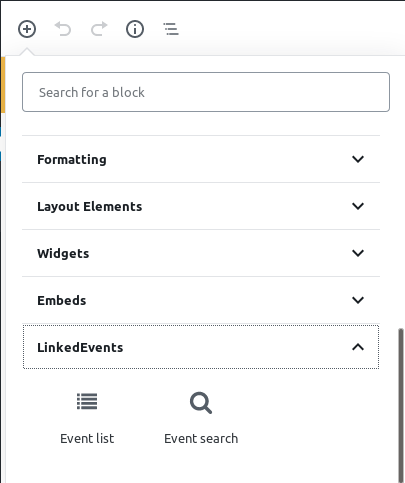
Gutenberg event list block
Gutenberg event list block can be used to list events from the LinkedEvents API.
The block can be added to the page by clicking the item. When added to the page, the plugin display a preview of the block in page.
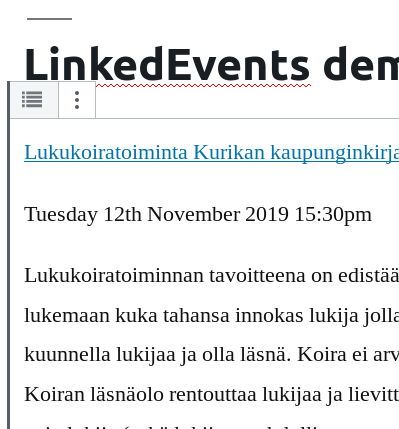
Block options
There are lots of options for controlling how the event list works
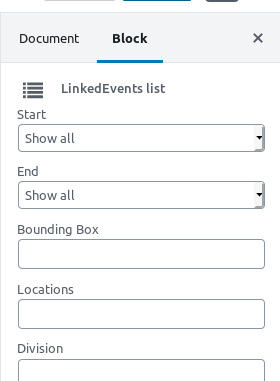
All options have localized usage help texts in editor. Help texts can be displayed by hovering over the option title in the editor view.
Here is a brief summary of each option:
Start
Show events beginning or ending after this time. Date can be today or specified date
End
Show events beginning or ending before this time. Date can be today or specified date
Bounding Box
Show events that are within this bounding box. Coordinates are given in order west, south, east, north. Period is used as decimal separator.
Locations
Show events in given locations
Division
You may filter places by specific OCD division id, or by division name
Address locality (fi)
You may filter events by place address locality name (finnish)
Keywords
Show events with specified keywords
Recurring
Show events based on whether they are part of recurring event set
Sort
Sort the returned events in the given order
Max results
Show maximum number of results in list
Duration (min - max)
Filter events by their duration (in seconds)
Gutenberg event search block
Event search block can be used to search event from LinkedEvent API in conjunction with the event list block.
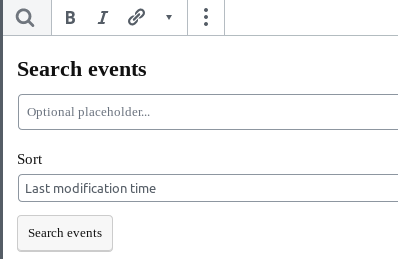
Event administration
Plugin adds functionality to manage events directly from Wordpress admin view. All admin functions can be found from the admin dashboard menu Events
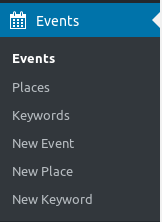
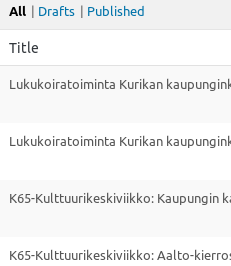
Management view events list contains list of events from the API. Events can be filtered by their status (published, draft or all)
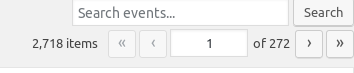
Event list also has a free-text search and pagination support
When hovering over the event with mouse, available actions for specific event are displayed.

Edit action opens an event edit view. Edit view can be used to directly modify the event in the API.

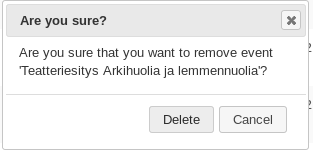
Delete action can be used to delete event
Menu also contains similar lists for controlling keywords and places.
Configuration
Plugin configuration can be done from the administration panel settings menu.
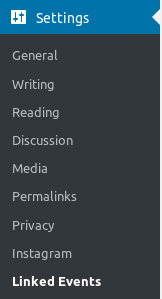
View opening from the menu contains all the settings for the plugin
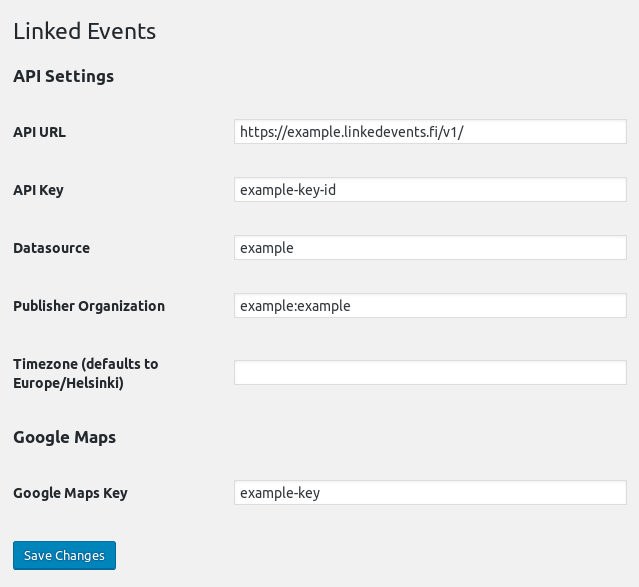
Here is a brief summary for each option
API URL
API URL for the LinkedEvents server. This option is required for all installation
Datasource
Datasource for events. This option is required only for installation using event management functions.
Publisher Organization
Publisher organization for events. This option is required only for installation using event management functions.
Timezone
Used timezone when displaying event dates. Defaults to Europe/Helsinki
Google Maps Key
Google maps API key. This option is required only for installation using event management functions.
Theming
Events list theming
Gutenberg event list has a theming support.
By default plugin renders very basic event list but you can customize how the list is rendered by adding linkedevents/events.php into you theme.
Theming can be enabled by adding linkedevents -folder into your theme and adding events.php file inside it.
The events.php file can be used to render the event how ever the theme developer wishes it. All events are exposed in variable $data->events.
The events list objects are Event -instances from linkedevents-client-php -library
events.php can contain any php code. Here is a small example that renders event name, time and description inside article tag:
foreach ($data->events as $event) {
  $result = "";
  $result .= '<article>';
  $result .= '<div>';

  $eventName = $event["name"]["fi"];
  $eventLink = $event["externalLinks"][0]["link"];
  $eventDescription = $event["description"]["fi"];
  $eventTime = $event["startTime"]->format("l jS F Y G:ia");
  $result .= sprintf('<a href="%s">%s</a>', $eventLink, $eventName);
  $result .= sprintf('<p>%s</p>', $eventTime);
  $result .= sprintf('<p>%s</p>', html_entity_decode($eventDescription));

  $result .= '</div>';
  $result .= '</article>';
  echo $result;
}
Example theme can be found from the GitHub repository wordpress-linkedevents-example-theme
Releases
23 releases.
These releases are tags only. The author does not attach a packaged zip, so there are no download counts to report.