Install
Upload it under Plugins → Add New Plugin → Upload Plugin, then activate.
Install straight from GitHub with WP-CLI:
wp plugin install https://github.com/megahertz418/megachat-wordpress-chat-support/releases/download/v0.1.0/Megachat-Web-Support-Chat-0.1.0.zipMegachat Support (WordPress Plugin)
A WordPress live support chat plugin powered by AI providers (OpenAI/Gemini) and Telegram integration.
The plugin keeps your existing site UI untouched and only adds the smart support and admin logging features.
Features
- Live support chat with your existing site design
- Integrates with OpenAI or Gemini
- Telegram bot integration with secure Webhook
- Admin log panel with wide, clean UI
- Customizable branding (light/dark logo)
- Knowledge Base support via CSV
Requirements
- WordPress >= 5.8
- PHP >= 7.4 (tested with PHP 8.2)
- PHP extensions:
cURL,JSON - A Telegram bot created via BotFather
Installation
- Copy the
plugin/folder intowp-content/plugins/.
Or download theMegachat-support-X.X.X.zipfrom Releases and upload it in WordPress. - Activate the plugin in the WordPress dashboard.
- Go to Settings → Megachat Support and fill in your configuration.
Configuration
1. AI Provider Keys
- Select
openaiorgeminias the provider. - Enter your API key.
- Keys are stored securely in WordPress Options
2. Knowledge Base (CSV)
- Create a Google Sheet, go to File → Publish to web → CSV.
- Paste the CSV URL into the plugin settings.
- Suggested column format:
ID | Category | Question | Canonical_Answer | Keywords/Synonyms
3. Telegram Webhook
- Enter and save your Bot Token.
- The plugin will generate a JSON like this with your secret: {"url":"https://your-site.com/wp-json/support/v1/tg-webhook?secret=YOUR_SECRET"}
-
Send it with a POST request to: https://api.telegram.org/bot/setWebhook
-
After success, user messages will be forwarded to Telegram.
Screenshots
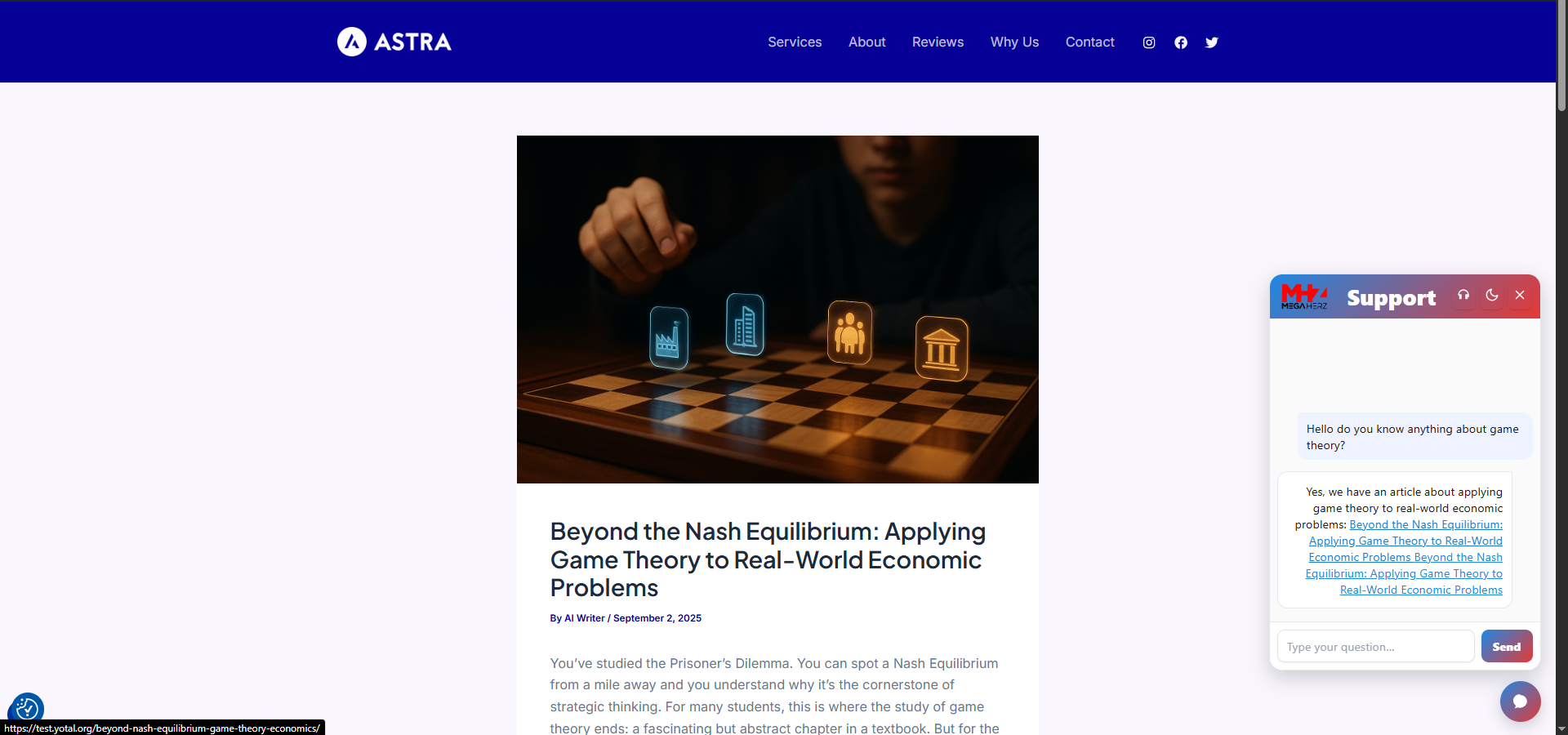
1. Chat Widget (frontend)
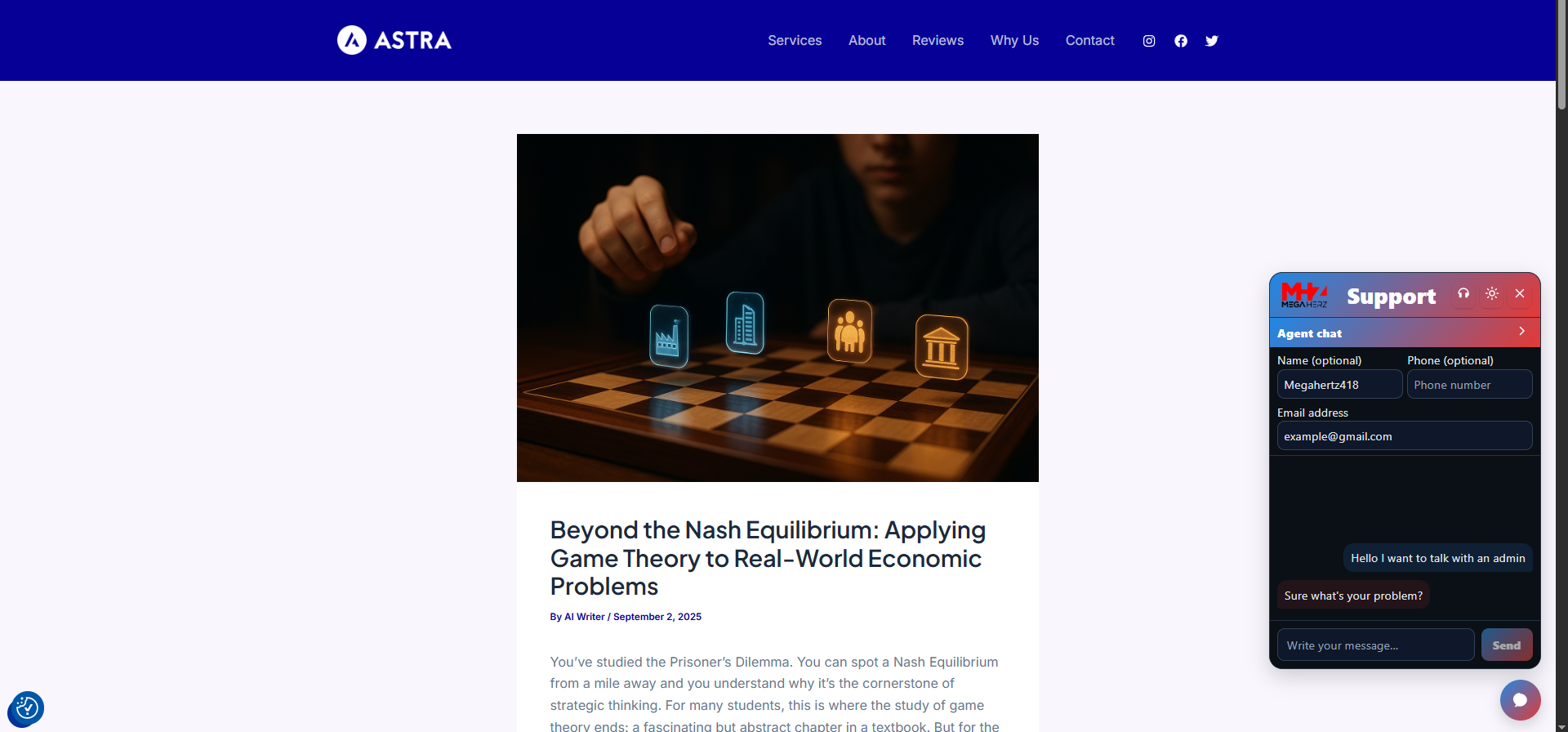
2. Agent Chat (user → admin request)
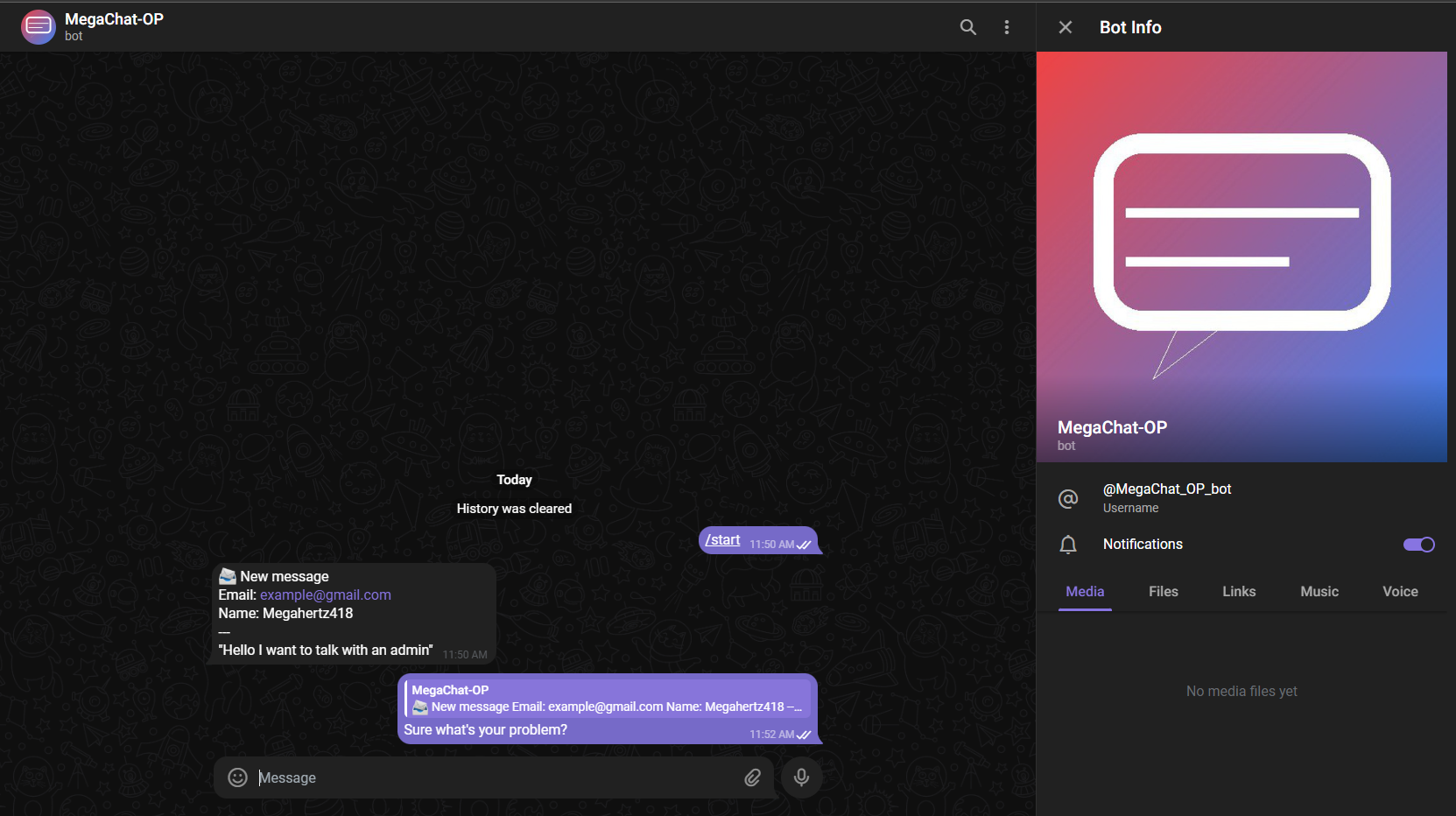
3. Telegram Bot Integration
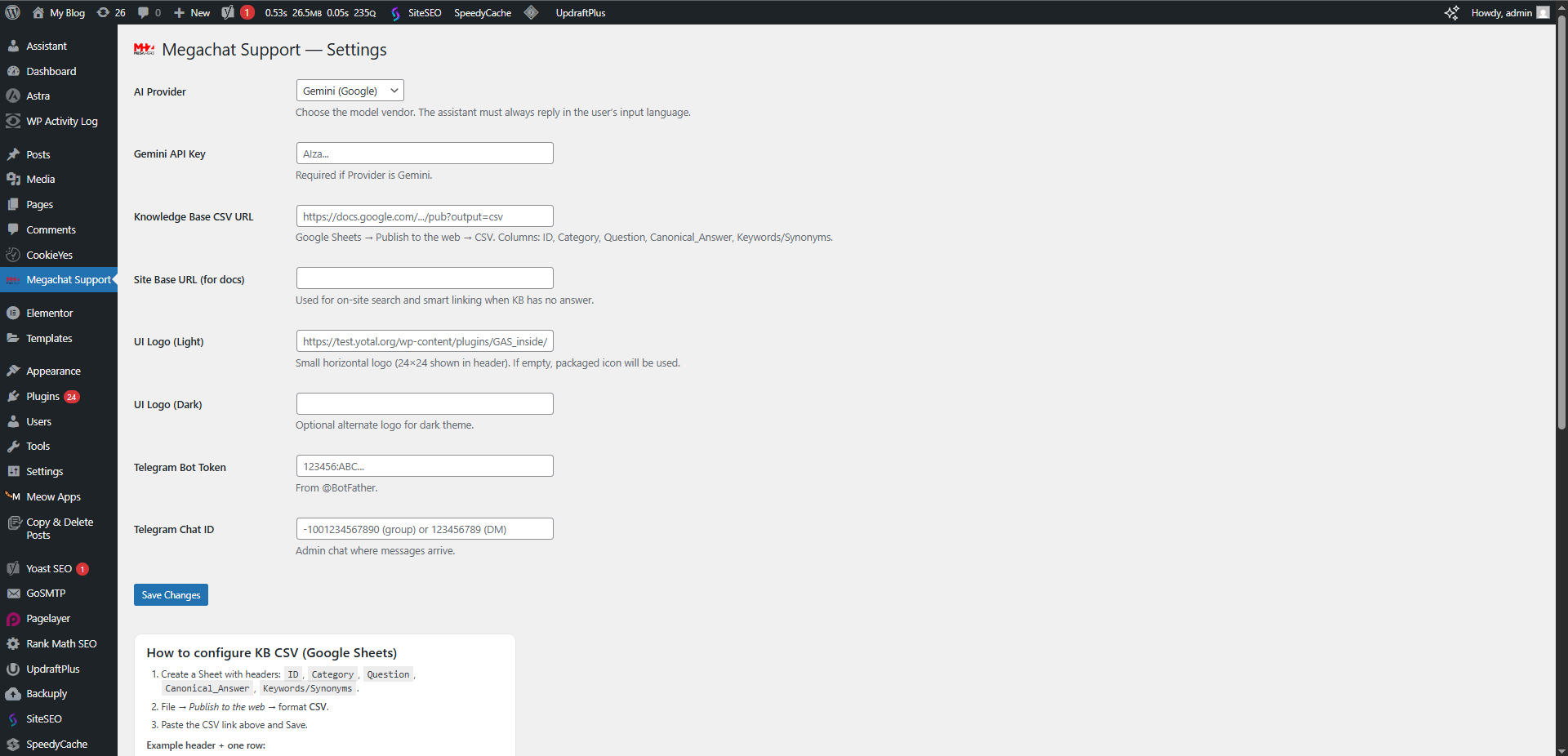
4. Admin Settings Panel
Architecture
-
Frontend: HTML, CSS, JS
-
Backend: PHP (WordPress plugin + REST API)
-
Integrations:
- OpenAI/Gemini
- Telegram Webhook
Data flow: User ↔ Widget ↔ WP REST API ↔ LLM/Telegram ↔ Response
FAQ
Can I connect multiple Telegram bots? No. Each bot can only have one active Webhook, so practically one bot = one site.
How is the Secret generated? It is generated and stored securely when you save plugin settings.
Does the plugin store sensitive data? No. Only technical logs (status code, message, timestamp, debug info) are stored.
Security & Privacy
- All HTML output is sanitized.
- Links use
rel="nofollow noopener noreferrer". - Telegram Webhook requires a valid secret.
- Rate limiting is applied to prevent abuse.
Releases
Get the latest release from Releases.
- Download the
.zipfile for easy WordPress install - Or clone the source code and build it yourself
Changelog
See CHANGELOG.md for version history.
Contributing
Contributions are welcome!
- Guidelines: CONTRIBUTING.md
- Report vulnerabilities via: SECURITY.md
License
This project is licensed under GPL-2.0-or-later. See the LICENSE file for details.
Releases
1 release. Each count is every asset in that release; expand a row for the breakdown.