Install
This is the repository archive. It installs, but the folder name will carry the branch suffix and updates will not flow.
Install straight from GitHub with WP-CLI:
wp plugin install https://github.com/mdfarhan01/nexvio-for-woocommerce/archive/refs/heads/main.zip
Nexvio for WooCommerce
Elementor Widgets for WooCommerce
Powerful Storefront Widgets for WordPress
Build a better WooCommerce shopping experience with product sliders, customizable product grids, AJAX filters, side carts, header search, and a built-in wishlist — all integrated with Elementor.
Developed by Md. Farhan Sadik
🌐 WordPress.org · ⬇️ Download Plugin · 💻 GitHub Repository · 💬 Support
✨ Overview
Nexvio for WooCommerce is a WordPress plugin that extends Elementor with a collection of customizable WooCommerce widgets for building modern online stores.
From interactive product sliders and beautifully designed product grids to AJAX-powered filters, slide-in carts, header search, and wishlist functionality, Nexvio brings essential shopping interface components together in one flexible plugin.
Whether you're creating a new WooCommerce store or improving an existing storefront, Nexvio gives you practical design controls and shopping features directly inside Elementor.
Nexvio is an independent plugin and is not affiliated with or endorsed by WooCommerce or Elementor.
🚀 Key Features
🛍️ Product Widgets
|
🎨 Product Card Designs
Customize product images, card content, buttons, badges, pagination, and other available styling options. |
🔎 AJAX Product Filter
|
🛒 Cart & Checkout Experience
|
❤️ Built-in Wishlist
|
🧩 Header & Archive Widgets
|
⚡ Hover Gallery & Swatches
|
⚙️ Admin Dashboard
|
🧱 Elementor Widgets
Nexvio organizes its widgets into practical groups to help you build different sections of your WooCommerce store.
| Widget Group | Available Widgets |
|---|---|
| Products | Product Slider, Products Card, Products Card Layouts, Product Showcase |
| Shop | Products Archive, Products Archive Layouts, Product Filter, Filter Popup |
| Single Product | Related Products, Related Products Layouts, Add to Cart |
| Header | Header Search, Header Cart, Wishlist Icon |
| Cart | Cart Panel, Floating Cart |
| Wishlist | Wishlist Card, Wishlist Card Layouts |
Available widgets depend on the plugin configuration and the relevant WooCommerce and Elementor setup.
🖼️ Screenshots & Interface Preview
Explore the Nexvio dashboard, Elementor widgets, product layouts, AJAX filters, side cart, wishlist, and settings.
📘 Main Preview — Nexvio Dashboard
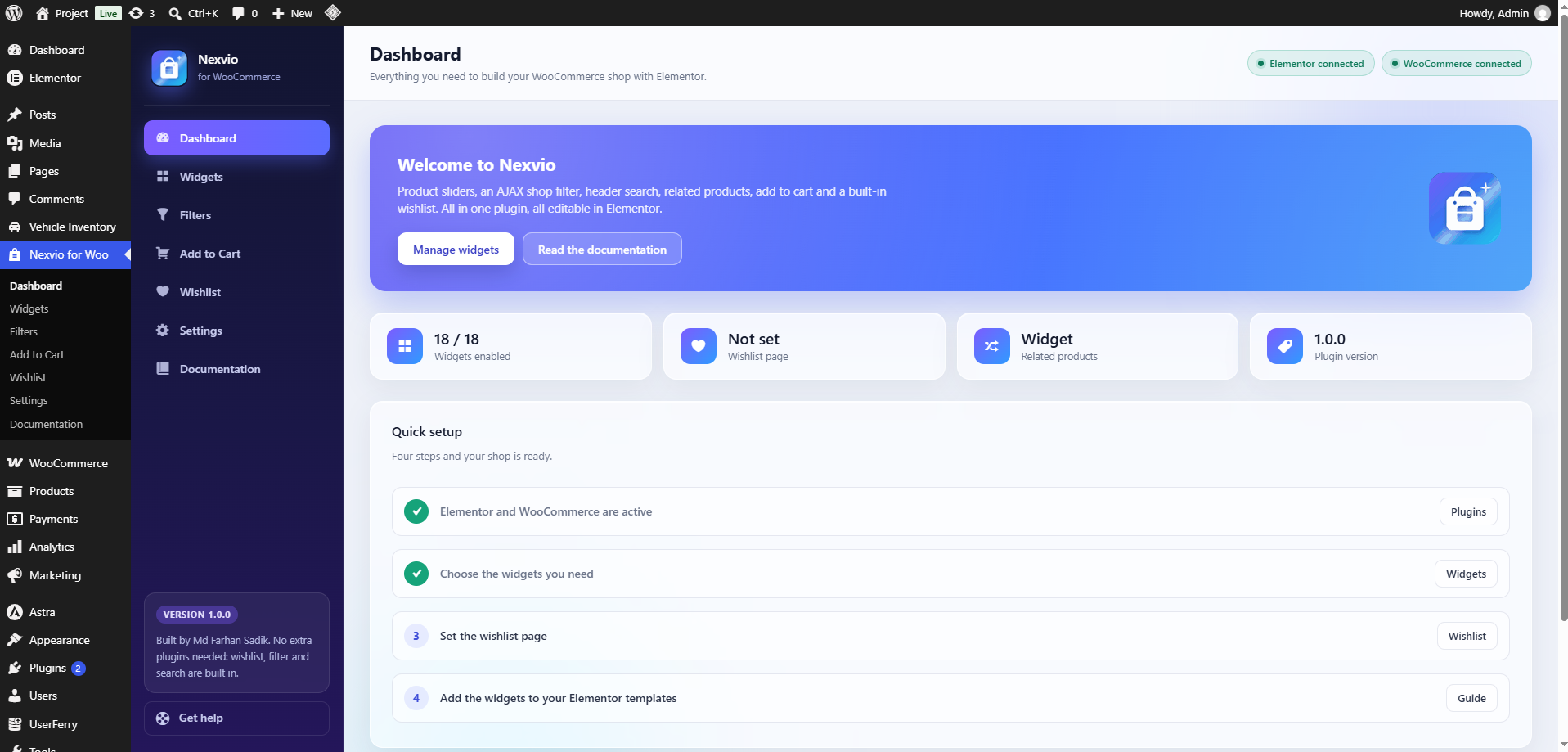
Nexvio Dashboard
Manage your widgets, review plugin status, and access setup guidance directly from your WordPress dashboard.
📸 Explore More Screenshots
|
01 — Product Slider 
Display products in an interactive carousel with navigation controls. |
02 — Product Cards 
Create product grids with customizable card designs and styling. |
|
03 — Product Archive 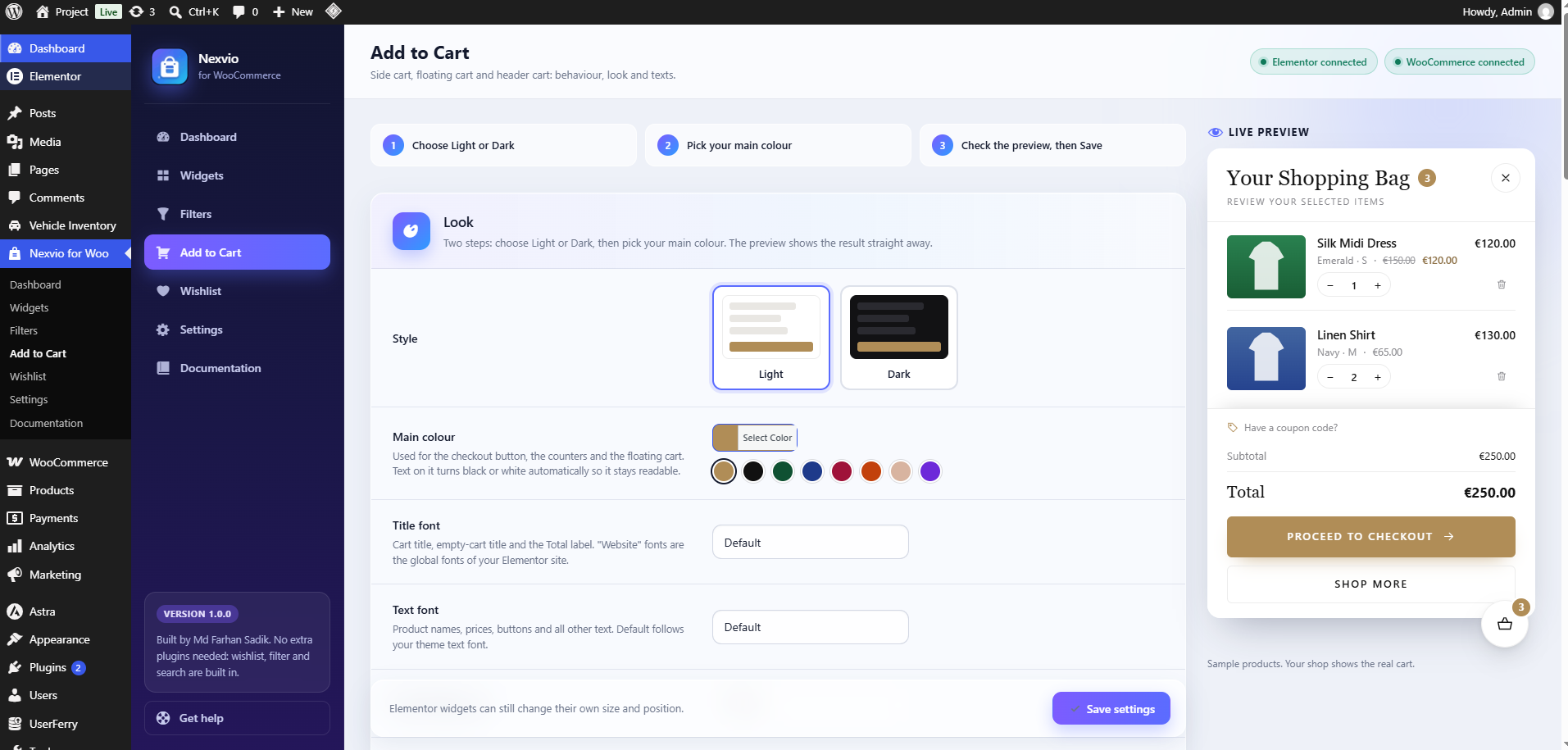
Customize shop and category product archives. |
04 — AJAX Product Filter 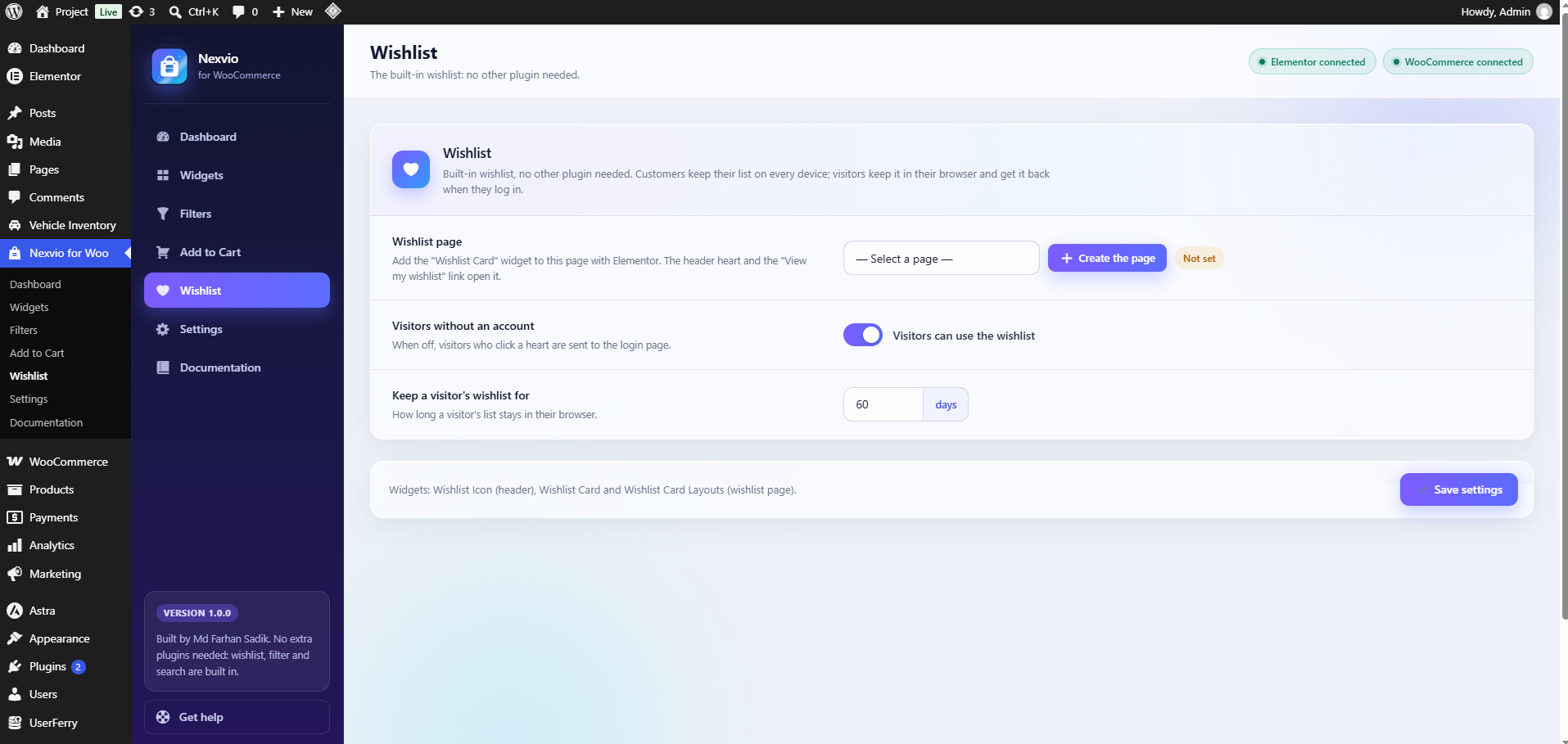
Build configurable filters for product discovery. |
|
05 — Side Cart 
Provide a convenient slide-in shopping cart experience. |
06 — Wishlist 
Let customers save and manage their favorite products. |
Note: Replace the example screenshot numbers above with the matching published screenshots in the WordPress.org assets directory.
🎨 Product Card Customization
Nexvio includes 12 selectable product card designs for supported product grid and archive widgets.
Available controls may include:
- Layout design selection.
- Product image appearance.
- Card content and descriptions.
- Button styling.
- Product badges.
- Pagination.
- Empty product messages.
- Product gallery image on hover.
- Hover animation effect, duration, and easing.
Hover Gallery Animation Effects
Supported configuration options include:
- Fade
- Zoom In
- Zoom Out
- Slide
- None
Products without a secondary gallery image continue to display their main product image.
🔎 Product Filter & Search
The Nexvio Product Filter helps shoppers narrow down product listings using configurable filtering fields.
Supported Filter Types
- Keyword search.
- Price range.
- Product categories.
- Product attributes.
- Product tags.
- Stock availability.
- Product ratings.
- Sale products.
- Featured products.
- Sorting options.
- Products per page.
Category Display Options
- Category list.
- Checkboxes.
- Dropdown.
- Buttons.
- Category counts.
- Collapsible subcategories.
Attribute Display Options
- Checkboxes.
- Color circles.
- Image swatches.
- Size buttons.
Filter Popup
The Filter Popup widget opens a side panel containing the product filters. You can configure its position, apply behavior, and active-filter counter using the available settings.
🛒 Side Cart & Shopping Experience
The Nexvio Side Cart provides access to the shopping cart without requiring customers to leave the current page.
Features include:
- Product quantity updates.
- Remove product controls.
- Coupon entry.
- Subtotal and discounts.
- Shipping and order totals.
- View Cart and Checkout actions.
- Configurable cart appearance.
Available appearance presets include Luxury, Light, and Dark.
The cart uses WooCommerce cart data and relies on the store's WooCommerce configuration for applicable pricing, shipping, coupons, and checkout behavior.
❤️ Built-in Wishlist
Nexvio includes wishlist functionality without requiring a separate wishlist plugin for its built-in features.
Wishlist Features
- Logged-in customer wishlists.
- Optional guest wishlists.
- Cookie-based guest wishlist storage.
- Guest wishlist transfer after login.
- Configurable wishlist page.
- Guest wishlist duration settings.
- Wishlist card layouts.
- Wishlist counter.
Wishlist Shortcode
Use the following shortcode where shortcodes are supported:
[nexvio_wishlist_count]This shortcode displays the wishlist item count.
🧩 WooCommerce Integration
Nexvio extends the WooCommerce shopping experience through Elementor widgets.
Depending on the widget, store configuration, and installed integrations, Nexvio can work with:
- WooCommerce products and product categories.
- Product prices and stock information.
- Product images and gallery images.
- Product attributes and variations.
- WooCommerce cart data.
- Related products.
- Product archives and pagination.
- WooCommerce shipping, coupons, and checkout links.
Payment gateways must be configured separately through WooCommerce. Any third-party payment-provider displays require the relevant supported integration.
🔒 Compatibility & Best Practices
Nexvio is designed to work with WordPress, WooCommerce, and Elementor.
For the best experience:
- Keep WordPress, WooCommerce, Elementor, and Nexvio updated.
- Configure WooCommerce products, categories, attributes, and images correctly.
- Test archive and filter configurations before publishing.
- Verify cart and checkout behavior on your own store.
- Back up your website before installing updates or changing important settings.
Actual compatibility depends on the installed versions and the configuration of your website.
📦 Installation
Install from WordPress.org
- Log in to your WordPress admin dashboard.
- Navigate to Plugins → Add New Plugin.
- Search for Nexvio for WooCommerce.
- Click Install Now, then Activate.
- Make sure WooCommerce and Elementor are installed and activated.
- Open the Nexvio menu in your WordPress dashboard.
- Review the dashboard and enable the widgets you want to use.
- Open a page with Elementor and find the Nexvio widget category.
- Add your preferred widgets and configure their content and styling.
Download ZIP
⬇️ Download Nexvio for WooCommerce
🔗 Useful Links
| Resource | Link |
|---|---|
| WordPress.org Plugin | View Plugin |
| Plugin Download | Download ZIP |
| Support Forum | Get Support |
| Developer Profile | WordPress.org Profile |
| GitHub Repository | View Source Code |
| License | GNU GPL v2 or Later |
👨💻 Developer

Md. Farhan Sadik
WordPress Developer · Plugin Developer
Building useful WordPress tools with a focus on functionality, performance, and user experience.
📄 License
Nexvio for WooCommerce is open-source software licensed under the GNU General Public License version 2 or later.
Refer to the plugin's included license file for the applicable license terms.
Nexvio for WooCommerce — A Better Shopping Experience
Made with ❤️ by Md. Farhan Sadik