Install
This is the repository archive. It installs, but the folder name will carry the branch suffix and updates will not flow.
Install straight from GitHub with WP-CLI:
wp plugin install https://github.com/mbarektech/woocommerce-live-order-feed/archive/refs/heads/main.zipReal-time order monitoring for WooCommerce stores with push notifications and PWA support.
I got tired of constantly refreshing my WooCommerce orders page to see if new orders came in, so I built this. Now orders show up automatically and I get notifications even when I'm not looking at the screen.
Before You Start
Important: You need to configure a few things before using this plugin:
-
VAPID Keys for Push Notifications
- Open
woocommerce-live-order-feed.php - Replace
YOUR_PUBLIC_KEY_HEREandYOUR_PRIVATE_KEY_HEREwith your own keys - Generate free keys at: https://vapidkeys.com/
- Open
-
Plugin Header Info
- Update "Your Name Here" in the plugin file header
- Change GitHub URL to your actual repository
-
Page Slug
- The plugin looks for a page with slug
live-ordersby default - Either create a page with that slug, or modify the code to match your page
- The plugin looks for a page with slug
What it does
- Orders appear on your screen as soon as they come in (no more F5 spam)
- Push notifications work even when you close the browser tab
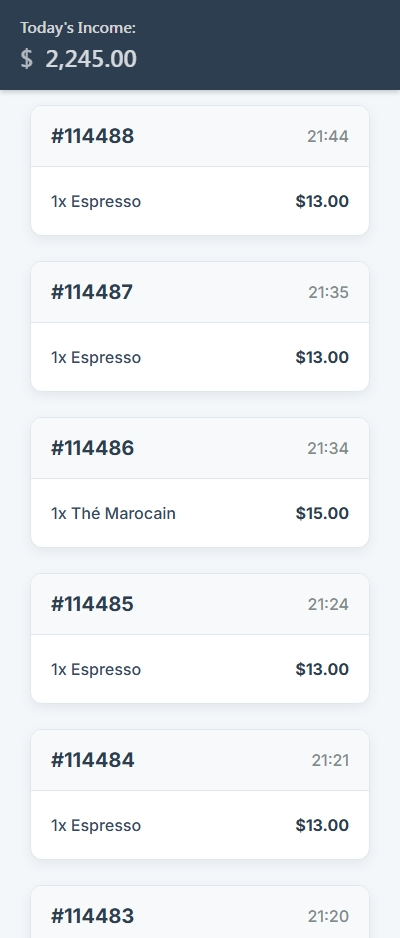
- Can install it on your phone like a regular app
- Optional "ding" sound when new orders arrive (toggle it off if it gets annoying)
- Doesn't slow down your browser - runs everything in the background
Screenshots
Live Order Feed in Action
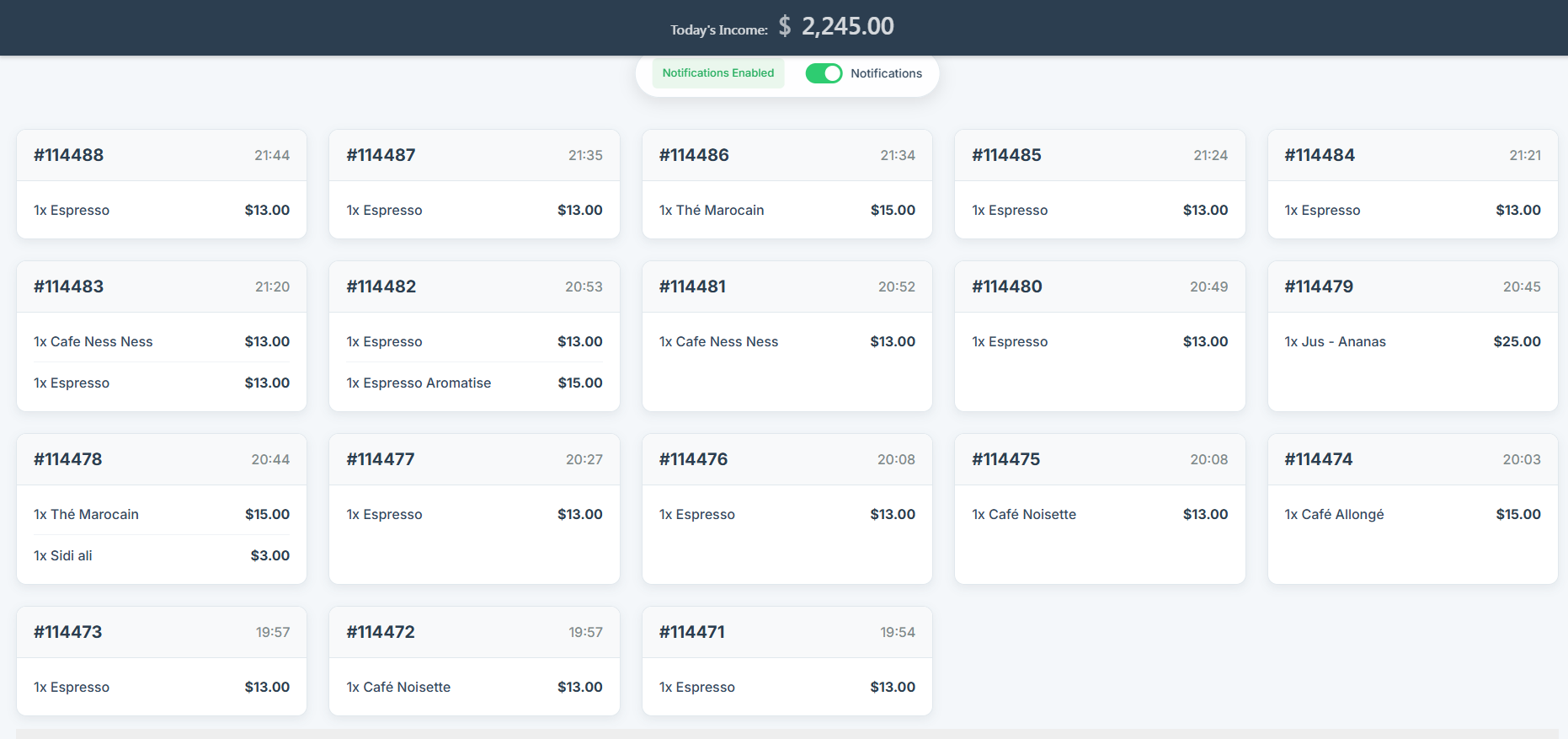 Real-time order updates without page refresh
Why I built this
Running a WooCommerce store means being glued to your orders page. I was refreshing it every few minutes like a maniac. This plugin lets me actually get work done while still knowing instantly when orders come through.
Requirements
You'll need:
- WordPress (pretty much any recent version)
- WooCommerce plugin active
- PHP 7.4+ (most hosts have this now)
- HTTPS/SSL for push notifications to work properly
Setup
Before installing, make sure you've configured the placeholders mentioned above!
Note: Screenshots show example setup - your interface may look slightly different depending on your WordPress theme.
Basic install:
- Download and extract to
/wp-content/plugins/ - Configure VAPID keys (see "Before You Start" section)
- Activate it in WordPress admin
- Create a page with slug
live-orders, add[live_order_feed]shortcode - Done
Using it
Just visit your page with the shortcode. If you're logged in, you'll see your orders and get a button to enable notifications.
The notification permission popup can be annoying - browsers require user interaction before allowing notifications, so you have to click "Enable" first.
On mobile, you might get an "Add to Home Screen" prompt. Do it - makes it feel like a native app.
Customization
It works out of the box, but if you want to tinker:
VAPID Keys (Required)
You MUST replace the placeholder keys in woocommerce-live-order-feed.php:
// Replace these with your own keys from https://vapidkeys.com/
private const VAPID_PUBLIC_KEY = 'YOUR_PUBLIC_KEY_HERE';
private const VAPID_PRIVATE_KEY = 'YOUR_PRIVATE_KEY_HERE';
Your own icons/sounds
Drop files in the assets folders:
assets/icons/- notification and app iconsassets/sounds/- change that notification soundassets/css/- make it look however you want
Technical stuff
Uses service workers for notifications and caching, web workers for background processing, polls for new orders every 7 seconds. Pretty standard modern web stuff.
Browser support is good - works in Chrome, Firefox, Edge. Safari is... Safari (limited push support).
If something breaks
Orders not showing up?
- Is WooCommerce actually running?
- Are you logged in?
- Check browser console for errors
No notifications?
- You need HTTPS (browsers won't do notifications on HTTP)
- Check if you accidentally blocked notifications
- Make sure you clicked "Enable" first
- Most common issue: You forgot to replace the placeholder VAPID keys!
Can't install as app?
- Service worker might not be working
- Check if icons are the right size (192px, 512px)
I test this on my own store, so it should work. If it doesn't, open an issue and I'll take a look.
Contributing
Found a bug? Want to add something? Cool. Fork it, fix it, send a pull request. Try to test your changes first though.
License
GPL v2 - standard WordPress plugin license.
Note: Needs WooCommerce to be useful. Works best with HTTPS.