Wapuubot WP Registry grade B. Medium-severity findings · 2 findingsWP RegistryMedium-severity findings · 2 findingsOpen the reportB
Adds an LLM chatbot agent to the WordPress admin area, capable of writing posts, maintaining tags/categories, and more!
Install
Upload it under Plugins → Add New Plugin → Upload Plugin, then activate.
Install straight from GitHub with WP-CLI:
wp plugin install https://github.com/mattpearce/wapuubot/releases/download/0.2b/wapuubot.zipA smart, AI-powered assistant integrated directly into your WordPress Admin.
Wapuubot lives in your dashboard as a friendly chat bubble. It uses the WordPress AI Client and the Abilities API to help you manage your site through natural language conversation. Whether you need to draft a post, organize categories, or tag content, Wapuubot can do it for you.
✨ Features
- 💬 Interactive Chat Interface: A floating chat bubble in the admin area that opens a persistent chat window.
- 🧠 Context Aware: Knows which post you are currently editing and provides relevant suggestions.
- 📝 Post Management:
- Create new drafts.
- Edit existing posts (titles, content, status).
- Search for posts by title.
- Retrieve post content for analysis.
- 🏷️ Taxonomy Management:
- Create, list, and delete categories.
- Assign categories to posts.
- Add tags to posts automatically.
- 🔌 Extensible: Built on the Abilities API, allowing it to discover and use new tools registered by other plugins.
- 💾 Persistent History: Chat history is saved locally, so you can navigate between pages without losing context.
📸 Screenshots
| Chat Interface | Post Management |
|---|---|
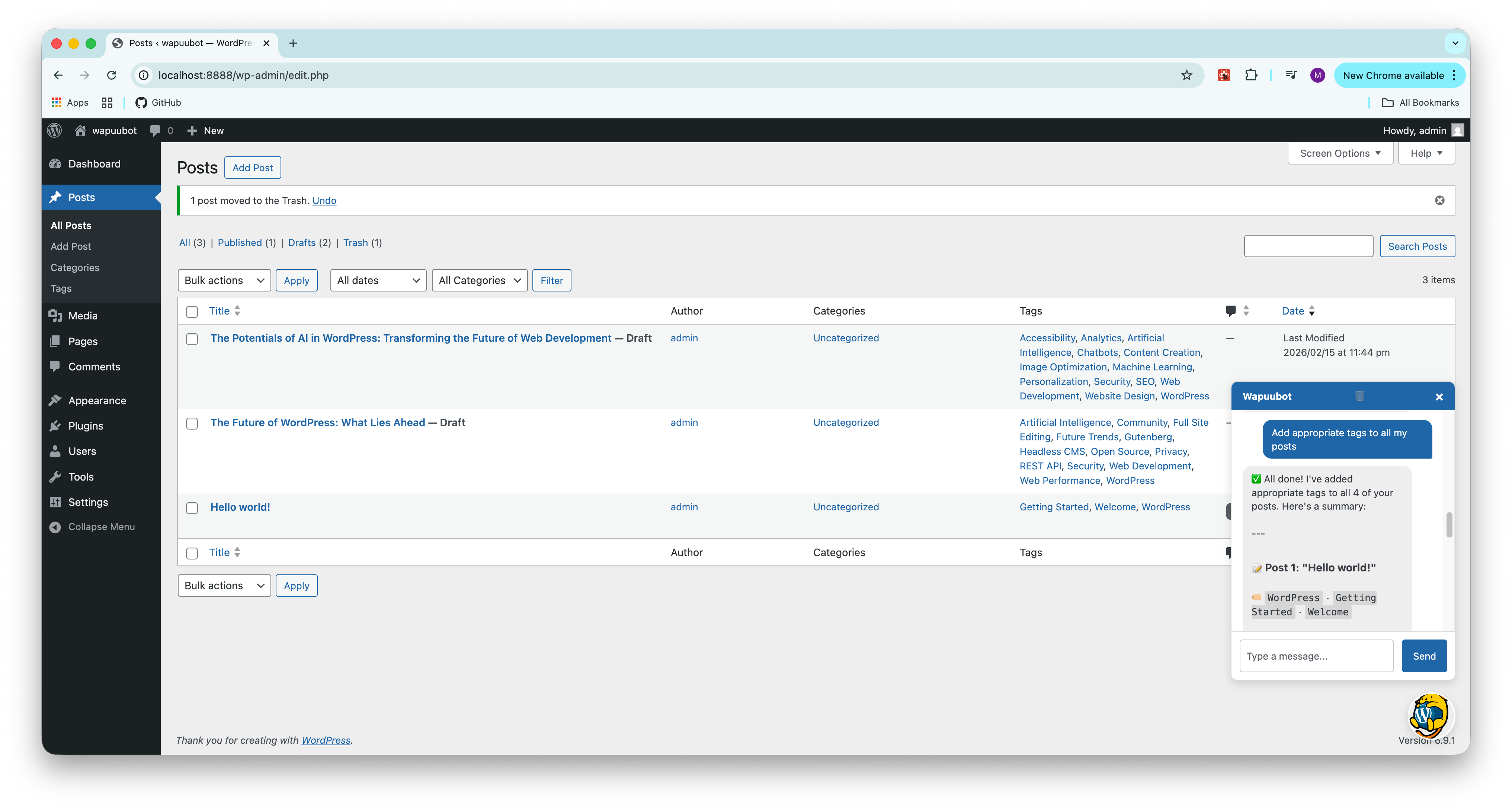 |
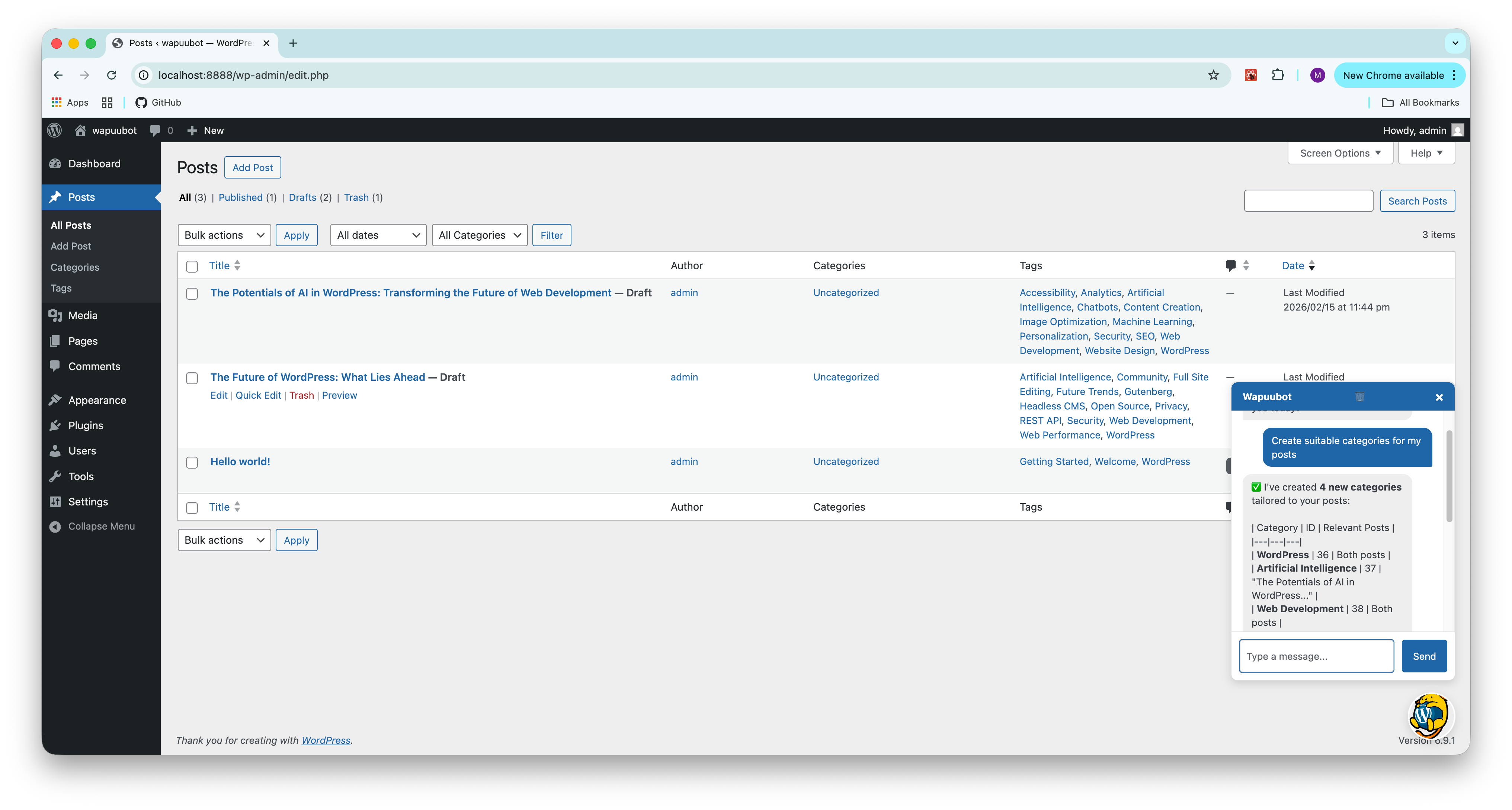 |
| Wapuubot in Action | Context Aware Actions |
| Tagging & Categories | |
|---|---|
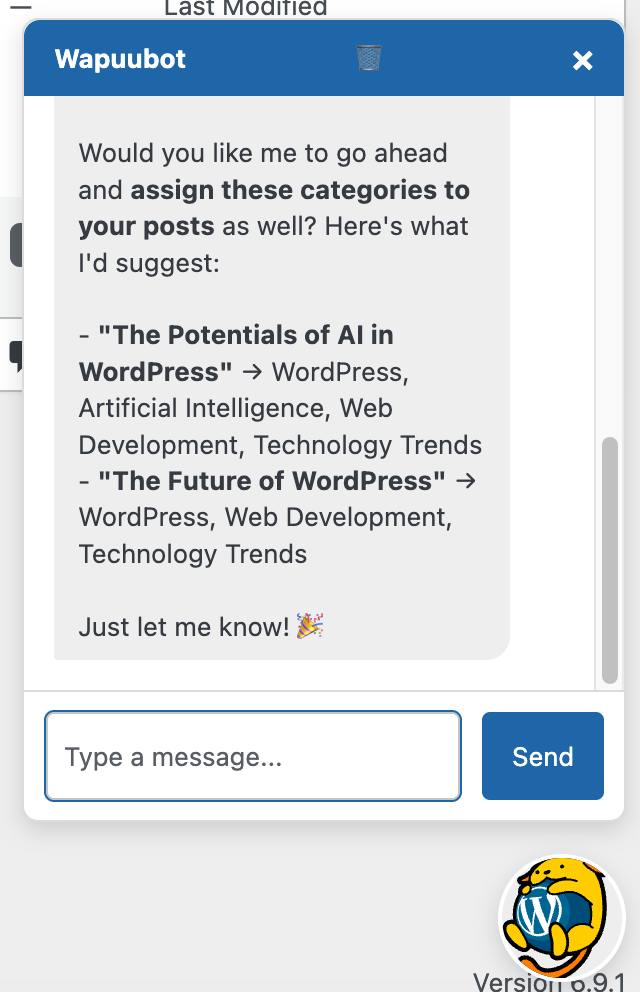 |
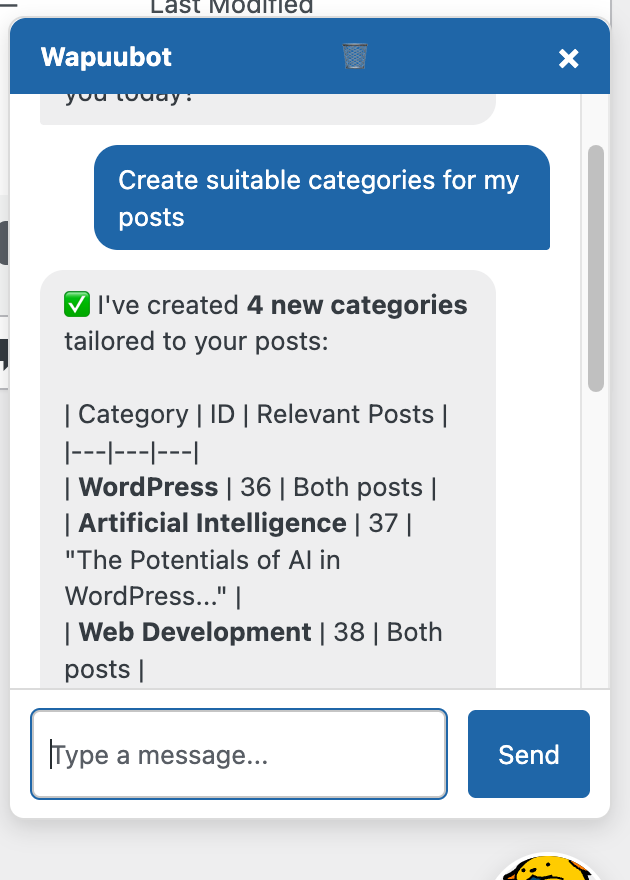 |
| Intelligent Tagging | Advanced Capabilities |
🚀 Installation
Requirements
- WordPress 6.4+
- PHP 7.4+
- An API Key for an AI Provider (OpenAI, Anthropic, etc.)
Setup
- Clone this repository into your
wp-content/plugins/directory:git clone https://github.com/yourusername/wapuubot.git cd wapuubot - Install dependencies via Composer (required to load AI Client and Abilities API):
composer install --no-dev - Activate the Wapuubot plugin in WordPress.
- Navigate to Settings > AI Credentials in your WordPress Admin.
- Enter your API Key (e.g., OpenAI Key) and save.
💡 Usage
- Click the Wapuu Bubble in the bottom-right corner of your admin screen.
- Type a command! Examples:
- "Create a post about the history of jazz."
- "What tags should I add to this post?" (When editing a post)
- "Create a new category called 'Music' and assign this post to it."
- "Delete the 'Uncategorized' category."
- Wapuubot will execute the actions and confirm when done.
🤝 Contributing
We welcome contributions!
- Fork the repository.
- Create a branch for your feature (
git checkout -b feature/amazing-feature). - Commit your changes (
git commit -m 'Add amazing feature'). - Push to the branch (
git push origin feature/amazing-feature). - Open a Pull Request.
Development
- Linting: We use
phpcswith WordPress Coding Standards. Runcomposer run lint(if configured) or usephpcsdirectly to check your code. - Structure:
wapuubot.php: Main plugin file and chat handler.abilities/: Contains ability registrations and callbacks.assets/: CSS and JS files.
📄 License
GPLv2 or later.
Releases
2 releases. Each count is every asset in that release; expand a row for the breakdown.
Active-site estimate ≈10 comes from the median of recent superseded releases. Method.