Install
This is the repository archive. It installs, but the folder name will carry the branch suffix and updates will not flow.
Install straight from GitHub with WP-CLI:
wp plugin install https://github.com/matinkhamooshi/mk-pll-lang-popup-simple/archive/refs/heads/master.zipNo built-in updater. New versions won't appear under Dashboard → Updates. Install new releases yourself, or let Git Updater track the repository.
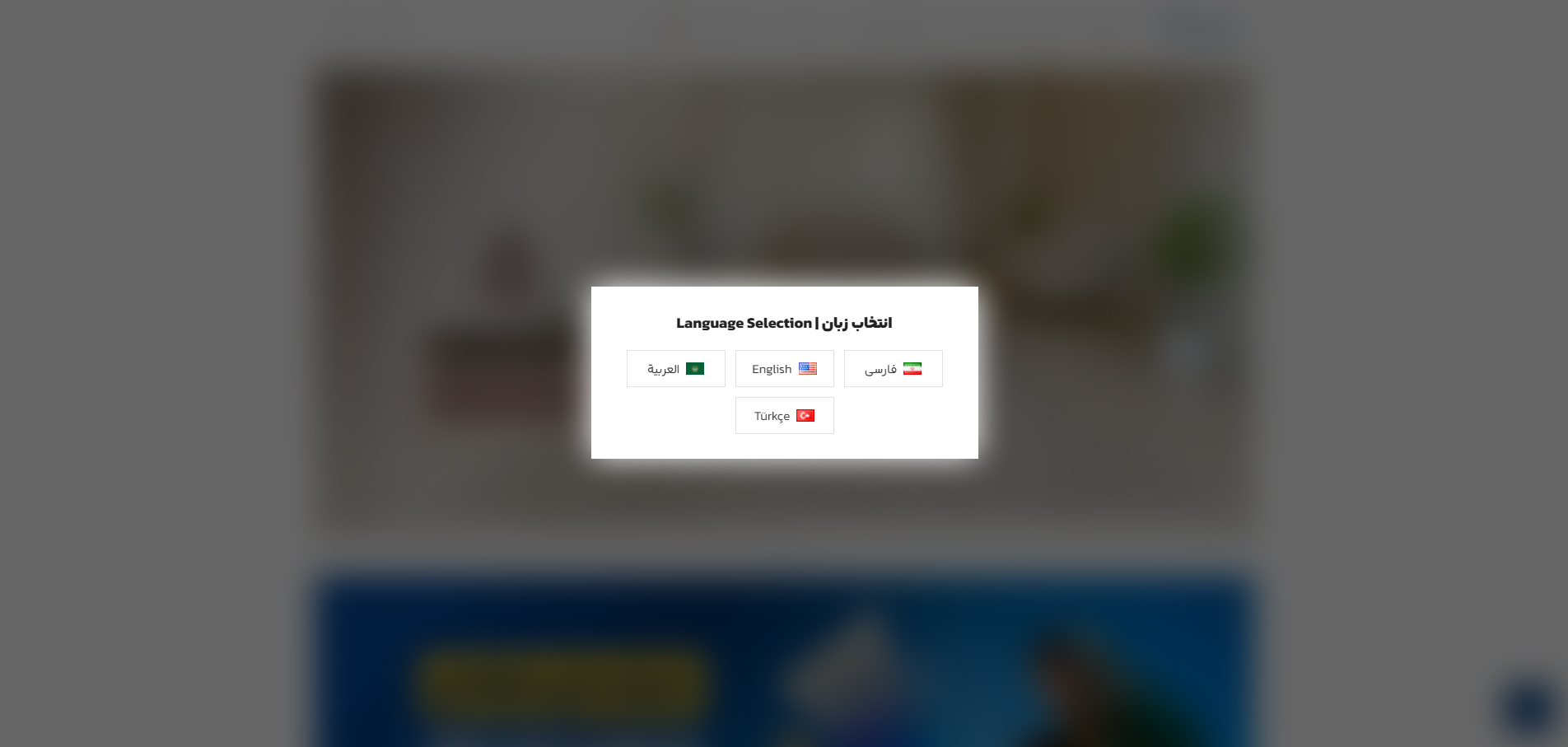
A lightweight and simple WordPress plugin for a language selection popup component.
English
What it is
A minimal WordPress plugin for showing a language switcher popup. Ideal for small projects or quick demos where a simple and clean language selection UI is needed.
Features
- Simple popup interface
- Works with Polylang
- Minimal design
Usage
- Copy the plugin folder to
wp-content/plugins/. - Activate the plugin in the WordPress admin plugins screen.
- Install and activate the Polylang plugin if not already active.
- Configure available languages in Polylang settings.
- The popup is added automatically to the website's front page, so no further action is needed.
فارسی
معرفی
یک پلاگین ساده وردپرس برای نمایش پنجره انتخاب زبان. مناسب برای پروژههای کوچک یا نمونههای سریع که نیاز به رابط کاربری ساده برای تغییر زبان دارد.
ویژگیها
- رابط کاربری ساده
- هماهنگی با پلیلنگ
- طراحی سبک
نحوه استفاده
- پوشه پلاگین را به
wp-content/plugins/منتقل کنید. - پلاگین را از صفحه مدیریت افزونههای وردپرس فعال کنید.
- افزونه Polylang را نصب و فعال کنید اگر قبلاً فعال نشده است.
- زبانهای موجود را در تنظیمات Polylang پیکربندی کنید.
- پنجره به طور خودکار به صفحه اصلی سایت اضافه میشود و نیازی به اقدام بیشتری نیست.