Install
This is the repository archive. It installs, but the folder name will carry the branch suffix and updates will not flow.
Install straight from GitHub with WP-CLI:
wp plugin install https://github.com/mate7777/brevo-webhook-alerts-wordpress/archive/refs/heads/main.zipBrevo Webhook Alerts for WordPress
WordPress plugin to receive Brevo webhook events, store alert events, and optionally notify Slack or email.
It is designed for monitoring workflows where email delivery issues need to be visible without logging every delivered, opened, or clicked event.
The plugin is intended to be installed by the owner or manager of the Brevo account. It can run on a dedicated WordPress monitoring site, not necessarily on the website that sends the emails. This is useful for professionals who manage transactional emails from forms or workflows across multiple client sites.
Why
Brevo can send many webhook events, but it does not provide a simple built-in alert workflow for every delivery problem a WordPress site owner may care about.
For example, a transactional email can be blocked, hard bounced, or rejected without the Brevo account owner or email manager noticing immediately. In practice, this means an important customer email may never reach its recipient, and the issue may only be discovered much later.
In daily maintenance, only a small subset of Brevo events usually needs immediate attention:
- blocked emails;
- hard bounces;
- invalid addresses;
- spam reports;
- unsubscribes;
- technical errors.
This plugin receives Brevo webhooks through a WordPress REST endpoint, keeps only alert-level events, and displays the latest stored entries in the WordPress admin of the monitoring site.
Features
- WordPress REST endpoint for Brevo webhooks.
- Secret token generated on plugin activation.
- Dedicated database table for stored events.
- Stores only alert events:
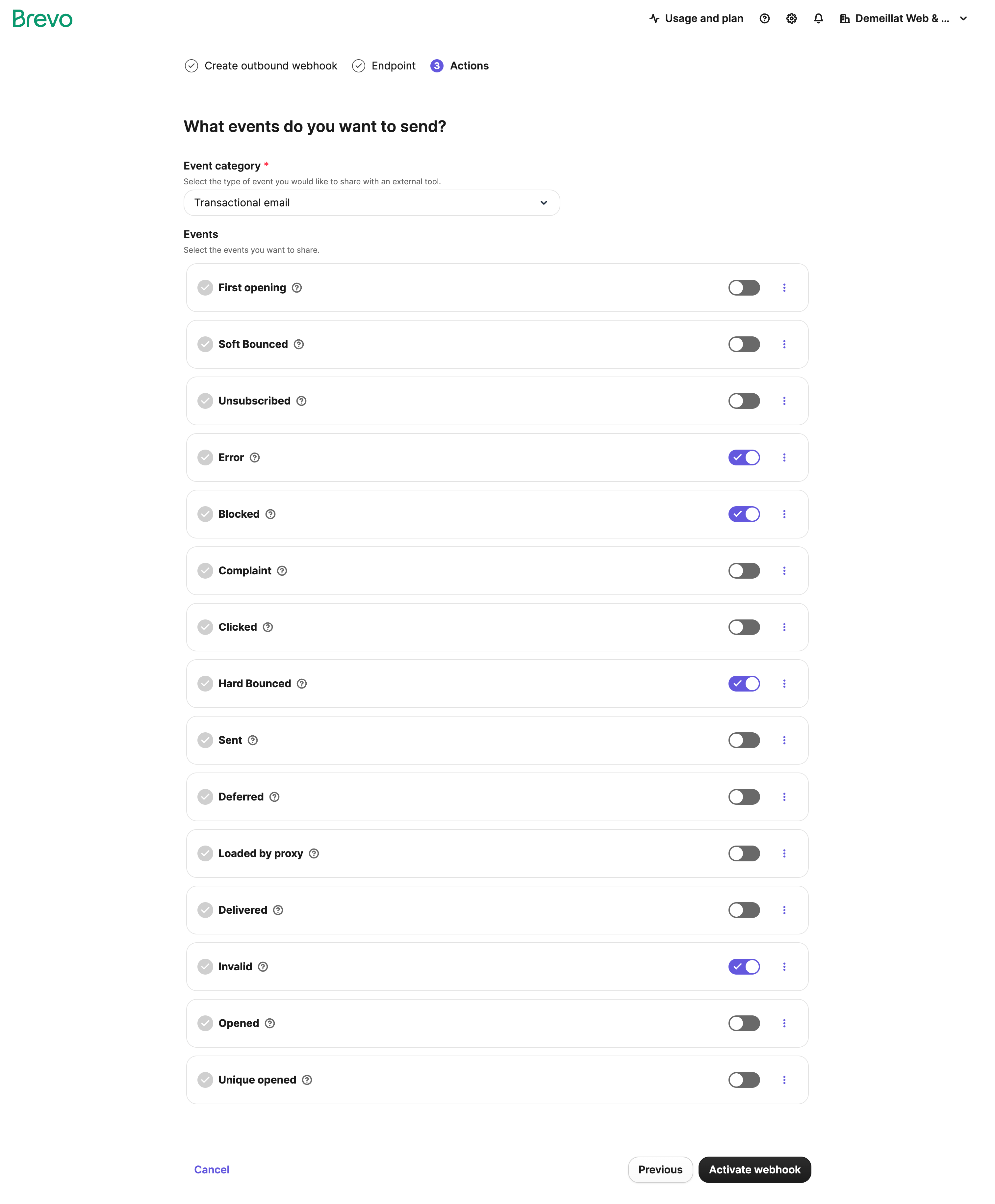
blockederrorhard_bounceinvalidinvalid_emailspamunsubscribed
- Ignores noisy non-critical events such as
request,delivered,opened, andclicked. - Displays the 50 latest stored events in the WordPress admin.
- Optional Slack notification.
- Optional email notification.
- Stores the original payload as JSON for later analysis.
Installation
- Download or clone this repository.
- Copy the plugin folder into
wp-content/plugins/on the WordPress site used for monitoring. - Activate Brevo Webhook Alerts in WordPress.
- Go to Tools > Brevo Webhook.
- Copy the generated webhook URL.
- Open Brevo webhooks settings.
- Create an outbound webhook.
- Paste the WordPress webhook URL.
- Select the Brevo events you want to send.
Webhook URL
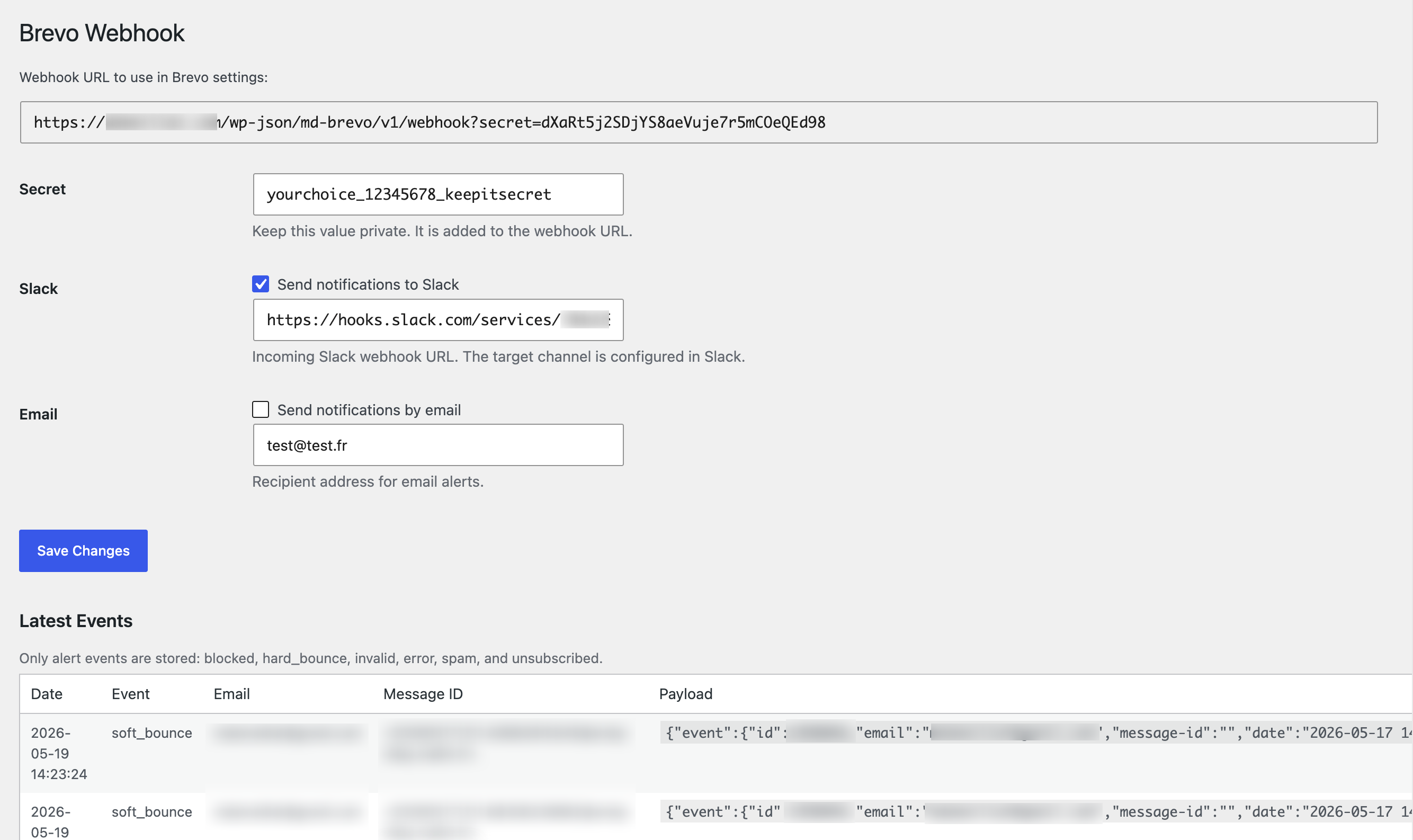
The plugin generates a URL like:
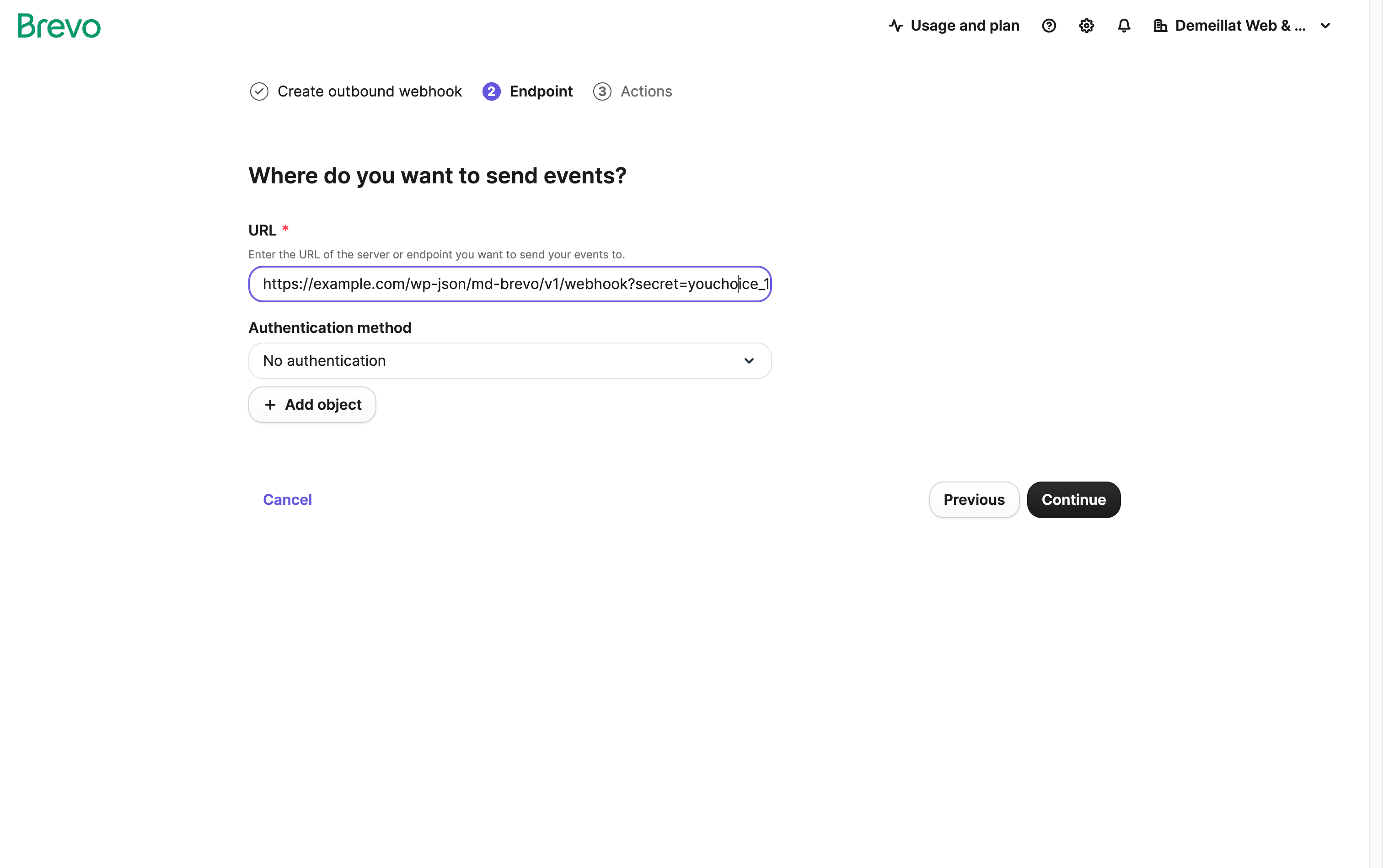
https://example.com/wp-json/md-brevo/v1/webhook?secret=yourchoice_12345678_keepitsecretKeep the secret value private.
Brevo Setup
Open Brevo webhook settings:
https://app.brevo.com/app-store/webhooks
Then:
- Click Add webhook.
- Choose Outbound webhook.
- Paste your WordPress webhook URL.
- Select the events you want Brevo to send.
Brevo describes outbound webhooks as:
Send events from Brevo to an external tool.This plugin only stores alert events, so you can enable several Brevo triggers without filling your WordPress log with delivered, opened, or clicked events.
Screenshots
WordPress Configuration
Add Webhook In Brevo
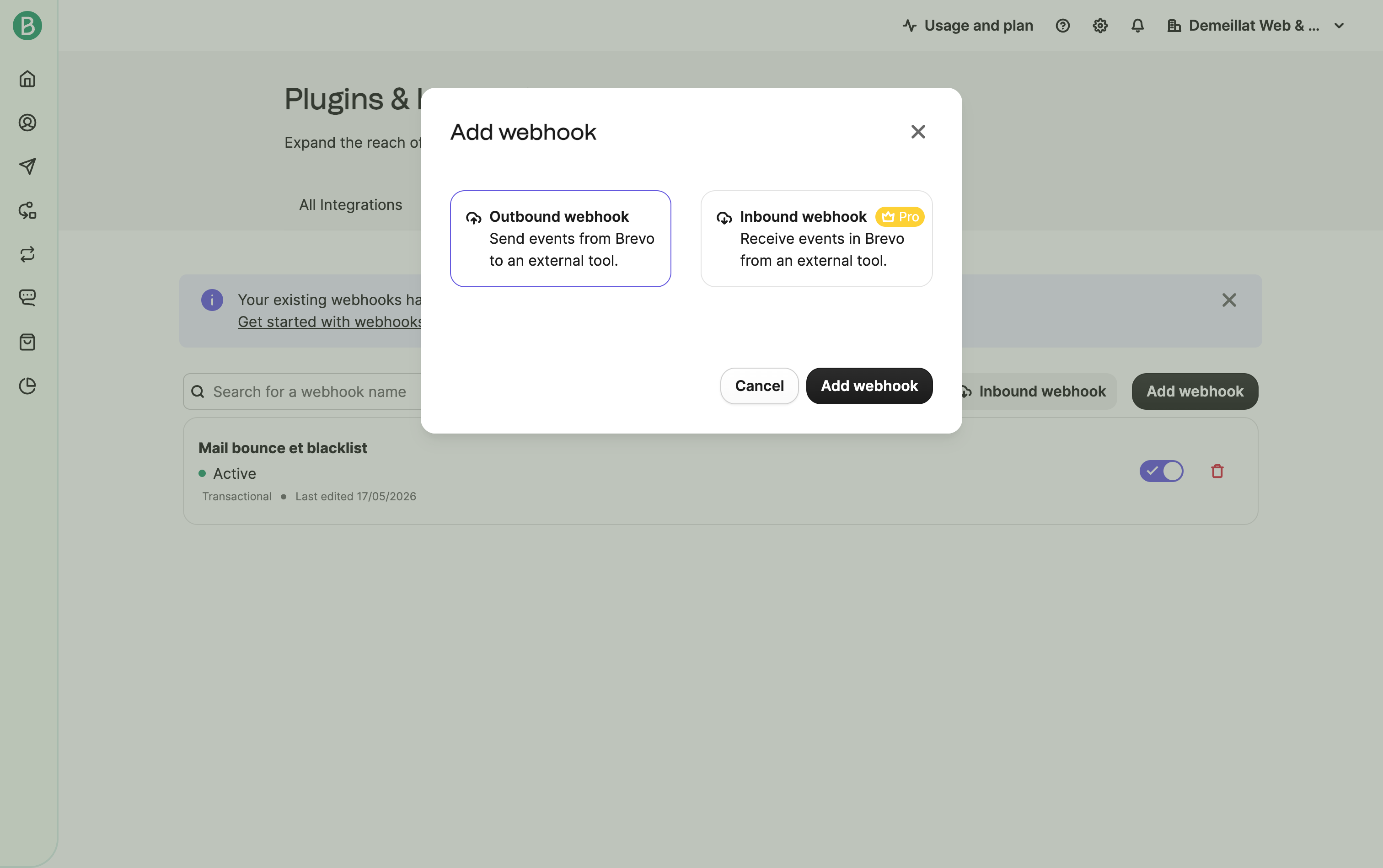
Outbound Webhook Type
Brevo Triggers
Notifications
Slack
Enable Slack notifications and paste an incoming Slack webhook URL.
The Slack channel is configured on the Slack side. This README does not cover Slack channel or incoming webhook setup.
Enable email notifications and set a recipient email address.
The email includes a short event summary and the original event payload.
If your WordPress email is also sent through Brevo, email notifications can create a feedback loop: a hard bounce notification email may itself be sent through Brevo and generate another Brevo event.
For this reason, Slack is usually the safer notification channel for delivery alerts.
Stored Data
The plugin stores:
- received date;
- event type;
- email address when present;
- message ID when present;
- original event payload as JSON;
- request user agent and content type.
The database table is:
{prefix}_md_brevo_webhook_eventsSecurity Notes
- The endpoint is public by design because Brevo must be able to call it.
- Requests are authorized with the generated
secretquery parameter. - Keep the generated webhook URL private.
- Do not publish screenshots showing a real secret, Slack URL, or real customer email.
- Stored payloads may contain personal data such as email addresses.
- Prefer Slack notifications if WordPress emails are sent through Brevo, to avoid notification loops.
- Review your own retention and privacy requirements before using this in production.
Limits
- There is no automatic payload retention or cleanup yet.
- There is no signature verification because Brevo webhook calls are validated with the shared secret URL.
- The admin table displays the 50 latest stored events.
- The plugin does not unsubscribe contacts or modify Brevo data.
- The plugin does not retry failed Slack or email notifications.
Development Notes
Main plugin file:
md-brevo-webhook.phpREST endpoint:
/wp-json/md-brevo/v1/webhookThe internal option names and table name keep the original md_brevo_webhook prefix for backward compatibility.
Roadmap Ideas
- Add log retention settings.
- Add manual event cleanup.
- Add event export.
- Add webhook test mode.
- Add masked payload display in the admin table.
- Add filters to customize stored events and notification text.
License
MIT License. See LICENSE.