Install
This is the repository archive. It installs, but the folder name will carry the branch suffix and updates will not flow.
Install straight from GitHub with WP-CLI:
wp plugin install https://github.com/marktopper/wordpress-woocommerce-vat-price/archive/refs/heads/master.zipNo built-in updater. New versions won't appear under Dashboard → Updates. Install new releases yourself, or let Git Updater track the repository.
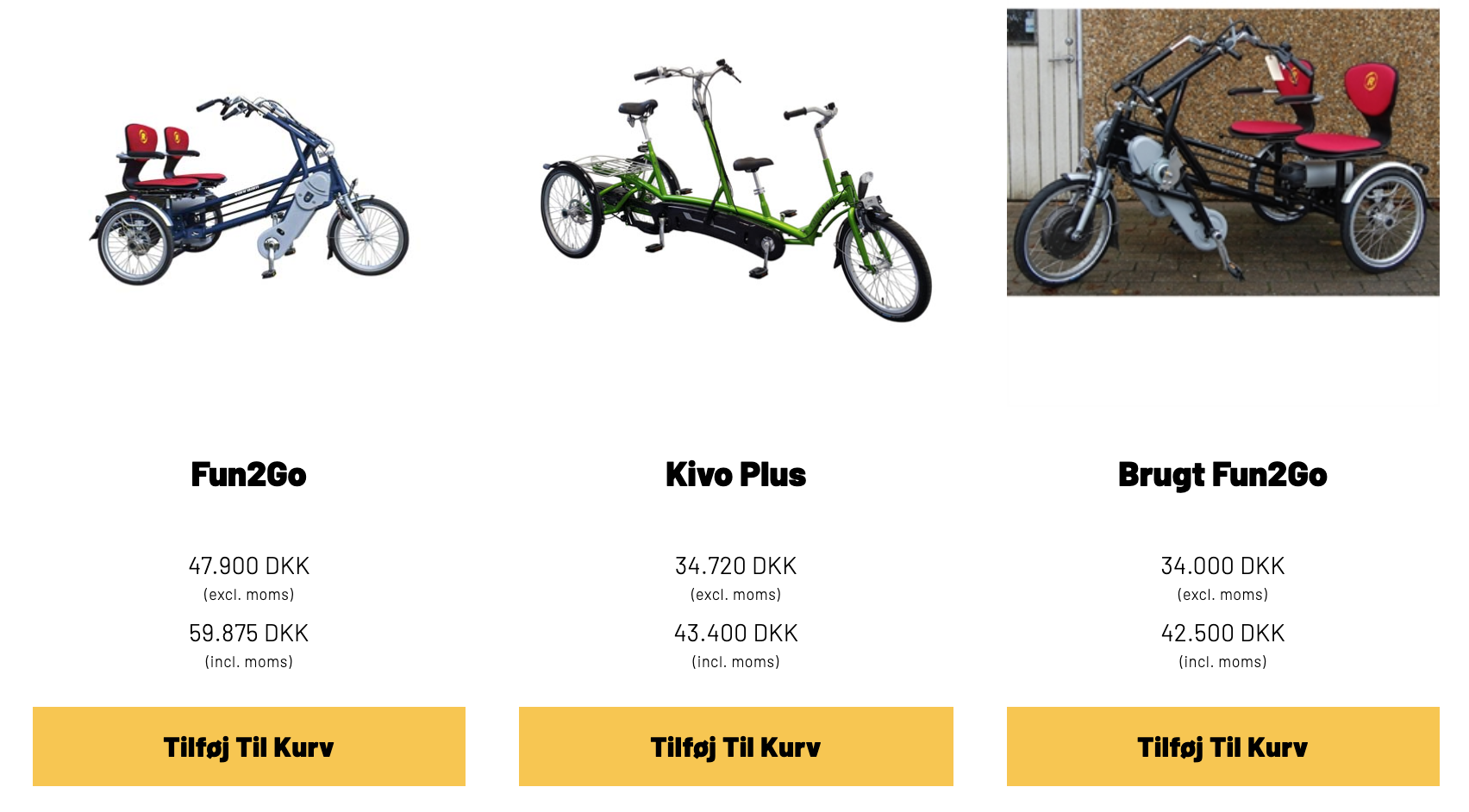
This plugins replaces the WooCommerce's price div HTML, with two HTML div boxes, one containing the price without VAT, and the other containing the price including VAT.
Notice
This is currently hardcoded for the danish VAT value at 25%.
Usage
This plugin will replace the initial prive HTML div element, with the following:
<span class="price-without-vat">
  <span class="woocommerce-Price-amount amount">
    1.000,00
    <span class="woocommerce-Price-currencySymbol">
      DKK
    </span>
  </span>
</span>

<span class="price-with-vat">
  <span class="woocommerce-Price-amount amount">
    1.250,00
    <span class="woocommerce-Price-currencySymbol">
      DKK
    </span>
  </span>
</span>
Styling
The plugin doesn't include any styling of this so far, so you will have to apply your own styling.
Here is a sample style added to ji.dk:
Code:
/* Styles for showing prices with and without VAT */
.woocommerce ul.products li.product .price-with-vat, .woocommerce ul.products li.product .price-without-vat {
    color: #000;
    font-size: 14px;
    margin: -5px 0 0 0;
    font-weight: 300;
    letter-spacing: 0.2px;
    text-align: center;
    display: block;
    margin-bottom: 10px;
}
.woocommerce ul.products li.product .price-with-vat::after, .woocommerce div.product .price-with-vat::after {
    content: '(incl. moms)';
    display: block;
    letter-spacing: 0.3px;
    font-size: 9px;
}
.woocommerce ul.products li.product .price-without-vat::after, .woocommerce div.product .price-without-vat::after {
    content: '(excl. moms)';
    display: block;
    letter-spacing: 0.3px;
    font-size: 9px;
}