Easy WebP Optimizer
Bulk convert JPG/PNG to WebP, resize proportionally, and serve automatically to compatible browsers. No API key, no paid plans.
Install
Upload it under Plugins → Add New Plugin → Upload Plugin, then activate.
Install straight from GitHub with WP-CLI:
wp plugin install https://github.com/marcelovianaandrade/easy-webp-optimizer/releases/download/v1.1.1/easy-webp-optimizer.zip








A lightweight WordPress plugin for bulk converting JPG/PNG images to the modern WebP format, with proportional resizing and automatic delivery to compatible browsers.
No API key. No paid plans. No usage limits.
✨ Features
- 🔄 Bulk conversion of your entire Media Library with one click
- 📐 Proportional resizing to a maximum width of 1280px (mobile-first)
- 🚀 Two-layer automatic delivery:
.htaccessrewrite rule (Apache/LiteSpeed)- PHP
<picture>filter as fallback (Nginx and edge cases)
- 🔒 Originals preserved — never modified or deleted
- ⏭️ Idempotent processing — already-converted images are skipped
- 📊 Real-time progress bar with detailed log and savings statistics
- 🧹 Clean uninstall — removes all options, post meta, and
.htaccessrules - 🏠 100% local processing — your images never leave your server
📸 Screenshots
Environment Diagnostic
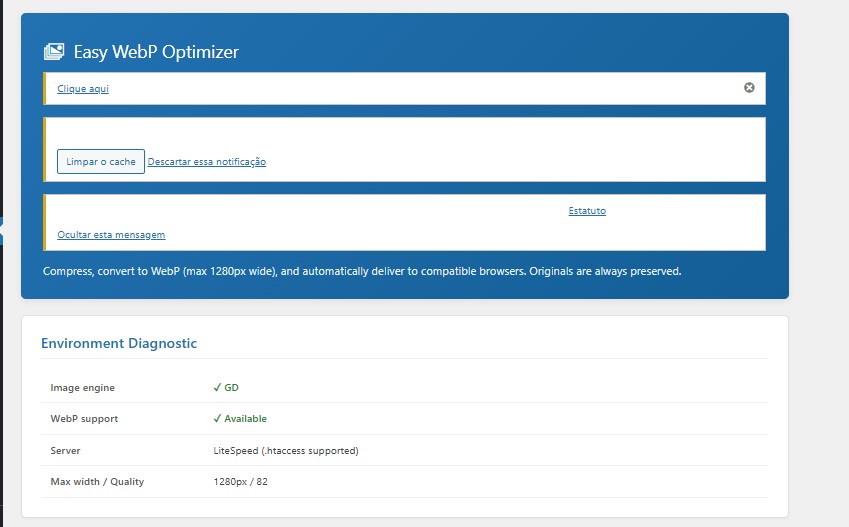 Main panel displays a complete environment diagnostic: image engine (GD/Imagick), WebP support, server (Apache/LiteSpeed/Nginx) and max width/quality configuration.
Generate WebP files
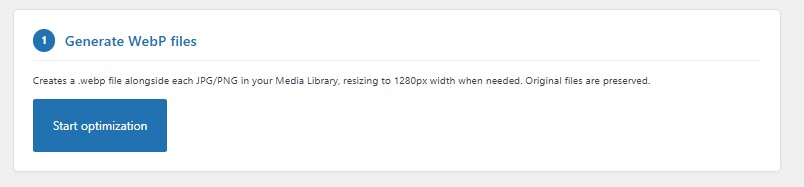 Creates a
 .webp file alongside each JPG/PNG in the Media Library, resizing to 1280px width when needed. Original files are always preserved.
Automatic delivery to browsers
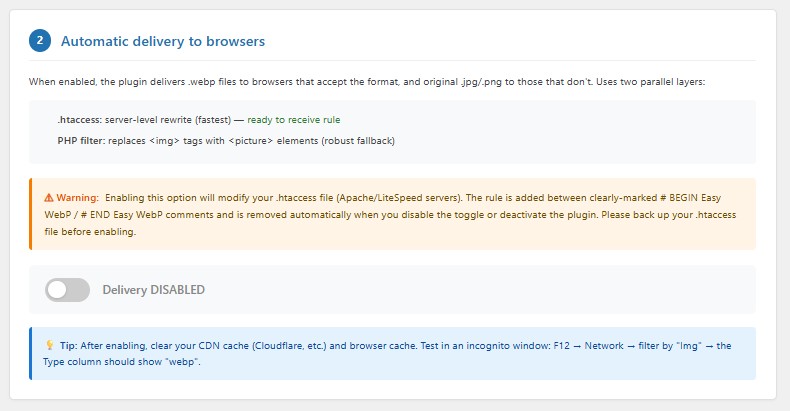 Delivers
 .webp files automatically to compatible browsers, with fallback to JPG/PNG. Supports two layers: .htaccess rewrite rule (fastest) and PHP filter that replaces <img> with <picture> elements (robust fallback).
🚀 Installation
Option 1 — Download the latest release
- Go to the Releases page
- Download
easy-webp-optimizer.zipfrom the latest release - In WordPress: Plugins → Add New → Upload Plugin
- Select the
.zipand click Install Now - Activate the plugin
Option 2 — Clone via Git
cd wp-content/plugins/
git clone https://github.com/marcelovianaandrade/easy-webp-optimizer.git
Then activate the plugin in Plugins menu.
Option 3 — Manual upload via FTP
- Download or clone this repository
- Upload the
easy-webp-optimizerfolder to/wp-content/plugins/ - Activate in WordPress admin
📖 Usage
- After activation, go to Media → WebP Optimizer
- Review the Environment Diagnostic panel (Imagick/GD, WebP support, server type)
- Click Start optimization to generate WebP files for your existing library
- (Optional) Enable the automatic delivery toggle to serve WebP to compatible browsers
- Clear your CDN/cache and test in an incognito browser window
⚠️ Backup your
.htaccessfile before enabling automatic delivery. The plugin requires explicit confirmation via a dialog before any modification.
⚙️ Configuration
The plugin works out of the box. To customize, edit these constants at the top of easy-webp-optimizer.php:
define( 'EASY_WEBP_MAX_WIDTH', 1280 );   // Maximum width in pixels
define( 'EASY_WEBP_QUALITY', 82 );       // WebP quality (0-100)
define( 'EASY_WEBP_BATCH_SIZE', 5 );     // Images per AJAX batch
Recommended values
| Use case | Max width | Quality |
|---|---|---|
| Mobile-first (default) | 1280px | 82 |
| Balanced | 1600px | 82 |
| High-quality photography | 1920px | 85 |
| Print-quality / zoom | 2048px | 88 |
🌐 Server Compatibility
| Server | Delivery method | Status |
|---|---|---|
| Apache | .htaccess + PHP filter |
✅ Full support |
| LiteSpeed | .htaccess + PHP filter |
✅ Full support |
| Nginx | PHP filter only | ✅ Works (manual nginx.conf rule recommended) |
| Cloudflare | Works alongside CDN | ✅ Purge cache after enabling |
Server requirements
- PHP 7.4 or higher
- One of:
- Imagick extension with WebP support (preferred — uses Lanczos filter, respects EXIF orientation)
- GD extension with
imagewebp()function available
The plugin's diagnostic panel detects your environment automatically.
❓ FAQ
Will this plugin delete or replace my original images?
No. The plugin generates a .webp file alongside each .jpg/.png. Originals are never modified or deleted.
Does it modify my .htaccess file?
Only when you explicitly enable the delivery toggle and confirm via dialog. The rule is added between clearly-marked # BEGIN Easy WebP / # END Easy WebP comments. It's removed automatically on disable or uninstall.
What if I'm on Nginx?
The plugin detects Nginx and skips .htaccess modification. The PHP <picture> filter handles delivery instead.
Does it work with Cloudflare?
Yes. Purge your Cloudflare cache after enabling delivery. If you have Cloudflare Polish (Pro+) with WebP, this plugin's bulk conversion is still useful for storage savings.
Does it work with Elementor, WooCommerce, and page builders?
Yes. The PHP filter operates on the_content and wp_get_attachment_image hooks, covering most page builders and product galleries.
Does the plugin send data to external servers?
No. All processing is local. No API calls, no telemetry, no "phone home" behavior.
How do I revert all changes?
- Disable the delivery toggle (removes
.htaccessrule) - Deactivate the plugin (also removes the rule)
- Optionally delete
.webpfiles:find wp-content/uploads -name "*.webp" -delete
🤝 Contributing
Contributions are welcome! Here's how:
- 🐛 Bug reports — open an issue
- 💡 Feature requests — open an issue
- 🔧 Pull requests — fork, create a feature branch, and submit a PR
Please follow WordPress Coding Standards for any code contributions.
📜 License
This plugin is licensed under the GNU General Public License v2.0 or later.
See LICENSE for the full text.
🙋 Author
Marcelo V. Andrade
- 💻 GitHub: @marcelovianaandrade
- 💼 LinkedIn: linkedin.com/in/marcelovianaandrade
- 🌐 Website: projetowebstudio.com.br
Built with care for the WordPress community.
If this plugin helped you, consider starring the repo ⭐
Releases
2 releases. Each count is every asset in that release; expand a row for the breakdown.