Stalelingo – Outdated Translation Tracker for Multilingual Sites
WordPress plugin that flags translations that went out of date when the source post changed, and shows what changed. Works with Polylang and WPML.
by Mahesh Bohara · github.com/maheshbohara/stalelingo · website
Install
No release zip yet. The repository archive installs, but the folder name will carry the branch suffix and updates will not flow:
wp plugin install https://github.com/maheshbohara/stalelingo/archive/refs/heads/main.zipStalelingo is a WordPress plugin that tells you which translations went out of date when the source post changed, and shows exactly what changed. It works with Polylang (including the free version) and WPML.
It is available on WordPress.org: wordpress.org/plugins/stalelingo.
What it does
When the source version of a post is edited, its translations silently go stale. Stalelingo fingerprints the source content each time a translation is marked as up to date. When the source changes later, it flags every affected translation as outdated and shows a field-by-field diff.
It tracks:
- Title, content, excerpt, and optionally the slug and featured image.
- Custom fields you choose, including ACF fields set to be translated and text inside ACF blocks.
- Visible Elementor text. Styling-only changes are ignored.
Formatting-only edits, such as whitespace or block attribute changes, are ignored unless you turn on strict mode.
Where you see it
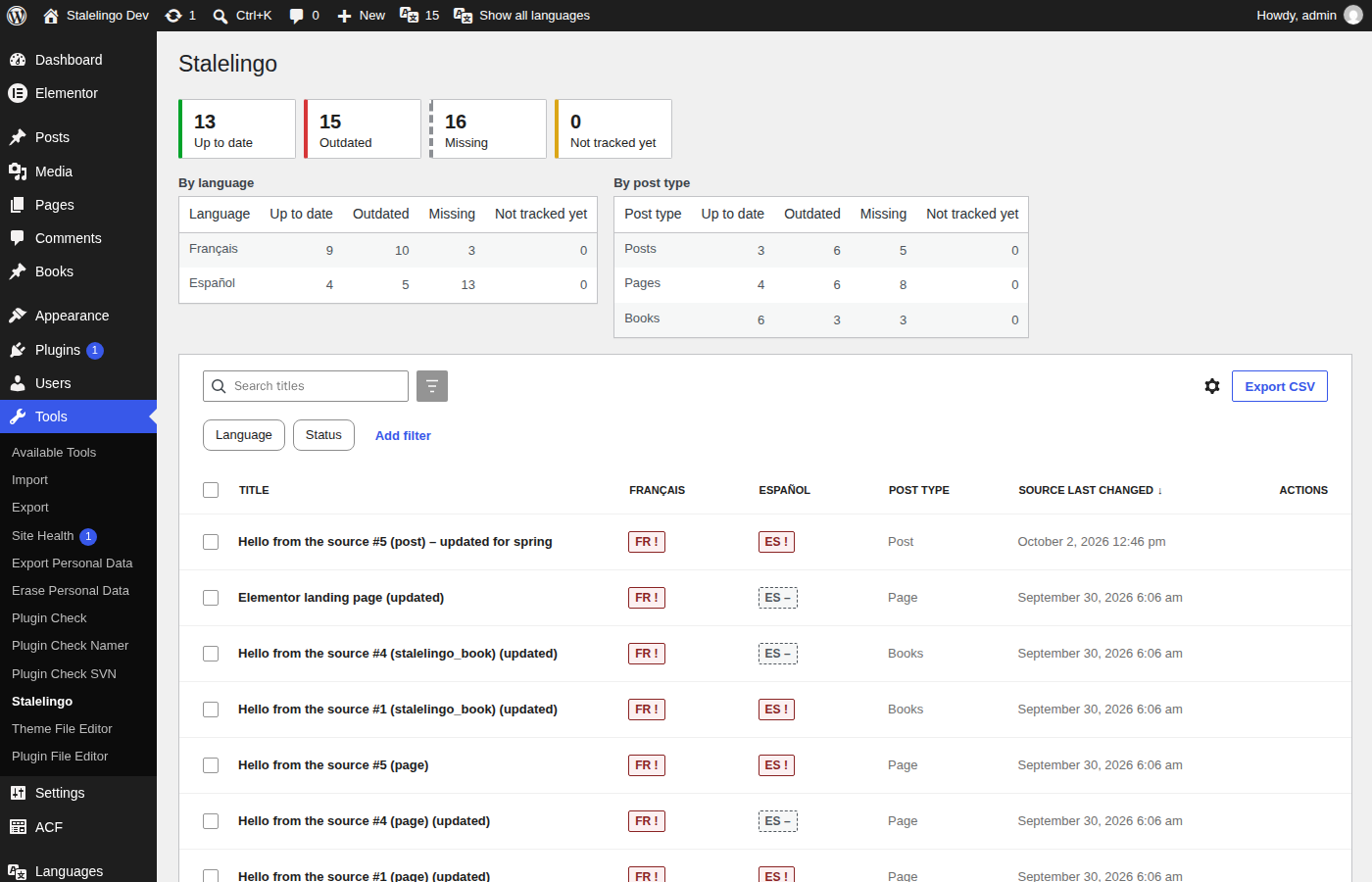
- A dashboard under Tools → Stalelingo with a matrix of posts and languages, filters, bulk actions and CSV export.
- A status column in the post lists, with one badge per language.
- A panel in the block editor, and a metabox in the classic editor, with the diff and a Mark as up to date button.
- An admin bar counter, and daily or weekly email digests for each translator.
- WP-CLI:
wp stalelingo report,mark-synced,baselineandrecalc. - A REST API under
stalelingo/v1.
Stalelingo is free. It has no paid version, no license key and no tracking, and it makes no external requests.
Requirements
- WordPress 6.8 or newer
- PHP 8.1 or newer
- Polylang or WPML, active on the site
Installation
Install it from the WordPress.org plugin directory: in your site's admin, go to Plugins → Add New, search for "Stalelingo", then install and activate it. You can also download it from wordpress.org/plugins/stalelingo.
To build the zip from this repository instead, run make zip, which writes dist/stalelingo-<version>.zip.
After activating, go to Settings → Stalelingo and choose the post types and fields to track. Stalelingo then builds a baseline in the background and treats every existing translation as up to date.
The user-facing documentation, including the FAQ, is in readme.txt. Changes are listed in CHANGELOG.md.
Development
Requires Docker (Compose v2) and make. Everything else runs in containers.
cp .env.example .env     # optional
make up && make setup    # http://localhost:8080/wp-admin (admin / password), Mailpit on :8025
make help                # all targets
make setup PROVIDER=wpml uses WPML when its zips are in ./private/wpml/ (git-ignored); make test-integration PROVIDER=wpml runs the integration suite against WPML.
| Check | Command |
|---|---|
| Coding standards, ESLint, TypeScript, Stylelint | make lint |
| Static analysis / PHP compatibility | make phpstan, make phpcompat |
| Tests | make test-unit, make test-integration, make test-js, make test-e2e, make test |
| Coverage gate | make coverage |
| WordPress.org package | make zip, make plugin-check, make readme-validate |
License
GPL-2.0-or-later.