Install
Upload it under Plugins → Add New Plugin → Upload Plugin, then activate.
Install straight from GitHub with WP-CLI:
wp plugin install https://github.com/mahavirvataliya/wc-side-cart-order-bumps/releases/download/v1.1.0/wscb-1.1.0.zipThe free, open-source alternative to FunnelKit Cart & CartFlows ($99–$299/yr). A lightweight WooCommerce side cart (slide-in cart drawer) with a free shipping progress bar, in-drawer coupon codes, in-cart cross-sells and a one-click order bump on the native checkout — everything you need to recover abandoned carts and raise average order value, with zero bloat and zero external calls.
 |
|---|
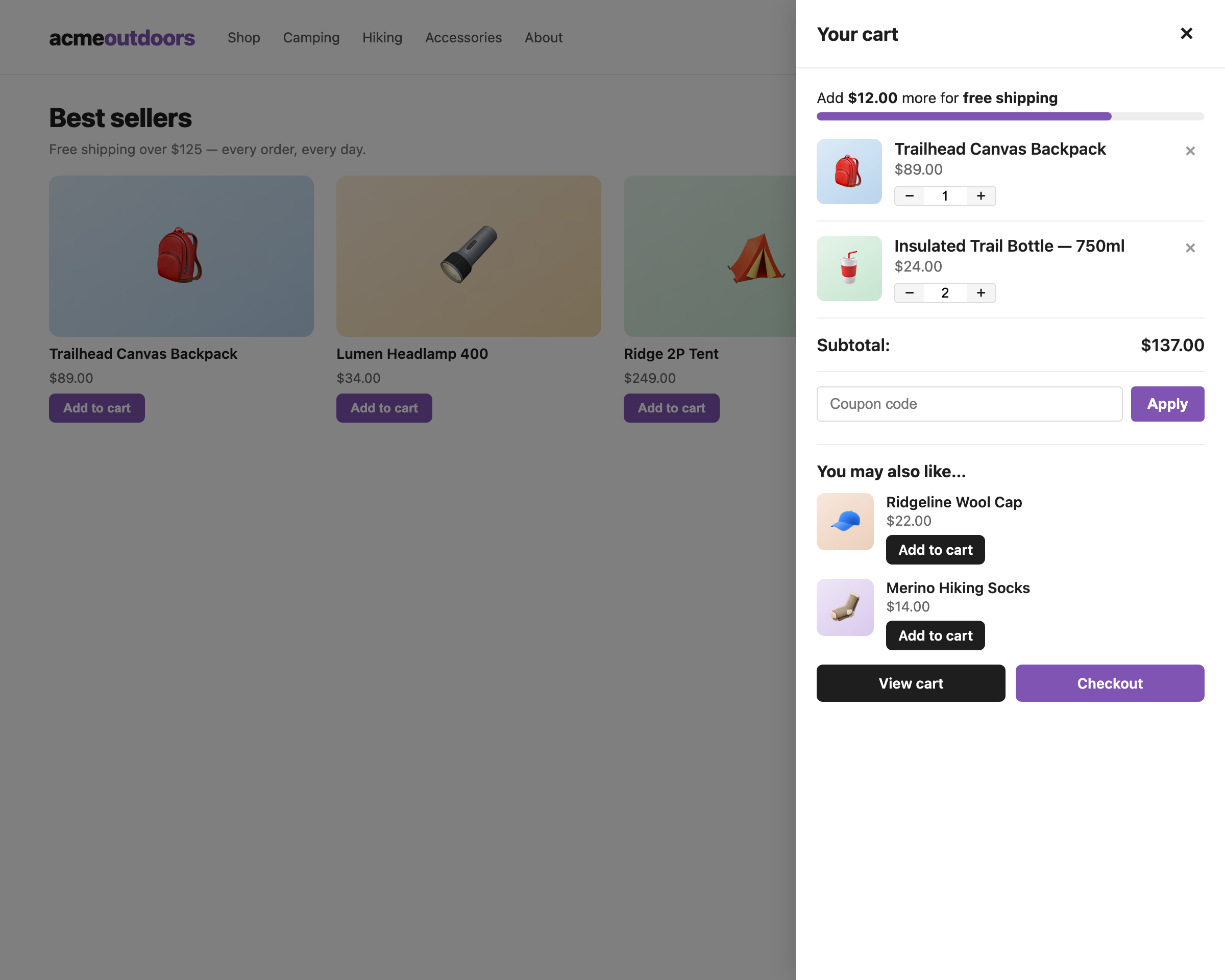
| Slide-in AJAX cart drawer with free shipping progress bar, quantity steppers and in-cart cross-sells |
✨ Features
- 🛒 Slide-in AJAX side cart drawer — opens automatically on add-to-cart; stays perfectly in sync through WooCommerce's own fragment system. Floating cart button with live item-count badge.
- 🚚 Free shipping progress bar — the classic "Add $12 more for free shipping" nudge. Threshold auto-detected from your Free Shipping method, or override it manually / via filter.
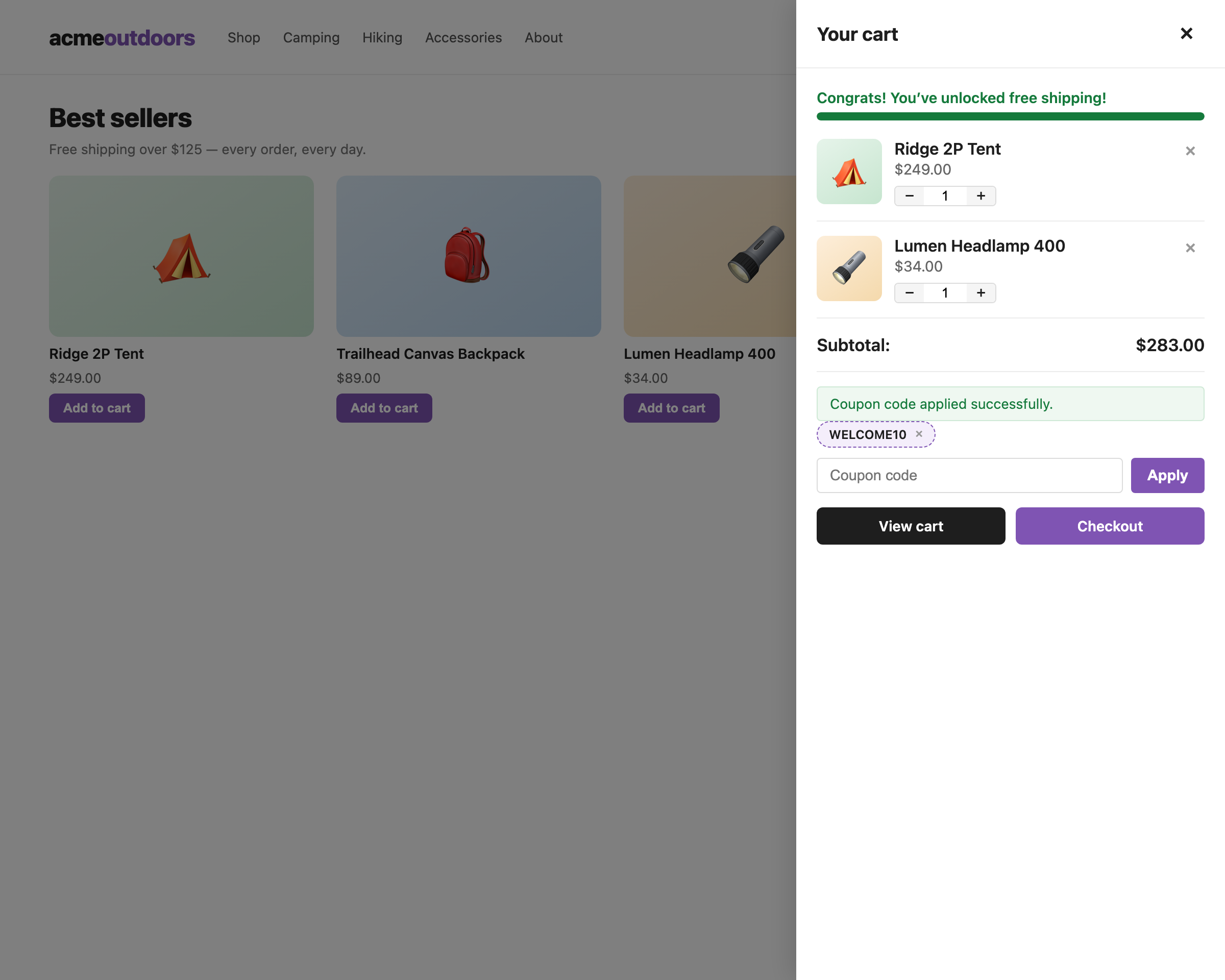
- 🏷 Coupons inside the drawer — customers apply and remove coupon codes without leaving the page. Validation comes from WooCommerce core, so usage limits and expiry rules just work.
- 🔗 In-cart cross-sells — your product cross-sells rendered inside the drawer with AJAX add-to-cart.
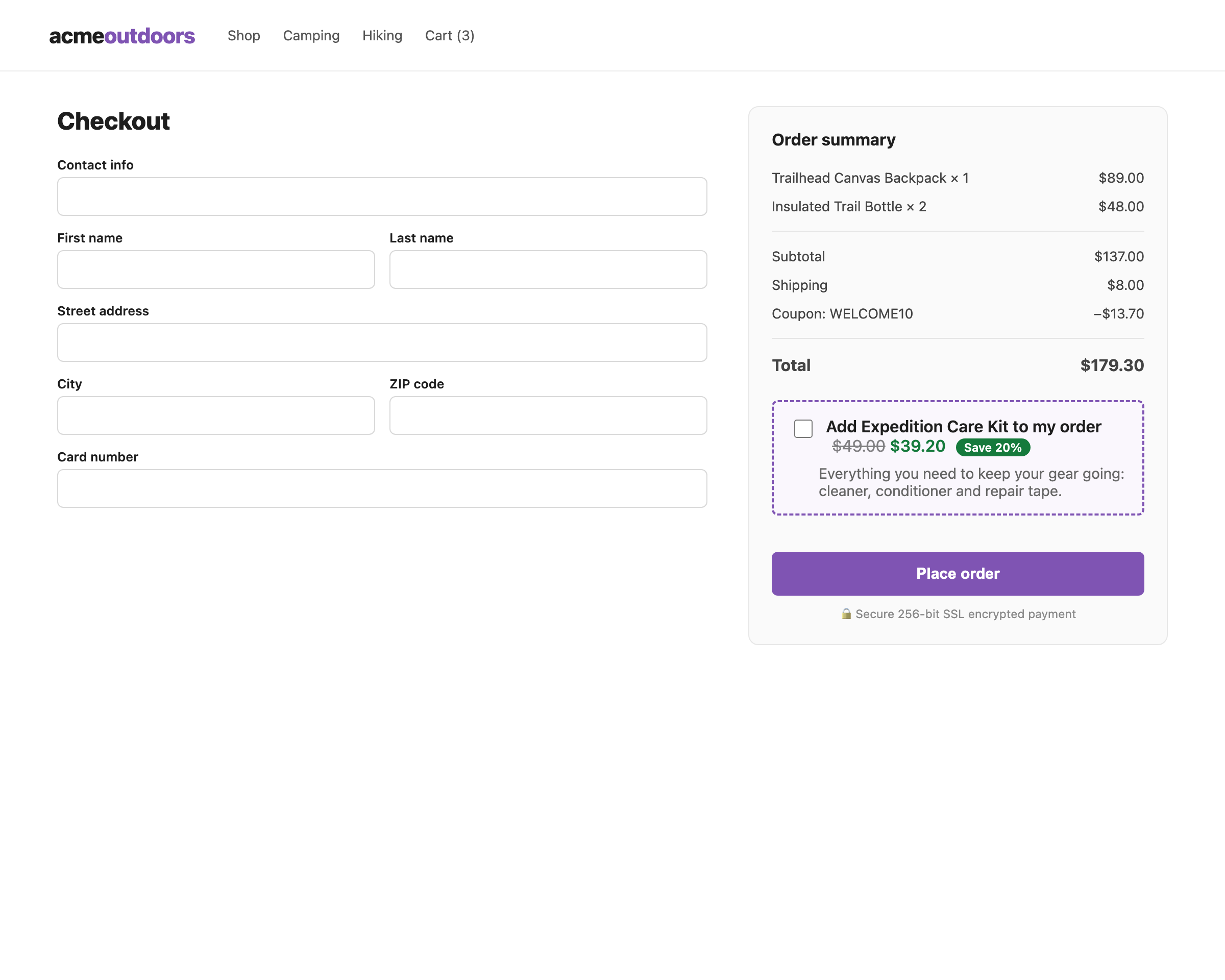
- ✅ One-click order bump — a discounted offer with strikethrough pricing and a "Save X%" badge above the place-order button. Percentage or fixed-amount discounts.
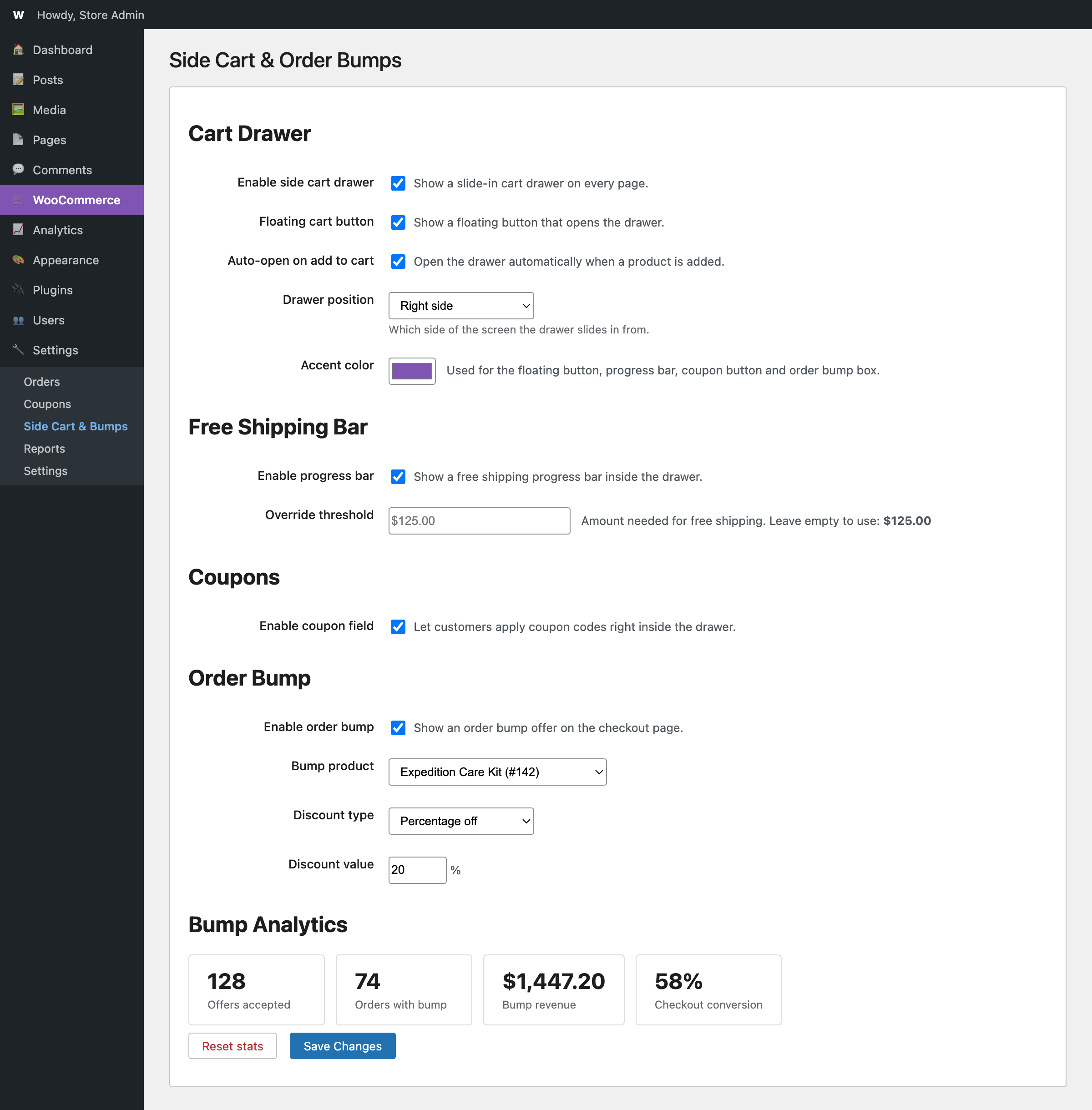
- 📊 Bump analytics — offers accepted, orders with bump, bump revenue and checkout conversion, tracked privately in your own database.
- 🎨 Brandable — left/right drawer position plus an accent color picker that recolors the button, progress bar, coupons and bump box.
- ♿ Accessible — dialog semantics, keyboard focus trap, Escape to close,
prefers-reduced-motionsupport, aria-live coupon feedback. - 🌍 Translation-ready — all strings internationalized,
.pottemplate included. - 🧹 Clean — no external HTTP calls, no tracking, no license checks, no build step; HPOS compatible; fully removed on uninstall.
🚀 Quick start
- Download the latest release or clone this repo, zip the folder and upload via Plugins → Add New → Upload (or copy to
wp-content/plugins/). - Activate the plugin.
- Configure under WooCommerce → Side Cart & Bumps.
Requirements: WordPress 6.0+, WooCommerce 7.0+, PHP 7.4+.
📸 More screenshots
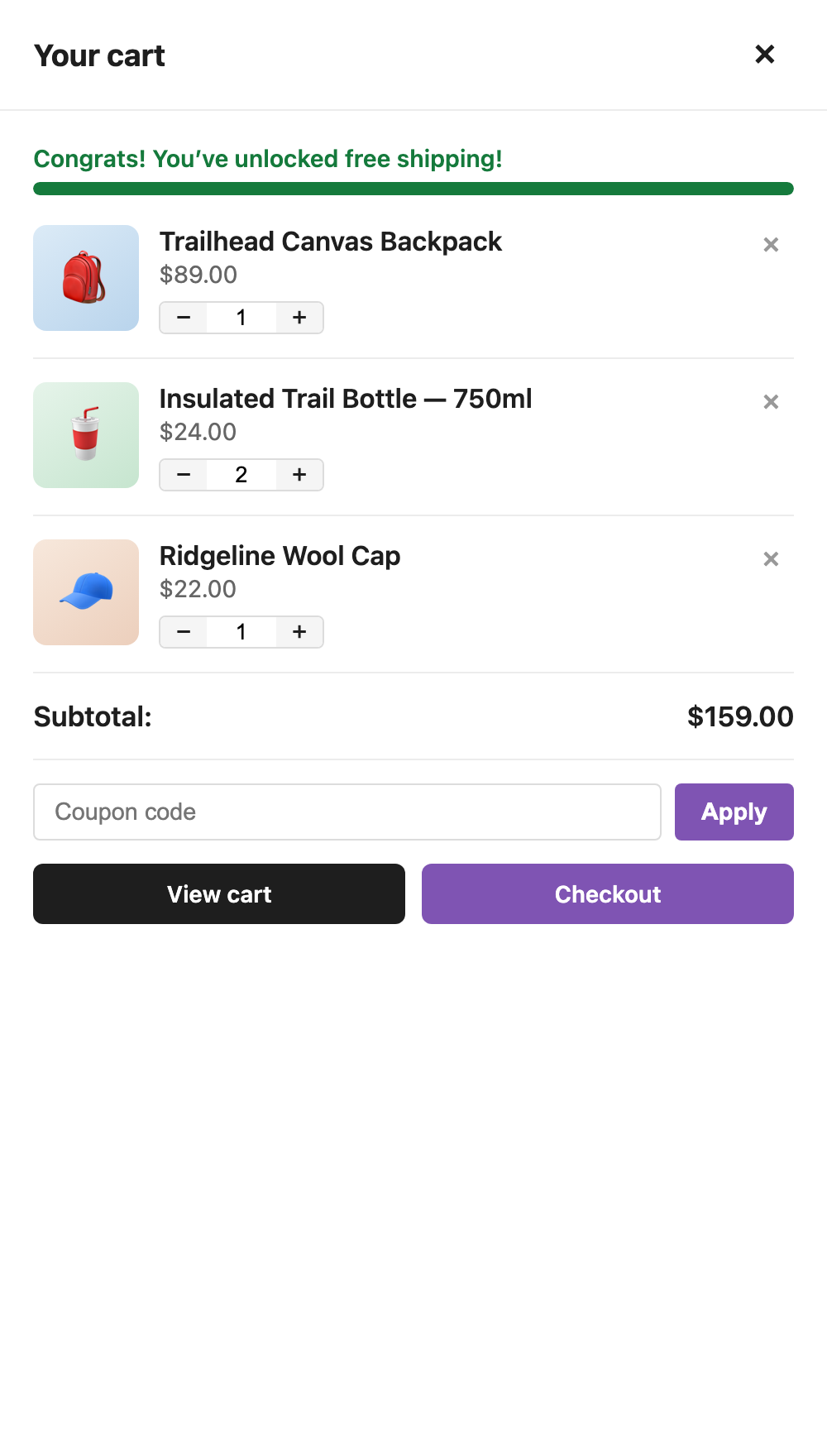
| Drawer with coupons | Mobile sheet | Order bump at checkout | Settings + analytics |
|---|---|---|---|
 |
 |
 |
 |
⚙️ Developer API
Small, documented surface — no hook spaghetti:
| Hook | Type | Purpose |
|---|---|---|
wscb_free_shipping_threshold |
filter | Change the free shipping bar threshold at runtime. |
wscb_setting |
filter | Override any plugin setting at read time ($value, $key). |
wscb_drawer_opened / wscb_drawer_closed |
JS event (body) | React to the drawer opening/closing. |
wscb_coupon_updated |
JS event (body) | Fires after a coupon is applied/removed (array of applied codes). |
wscb_open_drawer |
JS event (body) | Open the drawer programmatically. |
[data-wscb-open] |
HTML attribute | Add to any element to open the drawer on click. |
// Example: open the drawer from your own code.
jQuery( 'body' ).trigger( 'wscb_open_drawer' );
// Example: 150 free-shipping threshold for everyone.
add_filter( 'wscb_free_shipping_threshold', fn () => 150.0 );AJAX endpoints (?wc-ajax=…): wscb_update_cart_item, wscb_apply_coupon, wscb_remove_coupon, wscb_toggle_bump — all nonce-protected, guests included.
❓ FAQ
Does the order bump work with the block checkout?
Not yet — the bump renders on the classic [woocommerce_checkout] shortcode checkout, which most themes and checkout plugins use.
How is the free shipping threshold detected?
From your configured Free Shipping methods (min_amount) across all shipping zones, falling back to the legacy setting. Override it in settings or with the wscb_free_shipping_threshold filter.
Where is the bump revenue number from?
Bump line items are flagged with hidden order item meta (_wscb_bump); orders containing one count as conversions and their line totals count as revenue. Nothing leaves your server.
Does it create database tables? No. Two options rows (settings + analytics counters), both deleted on uninstall.
See the full FAQ in the docs.
🖼 Screenshots & assets
All marketing assets in .wordpress-org/ (banners, icons, screenshots for the WordPress.org listing) are rendered from HTML that inlines the plugin's real stylesheet:
python3 docs/screenshots-src/build.py # needs Chrome + sips (macOS)Swap in captures from your own store any time — keep the same file names.
🤝 Contributing
Bug reports and pull requests are welcome. Run php -l on changed PHP files before submitting.
📄 License
GPL-2.0-or-later. Free software — no upsells, no tracking.
Releases
1 release. Each count is every asset in that release; expand a row for the breakdown.